


 Video Converter Ultimate
 Gravadora de pantalla
 Reparació de vídeo
Expresseu millor les vostres emocions amb els 8 millors GIF Maker en línia per a PC i Mac
El primer que ens ve al cap quan parlem de GIF és la comèdia. Aquestes imatges de vídeo senzilles poden convertir el nostre missatge de text senzill en una melodia més viva. Així, els GIF s'han popularitzat avui dia perquè mostren algunes de les emocions exagerades que volem que vegi el món. Però, de fet, és més fàcil afegir GIF al vostre missatge per expressar millor les vostres emocions. Però no tots els GIF d'Internet proporcionen les emocions específiques que voleu oferir. Per tant, tenir GIF enganyosos pot proporcionar al vostre missatge una intenció equivocada. Però en lloc de cercar a Internet o en funció de les vostres aplicacions de missatgeria, per què no feu el vostre propi GIF?

De fet, és fàcil fer-ne un. Si estàs cercant el millor creador de GIFs en línia, aleshores ets al lloc adequat. Així doncs, has de parar atenció a les llistes de més avall. I saber quin és el que crea el millor GIF que pots utilitzar per expressar les teves emocions o també ajudar altres usuaris que tenen problemes per trobar el millor GIF per mostrar el que senten. Aprendre a crear els teus propis GIFs i ajudar els altres és com matar dos ocells d’un tret. Així que, sense més explicacions, vegem quins són els millors i com utilitzar-los correctament per crear un GIF excepcional. La llista següent et mostra els 8 millors creadors de GIFs que et pots trobar gratuïtament a la web.
Top 1. Convertidor de vídeo en línia gratuït
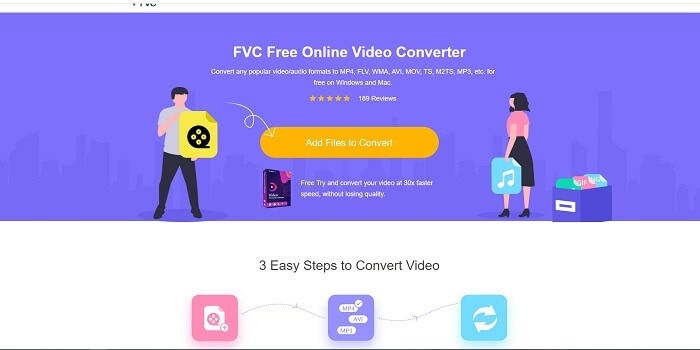
Si estàs buscant un creador de GIFs en línia excepcional, això és per a tu; llegeix amb atenció per saber-ne més. FVC convertidor de vídeo en línia gratuït Aquesta eina és una aplicació web que probablement trobaràs a internet. La millor manera de crear GIFs a partir de vídeos és convertir-los al format GIF. Potser et preguntes si és realment possible crear GIFs amb un convertidor en lloc d’un creador? Doncs la resposta és que sí. Aquesta és la manera més fàcil de crear un GIF. Però aquesta eina no és com cap altre convertidor o creador de la llista de més avall. A diferència de les altres eines d’internet, aquesta proporciona el convertidor més ràpid i fiable que et pugui agradar. No té límits de conversió, cosa que vol dir que pots convertir tots els vídeos o àudios que vulguis mentre tinguis connexió a internet. La mida del fitxer tampoc no està limitada a uns quants MB, i tota la qualitat de sortida que ofereix aquesta eina és increïble.
Però sabies que aquesta eina també té una versió premium insuperable? També és coneguda com el pare de tots els convertidors. Es diu Video Converter Ultimate. Aquesta eina ofereix a l’usuari una experiència molt millor de conversió gràcies a la seva gran velocitat i a funcions de prestigi premium, així com la possibilitat de convertir a tots els diferents formats que puguis conèixer. A diferència de qualsevol altra eina d’aquesta llista i de la web, l’Ultimate Converter és el millor creador de GIFs per convertir qualsevol fitxer de vídeo en un GIF. A més, pots afegir-hi el teu toc personal per fer el GIF més expressiu. La velocitat de conversió al format GIF és 30 vegades més ràpida que l’eina en línia i 100 vegades més ràpida que el convertidor o el creador de GIFs que trobaràs més avall. El pots utilitzar instal·lant-lo al teu disc. Encara que sigui una eina de pagament, no et costarà gaire. I, de fet, és un convertidor multipropòsit, especialment per a GIFs. Per tant, no cal que en tinguis expectatives baixes, perquè aquesta eina és molt més que un simple convertidor.
Descàrrega gratuïtaPer a Windows 7 o posteriorDescàrrega segura
Descàrrega gratuïtaPer a MacOS 10.7 o posteriorDescàrrega segura
Però de moment, centrem-nos en l'eina gratuïta en línia d'aquest programari. Per tant, per proporcionar-vos l'evidència que aquesta eina en línia és molt eficaç per convertir, heu de seguir aquests senzills passos a continuació. Si tens algun dubte al respecte. Però, per dir-vos-ho, no totes les funcions de Converter Ultimate estan aquí a l'eina en línia, però realment produeixen un format sorprenent.
Pas 1. Per iniciar l’eina, has de fer clic a l'enllaç per entrar al lloc web principal de FVC.
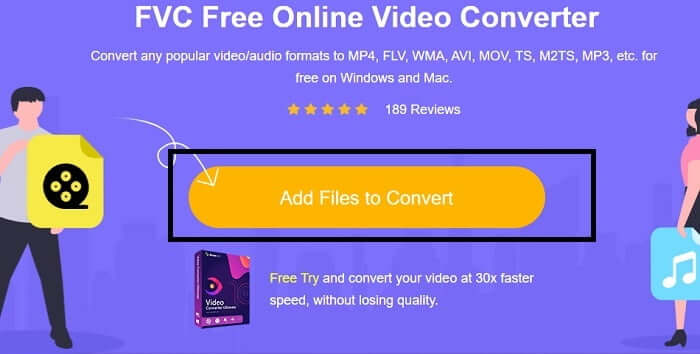
Pas 2. Fes clic a Add Files to Convert i a Allow per llançar el convertidor.
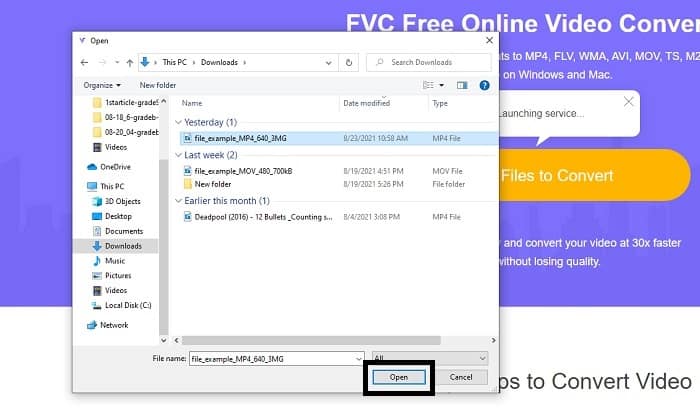
Pas 3. Si un explorador de fitxers com aquest apareix a la pantalla, vol dir que ho estàs fent bé. Busca i fes clic al fitxer de vídeo que vols convertir i prem Open.
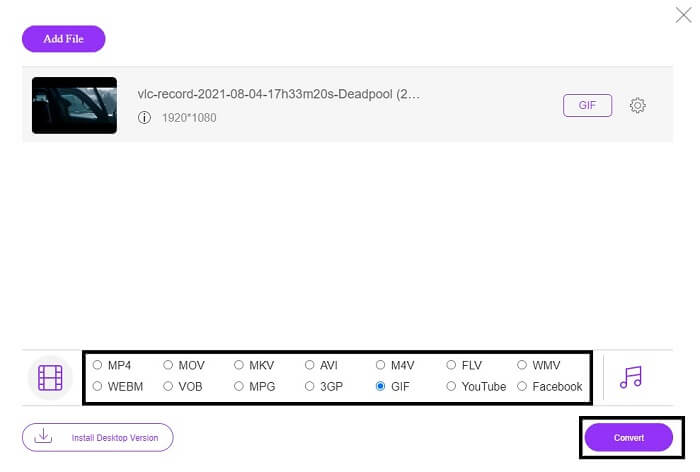
Pas 4. Canvia el format del fitxer a GIF. Com a informació addicional, també pots convertir el teu vídeo o àudio a un format més adequat per a tu. Si tot està a punt, fes clic a Convert per començar la conversió. Tria on vols que es desi el fitxer final.
Pas 5. Quan la conversió hagi acabat, l’explorador de fitxers apareixerà a la pantalla i podràs trobar el fitxer final. Després, gaudeix-ne.
Top 2. Ezgif
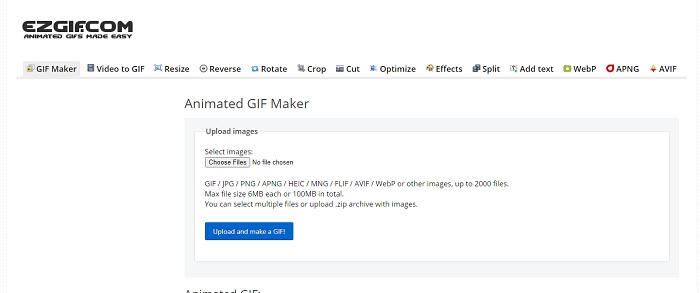
Un dels millors creadors de GIFs en línia és Ezgif. Bàsicament, amb aquesta eina pots fer un GIF per millorar, redimensionar, retallar, optimitzar, afegir text i altres opcions. També converteix vídeos només a format GIF. Tot i que té moltes funcions, totes estan separades entre si. Així que, en lloc de fer-ho tot en una sola interfície, has d’anar saltant d’una a l’altra només per crear i editar. És enutjós d’utilitzar, sobretot perquè no permet arrossegar i deixar anar per pujar els fitxers més fàcilment. Però malgrat tot això continua sent un dels creadors en línia.
Top 3. Imgflip
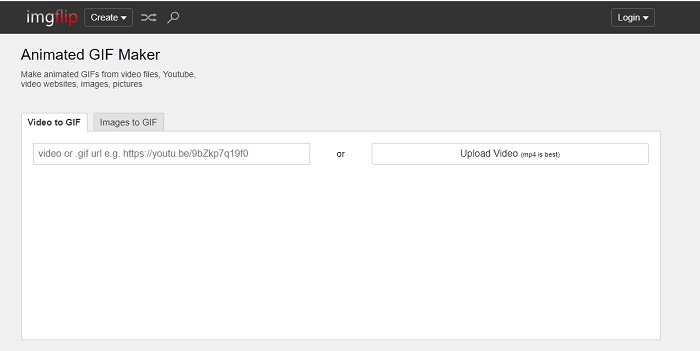
Creador de GIFs en línia a partir de vídeo i enllaç que ofereix una gran oportunitat per crear un GIF: si és això el que busques, aquesta eina és per a tu. Imgflip et pot ajudar a fer un mem, un GIF o un gràfic, i compleix bé aquesta funció. També permet una edició senzilla del teu GIF. Però la màxima resolució que ofereix de franc és 360 píxels, i en la versió premium és 480. Això vol dir que, si el teu vídeo és 1080 o 4K, la qualitat del resultat final serà molt més degradada del que esperaves.
Top 4. Visme
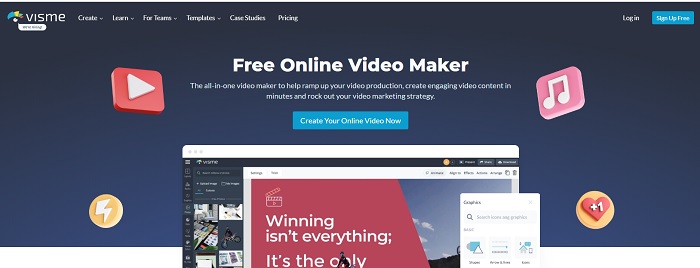
Aquesta eina us permet ser més detallat al vostre GIF. Visme és conegut perquè proporciona un creador de vídeos més detallat. A més, aquesta eina necessita que el vostre compte estigui iniciat per poder utilitzar-lo. Podeu utilitzar Facebook, Gmail o registrar-vos al seu lloc web. Per tant, si sou un fanàtic de la privadesa de dades, aquesta eina no és una bona opció. Tot i que iniciar sessió en aquesta eina no filtrarà informació sobre vostè, alguns de nosaltres no volem proporcionar informació important sobre nosaltres perquè volem que les nostres dades siguin més privades i per a la nostra seguretat. Però no us cal que us preocupeu perquè no hi ha cap cas que aquesta eina filtra la vostra privadesa.
Top 5. FreeGIFMaker.me
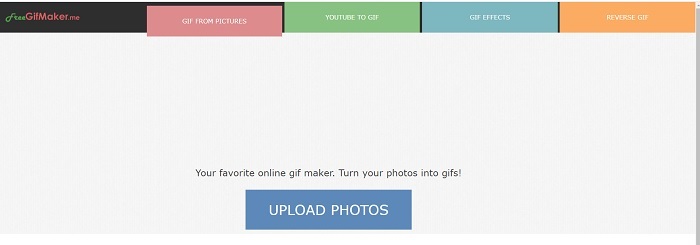
Si busqueu un enllaç de vídeo al convertidor GIF, aquest és el vostre. Només admet específicament enllaços de vídeo de la plataforma de YouTube. FreeGIFMaker. pot fer una conversió senzilla de vídeo a GIF. Però també proporciona imatges per gif, editar el vostre gif i invertir el gif. Tot i que aquesta eina ofereix la funció més comuna que hauria de proporcionar un fabricant de GIF, encara no és una de les millors, però es pot posar a la llista dels 30 millors fabricants de GIF. Les funcions enumerades es troben en diferents parts, de manera que en lloc de produir una sortida final GIF amb l'edició, haureu d'anar després de l'una a l'altra per fer l'edició que vulgueu.
Top 6. Fes un Gif
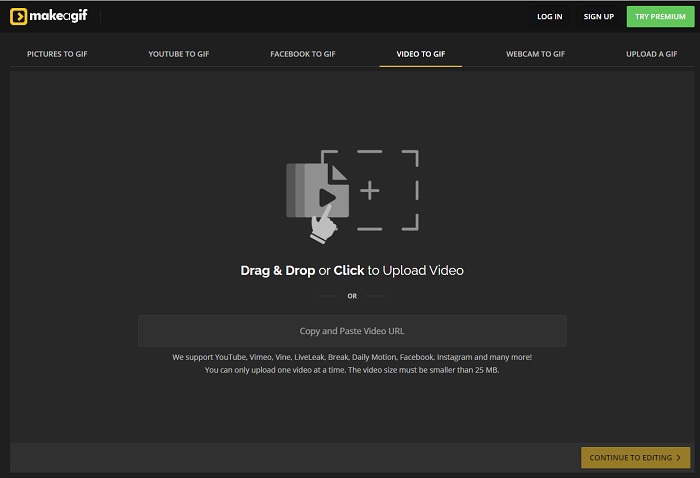
Un altre creador de GIFs en línia que segurament ja t’has trobat a la web. Make A Gif ofereix a l’usuari una interfície més serena, i si t’agrada un estil fosc, aquesta eina és una de les teves opcions. És realment flexible, perquè se centra en la creació de GIFs tant si vénen d’imatges, vídeos de Facebook, vídeos de YouTube, els teus propis vídeos o vídeos de webcam. Però el vídeo que hi introdueixis sempre ha de ser de menys de 25 MB, així que, si vols un GIF llarg, aquesta no és la millor opció; en canvi, si en vols un de curt, d’uns 10 segons, aleshores sí que és l’eina adequada.
Top 7. Editor d'imatges en línia
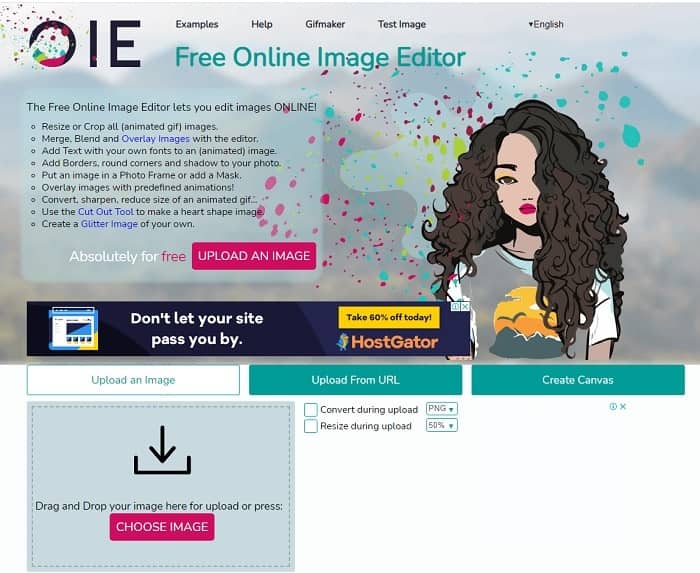
Aquesta eina us permet editar la vostra imatge i convertir-la en format GIF. L'Editor d'imatges en línia us permet crear un GIF mitjançant l'ús de les vostres imatges. A més, també ofereix animacions i funcions senzilles d'eines d'edició. Però és més difícil crear un GIF amb aquesta eina perquè us heu de dedicar el vostre temps a crear-ne un. Per tant, si sou nou per crear un GIF, aquesta eina pot ser bona però no la millor per a vosaltres. És com si estiguessis fent un GIF a Photoshop, però molt pitjor a causa de l'eina en si. Tot i que la pàgina web principal és excel·lent, la interfície de l'eina és tan senzilla que es torna més avorrit de mirar-la una rere l'altra. Sembla que ningú encara està actualitzant la interfície. Però, malgrat això, és una bona opció si voleu crear un GIF amb imatges.
Top 8. Kapwing
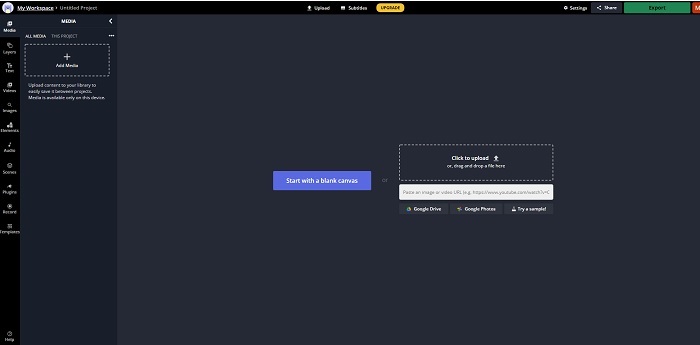
Aquesta eina és un altre creador de GIFs en línia gratuït. Et donarà la sensació d’estar utilitzant Photoshop però en línia. Kapwing t’ajuda a crear el teu propi GIF amb els vídeos o les imatges que hi proporcionis. Encara que el nom no soni gaire bé o pugui semblar poc seriós, és una molt bona opció com a creador de GIFs animats en línia. Aquesta eina no és un convertidor, sinó un creador de GIFs. També pots compartir el resultat final a les principals aplicacions com FB, Twitter i Instagram. Tot i que fer el GIF és fàcil, l’exportació del vídeo és molt més lenta que amb qualsevol altra eina de la llista. Així que, si tens una connexió a internet lenta, la pots seguir utilitzant, però has d’esperar molt més temps per obtenir el resultat final. El límit màxim del vídeo que hi has de pujar és de menys de 60 segons per mantenir una bona qualitat. Si no tens cap base de Photoshop, aquesta eina pot resultar-te difícil d’utilitzar.
Preguntes freqüents sobre el creador de GIF en línia
Per què es desenvolupen els GIF?
A finals de 1987, un informàtic nord-americà anomenat Steve Wilhite que treballava per a CompuServe va tenir un problema perquè volia mostrar una imatge en moviment mentre estalviava espai, així que van desenvolupar GIF. Basat també en la seva declaració que es pronuncia com a JIF i no GIF, però l'ortografia és GIF amb una pronunciació G suau. Tot i que tots dos tenen una ortografia correcta.
Puc utilitzar Photoshop per convertir el meu fitxer a GIF?
Sí, podeu convertir MPG a GIF mitjançant Photoshop o qualsevol format conegut a GIF.
És possible convertir MP4 en GIF?
Sí, pots convertir MP4 en GIF o convertir també qualsevol format de vídeo en GIF.
Conclusió
Després de tota la discussió, ara és més clar que totes les eines són capaços de fer format GIF. Tot i que tenen diferents habilitats com funcionen, com ara convertir-lo en un GIF, fer un GIF, enllaçar a GIF o imatges a GIF. Però totes les eines tenen les seves pròpies qualitats úniques, però una d'elles: FVC Video Converter Ultimate és la millor opció. Això no només és el millor per fer GIF, sinó que us ofereix l'oportunitat de convertir, combinar, fer un collage, MV i molts més. Tot i que no podeu accedir a les funcions de la versió premium en línia, sempre està obert per provar, provar o fer una conversió en línia amb la versió gratuïta. El Video Converter Ultimate és el millor de tots no només en la conversió, com es diu. També podeu utilitzar la vostra màgia per crear una sortida bonica sense límits. Per tant, no poseu cap límit a la vostra habilitat perquè aquesta eina és fàcil, senzilla, però crea una sortida majestuosa.
-
 (Guia) Com convertir vídeos M4V a GIF animats a Windows/Mac
 Si voleu crear fitxers GIF animats amb els vostres vídeos M4V preferits, podeu obtenir informació sobre 2 maneres fàcils i eficients de convertir vídeos M4V a GIF amb configuracions personalitzades.
-
 WebM a GIF: 3 convertidors gratuïts de WebM a GIF per crear els vostres propis GIF
 WebM és un GIF? Com convertir un vídeo en un GIF? Hi ha un convertidor gratuït de WebM a GIF? Aquesta publicació comparteix 3 maneres gratuïtes d'ajudar-vos a convertir WebM a GIF.
-
 Com convertir vídeos MKV a GIF animats sense Photoshop / FFmpeg
 Després de descarregar i veure pel·lícules MKV a l'ordinador, és possible que vulgueu compartir moments meravellosos amb amics o a Internet com a GIF. En aquest article, podeu obtenir informació sobre les dues maneres més fàcils de convertir MKV a GIF.
