


 Video Converter Ultimate
 Gravadora de pantalla
 Reparació de vídeo
Converteix el teu GIF a través en línia amb aquests convertidors de GIF a vídeo en línia
Enviar GIF amb missatges es va convertir en una nova rutina per expressar un missatge molt millor. Tot i això, plataformes com Instagram encara no admeten el format GIF. Només admet imatges i formats de vídeos i no imatges estàtiques. Per tant, si intenteu afegir un GIF al vostre Instagram, hi ha la possibilitat que el fitxer no es carregui o no es pugui carregar. En segon lloc, només podeu obtenir una imatge fixa si s'ha publicat. Però hi ha una altra manera, és descarregar una aplicació de tercers o accedir-hi en línia per convertir GIF a format de vídeo. Aprendre a utilitzar aquestes eines és un gran coneixement per recordar. Per tant, si esteu buscant un convertidor de GIF a vídeo en línia, sou al lloc correcte. Segueix llegint per saber quines són les eines disponibles i com utilitzar-les en conseqüència.
Top 1. Ezgif
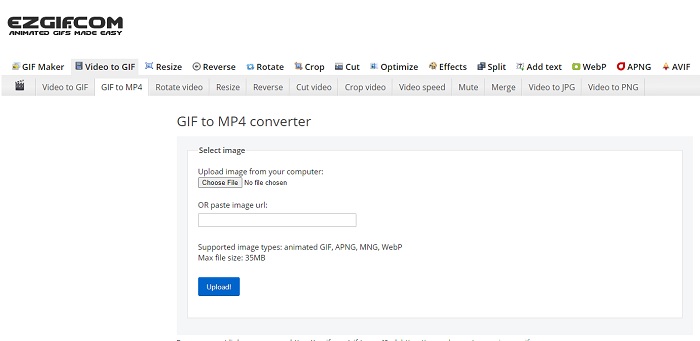
Tens dificultats per crear un GIF i convertir-lo? No et preocupis, perquè Ezgif és aquí per salvar-te. Aquesta eina en línia no es dedica només a fer una sola tasca, sinó que també permet editar els teus GIF. Encara que la seva capacitat d’edició no és gaire impressionant, compleix l’estàndard. A més, també hi ha un límit a l’hora de crear i convertir un fitxer GIF.
Pros
- És ideal per fer un GIF.
- Tots els anuncis del seu lloc web estan restringits a PG-13.
- Funcions d'edició senzilles per a principiants.
Contres
- La interfície web és una mica avorrida de veure.
- Només disponible el format MP4 si intenteu convertir GIF.
Top 2. Cloudconvert
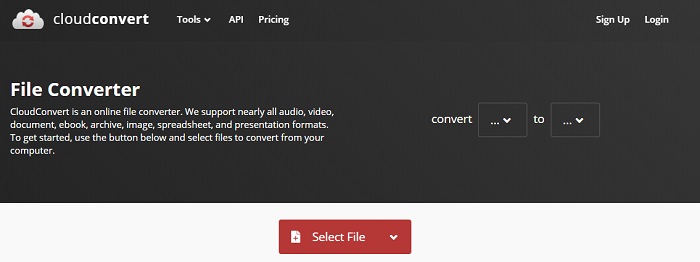
Si parlem de convertir, Cloudconvert ha d’estar a la llista. Aquest convertidor de GIF a vídeo en línia està especialment dissenyat per convertir qualsevol vídeo i àudio a un format reproduïble. Però aquesta eina té una limitació: no pots millorar la qualitat dels GIF que converteixes. Així que amb aquesta eina, el resultat és tal com és.
Pros
- Un dels convertidors més potents en línia.
- Podeu accedir-hi sense descarregar l'eina.
- Una gran combinació de colors a la seva interfície web.
Contres
- No es pot editar el fitxer que convertiu per convertir-lo en un de millor.
- La possibilitat de no convertir-se és gran. Sobretot si s'ha interromput Internet.
Top 3. Convertio
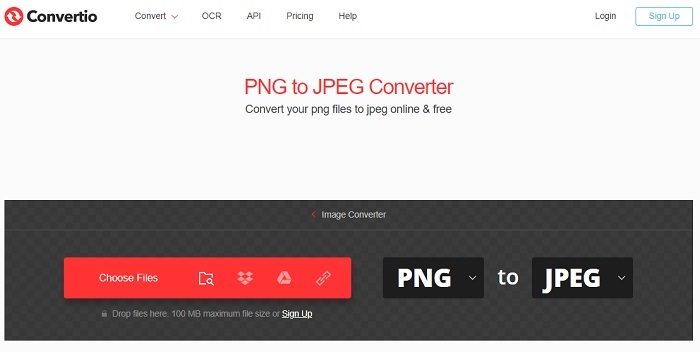
Igual que Cloudconvert, Convertio s’ha creat només per convertir. Admet tants formats com l’eina anterior. Però el punt en contra és que està ple d’anuncis per tota la pàgina web. Tot i això, continua sent un bon convertidor per practicar la conversió d’arxius a un nou format.
Pros
- Eina d'accés obert disponible al web.
- No cal descarregar un fitxer addicional per començar a convertir.
- Trieu quina és la taxa de bits del fitxer.
Contres
- No es poden crear GIF amb aquesta eina i també amb l'edició.
- Els anuncis estan a tot arreu, així que eviteu-los per no obrir un lloc web innecessari.
Top 4. Zamzar
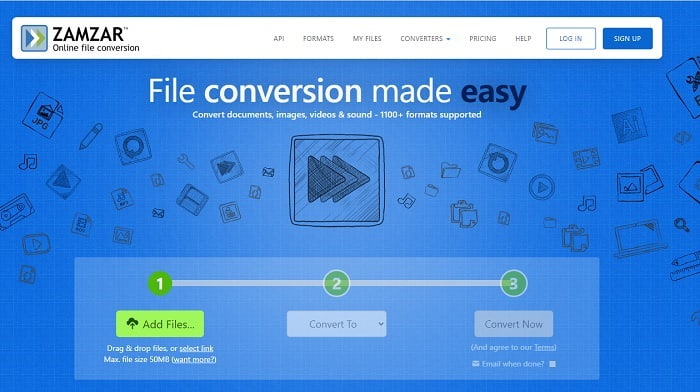
La interfície d’usuari de Zamzar és magnífica i fer-la servir és més fàcil que mai. Però la mida màxima del fitxer està limitada a 50 MB, així que si vols superar aquest límit, has de comprar l’eina o iniciar sessió. A més, quan la conversió està en procés, no la pots aturar encara que facis clic al botó de tancament. Per tant, assegura’t de convertir el fitxer correcte, perquè el procés no es pot interrompre.
Pros
- Converteix tots els vídeos, imatges i àudio aquí.
- Tots els fitxers aquí s'emmagatzemen durant més d'un dia.
- La mida màxima del fitxer és de 50 MB per a un sol fitxer.
Contres
- El procés de conversió depèn de la vostra velocitat d'Internet, de manera que si teniu Internet, la conversió trigarà molt de temps.
- No es pot editar el vídeo convertit en un de millor.
Recomanat: FVC Video ConverterUltimate - Millor convertidor de GIF
Com diuen, cal guardar el millor pel final, i el millor és FVC Ultimate Video Converter. Aquesta eina de pagament és superior a qualsevol altre convertidor esmentat aquí, i fins i tot a molts que no hi són. Si busques una eina per millorar les teves conversions i que no necessiti connexió a Internet, aquesta és la ideal. A més, el sorprenent d’aquesta eina és que pot convertir, millorar, crear i fer molt més que simplement convertir. Permet a l’usuari explorar tot el que ofereix i obtenir un resultat millor que amb altres eines. Llegeix atentament els passos per saber com utilitzar-la pas a pas. Després, pots revisar la barra d’eines per millorar el GIF convertit.
Pas 1. Instal·la el programa adequat al disc dur. Segueix les preferències, modifica-les segons les teves necessitats i fes clic a «Finalitza» per iniciar l’eina.
Descàrrega gratuïtaPer a Windows 7 o posteriorDescàrrega segura
Descàrrega gratuïtaPer a macOS 10.7 o posteriorDescàrrega segura
Pas 2. Si l’eina s’està executant en segon pla, veuràs una petita icona a la pestanya que indica que ja s’ha iniciat. A més, apareixerà a la pantalla una interfície com aquesta.
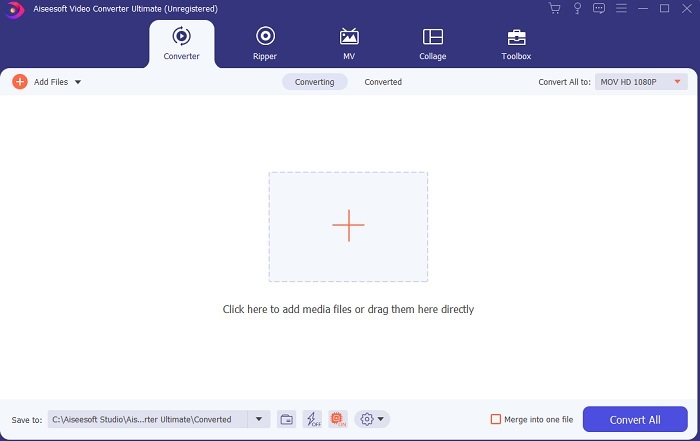
Pas 3. Per afegir fitxers al convertidor, prem el signe Més al centre de la interfície. O bé arrossega i deixa anar el fitxer si en tens més de 2 o 3.
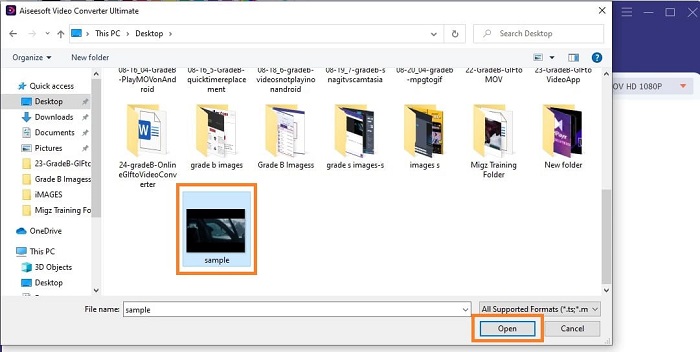
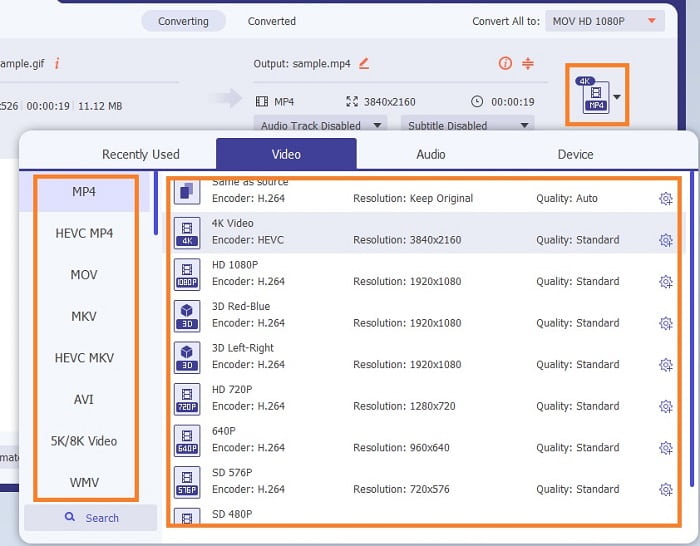
Pas 4. Quan el fitxer GIF sigui a la interfície, prem el botó desplegable i, al submenú, tria el format al qual el vols convertir. Fes clic a Converteix-ho tot per iniciar el procés de conversió.
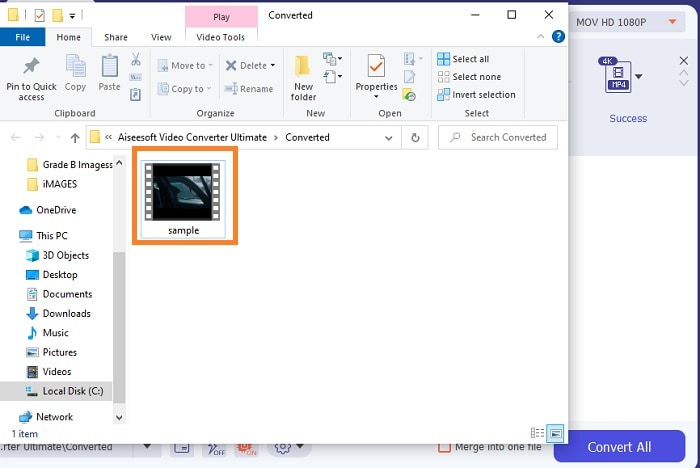
Pas 5. Quan el procés hagi acabat, s’obrirà automàticament un gestor de fitxers en una pestanya i ja podràs revisar el fitxer. Si vols millorar el GIF convertit, pots revisar després la barra d’eines.
Pros
- És una eina polivalent que pot ser utilitzada pels seus clients.
- No limiteu mai la vostra imaginació afegint efectes i més a la vostra sortida final per veure's molt millor que altres.
- El procés de conversió és molt més ràpid que qualsevol de les eines disponibles en línia i fora de línia.
Contres
- Eina de pagament per ús, la qual cosa significa que no podeu accedir a l'eina de forma gratuïta, però no és tan cara.
- Eina descarregable, només vol dir que necessiteu un fitxer addicional per iniciar l'eina. Però, malgrat això, podeu utilitzar aquesta eina sense preocupar-vos si s'ha interromput Internet.
Preguntes freqüents sobre el convertidor de GIF a vídeo en línia
Puc fer una gravació en format GIF?
En realitat, sí, pots gravar el teu propi GIF. Només cal que facis servir aquest gravador de GIF potent però lleuger, o un altre gravador que admeti també el format GIF. Llegeix Millors gravadors de GIF: ressenya per aprendre com fer una gravació en format GIF.
Quina és la millor alternativa per als GIF? WebM o APNG?
Els GIF són el format antic que admet imatges animades i estàtiques, però amb el pas del temps. Ara hi ha competidors com WebM i APNG. Comparem els dos, WebM és el nou GIF que admet imatges en moviment al lloc web, però si intenteu utilitzar una versió antiga del motor de cerca, el WebM no és compatible. D'altra banda, APNG es coneix com a més atractiu visualment que els dos perquè admet color i transparència de 24 bits, però algunes plataformes de xarxes socials no admeten APNG com ara.
Quines són les sigles de GIF?
GIF en text significa format d'intercanvi gràfic.
Conclusió
Per acabar, ara és més senzill entendre quin és el millor convertidor de GIF a vídeo fora de línia i en línia que podeu utilitzar. Saber utilitzar aquesta eina és una gran habilitat per desenvolupar i potser en el futur també la podeu utilitzar per pagar. Si voleu el màxim rendiment, heu de triar exactament l'eina definitiva. FVC Ultimate Video Converter és sempre la millor eina per convertir qualsevol vídeo i millorar-lo per fer una bona impressió als altres o a qui s'ha de lliurar. Com diuen, no espereu res menys perquè aquesta eina aporta més del que el seu nom indica.
-
 WebM a GIF: 3 convertidors gratuïts de WebM a GIF per crear els vostres propis GIF
 WebM és un GIF? Com convertir un vídeo en un GIF? Hi ha un convertidor gratuït de WebM a GIF? Aquesta publicació comparteix 3 maneres gratuïtes d'ajudar-vos a convertir WebM a GIF.
-
 Com convertir vídeos MKV a GIF animats sense Photoshop / FFmpeg
 Després de descarregar i veure pel·lícules MKV a l'ordinador, és possible que vulgueu compartir moments meravellosos amb amics o a Internet com a GIF. En aquest article, podeu obtenir informació sobre les dues maneres més fàcils de convertir MKV a GIF.
-
 Creeu el vostre millor GIF animat mitjançant el creador de GIF en línia [2021]
 Una revisió informativa sobre com fer un GIF amb aquests senzills fabricants de GIF en línia que ja trobeu o no al web.
