


 Video Converter Ultimate
 Gravadora de pantalla
 Reparació de vídeo
Millors convertidors de GIF a vídeo accessibles en dispositius digitals [2021]
El GIF és un generador de mems molt conegut per a dispositius Android i iOS. Tot i aquesta reputació, algunes plataformes com Instagram i Twitter no accepten aquest tipus de format. En comptes de fer servir GIF, hem utilitzat altres formats vàlids com MOV, MP4, AVI i més. Tot i així, el podem convertir i mantenir la mateixa qualitat del GIF. Així que, si estàs a punt de començar a convertir i vols saber quines són les millors aplicacions per fer vídeos GIF, continua llegint aquest article per determinar quines són les eines que hauries d’utilitzar per convertir fitxers GIF a un nou format de vídeo.

Part 1. 2 Millors aplicacions GIF a Video Converter per a iOS
1. GIF a MP4
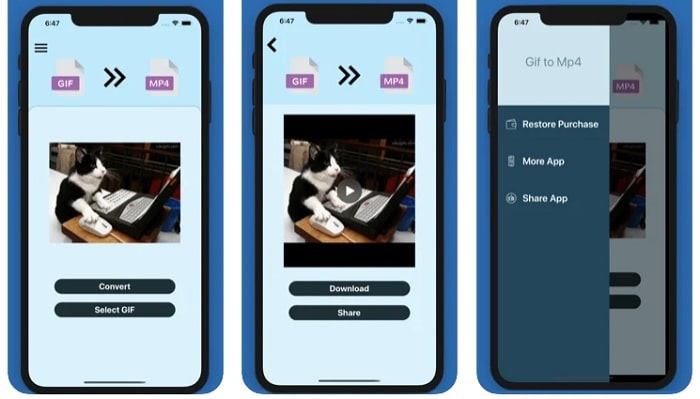
Pots utilitzar aquesta aplicació per fer vídeos GIF a iOS. GIF to MP4 té una puntuació de 4,7 estrelles, cosa que significa que és un bon convertidor de GIF. L’eina és molt precisa, de manera que la pots fer servir encara que no tinguis ni idea de com convertir-los. Tot i que rep molts elogis, el seu servei d’atenció al client és força deficient. No respon als dubtes dels usuaris per millorar l’eina. Per tant, si tens alguna pregunta sobre aquesta aplicació, pots deixar un comentari a continuació, però no esperis una resposta immediata.
2. GIF Cracker - GIF a vídeo
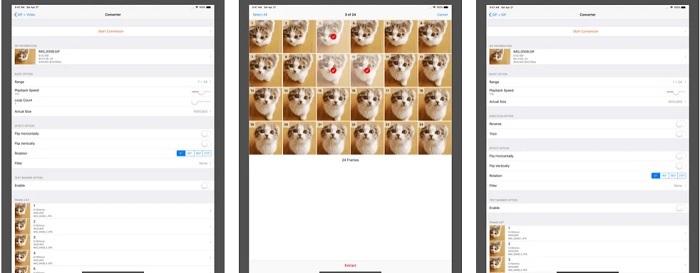
Una altra eina per a iOS que pots utilitzar per convertir GIF a qualsevol format de vídeo que vulguis és aquesta. GIF Cracker admet més formats que la primera. A més, proporciona GIF a imatges, així que, si vols crear un JPG a partir del teu GIF, la pots utilitzar. A primer cop d’ull sembla que l’aplicació sigui perfecta, però, per ser sincers, també presenta alguns errors. S’han solucionat alguns errors menors, però no tots. Tot i així, pots comprar-ne la versió Pro per gaudir d’una millor experiència.
Part 2. 3 millors aplicacions de conversió de GIF a vídeo per a Android
1. GIF Maker - Video to GIF, GIF Editor
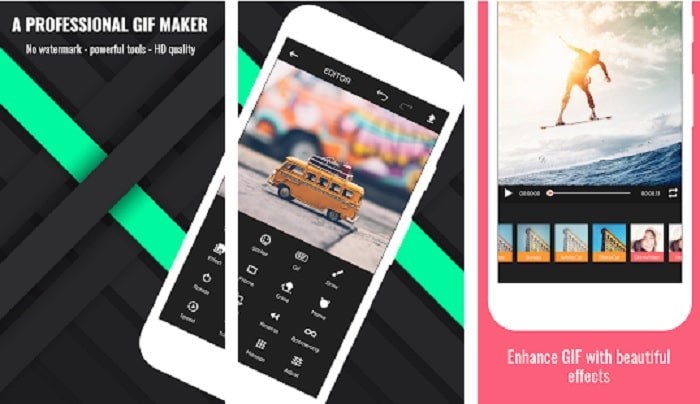
Pots utilitzar aquesta aplicació per fer vídeos GIF. Però no només això: també admet funcions d’edició, de manera que pots crear GIF des del mòbil. Algunes funcions importants de les eines d’edició d’escriptori no estan disponibles en aquesta aplicació perquè són massa pesants. A més, pots crear GIF originals amb aquesta eina, ja que ofereix més de 30 efectes, 20 fps per imatge, afegir emoticones o text i retallar el vídeo. Ara bé, inclou anuncis dins l’aplicació, i per eliminar-los cal comprar-la.
2. GIF a vídeo
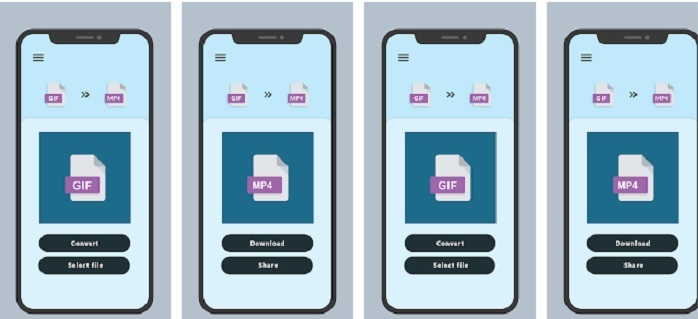
Una de les millors eines per convertir GIF a un format nou. Selecciona qualsevol GIF de la teva galeria i converteix-los tots fent servir aquesta GIF to VIDEO. Igual que la primera eina d’iOS esmentada anteriorment, només ofereix conversió de GIF a MP4. Tot i això, pots convertir GIF fàcilment amb l’ajuda d’aquesta eina. Té ordres molt clares, així que no t’has de preocupar, perquè només se centra en la conversió. A més, aquesta aplicació acaba de rebre una actualització recent del seu desenvolupador, RAYO INNOVATIONS PRIVATE LIMITED.
3. GIF2VIDEO- trans GIF a VIDEO
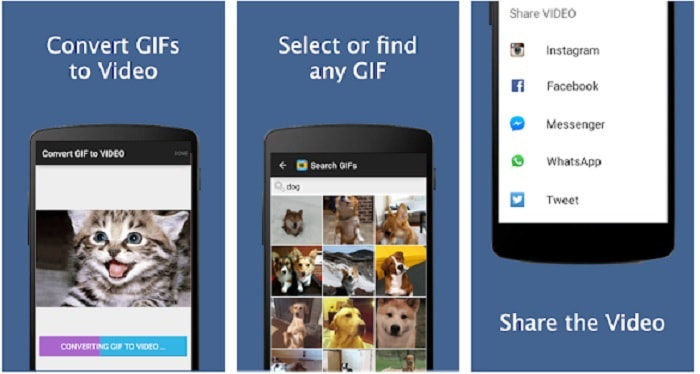
Converteix el teu GIF a un nou format de vídeo que es pugui compartir a altres plataformes. A més, pots trobar fàcilment el teu GIF al cercador amb l’ajuda de GIF2VIDEO. També pots configurar la sortida del vídeo en 1:1 o 4:3 amb facilitat. Tot i que és efectiva en la seva tasca, la interfície queda una mica per sota dels estàndards. En alguns casos, no pots descarregar GIF i, si els descarregues, la qualitat baixa.
Part 3. Recomanat GIF a Video Converter a Windows o Mac
Per exemple, si voleu tenir un mètode més precís per convertir i voleu afegir el vostre toc especial al vídeo. Podeu utilitzar l'eina Video Converter Ultimate que està disponible a PC i Mac i és imprescindible seguir els passos en l'ordre correcte.
És sabut que els telèfons mòbils són com miniordinadors de la nostra generació. Però no totes les aplicacions que veus al mòbil estan disponibles a l’ordinador o a l’inrevés. Video Converter Ultimate, una aplicació de GIF a vídeo per a ordinador, és molt superior a qualsevol convertidor disponible a la Play Store o l’App Store. Cap programa mòbil pot fer més que simplement convertir. A més, pots millorar la qualitat de vídeo i d’àudio durant el procés o després. Per tant, si vols experimentar com n’és de potent aquesta eina, has de seguir acuradament els passos que trobaràs a continuació, perquè tots són importants per aconseguir la conversió perfecta que vols obtenir.
Pas 1. Descarrega l’eina a l’ordinador. Modifica la configuració segons les teves necessitats i fes clic a «Finish» per desar els ajustos.
Descàrrega gratuïtaPer a Windows 7 o posteriorDescàrrega segura
Descàrrega gratuïtaPer a macOS 10.7 o posteriorDescàrrega segura
Pas 2. Executa el programa de l’eina a l’escriptori. Fes clic al botó Add Files per afegir-hi els fitxers. Però si tens més de dos GIF, és molt millor arrossegar i deixar anar els fitxers a la interfície de l’eina.
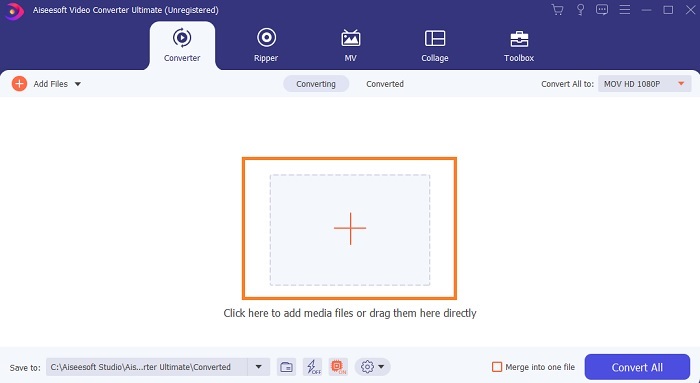
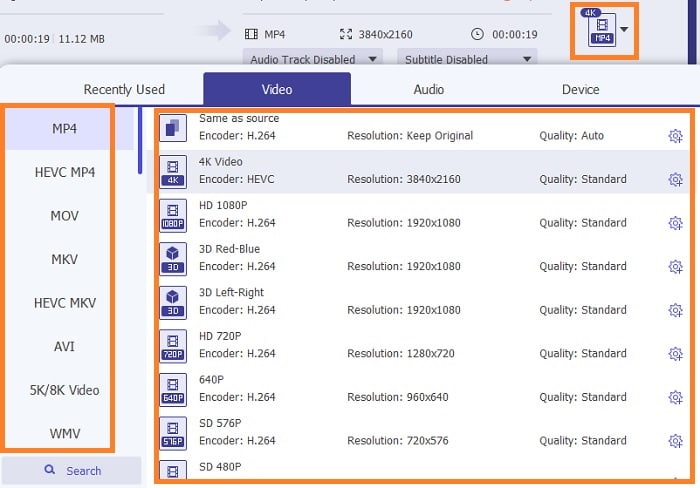
Pas 3. Tria el format que vulguis al menú desplegable de Convert All to. Després, fes clic al botó Convert All per començar la conversió.
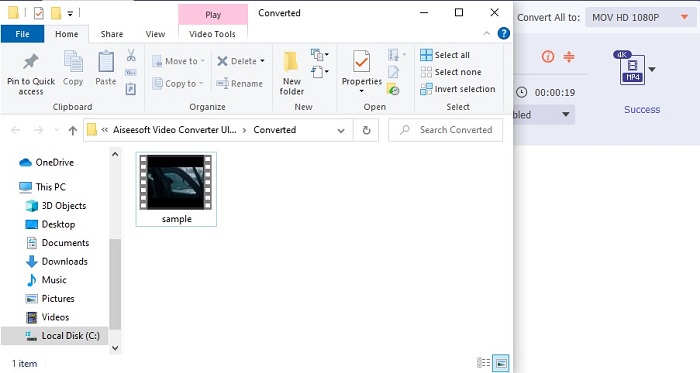
Pas 4. La conversió només et prendrà una mica de temps. Després pots comprovar el fitxer i transferir-lo al dispositiu mòbil. Un cop fet tot això, ja has acabat i pots gaudir del vídeo convertit que acabes de crear.
Lectura addicional
Part 4. Preguntes freqüents sobre l'aplicació GIF to Video
Quina és l'alçada dels fps d'un únic fitxer GIF?
Alguns dels GIF estàndard poden arribar a 15 o 24 fotogrames per segon, però a causa de la tecnologia ara poden arribar a 30 a 50 fps per GIF, la qual cosa necessita més emmagatzematge si els descarregueu al telèfon.
Quins són els diferents tipus de GIF?
Si no us heu adonat que hi ha 5 tipus diferents de GIF, aquests són els següents: reproducció, GIF de reacció, gràfic de cinema, tècnics i GIF de bucle perfectes.
Què és l'interior d'un GIF?
Tots els GIF contenen una sèrie de dades d'imatges que poden ser una imatge animada, clips curts sobre les pel·lícules i una imatge en moviment si es troba al web.
Conclusió
Per concloure, totes les eines escollides en aquest article estan escollides correctament perquè l'usuari les conegui. Aprendre a crear un GIF és un gran talent que fins i tot podeu fer si teniu dedicació i si feu servir l'eina adequada. Per exemple, fins i tot feu servir un martell per obrir una llauna? Per tant, si feu servir un martell, obriu una llauna i traieu el que hi ha dins. La substància de la llauna està ara destruïda. Igual que en la conversió si utilitzeu l'eina incorrecta, hi ha una gran possibilitat que la conversió falli. Per tant, trieu l'eina adequada per a la feina com Video Converter Ultimate.
-
 [Guia] Com convertir vídeos M4V a GIF animats a Windows/Mac
 Si voleu crear fitxers GIF animats amb els vostres vídeos M4V preferits, podeu obtenir informació sobre 2 maneres fàcils i eficients de convertir vídeos M4V a GIF amb configuracions personalitzades.
-
 WebM a GIF: 3 convertidors gratuïts de WebM a GIF per crear els vostres propis GIF
 WebM és un GIF? Com convertir un vídeo en un GIF? Hi ha un convertidor gratuït de WebM a GIF? Aquesta publicació comparteix 3 maneres gratuïtes d'ajudar-vos a convertir WebM a GIF.
-
 Com convertir vídeos MKV a GIF animats sense Photoshop / FFmpeg
 Després de descarregar i veure pel·lícules MKV a l'ordinador, és possible que vulgueu compartir moments meravellosos amb amics o a Internet com a GIF. En aquest article, podeu obtenir informació sobre les dues maneres més fàcils de convertir MKV a GIF.
