


 Video Converter Ultimate
 Gravadora de pantalla
 Reparació de vídeo
Apreneu les maneres de convertir fitxers MTV a format MOV sense pèrdua de qualitat
MTV és un substitut de MP4 en alguns reproductors multimedia portàtils xinesos. Encara que aquest format s’assembla molt a .amv, quan intentes transferir el fitxer a un dispositiu com iOS, iPod o iPad i Mac, el fitxer .mtv s’enviarà, però no s’obrirà amb el reproductor multimèdia predeterminat. Vols saber com solucionar-ho? Llavors llegeix aquest article, on s’expliquen els convertidors que pots utilitzar per convertir MTV a MOV i reproduir-lo al teu iOS, iPod o iPad, i al Mac.

Part 1. Introducció a MTV i MOV
Els formats MTV es poden reproduir amb els reproductors MP4 creats a la Xina. Aquest format de fitxer admet la reproducció de vídeo en un reproductor MP4 de baix cost fabricat per xinesos. Tot i que és un reproductor MP4 que segueix reproduint vídeos amb l'extensió de fitxer .mp4, aquí no s'admet. Sobretot si transferiu el fitxer en alguns productes d'Apple, el format no es pot reproduir a causa de la compatibilitat. A més, autoritza el fabricant a crear més jugadors amb menys cost en els drets de llicència.
MOV és un dels formats multimèdia predeterminats de desenvolupament fet per Apple. Aquest format multimèdia és una de les millors opcions si voleu editar vídeos amb detall. A més, aquest format utilitza un codificador MPEG-4 per fer el fitxer més petit sense trencar la qualitat. Pel que fa a la qualitat, la compatibilitat i la compressió, el MOV és millor que MTV en totes aquestes funcions.
MTV i MOV són contenidors per a fitxers multimèdia o dades com ara vídeo, àudio i text. Però MOV és molt compatible amb tots els dispositius Apple. Per tant, si voleu transferir els vostres fitxers MTV al vostre reproductor multimèdia MP4 a un Mac, iOS, iPad o iPod, primer heu de convertir el fitxer. Voleu saber com convertir fitxers MTV en format MOV? Sense més demores, passem als convertidors MTV que podeu utilitzar disponibles a PC, Mac i en línia.
Part 2. Forma ràpida i fàcil de convertir MTV a MOV a Mac
FVC Video Converter Ultimate és un convertidor extraordinari utilitzat per milions d’usuaris per convertir els seus formats a un de compatible. Aquest programari lleuger i intuïtiu pot fer la teva conversió increïblement ràpida i sense perdre fitxers. A més, admet acceleració per maquinari per millorar el rendiment a l’escriptori. També ofereix una Caixa d’Eines multifuncional per editar, unir, augmentar el volum de l’àudio, creador 3D i de GIF, i molt més. Vols saber quines són les funcions d’aquesta eina? Aleshores llegeix aquesta llista de funcions clau que podràs obtenir un cop la descarreguis.

FVC Video Converter Ultimate
Més de 5.689.200 descàrregues- Converteix MKV a MOV, AVI, MP4, MKV i més de 200 formats sense perdre la qualitat.
- Converteix simultàniament diversos fitxers amb un format diferent.
- Funcions avançades per editar, combinar, retallar, augmentar i moltes més.
- Converteix el teu format 30 vegades més ràpid amb la tecnologia d'acceleració de maquinari.
- Disponible en tots els sistemes operatius com Windows o macOS.
Descàrrega gratuïtaPer a Windows 7 o posteriorDescàrrega segura
Descàrrega gratuïtaPer a macOS 10.7 o posteriorDescàrrega segura
I ara que coneixem les característiques clau del convertidor MKTV, anem a procedir ara a com convertir MKV a MOV llegint i seguint els passos. No us heu de preocupar perquè tots els passos escrits aquí us garantiran l'èxit en la conversió.
Pas 1. Prem el botó de descàrrega i comença a descarregar-lo al teu Mac. Un cop finalitzada la descàrrega, fes clic al fitxer per instal·lar-lo i després prem Inicia ara per començar a executar el programari.
Descàrrega gratuïtaPer a Windows 7 o posteriorDescàrrega segura
Descàrrega gratuïtaPer a macOS 10.7 o posteriorDescàrrega segura
Pas 2. Quan l’eina s’estigui executant, és el moment d’afegir el fitxer fent clic al botó +. Cerca el fitxer .mtv a la carpeta que apareixerà a la pantalla i després fes clic a Obre.
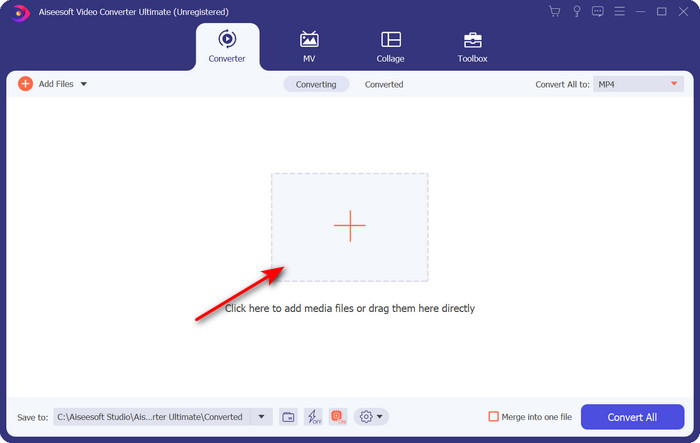
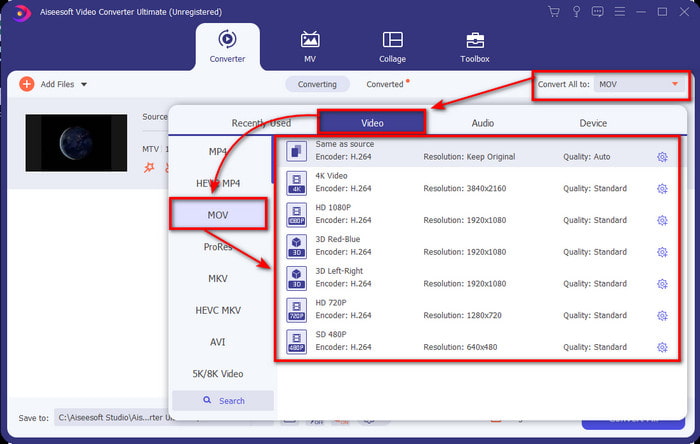
Pas 3. En fer clic a Converteix-ho tot a, ja pots localitzar-hi el format MOV.
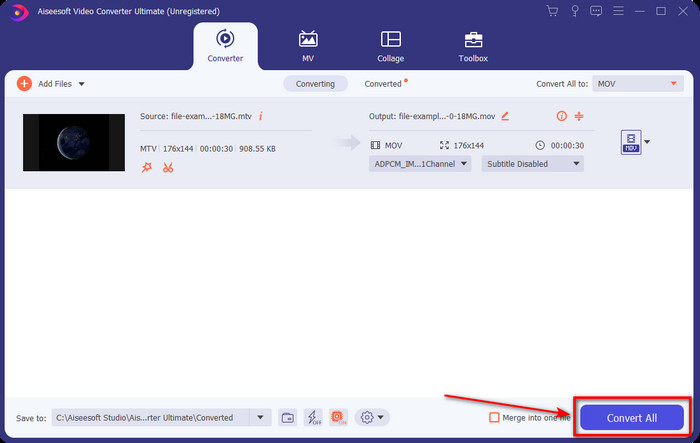
Pas 4. Fes clic a Converteix-ho tot per començar el procés de conversió dels teus fitxers MTV al format MOV.
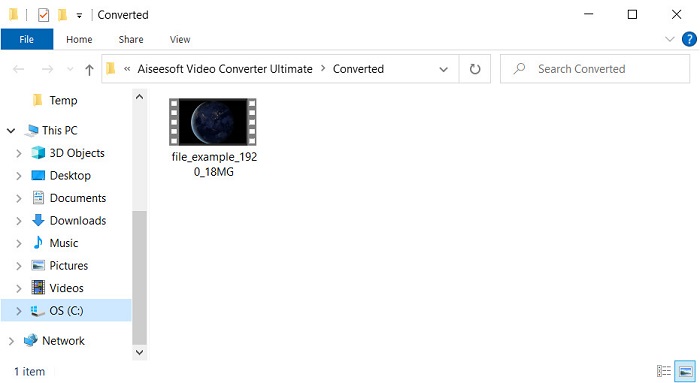
Pas 5. La conversió dels fitxers et pot portar una bona estona; quan acabi, apareixerà una carpeta a la pantalla amb el nou fitxer en format .mov. Si vols veure el fitxer, fes-hi clic.
Part 3. En línia i de manera gratuïta per convertir MTV a MOV
No vols descarregar el convertidor MTV al teu dispositiu perquè prefereixes resoldre el problema en línia? En aquest cas, utilitza el FVC Free Video Converter Online. A diferència del primer programari esmentat, pots accedir a aquesta eina des del teu navegador preferit sense necessitat de descarregar res. A més, aquí pots convertir sense límit de mida i fer conversions en qualsevol moment i lloc del món. Un dels inconvenients d’aquesta eina és que depèn d’internet; és inútil si no tens connexió. Però, si tens connexió a internet a la teva zona i no tens temps per descarregar el programari d’escriptori, segueix el procediment per convertir fitxers MKV a MOV.
Pas 1. Si vols utilitzar aquesta eina web, fes clic a l'enllaç proporcionat.
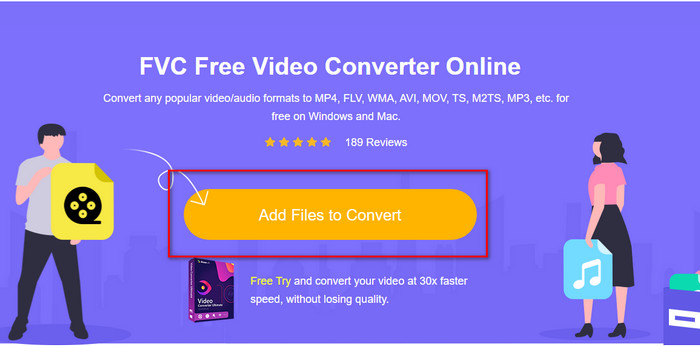
Pas 2. Després de fer clic a l’enllaç, es mostrarà un lloc web; fes clic a Afegeix fitxers per convertir i apareixerà una carpeta a la pantalla. Localitza el fitxer a la carpeta i prem Obre per pujar-lo.
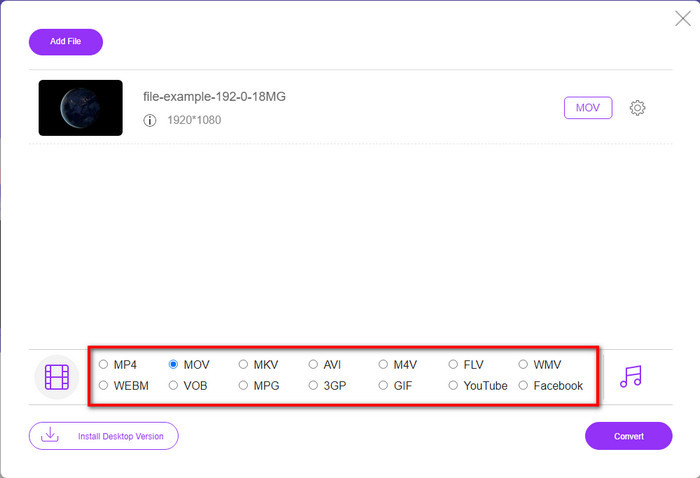
Pas 3. Un cop el fitxer s’hagi pujat, tria el format MOV disponible a la llista de sota.
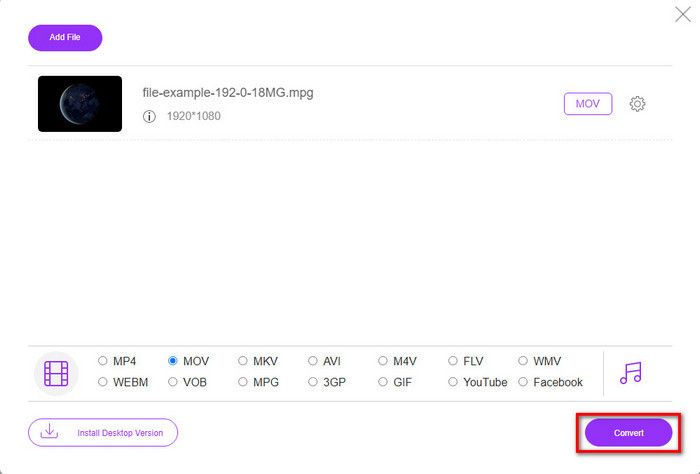
Pas 4. Prem Converteix perquè s’iniciï el procés.
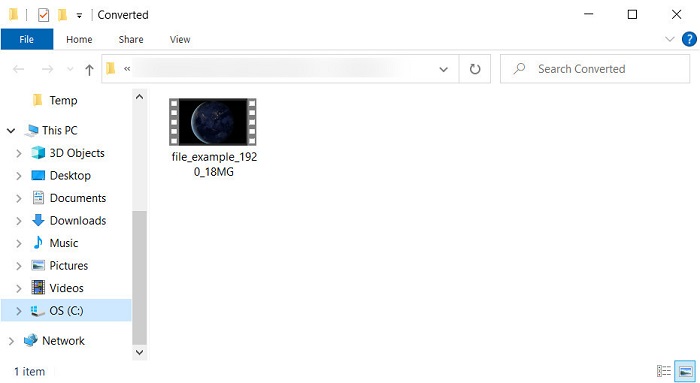
Pas 5. Es mostrarà la carpeta amb el fitxer MOV desat aquí.
Pros
- Disponible en tots els navegadors per utilitzar.
- Convertidor i interfície fàcil d'utilitzar.
- No hi ha anuncis molestos ni inici de sessió per utilitzar.
Contres
- Necessitava Internet per utilitzar-lo.
- Conversor d'abast mitjà disponible
Part 4. Preguntes freqüents sobre la conversió de MTV i MOV
Puc convertir fitxers MTV a AVI?
Per descomptat, també pots convertir els teus fitxers MTV a AVI; vols saber com fer-ho? En aquest cas, descobrim els tres mètodes que pots utilitzar per convertir MTV a AVI.
El Quicktime Player admet el fitxer .mtv?
QuickTime és el reproductor multimèdia nadiu de tots els dispositius Apple, però aquest reproductor no és compatible amb fitxers .mtv. Tanmateix, pots llegir aquest article i conèixer el substitut de QuickTime que pots utilitzar per reproduir fitxers .mtv.
Per què els vídeos de MTV són borrosos?
Una de les raons per les quals els vídeos amb aquest format són borrosos és perquè admet la baixa resolució. Per estalviar una mica d'espai i carregar molts fitxers multimèdia als reproductors MP4 portàtils xinesos i reduir la càrrega de processar-lo.
Conclusió
Ara que ja sabem com convertir el nostre fitxer .mtv i després enviar-lo al nostre dispositiu Apple, és el moment d’escollir. Qualsevol de les opcions que triïs és de les millors tant per convertir fitxers en línia com fora de línia. Per tant, si vols tenir un convertidor professional que ofereixi excel·lència i una potència màxima de conversió, tria FVC Video Converter Ultimate. Però si no vols descarregar programari al teu dispositiu i prefereixes un convertidor en línia eficient i efectiu, aleshores FVC Free Video Converter Online és l’opció adequada.
-
 [En línia i gratuït] 3 mètodes per convertir MTV a AVI sense problemes
 Alguna vegada has sentit parlar d'un format de vídeo com MTV? Com que no ho sabeu tot sobre aquest format i voleu convertir un vídeo MTV a AVI, llegiu atentament aquest article per obtenir més informació sobre aquest problema.
-
 Millor convertidor de GIF per convertir GIF animat a format MOV [2025]
 Converteix el teu GIF a format MOV d'una manera senzilla sense afectar la qualitat del fitxer de vídeo. Amb passos i diferents eines també.
-
 Com convertir AVI a MOV amb senzills passos i eines
 Vols saber com convertir AVI en un MOV reproduïble? Heu de seguir aquest article per saber com fer-ho i consells per tenir una conversió exitosa.
