


 Video Converter Ultimate
 Gravadora de pantalla
 Reparació de vídeo
Els 4 principals gravadors FLV aptes per a ordinadors Chrome, Windows i Mac
Alguna vegada t'has preguntat què fa que els vídeos que veus corren per la web? La majoria de llocs web HTML 5 utilitzen el format WebM per reproduir vídeos. A part de WebM, també s'utilitza FLV. Sobretot els llocs gratuïts de pel·lícules i programes de televisió. Com sabríeu si és un fitxer FLV? Normalment, si el vídeo no es reprodueix, veureu un missatge d'error que diu instal·lar Adobe Flash Player. Actualment, molts vídeos estan incrustats en fitxers FLV. Però quan enregistreu el vídeo amb la vostra gravadora integrada o amb una altra gravadora, la possibilitat que la qualitat del vídeo es modifiqui és alta.
Així doncs, és millor utilitzar un enregistrador que també pugui produir fitxers FLV o que pugui oferir millor qualitat independentment del format del fitxer. Si et preocupa que la qualitat del vídeo es vegi alterada, descobreix Enregistradors FLV que no requereixen registre per poder-los utilitzar.

Part 1. La millor opció de l'usuari - FVC Screen Recorder
Entre els enregistradors FLV que es troben en línia, FVC Screen Recorder és un dels de la crème de la crème, o, dit d’una manera més senzilla, és el millor de tots. Les exigències dels usuaris de vegades són més altes del que el producte pot oferir i no tots poden ser la millor opció. Altres clients busquen el millor producte que haurien d’utilitzar. FVC Screen Recorder supera més d’un miler d’enregistradors de pagament, especialment en comparació amb el teu enregistrador actual. Amb el seu rendiment d’enregistrament fluid, en podràs treure el màxim profit del vídeo que vulguis gravar. A més a més, pots canviar la taxa de bits i la taxa de fotogrames del vídeo, cosa que donarà com a resultat una millor qualitat de vídeo. Per això és imprescindible que no perdis de vista aquesta ressenya del millor enregistrador FLV. Mentrestant, aquí tens una guia fàcil de seguir per utilitzar l’eina.
Pas 1. Fes servir els botons de descàrrega següents per obtenir l’aplicació. Instal·la-la i segueix l’assistent fins que l’aplicació s’iniciï.
Descàrrega gratuïtaPer a Windows 7 o posteriorDescàrrega segura
Descàrrega gratuïtaPer a macOS 10.7 o posteriorDescàrrega segura
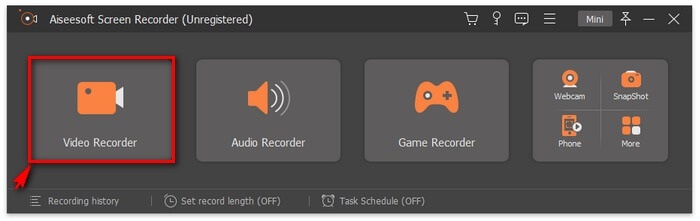
Pas 2. Tria entre les pestanyes. Com que intentarem gravar un vídeo, fes clic a Video Recorder. Després apareixerà un marc de punts juntament amb la barra flotant.
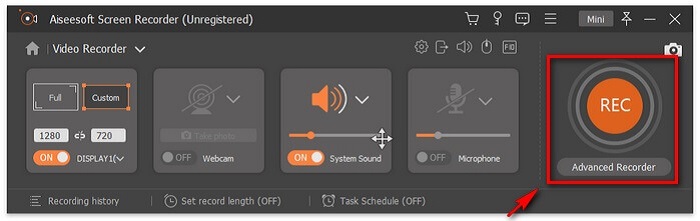
Pas 3. Ajusta el marc de punts per establir la relació d’aspecte de la pantalla i després fes clic al botó REC per començar a gravar.
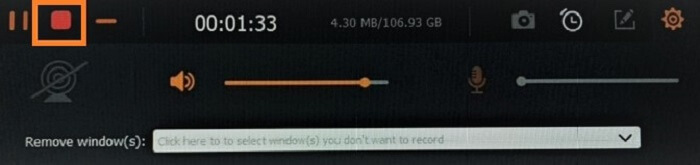
Pas 4. Per aturar la gravació, fes clic al botó vermell en forma de Quadrat de la barra flotant. A partir d’aquí, apareixerà una altra finestra emergent. És on podràs triar entre desar o tornar a gravar si no estàs satisfet amb el resultat.
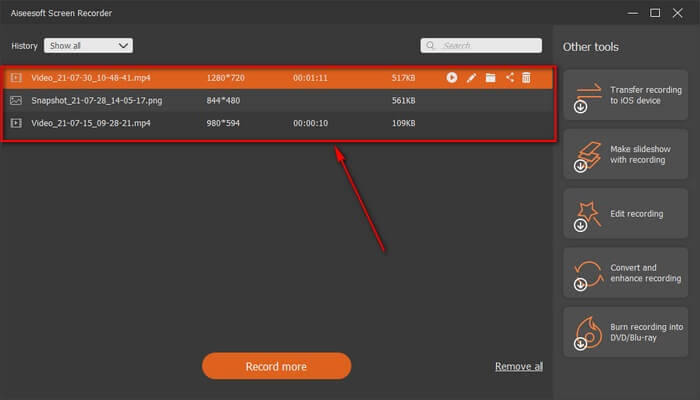
Pas 5. Suposem que has desat el fitxer; la finestra següent et permetrà triar la ubicació on es desarà. Tria la carpeta i fes clic a Next.
Part 2. Altres gravadors de vídeo FLV gratuïts
Gravadora FLV per a tots els navegadors - Gravadora de pantalla gratuïta FVC
És sabut que FVC Free Screen Recorder és lleuger i que també té una funció molt potent. Així que, si ets principiant i vols gravar per diversió, el pots utilitzar, o si ets un professional que vol gravar una reunió de feina. En tots dos casos, funciona. La millor característica que ofereix aquest enregistrador és que pots gravar qualsevol part de la teva pantalla sense que et molesti la barra flotant de l’eina. Enregistra automàticament només la pantalla. Fes tantes captures de pantalla com vulguis i sense interrupcions gràcies a la funció de bloqueig de pantalla (Lock-in screen). Sense més preàmbuls, vegem ara com utilitzar aquest enregistrador FLV. Has de seguir els passos indicats a continuació.
Pas 1. Visita el lloc web oficial de FVC Free Screen Recorder i inicia l’aplicació.
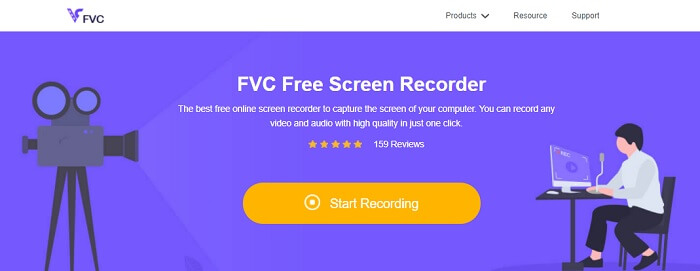
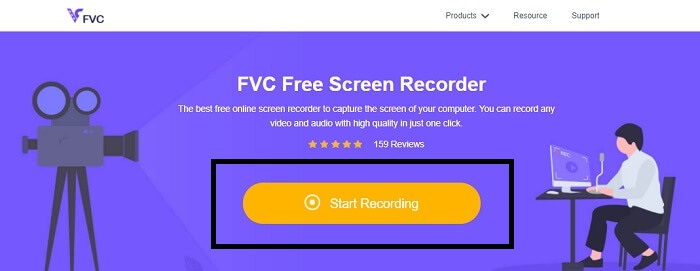
Pas 2. Inicia l’eina fent clic a Start Recording i continua amb el pas següent.
Pas 3. A la barra d’eines, fes clic al botó en forma de roda dentada per canviar la configuració segons les teves necessitats. Un cop siguis al menú de preferències, busca Output i canvia el format de vídeo segons el que vulguis. Fes clic a OK quan tot estigui configurat.
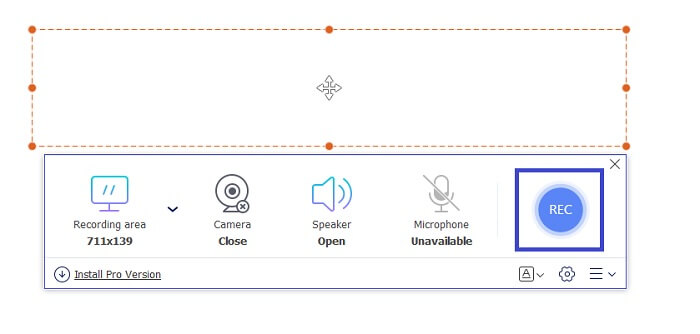
Pas 4. A la barra d’eines flotant, ara pots ajustar la relació de fotogrames de la pantalla. També hi pots afegir la reacció de la teva cara activant la Webcam. El System Sound s’utilitza per afegir el so natural del programa. I, finalment, afegeix la teva veu activant el Micròfon. Per començar l’enregistrament FLV, fes clic al botó REC per iniciar.
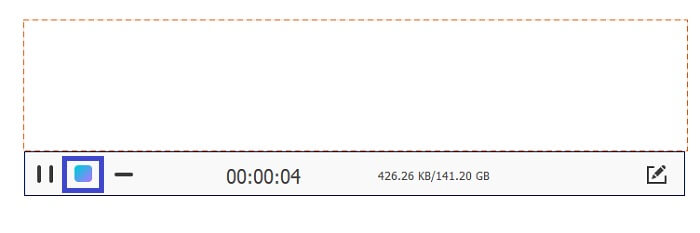
Pas 5. Per acabar l’enregistrament FLV, fes clic al botó en forma de cub per aturar-lo. Després, fes clic a Save i Next. Totes les gravacions que facis es troben a la llista d’Historial.
Gravadora FLV per a Chrome - SCREEN.IO
Si no voleu baixar fitxers addicionals a la vostra unitat, podeu utilitzar aquesta gravadora de Chrome integrada. Aquesta gravadora FLV per a Chrome ajuda un munt de persones a tot el web. Per tant, si sou fan d'estalviar espai al vostre emmagatzematge, heu de provar aquest SCREEN.IO. Tot i que l'eina no ofereix funcions especials similars a una altra gravadora. Però la seva capacitat d'enregistrament és molt estàndard. Si comparem una gravadora de Chrome i una gravadora d'escriptori, l'escriptori és la manera eficient de fer la gravació perquè no us importarà si la connexió a Internet s'ha interromput.
FLV Recorder per a Windows - VLC Media Player
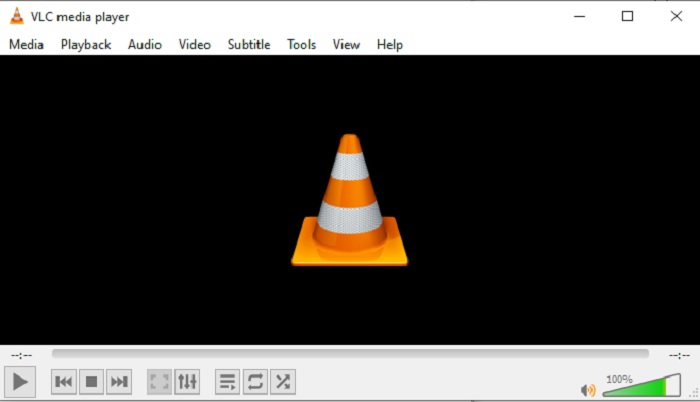
El reproductor multimèdia VLC no només és conegut com el millor reproductor multimèdia que hi ha. També té diverses funcions com ara gravar, convertir i més. Tot i que és el millor reproductor multimèdia, totes aquestes funcions esmentades no són les millors. I, en alguns casos, aquí alguns formats de vídeo o àudio no es poden reproduir perquè els seus còdecs són propietaris. Així que, en lloc d’això, pots utilitzar l'Alternativa a VLC Media Player, que és compatible encara que el fitxer sigui propietari.
FLV Recorder per a Mac - OBS Studio
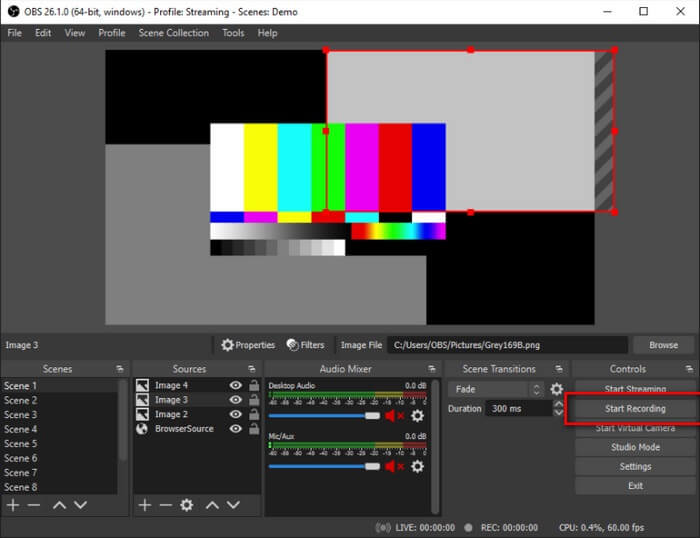
Potser penses que ens hem oblidat dels usuaris de Mac. Aquest enregistrador FLV per a Mac és un dels enregistradors més potents de la llista perquè també hi pots fer transmissions en temps real. Malgrat la seva funció sorprenent, l’eina en si pot intimidar una mica, especialment si ets nou en el món de la gravació, perquè hi ha moltes coses a la interfície quan obres l’eina.
Part 3. Preguntes freqüents sobre FLV Video Recorder
Fitxer FLV, és segur descarregar-lo al meu PC?
En realitat, no és el fitxer del qual estem parlant quan es tracta de seguretat. Els fitxers FLV estan incrustats als llocs per compartir vídeos, així que la vostra pregunta hauria de ser: com puc identificar si el vídeo que estic baixant d'un lloc no té programari maliciós? Utilitzeu una salvaguarda per al vostre ordinador. Hi ha un munt de defensors de programari i escàners que podeu trobar en línia. Però el fitxer en si és segur. A menys que hi introdueixin programari maliciós, és segur.
Quin programa pot obrir fitxers FLV?
Hi ha molts reproductors multimèdia, però el que jo recomano és el reproductor VLC. Aquest reproductor és versàtil i pot reproduir gairebé tots els formats de fitxer, tant si estan comprimts com si no. Fes clic aquí per obtenir més reproductors FLV populars.
Quins són els avantatges dels fitxers FLV?
El primer gran avantatge de FLV és la seva capacitat per produir vídeos d'alta qualitat en mida petita. Per naturalesa, el fitxer és flexible. Per què? Podeu convertir fàcilment aquest fitxer a un format diferent fins i tot utilitzant convertidors en línia.
Part 4. Quadre de comparació
| Característiques | Gravador de pantalla FVC | Gravador de pantalla gratuït FVC | Reproductor multimèdia VLC | OBS Studio |
| Gravadora de pantalla |  | | | |
| Gravadora d'àudio | | | | |
| Suporta FLV | | | | |
| Reproductor multimèdia |  | | | |
| Velocitat de bits i velocitat de fotogrames ajustables | | | | |
Conclusió
Totes les eines enumerades són útils per gravar vídeos FLV i produir la millor qualitat de vídeo possible. A més, si no esteu segur de quina eina utilitzar, podeu consultar el gràfic de comparació escrit. Però entre les gravadores de FLV que s'enumeren. FVC Screen Recorder té un avantatge més gran a causa de la seva funció de bloqueig de finestra.
-
 La gravadora OGG més útil del 2021 [gratuïta i en línia]
 Aquest escrit parla de les millors eines d'enregistrament OGG que us ajuden a gravar àudio OGG. Per afegir informació més detallada per a l'usuari, segueix llegint-lo.
-
 Els 5 millors programes de gravació M4B per a PC i Mac [gratis i de pagament]
 La gravació M4B es comprimeix amb pèrdua per al fitxer de llibres d’àudio MPEG-4. En alguns aspectes, M4A i M4B són gairebé habituals, però presenten diferències. Per saber què es llegeix l'article.
-
 Top 5 de la millor eina de gravació AMR disponible per a tots els sistemes operatius
 Voleu saber què és un format AMR i quin és el millor gravador AMR que heu de triar i que us proporcionarà un enregistrament increïble.
