


 Video Converter Ultimate
 Gravadora de pantalla
 Reparació de vídeo
 Baixada segura
Les millors maneres d'obrir fitxers HEIC a Windows, Mac i en línia
Si fas servir un iPhone, veuràs que les teves imatges tenen l’extensió de fitxer HEIC. Els fitxers HEIC són formats d’imatge creats per Apple. És la seva versió de HEIF (High-Efficiency Image File). A més, els fitxers HEIC són fitxers d’imatge comprimida en un format d’alta qualitat. Tanmateix, com que els fitxers HEIC són exclusius dels dispositius Apple, no pots obrir fitxers HEIC de manera nativa a Windows ni en línia. Per tant, la millor manera d’obrir un fitxer HEIC a Windows i en línia és utilitzar les estratègies que es mostren en aquest article.

Part 1. Com obrir el fitxer HEIC a Windows
Obrir un fitxer HEIC a Windows és impossible; per tant, necessiteu una eina que us ajudi a obrir un fitxer HEIC a Windows. Però si voleu obrir el vostre HEIC a Windows, podeu convertir-lo en un fitxer compatible amb Windows, JPG. JPG és un format de fitxer que Windows pot obrir de manera nativa i és el format de fitxer d'imatge més famós. Afortunadament, hem trobat el millor convertidor HEIC a JPG per obrir fitxers HEIC a Windows.
FVC lliure HEIC a JPG convertidor
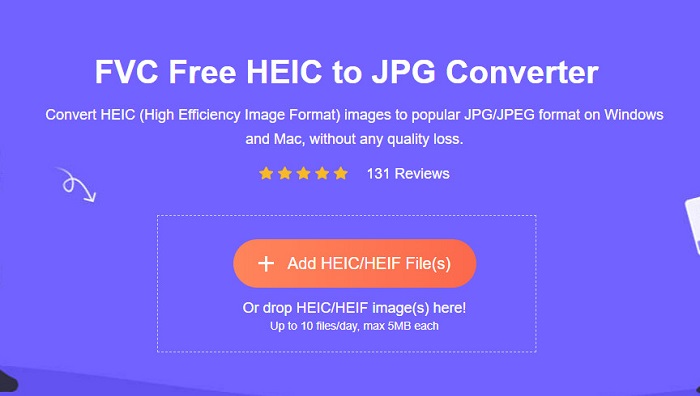
Si estàs buscant el millor convertidor HEIC a JPG en línia, ja no cal que continuïs buscant! FVC Free HEIC to JPG Converter és un convertidor HEIC a JPG en línia que pot convertir fitxers sense perdre qualitat. És una eina fàcil d’utilitzar, ja que té una interfície gràfica d’usuari fàcil d’entendre, a diferència d’altres eines en línia que pots trobar al web. Amb aquesta eina web, hi pots afegir dos o més fitxers i fer conversions per lots per aconseguir un procés de conversió més productiu amb un sol clic.
Tot i que l'eina necessita una connexió a Internet abans de poder utilitzar-la, el procés de conversió és sens dubte extremadament ràpid en comparació amb les altres eines en línia i fora de línia. No és preciós el convertidor web? Si voleu obtenir més informació sobre aquesta eina, heu de llegir els detalls següents sobre aquest millor convertidor de HEIC a JPG basat en web.
Funcions:
- Us permet convertir per lots fitxers HEIC a format JPG.
- Té una interfície de programari fàcil d'utilitzar.
- Compatible amb tots els navegadors disponibles.
- Té un procés de conversió ultra-ràpid per convertir a la velocitat del llamp.
Com convertir HEIC a JPG amb FVC Free HEIC to JPG Converter:
Pas 1. Al navegador, cerca FVC Free HEIC to JPG Converter. A continuació, se t’adreçarà a la seva pàgina web. Aquesta és la seva pàgina web:
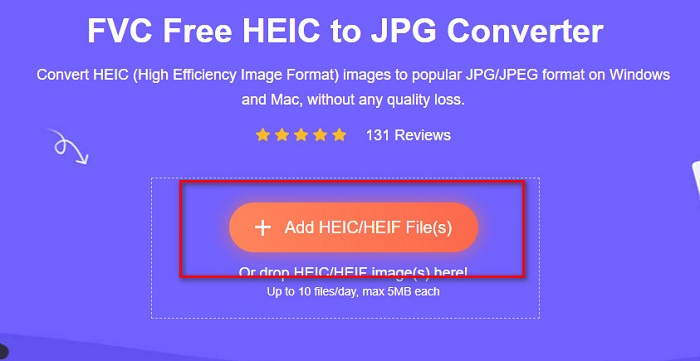
Pas 2. Després, fes clic al botó Add HEIC/HEIF File(s). Apareixeran els fitxers de l’ordinador i, tot seguit, selecciona el fitxer HEIC que vols pujar.
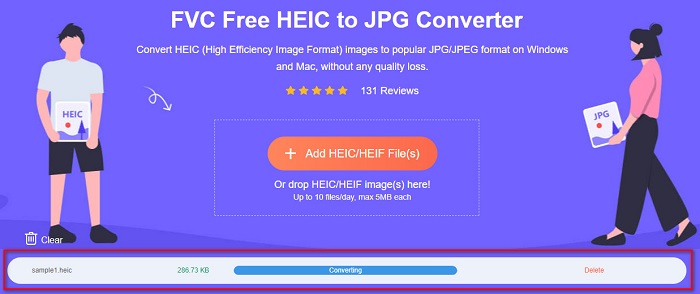
Pas 3. Després de pujar el fitxer, començarà el procés de conversió de HEIC a JPG. Espera uns segons que acabi.
Pas 4. Finalment, fes clic al botó Download per descarregar el fitxer en format JPG i després localitza’l entre els fitxers de l’ordinador.
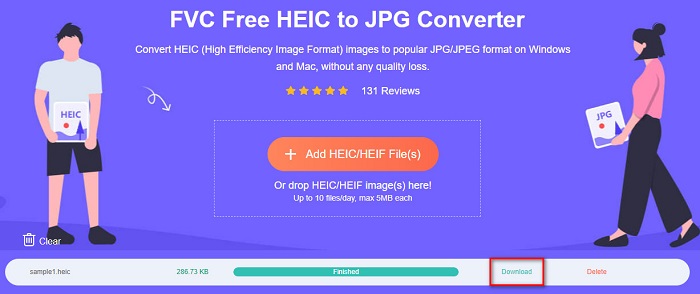
I ja està! Ara podeu veure la foto HEIC convertida al format de fitxer JPG.
Part 2. Com obrir el fitxer HEIC a Mac
Obrir un HEIC en un Mac és fàcil perquè Apple admet imatges HEIC. Però si encara voleu conèixer el procés pas a pas sobre com obrir fitxers HEIC a Mac, llegiu els passos següents.
Pas 1. Al teu dispositiu Mac, localitza el fitxer HEIC.
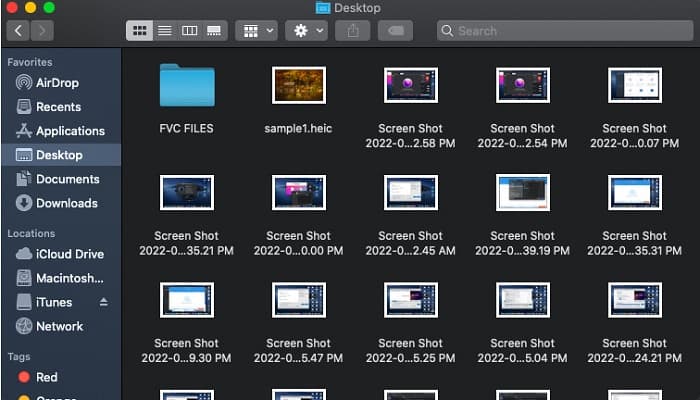
Pas 2. Després, fes doble clic al fitxer HEIC.
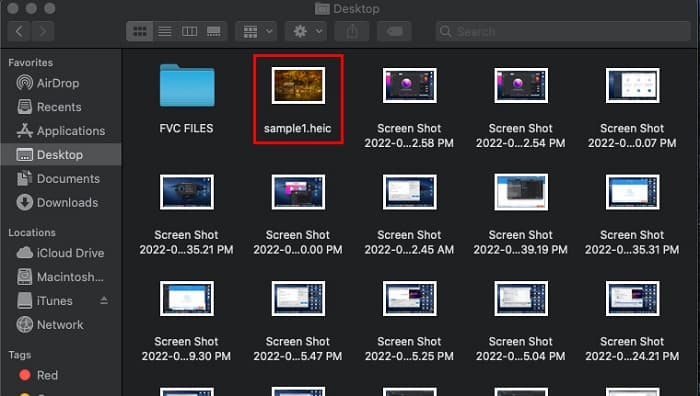
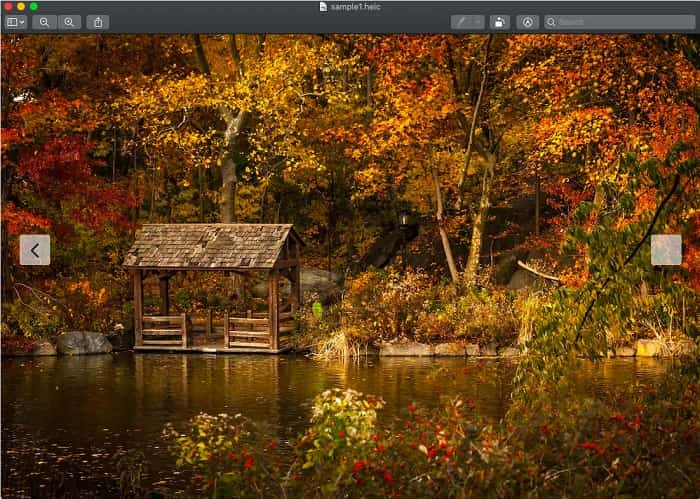
Pas 3. I ja pots veure i gaudir del teu fitxer HEIC.
Part 3. Com obrir HEIC en línia
Una de les maneres més eficients d'obrir el vostre fitxer HEIC és obrir-lo en línia. Només hi ha algunes eines que podeu utilitzar per obrir fitxers HEIC en línia; tanmateix, hem trobat una eina per obrir el vostre fitxer HEIC en línia.
Compressjpg.net
Compressjpg.net és una eina que et permet obrir fitxers HEIC en línia fàcilment. A més, pots visualitzar fotos HEIC i HEIF des del mòbil o des de Windows fent servir aquesta eina.
Pas 1. Al navegador, cerca Compressjpg.net, i això et portarà a la seva pàgina web. Després, fes clic al botó Choose File o arrossega i deixa anar el fitxer HEIC a la interfície principal del programari.
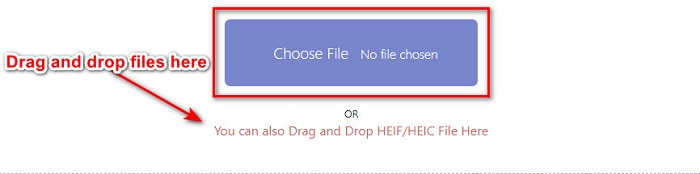
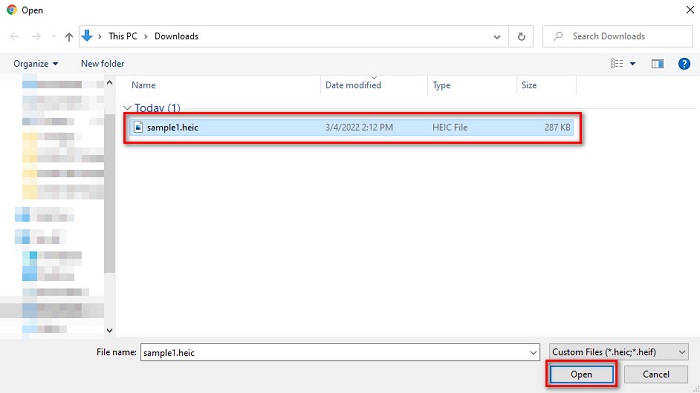
Pas 2. Després de fer clic al botó Choose File, apareixeran els fitxers de l’ordinador, on seleccionaràs el teu fitxer HEIC. A continuació, fes clic a Open per pujar el fitxer HEIC.
Pas 3. Finalment, ja pots veure el teu fitxer HEIC en línia. Fàcil, oi?

Pros
- Fàcil d'usar
- Pot carregar la vostra imatge HEIC ràpidament.
- No conté cap anunci inquietant.
Contres
- Com que depèn d'Internet, és possible que tingueu problemes per veure la vostra imatge HEIC.
Descodificador de visualització d'imatges HEIC
Un altre visor en línia que val la pena utilitzar és HEIC Image Viewer Decoder. Aquest visor en línia us permet veure el vostre fitxer HEIC en només un parell de passos. És molt còmode d'utilitzar i moltes persones utilitzen aquesta eina. Tanmateix, aquest visor en línia conté molts anuncis inquietants que poden interrompre el vostre procés de visualització. No obstant això, és un dels visualitzadors HEIC en línia més utilitzats.
Pas 1. Primer, cerca HEIC Image Viewer Decoder al quadre de cerca.
Pas 2. A continuació, arrossega i deixa anar el fitxer HEIC al quadre rectangular, o bé pots fer clic al botó Choose File per pujar el teu fitxer HEIC. Després, continua amb l’últim pas.

Pas 3. Finalment, espera que es carregui la teva imatge HEIC i ja podràs veure la imatge HEIC que vols visualitzar.
Pros
- Té una interfície de programari fàcil d'utilitzar.
- Accessible en qualsevol navegador.
Contres
- Conté molts anuncis inquietants.
- Es necessita temps per carregar la vostra imatge HEIC.
FileProInfo
FileProInfo és un visor HEIC en línia que et permet veure el teu fitxer HEIC a l’instant. Aquest visor gratuït en línia no requereix registrar-se ni instal·lar cap programa. A més, és 100% segur d’utilitzar. L’inconvenient és que conté anuncis molestos que distreuen. Encara que té un límit de mida de fitxer, molta gent visualitza els seus fitxers HEIC amb aquesta eina en línia.
Pas 1. Al navegador que facis servir, cerca FileProInfo HEIC online viewer.
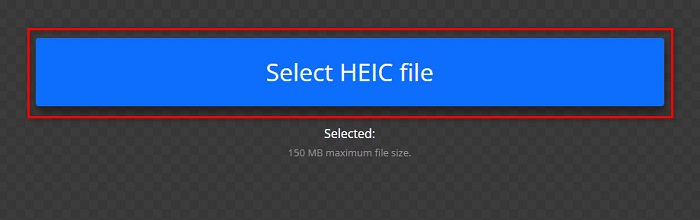
Pas 2. A la interfície principal del programari, fes clic al botó Select HEIC file; després apareixeran els fitxers de l’ordinador, on seleccionaràs el fitxer HEIC que vols veure.
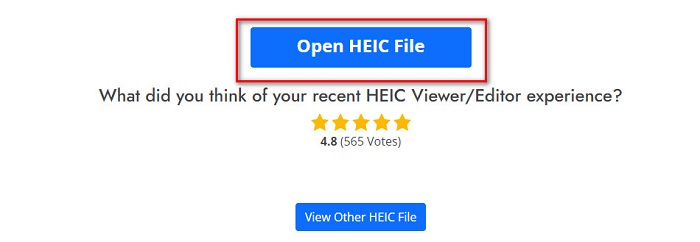
Pas 3. Finalment, fes clic al botó Open HEIC File per veure el teu fitxer HEIC en línia. Després només has d’esperar que la imatge HEIC es carregui.
Pros
- Pot veure el fitxer HEIC fàcilment.
- Accés gratuït a la web.
- La corba d'aprenentatge no és dura.
Contres
- Limitació de la mida del fitxer.
- Els anuncis emergents surten del no-res.
Part 4. Més coneixements sobre el fitxer HEIC
Els fitxers HEIC són formats d'imatge de fitxer que es troben en imatges preses des de dispositius Apple. HEIC significa High-Efficiency Image Container. Aquest tipus de fitxers es creen per tenir una millor compressió sense afectar l'alta qualitat d'una imatge.
A més, com que aquest fitxer d'imatge té una millor compressió amb una resolució d'alta qualitat, aquests fitxers són els millors per a sessions de fotos, fotos en directe i creació d'animacions. A més, pot suportar un color de 16 bits per a una millor edició. Tanmateix, com que Apple desenvolupa fitxers HEIC, no és compatible amb moltes aplicacions i dispositius.
Part 5. Preguntes freqüents sobre com obrir fitxers HEIC
Podeu obrir fitxers HEIC en dispositius Android?
No. Els fitxers HEIC només són exclusius per a dispositius Apple. Obrir aquests fitxers d'imatge a Android és impossible; heu d'utilitzar una eina o un convertidor en línia.
La conversió d'un fitxer HEIC a un fitxer JPG afecta la qualitat?
Convertir el vostre fitxer HEIC al format de fitxer JPG no afectarà la qualitat de la imatge. Tanmateix, afectarà la mida del fitxer perquè els fitxers HEIC són fitxers comprimits, mentre que el JPG no.
Puc obrir el format JPG als dispositius Apple?
Sí. Molts dispositius Apple com l'iPhone i l'iPad tenen una aplicació integrada que pot obrir el format de fitxer JPG. Una manera és obrir el vostre fitxer JPG amb fotos d'iCloud.
Es pot convertir el fitxer HEIC al format PNG?
Sens dubte, moltes eines us permeten convertir fitxers HEIC a format PNG.
Conclusió
Per tant, no cal que us preocupeu ara si voleu obrir fitxers HEIC a Windows, Mac i en línia, perquè us presenten totes les solucions i maneres més amunt. Hi ha moltes maneres d'obrir el vostre fitxer HEIC. Tanmateix, no tots tenen les mateixes característiques per utilitzar. Però si voleu veure el vostre fitxer HEIC en qualsevol dispositiu, és convenient convertir el vostre fitxer HEIF al format JPG. I en aquest cas, el convertidor FVC Free HEIC a JPG us ajudarà amb aquest problema.
Per tant, si ets usuari de Windows, l’única manera d’obrir un fitxer HEIC és convertir-lo a JPG utilitzant el millor convertidor HEIC a JPG, que és el FVC Free HEIC to JPG converter.
-
 JPG VS GIF: 3 maneres sense esforç de com convertir JPG a GIF
 Vols saber la diferència entre JPG i GIF? O voleu canviar el format animat JPG al GIF? Aleshores llegiu aquest article per tenir una idea.
-
 Els 3 principals convertidors que no us hauríeu de perdre per convertir PNG a GIF animat
 Vols donar vida al teu PNG? A continuació, proveu de convertir el format animat PNG a GIF amb les eines útils disponibles i els passos sobre com fer-ho.
-
 Els 4 millors fabricants d'animació fotogràfica que podeu provar [Eina basada en ordinador i web]
 Vols convertir la teva imatge fixa en una animació sorprenent? Aleshores, aquest és el vostre dia de sort, ja que compilem les eines que podeu utilitzar al web.
