


 Video Converter Ultimate
 Gravadora de pantalla
 Reparació de vídeo
 Baixada segura
Una guia ràpida per convertir MKV a DivX en línia i fora de línia de forma gratuïta fàcilment
El format de fitxer MKV és un contenidor que emmagatzema pistes d’àudio, vídeo i subtítols. És un format de fitxer multiús perquè també pot desar vídeos en HD. Tanmateix, com que pot agrupar molta informació en un sol fitxer, ocupa massa espai en un dispositiu. Per tant, si vols fer el teu fitxer MKV més petit en mida, l’has de convertir a un fitxer en format DivX. Continua llegint, perquè explicarem les millors maneres de convertir MKV a DivX en línia i fora de línia gratuïtament.

Part 1. Informació sobre MKV i DivX
Abans d'abordar els convertidors MKV i DivX en línia i fora de línia, primer hem de conèixer les semblances i diferències entre els formats de fitxer MKV i DivX. En aquesta part, coneixeràs les dades i la informació reals sobre aquests dos formats de fitxer.
Els fitxers MKV o Matroska són un format de fitxer famós pels entusiastes del cinema perquè és un contenidor de fitxers que pot gestionar múltiples fluxos de subtítols i pistes d'àudio en diferents idiomes. A més, aquest fitxer és a prova de futur, la qual cosa significa que no quedarà obsolet en el futur.
A diferència del fitxer MKV, DivX és un format de fitxer que us permet comprimir mides massives de fitxers fins a una dotzena part de la mida del fitxer original. Dit això, és la millor opció de les persones si volen comprimir els seus fitxers MKV.
Com que ara sabem què són els fitxers MKV i DivX, ara aprendrem a convertir fitxers MKV al format de fitxer DivX.
Part 2. 5 eines per convertir MKV a format DivX sense esforç
Trobar un convertidor MKV a DivX és difícil perquè pocs convertidors admeten formats de fitxer DivX. Però us presentem els millors convertidors de MKV a DivX per convertir fàcilment el vostre fitxer MKV a DivX.
FVC Video Converter Ultimate
FVC Video Converter Ultimate és una eina adequada si busques el convertidor definitiu per convertir MKV a DivX. Aquest convertidor fora de línia admet més de 1000 formats de fitxer, inclosos MKV, DivX, XviD, MOV, AVI, MP4, M4V, FLV i molts més. També té funcions avançades, com afegir efectes al fitxer de vídeo i millorar-ne la qualitat. A més, admet la conversió per lots, amb la qual pots fusionar diversos formats de fitxer en un de sol. I si vols conèixer el punt fort d’aquesta eina respecte d’altres convertidors, llegeix els avantatges següents.

Avantatges de FVC Video Converter Ultimate:
Més de 5.689.200 descàrregues- Admet molts formats de fitxer, com ara MKV, DivX, MP4, MPG, AVI, FLV, WMV i més de 1000 formats de fitxer.
- Té funcions avançades com ara GIF maker, 3D maker i molts més.
- Té un procés de conversió ultra ràpid.
- Accessible a totes les plataformes multimèdia com Windows i Mac.
Descàrrega gratuïtaPer a Windows 7 o posteriorDescàrrega segura
Descàrrega gratuïtaPer a macOS 10.7 o posteriorDescàrrega segura
Aquests són els passos per convertir MKV a DivX amb FVC Video Converter Ultimate:
Pas 1. Descarrega FVC Video Converter Ultimate fent clic al botó Download que trobaràs a continuació. A continuació, segueix el procés d’instal·lació i obre l’aplicació.
Descàrrega gratuïtaPer a Windows 7 o posteriorDescàrrega segura
Descàrrega gratuïtaPer a macOS 10.7 o posteriorDescàrrega segura
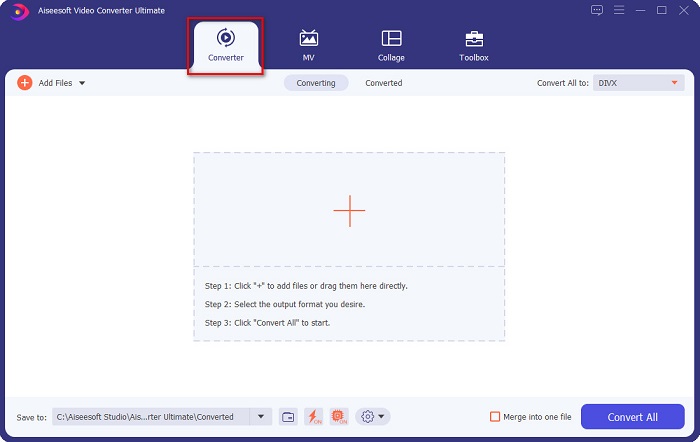
Pas 2. A la interfície principal del programari, fes clic a l’opció Converter.
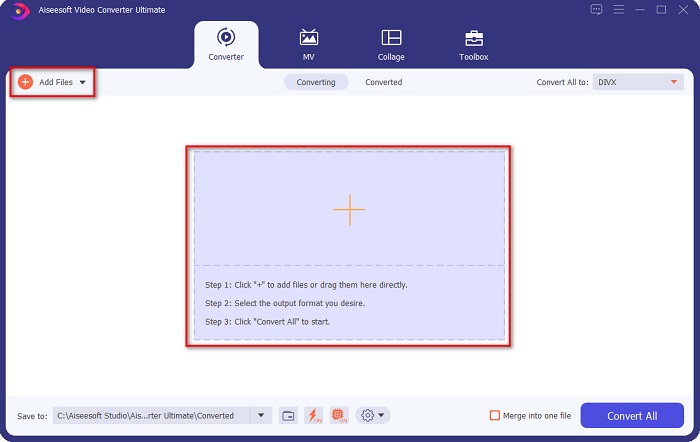
Pas 3. Fes clic al botó Add Files o al botó amb el signe + a la mateixa interfície. Es mostraran els fitxers de l’ordinador; selecciona-hi el teu fitxer MKV per pujar-lo.
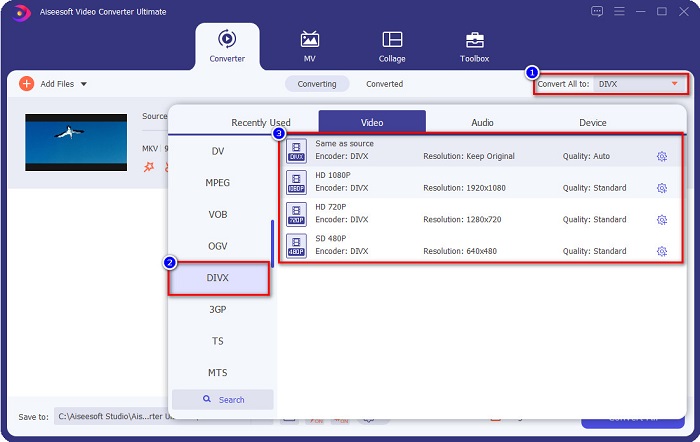
Pas 4. Després de pujar el fitxer MKV, fes clic al botó Convert All to per seleccionar el format de sortida que vols; fes clic al format de fitxer DivX.
Pas 5. Finalment, fes clic al botó Convert All per convertir el fitxer MKV a format de fitxer DivX.
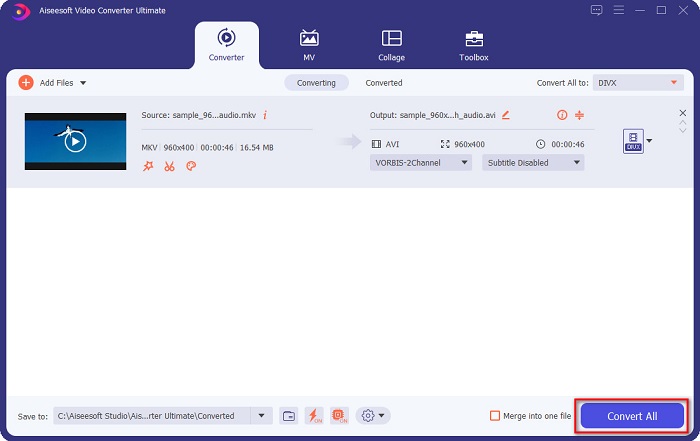
Aleshores només espereu uns segons i voilà! El vostre fitxer MKV és ara un format de fitxer DivX!
AnyMP4 Video Converter
AnyMP4 Video Converter és un convertidor gratuït de MKV a DivX que admet diversos formats de fitxer. Té una interfície de programari senzilla, cosa que el fa una eina fàcil d’utilitzar. També pots aprofitar moltes de les funcions que ofereix aquest convertidor. Tanmateix, no pots accedir a les funcions especials si no contractes la versió de pagament de l’aplicació.
Pas 1. Al navegador, cerca AnyMP4 Video Converter i descarrega l’aplicació. Després, a la interfície principal del programari, fes clic al botó Add File per pujar-hi el teu fitxer MKV.
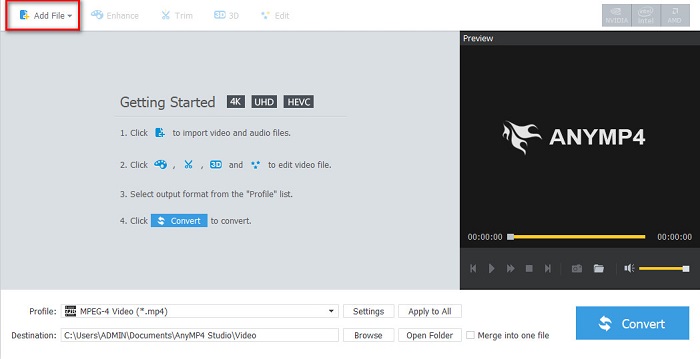
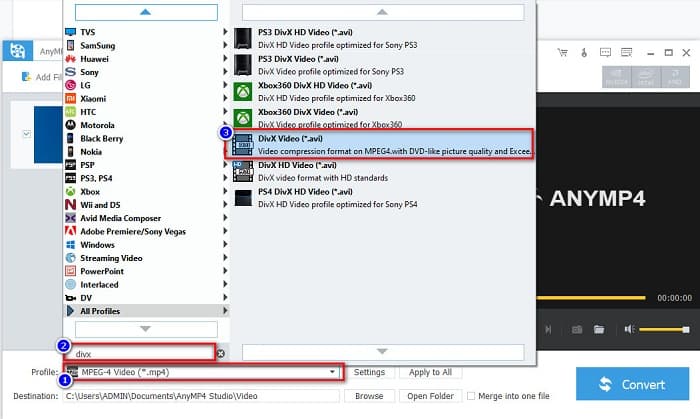
Pas 2. Després, a l’opció Profile situada a la part inferior de la interfície del programari, cerca el format de fitxer DivX i fes-hi clic.
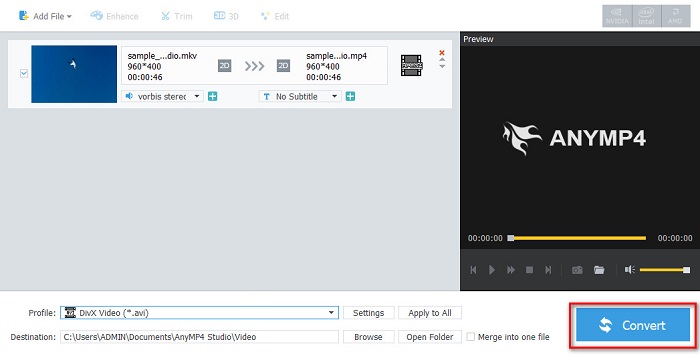
Pas 3. Per acabar, fes clic al botó Convert que hi ha a l’angle inferior dret de la interfície. Després, espera que acabi el procés de conversió. I ja estarà!
Media.io
Media.io és un convertidor gratuït que pot convertir MKV a DivX en línia. Aquest convertidor en línia té una interfície d’usuari senzilla. A més, no conté anuncis, a diferència d’altres convertidors en línia. Tot i això, pots experimentar un procés de conversió lent perquè és una aplicació basada en el web.
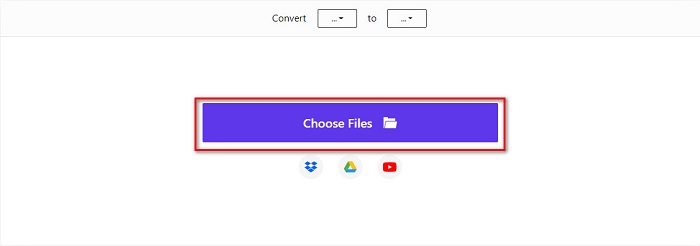
Pas 1. Al navegador de confiança, cerca Media.io. Després, a la interfície principal del programari, fes clic al botó Choose Files.
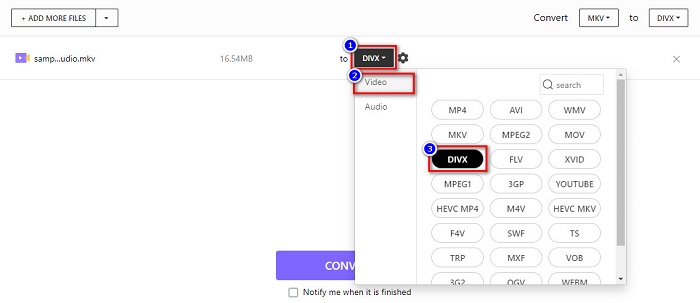
Pas 2. A continuació, fes clic al botó drop-down per seleccionar el format de sortida DivX.
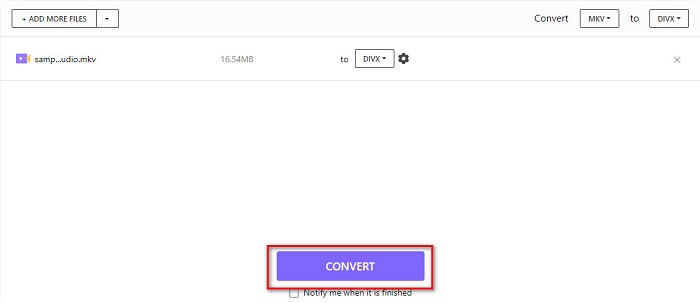
Pas 3. Després, fes clic al botó Convert de sota per començar a convertir el fitxer MKV a format de fitxer DivX.
MiConv
Una altra manera de convertir MKV a DivX en línia i de manera gratuïta és amb MiConv. Aquest convertidor en línia és un dels convertidors coneguts que pots trobar a la web. És una aplicació basada en el web; per tant, no cal que descarreguis res. A més, és una eina per a principiants gràcies a la seva interfície gràfica fàcil d’utilitzar. Ara bé, conté anuncis molestos que poden resultar-te una mica enutjosos. Tot i així, molta gent continua fent servir aquest convertidor en línia.
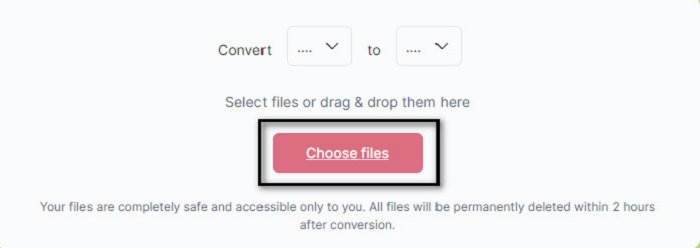
Pas 1. Cerca MiConv al navegador per accedir a la seva pàgina web. Després, fes clic al botó Choose files. Es mostraran les carpetes de l’ordinador, on seleccionaràs el teu fitxer MKV.
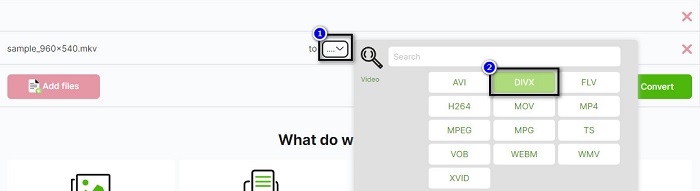
Pas 2. Després, fes clic al botó desplegable a la part inferior de la interfície del programari per seleccionar el format de sortida.
Pas 3. Finalment, fes clic al botó Convert per transcodificar el fitxer MKV a DivX.

AnyConv
L’últim convertidor del qual parlarem és el convertidor en línia AnyConv. Aquest convertidor gratuït de MKV a DivX és un dels convertidors en línia més utilitzats a internet. Igual que les altres eines en línia esmentades més amunt, també té una interfície fàcil d’utilitzar. A més, és compatible amb gairebé tots els formats de fitxer de vídeo estàndard. Tot i això, conté anuncis molestos i depèn de la connexió a internet, és a dir, que la velocitat del procés de conversió dependrà de la teva connexió.
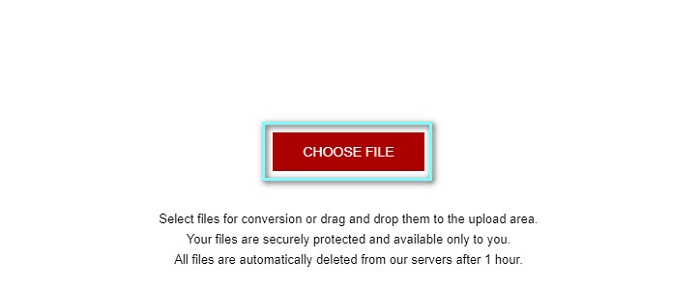
Pas 1. Ves al lloc web d’AnyConv cercant AnyConv online converter al navegador. Després, fes clic al botó Choose File.
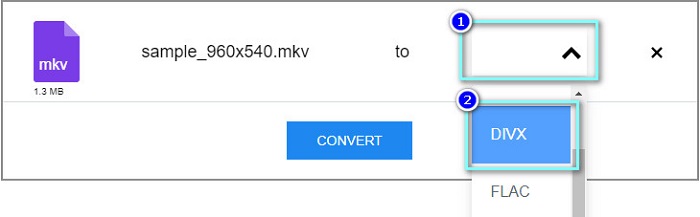
Pas 2. A continuació, tria el format de fitxer DivX com a format de sortida al botó desplegable.
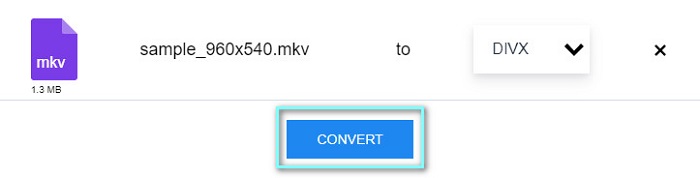
Pas 3. Després, per iniciar el procés de conversió, fes clic al botó Convert.
Part 3. Preguntes freqüents sobre la conversió de MKV a DivX
Es pot reproduir el fitxer MKV al Windows Media Player?
El Windows Media Player no és compatible de manera nativa amb els formats de fitxer MKV. Si reprodueixes un fitxer MKV al Windows Media Player, és possible que només se’n vegi l’àudio. Per tant, si vols reproduir un fitxer MKV al Windows Media Player, pots convertir MKV a AVI com a format de fitxer.
Quin té millor qualitat, MKV o DivX?
MKV té una millor qualitat que el fitxer DivX; tanmateix, el fitxer MKV no està comprimit, cosa que el fa més destacat en la mida del fitxer. En canvi, DivX és un format de fitxer comprimit.
Podeu reproduir fitxers DivX a macOS?
Malauradament, el reproductor multimèdia integrat de Mac que és QuickTime no admet el format de fitxer DivX.
Conclusió
Uf! Va ser una gran aventura que vam tenir. Tot el coneixement i la informació que teniu avui us ajudaran a triar el millor convertidor de MKV a DivX. Per tant, si voleu utilitzar un convertidor amb moltes funcions fantàstiques, moltes persones utilitzen FVC Video Converter Ultimate com a primera línia d'elecció.
-
 MKV a MOV - Com convertir MKV a MOV
 Com puc convertir MKV a MOV a Mac? Pot iMovie llegir MKV? Què significa el format MOV? Aquesta publicació explica dues maneres senzilles d'ajudar-vos a convertir MKV a MOV amb convertidors de vídeo gratuïts en línia i professionals.
-
 Com convertir vídeos MKV a GIF animats sense Photoshop / FFmpeg
 Després de descarregar i veure pel·lícules MKV a l'ordinador, és possible que vulgueu compartir moments meravellosos amb amics o a Internet com a GIF. En aquest article, podeu obtenir informació sobre les dues maneres més fàcils de convertir MKV a GIF.
-
 Consells i trucs sobre com convertir fitxers MKV a MP3 [2021]
 Teniu problemes per triar el convertidor adequat de MKV a MP3? A continuació, continueu llegint aquesta publicació, ja que vam presentar diferents solucions a un problema.
