


 Video Converter Ultimate
 Gravadora de pantalla
 Reparació de vídeo
Breu anàlisi sobre el text disponible a les aplicacions de vídeo Windows/Mac/Android/iOS
Protegir el teu projecte és essencial, especialment si el publiques en línia per evitar que et robin la feina. Tot i això, no tots els llocs web poden salvar la teva obra de possibles robatoris per part d’altra gent. Per tant, abans de penjar el teu projecte al web, és ideal afegir-hi una marca d’aigua. Encara que una marca d’aigua no sempre pot protegir la teva feina, podem dir que és una altra manera de garantir-la davant possibles furts. Com a resultat, aquesta publicació et proporcionarà les eines que pots utilitzar; la majoria són gratuïtes, però algunes s’han de comprar per desbloquejar tot el potencial de l’eina. Ara mateix fem una ullada completa a l’app de text sobre vídeo d’aquest any 2022.

Part 1. 3 de les millors aplicacions de text en vídeo que pots descarregar a Windows i Mac
FVC Video Converter Ultimate
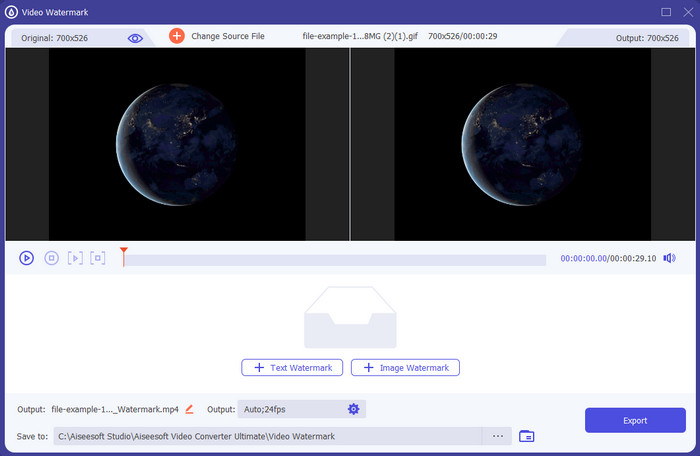
Cost: Prova gratuïta disponible, el preu comença a $39.50 per un any, $55.20 per a una llicència de per vida, i per a 2-5 PC llicència de per vida $119.00.
Plataforma/es compatibles: Windows i Mac.
Si vols una app per afegir text a un vídeo, has d’escollir l’eina més triada del 2022, el FVC Video Converter Ultimate. Aquesta eina admet una gran varietat de formats en què pots carregar, de manera que afegir-hi l’arxiu de vídeo no et suposarà cap problema; també pots canviar el format si ho necessites. A primera vista de la interfície, l’eina té un aspecte net i professional alhora. Tot i ser una eina professional, els usuaris amb poca o cap experiència poden aprendre ràpidament a utilitzar-la. La corba d’aprenentatge no és tan pronunciada com la d’Adobe Photoshop.
A més, l'eina enorgulleix el seu nom com a eina definitiva perquè té el procés més ràpid de càrrega i descàrrega, ja sigui un, dos o més fitxers. La codificació del format de fitxer amb pèrdues o sense pèrdues és ràpida i fàcil si utilitzeu aquesta eina. Tot i que l'eina és una mica cara de la llista de l'editor de text de vídeo, encara trobem aquesta eina com la més fàcil d'utilitzar però la més eficaç.
Descàrrega gratuïtaPer a Windows 7 o posteriorDescàrrega segura
Descàrrega gratuïtaPer a macOS 10.7 o posteriorDescàrrega segura
Adobe Photoshop
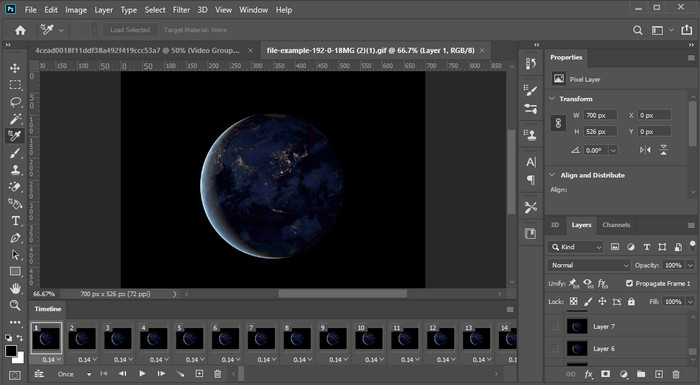
Cost: Prova gratuïta de 7 dies i $20.99 cada mes.
Plataforma/es compatibles: Windows, Mac i iPad.
Necessites una eina professional per fer aquesta tasca? Doncs bé, Adobe Photoshop és l’eina professional d’aquest recull. La seva interfície plena de funcions i les seves característiques la converteixen en l’editor de primera tria dels professionals que el poden descarregar a la seva plataforma. A més, aquesta eina ofereix funcions d’edició avançades que pots utilitzar per fer que el text sobre el vídeo es vegi millor que mai.
Tanmateix, aquesta eina no és la millor selecció si sou un principiant en l'edició perquè és tan tècnica que fins i tot alguns professionals han de llegir alguns tutorials sobre com realitzar una tasca en particular. Però si voleu utilitzar això, afegiu text a l'aplicació de vídeo; Podeu descarregar-lo al lloc web oficial d'Adobe.
iMovie
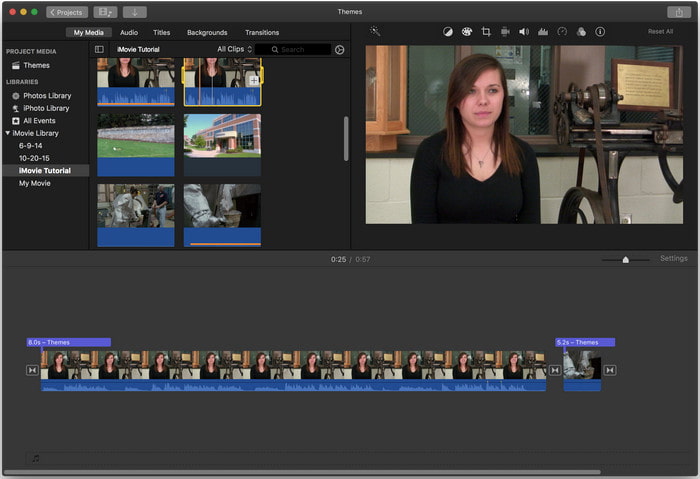
Cost: Gratuït, preinstal·lat.
Plataforma/es compatibles: Mac i iOS.
Si necessites una eina gratuïta al teu dispositiu Mac o iOS per afegir una marca d’aigua al vídeo, pots utilitzar iMovie per dur a terme aquesta tasca. Aquesta eina no es pot descarregar a cap dispositiu Windows o Android perquè és només per a dispositius Apple. Tot i que l’eina té una plataforma compatible limitada, encara es considera un dels millors editors de marques d’aigua que pots utilitzar a Mac i iOS. La majoria de principiants l’estimaran perquè ofereix edició completa de manera gratuïta. Així doncs, si tens un Mac o un iOS, primer has de provar aquesta app per afegir text sobre el vídeo i veure si s’adapta a les teves necessitats.
Part 2. 3 Millor aplicació de text de vídeo disponible a tots els Android i iOS
Totes les eines esmentades anteriorment estan disponibles a Windows i Mac, mentre que algunes admeten dispositius mòbils limitats. Què passa si teniu un dispositiu mòbil i voleu afegir text com a marca d'aigua en un vídeo? Encara ho pots fer? Podeu fer-ho amb l'eina que us presentem a continuació. Llegiu-lo amb precaució per saber si aquesta eina serà suficient per a les vostres necessitats.
Editor de vídeo: text en vídeo
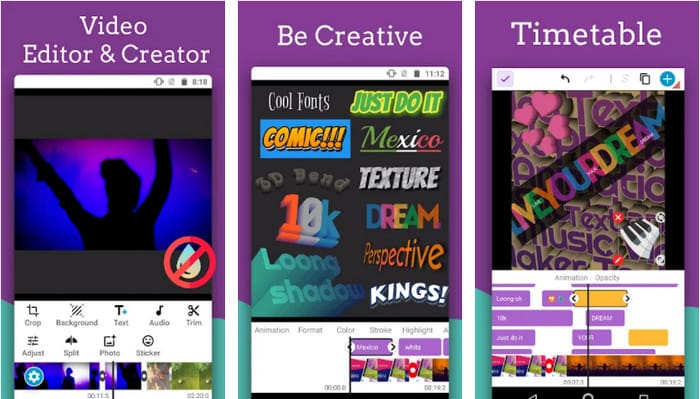
Cost: Descàrrega gratuïta.
Plataforma/es compatibles: Android.
Tot i que hi ha moltes apps per afegir text al vídeo gratuïtes per descarregar a Android, hem trobat que Video Editor: Text on Video és excel·lent en molts aspectes. Aquesta app per a Android ofereix als usuaris moltes funcions d’edició avançades per fer que el seu vídeo destaqui. Si vols utilitzar-la i afegir una marca d’aigua al teu vídeo, també disposa d’animació de text per incloure text animat al vídeo.
Tot i que l'eina es pot descarregar gratuïtament, encara hi ha moltes millores i cal corregir-la, com ara errors i errors que troben alguns usuaris. A més, apareixeran alguns anuncis un cop obriu l'aplicació al telèfon i l'utilitzeu. No obstant això, el desenvolupador continua actualitzant l'eina per convertir-se en el millor editor de vídeo d'Android per assolir tot el seu potencial.
Vont - Text en vídeos 4+
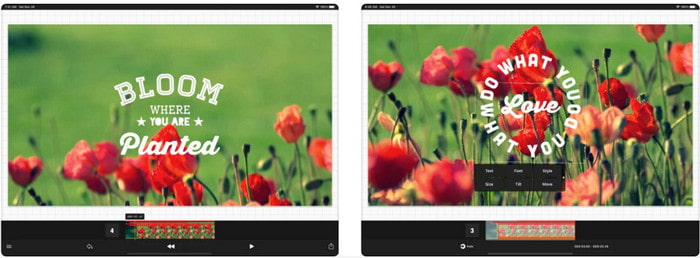
Cost: Descàrrega gratuïta, compres integrades de $2.99 a $9.49.
Plataforma/es compatibles: iPhone, iPad i Android.
Vont - Text on Videos 4+ és una de les millors apps per afegir text al vídeo en tots els dispositius mòbils. Aquesta app és compatible tant amb dispositius Android com iOS, de manera que, naturalment, aquesta eina guanya reputació i popularitat a tots dos costats. Però si comparem on funciona millor l’app, podem dir que és més favorable en dispositius iOS perquè admet més formats i té funcions d’edició molt més detallades que pots utilitzar.
Tot i que l'eina és millor a iOS, encara podem estar d'acord que aquesta eina és excel·lent per utilitzar-la fins i tot en dispositius Android per afegir la marca d'aigua ràpidament en alguns vídeos.
Text al vídeo: Easy Vid Editor 4+
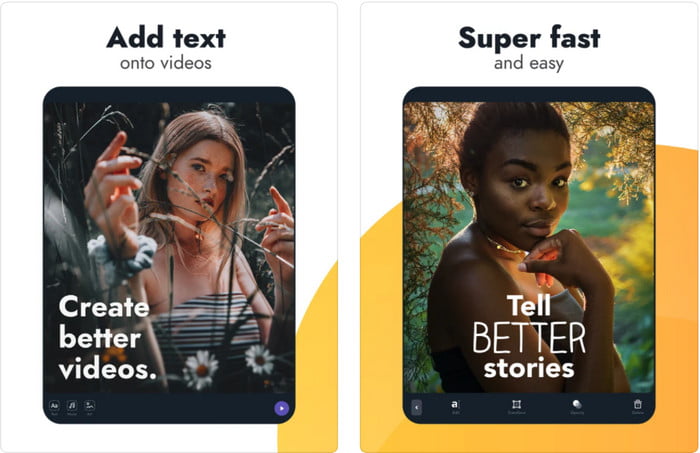
Cost: Descàrrega gratuïta, compres integrades de $1.99 a $49.99
Plataforma/es compatibles: iPhone i iPad.
Si vols saber quina és la millor app de text sobre vídeo a iOS, no hi ha dubte que és Text On Video: Easy Vid Editor 4+. Aquesta eina admet diverses funcions d’edició que pots utilitzar per afegir fàcilment una marca d’aigua de text al teu vídeo amb diferents estils de lletra.
Igual que Photoshop, aquesta eina promou la marca d'aigua de text en 3D per ajudar-vos a manipular el text i col·locar-lo a qualsevol lloc com si estigués mentre feu el vídeo o la foto. Tot i que el considerem el millor, encara pensem que no és l'eina professional que necessitareu si us interessa una edició molt detallada que necessita un professional.
Relacionat:
Part 3. Preguntes freqüents sobre les aplicacions d'afegir una filigrana de text
És segur descarregar una aplicació de marca d'aigua de text?
És segur si heu baixat l'eina als llocs oficials o al programa de descàrrega. No causarà cap problema si el descarregueu al lloc web oficial. No obstant això, no tots els llocs web estan protegits, per la qual cosa has de tenir cura de descarregar l'eina més segura per utilitzar el teu sistema operatiu per evitar problemes.
Quina aplicació de marca d'aigua de text funciona millor, a l'escriptori o als telèfons?
No hi ha dubte que l'aplicació de marca d'aigua de text d'escriptori funciona millor per a treballs pesats perquè l'escriptori té una CPU més alta que el telèfon. Però si voleu una edició semi-ponderada, la marca d'aigua del text del telèfon és el vostre favor, ja que podeu portar-la a qualsevol lloc i utilitzar-la en qualsevol moment sense configurar un escriptori.
És ideal comprar per a l'aplicació de marca d'aigua de text?
Si teniu un pressupost ajustat, us recomanem que utilitzeu l'eina gratuïta, però hi ha algunes limitacions, i esperem això perquè és gratuïta. Però si voleu tenir les millors funcions disponibles a la versió premium, us suggerim que la compreu o us subscriviu perquè no les podeu obtenir amb la versió gratuïta.
Conclusió
Ara que hem acabat d’analitzar les eines, és hora de descarregar la que sigui adequada per a tu. Esperem que aquesta publicació t’ajudi a decidir quina has d’utilitzar, però si no pots decidir-te, et suggerim que triïs el FVC Video Converter Ultimate. Perquè és una eina tot en u que pots descarregar al teu Windows i Mac, i totes les seves funcions estan ben dissenyades per ajudar-te en una tasca específica. Així que, sens cap dubte, és la millor app de marques d’aigua de text que pots descarregar de les anteriors.
-
 Com afegir àudio i música al vídeo de forma gratuïta al vostre ordinador / telèfon
 En aquest article es mostren 4 maneres senzilles d'afegir àudio al vídeo de forma gratuïta. Independentment de la pista d'àudio que vulgueu afegir al vídeo, aquí podeu obtenir resultats satisfactoris.
-
 Converteix GIF en format de vídeo: Converteix memes GIF en vídeo [2025]
 Determineu com transformar GIF en format de vídeo amb l'ajuda de les eines que s'enumeren a continuació. Trieu quin i apreneu a fer-ho, ja que reunim prou proves sobre ells.
-
 GIF meravellós per a aplicacions de vídeo per a dispositius Android i iOS
 Sabíeu que podeu convertir GIF a qualsevol format de vídeo que us agradi amb el vostre telèfon? Trieu les millors aplicacions al vostre Android o iOS.
