


 Video Converter Ultimate
 Gravadora de pantalla
 Reparació de vídeo
Quins són els 8 millors convertidors de resolució de vídeo per canviar la resolució de vídeo
Pel que fa al valor de píxel per amplada i alçada, la resolució de vídeo té un paper important a l’hora de canviar la mida de cada vídeo que reprodueixes. Diferents llocs multimèdia reprodueixen vídeos amb diverses resolucions. Per tant, hi ha ocasions en què necessitaràs convertir la resolució del vídeo a una alçada i una amplada concretes. Per ajudar-te a trobar el millor convertidor de resolució de vídeo, dedica uns minuts a consultar els 9 millors convertidors de resolució que hem trobat al mercat.

Part 1. Els 3 millors programes de conversió de resolució de vídeo disponibles a qualsevol Windows i Mac
Top 1. FVC Video Converter Ultimate (Windows i Mac)
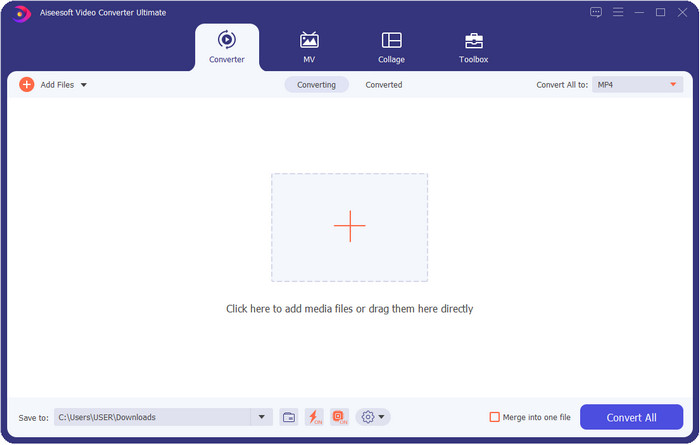
FVC Video Converter Ultimate és el millor potenciador de resolució de vídeo que pots utilitzar fàcilment per manipular la resolució segons les teves preferències. Aquest programari pot portar la resolució del teu vídeo fins a 4K o tan baixa com 144 px. Amb aquesta eina, pots canviar els paràmetres del vídeo i comprovar el resultat a la previsualització abans d’exportar-lo, per assegurar-te que és la resolució de vídeo que vols.
A més, si voleu convertir els vostres fitxers aquí, podeu seleccionar els diferents conjunts de resolució de vídeo que ja ofereix aquesta eina. Per experimentar una manera senzilla de canviar la resolució del vídeo. A més d'això, també podeu crear una resolució de vídeo personalitzable que s'adapti a les vostres necessitats del vostre vídeo. Si voleu més idees sobre l'eina, podeu llegir les funcions clau que us pot oferir.

FVC Video Converter Ultimate
Més de 5.689.200 descàrregues- Transforma els teus vídeos en MP4, MOV i més de 200 més amb una resolució ultra alta.
- Converteix els teus diferents fitxers de vídeo simultàniament en menys d'un minut.
- Comproveu la resolució del vídeo abans d'exportar el fitxer a la vista prèvia.
- Hi ha disponible una caixa d'eines polivalent per ajudar-vos a comprimir, corregir el color i molt més.
- Està disponible en tots els sistemes operatius d'escriptori, inclosos Windows i Mac.
Descàrrega gratuïtaPer a Windows 7 o posteriorDescàrrega segura
Descàrrega gratuïtaPer a macOS 10.7 o posteriorDescàrrega segura
Top 2. VLC (Windows, Mac i dispositius mòbils)
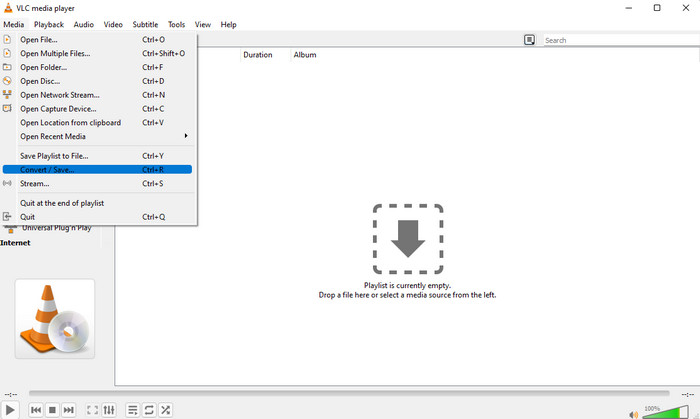
Podeu utilitzar el millor reproductor de vídeo del web com a convertidor de resolució de vídeo MP4 si ho necessiteu. VLC ofereix als seus usuaris no només reproduir un vídeo amb alta resolució, sinó que també pot convertir el vídeo en una alta resolució. Aquesta eina té una capacitat de conversió de vídeo, però no és tan eficaç com l'altre convertidor de vídeo que podeu descarregar al vostre escriptori. Però aquesta eina val la pena esmentar en aquesta revisió perquè es pot descarregar gratuïtament per reproduir i convertir el vídeo.
Avantatges d’utilitzar VLC:
◆ És un reproductor i convertidor de vídeo polivalent a Windows, Mac i altres dispositius mòbils.
◆ Descàrrega gratuïta i segura.
◆ No és tan eficaç com l'altre convertidor, però pot fer la tasca si voleu.
Top 3. Hamster Free Video Converter (Windows)
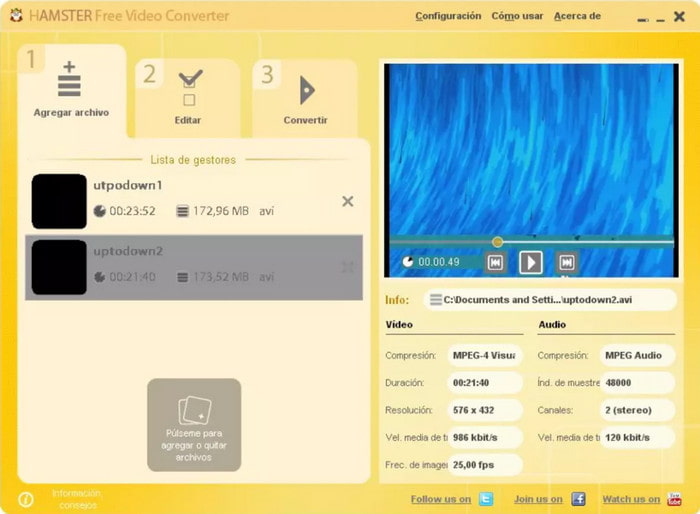
Hamster Free Video Converter et pot ajudar a convertir gairebé qualsevol vídeo a qualsevol format de vídeo amb alta resolució. Aquest convertidor de resolució de vídeo es pot descarregar gratuïtament en qualsevol sistema operatiu Windows per ajudar els usuaris amb els seus problemes relacionats amb els vídeos. Tot i que l’eina és fàcil d’utilitzar i gratuïta, la interfície gràfica del programari necessita una actualització, perquè sembla poc professional com a convertidor de vídeo; per exemple, afegint-hi diferents aparences (skins) per millorar-la. Encara que això és una mica problemàtic, podem assegurar-te que el programari t’ajudarà a convertir la resolució del vídeo.
Avantatges d’utilitzar Hamster Free Video Converter:
◆ Convertidor de vídeo gratuït per descarregar a qualsevol sistema operatiu Windows.
◆ És molt intuïtiu d'utilitzar i no caldrà llegir ni veure un tutorial sobre com utilitzar-lo.
◆ Convertidor de vídeo senzill i alhora potent.
Part 2. Els 3 principals convertidors de resolució de vídeo en línia i d'ús gratuït
Top 4. FVC Free Video Converter Online
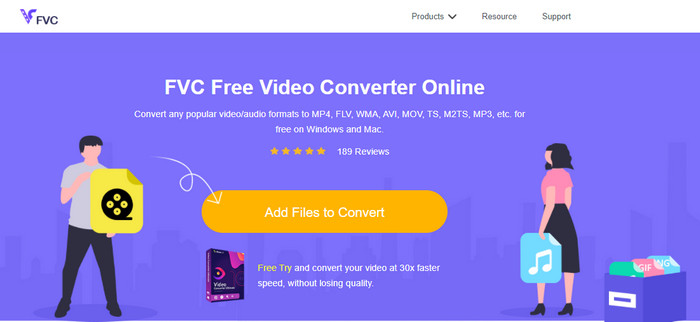
FVC Free Video Converter Online és el millor convertidor en línia de vídeo d’alta a baixa resolució en què pots confiar si no vols descarregar res. Aquesta eina no només és fàcil d’utilitzar, sinó que també és gratuïta i segura. A més, admet diferents tipus de resolució de vídeo; en pots triar una fins a 1080 px o inferior a 240 px. No cal que descarreguis cap programari al disc del teu ordinador per canviar la resolució del vídeo amb aquesta eina web. Tot i que l’eina està llesta per usar, encara no és tan bona com l’eina definitiva que ofereix ús a gran escala, però la pots fer servir si vols un convertidor il·limitat.
Avantatges d’utilitzar FVC Free Video Converter Online:
◆ No cal descarregar l'eina web i és segur d'utilitzar.
◆ Podeu accedir fàcilment a l'eina al web en qualsevol moment i en qualsevol lloc amb connexió a Internet.
◆ Admet resolucions de vídeo de fins a 1080 px de forma gratuïta.
Top 5. Converteix HD
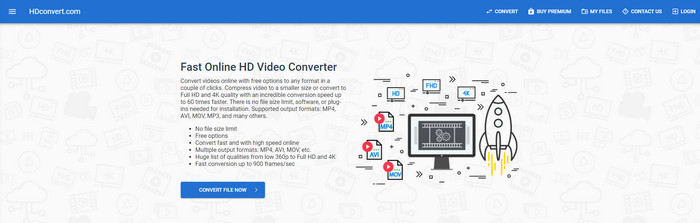
Una altra eina en línia per millorar la resolució de vídeo que pots utilitzar és HD convert. Aquesta eina també admet diferents conjunts de resolució, com el primer convertidor en línia que hem esmentat. Gràcies als formats de vídeo populars que admet, pots pujar-hi fàcilment els teus fitxers de vídeo per millorar-ne després la qualitat. Tanmateix, només pots convertir vídeos fins a 720 px perquè aquesta eina funciona en versió gratuïta. Una altra cosa que no ens agrada d’aquesta eina web és que, després de convertir la resolució, deixa una marca d’aigua al vídeo quan l’exportes. Però si no et molesta la marca d’aigua i el límit de 720 px, pots canviar la resolució del teu vídeo de manera gratuïta.
Avantatges d’utilitzar HD convert:
◆ Admet un procés de conversió de vídeo més detallat.
◆ La resolució de vídeo que aquesta eina web admet gratuïtament és de 720 píxels.
◆ Admet l'últim format de vídeo per carregar-lo.
Top 6. 123 APPS – Video-converter
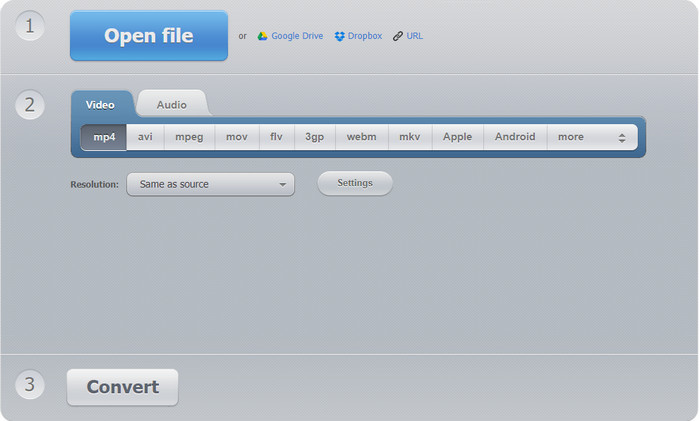
L’última de la llista de super potenciadors de resolució de vídeo que pots utilitzar al web és 123 APPS – Video Converter. Igual que HD convert, aquesta eina web admet els formats més populars tant per a la importació com per a l’exportació. Tot i que admet els formats populars, continua sent molt millor que el segon convertidor web perquè permet arribar fins a 1080 px de màxim i tan baix com 240 px. Encara que l’eina és gratuïta, els anuncis emergents del lloc principal poden fer que l’experiència sigui una mica menys atractiva. A més, el procés de pujada i descàrrega dependrà de la teva connexió a Internet; hauràs de tenir paciència per millorar la resolució del teu vídeo de franc.
Avantatges d’utilitzar 123 APPS – Video-converter:
◆ Pot convertir la vostra resolució de vídeo fins a 1080 px com a màxim.
◆ Tot i que hi ha anuncis a l'eina web, encara és segur accedir-hi.
◆ Admet més format d'exportació que el convertidor HD.
Part 3. 2 millors aplicacions de conversió de resolució de vídeo per descarregar a iOS i Android
Top 7. El convertidor de vídeo (iOS)
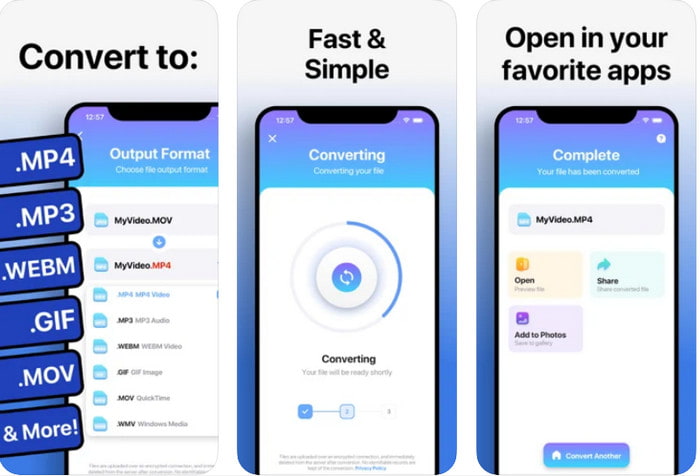
Pots utilitzar aquesta aplicació potenciadora de resolució de vídeo a iOS per ajudar-te a canviar fàcilment la resolució. The Video Converter ofereix la manera més efectiva de canviar el format i la resolució per a qualsevol usuari d’iOS. Aquesta aplicació admet una gamma més àmplia de formats que altres llocs web, de manera que és fàcil pujar i descarregar vídeos a l’emmagatzematge d’iOS. Tot i que l’eina és gratuïta de descarregar, no pots utilitzar l’app si no compres o actives la versió premium. Per tant, abans d’escollir aquest convertidor, has de tenir diners extra per pagar-lo abans de poder-lo fer servir.
Avantatges d’utilitzar The Video Converter:
◆ Es pot descarregar gratuïtament a qualsevol dispositiu iOS, però l'haureu de pagar quan exporteu el fitxer.
◆ Admet diferents tipus de funcions d'edició i un format de vídeo d'escala mitjana.
◆ La resolució del vídeo pot arribar a 1080 px.
Top 8. Convertidor de vídeo, compressor MP4, 3GP, MKV, MOV, AVI (Android)
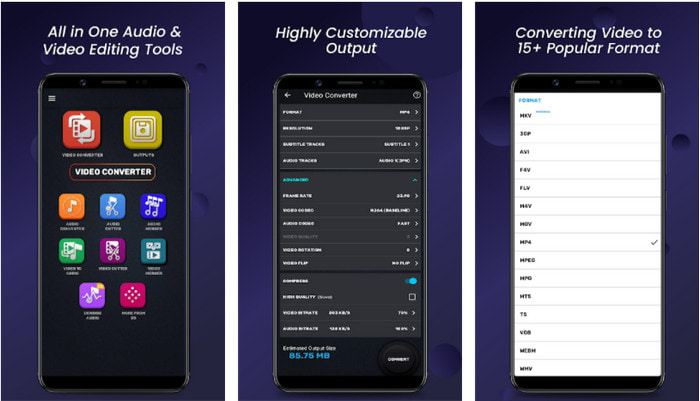
Per als usuaris d’Android, pots utilitzar aquest convertidor de resolució de vídeo gratuïtament descarregable a qualsevol Play Store. Video Converter, Compressor MP4, 3GP, MKV, MOV, AVI és la millor aplicació que hem trobat a la Play Store, ja que ofereix diferents conjunts de resolucions i formats per al teu vídeo. Igual que el convertidor definitiu, aquesta eina admet altres funcions, com ara comprimir, afegir subtítols i pistes d’àudio al vídeo abans d’exportar-lo. Tot i que disposa d’aquestes funcions que l’eina definitiva també ofereix, continua sense ser tan efectiva com el convertidor definitiu. En alguns casos, l’eina no converteix la resolució del vídeo de manera del tot efectiva.
Avantatges d’utilitzar Video Converter, Compressor MP4, 3GP, MKV, MOV, AVI:
◆ Disponible a tots els dispositius Android per descarregar l'eina gratuïtament.
◆ És el millor convertidor de vídeo, compressor, pistes d'àudio i sumador de subtítols en dispositius mòbils.
◆ Tot i que hi ha anuncis emergents, encara és segur d'utilitzar.
Relacionat:
Part 4. Preguntes freqüents sobre els convertidors de resolució de vídeo
Quina diferència hi ha entre la resolució i la qualitat del vídeo?
La resolució i la qualitat són essencials per al vídeo i la imatge de cada fitxer multimèdia visual. Encara que alguns usuaris els troben igual, no ho són. Com que la resolució es refereix a la mida del fitxer multimèdia òptic, podem mesurar-lo com a píxels d'amplada i longitud. Mentre que la qualitat pren la representació visual, el que significa que la qualitat del vídeo se centra en els detalls dels píxels que s'emmagatzemen.
Què és millor per reproduir vídeos en línia? 720 o 1080?
Si esteu reproduint vídeos al web, us recomanem que utilitzeu un 720 en lloc de 1080 perquè es carrega molt més ràpid i té qualitat HD. Tanmateix, us recomanem que utilitzeu 1080 si sou més detallat, però aquesta resolució carrega molt més temps que la 720.
Quina és la resolució de vídeo més alta?
La qualitat més alta és la 8k UHD (7680 x 4320), però aviat veurem una resolució més alta.
Conclusió
Els convertidors de resolució de vídeo que presentem en aquesta ressenya han estat seleccionats per mostrar-te només els millors convertidors de vídeo que pots utilitzar al teu dispositiu. A més, aquests convertidors tenen diferents capacitats que ajuden els usuaris a canviar la resolució, ja sigui a una de més alta o més baixa. Però si ens preguntes quin hauríem d’utilitzar, no hi ha cap dubte que escolliríem el convertidor de vídeo capdavanter d’aquesta llista. FVC Video Converter Ultimate ofereix la resolució de vídeo més alta que pots aconseguir sense perdre qualitat. Encara que aquesta eina és de pagament, creiem que val cada cèntim si accedeixes a la versió premium. Aleshores, què esperes? Fes clic al botó de descàrrega de més amunt per tenir el convertidor definitiu disponible per a Windows i Mac.
-
 Com afegir àudio i música al vídeo de forma gratuïta al vostre ordinador / telèfon
 En aquest article es mostren 4 maneres senzilles d'afegir àudio al vídeo de forma gratuïta. Independentment de la pista d'àudio que vulgueu afegir al vídeo, aquí podeu obtenir resultats satisfactoris.
-
 Converteix GIF en format de vídeo: Converteix memes GIF en vídeo [2025]
 Determineu com transformar GIF en format de vídeo amb l'ajuda de les eines que s'enumeren a continuació. Trieu quin i apreneu a fer-ho, ja que reunim prou proves sobre ells.
-
 GIF meravellós per a aplicacions de vídeo per a dispositius Android i iOS
 Sabíeu que podeu convertir GIF a qualsevol format de vídeo que us agradi amb el vostre telèfon? Trieu les millors aplicacions al vostre Android o iOS.
