


 Video Converter Ultimate
 Screen Recorder
 Oprava videa
Nejlepší editor metadat MKV pro přidání/změnu/odebrání metadat na MKV
There isn't a wide variety of MKV metadata editors on the market because the MKV isn't much supported. But it doesn't mean that we can't edit the tags on our MKV files, so don't look gloomy. So for you to find out what is the best metadata editor that supports MKV, you can read the full scope of this article as we review different tools. What are you waiting for? Keep the ball on a roll because this won't last more than 7 minutes to have a tag editor.

Část 1. Nejlepší editor značek MKV doporučený pro Windows a Mac: FVC Video Converter Ultimate
FVC Video Converter Ultimate is the most popular MKV metadata editor on Windows and Mac. This tool lives up to its name and expectation, so downloading the software to edit the metadata is the best choice you will make. Its powerful features and functions will easily handle the job as if it is a piece of cake. Furthermore, this tool supports other formats to upload, such as MP4, AVI, MOV, FLV, WMV, and the 1000+ media formats without re-encoding the file for a less hassle experience.
co víc? Předpokládejme, že si stáhnete nástroj. Budete mít nejrychlejší nástroj pro přidávání metadat na MKV a nejkrásnější GUI editoru metadat, které jiný nástroj nemůže nabídnout. Pokud máte zájem používat editor, pokračujte ve čtení části 2, kde vám vysvětlíme, jak upravit data souborů MKV.
Část 2. Jak upravit metadata MKV pomocí doporučeného editoru metadat MKV
Postupujte podle kroků, začněte stažením nástroje a tak dále. Začněme tedy používat nejlepší editor metadat MKV, který si můžete stáhnout do svého Windows nebo macOS.
Step 1. Tick the download button we present below; select which operating systems you are currently using. Install it immediately after you've downloaded the file, follow the installation process, and we promise that you wouldn't get wrong, then open it to proceed. Before we start, you'll need to get familiarized with the tool to have a smooth sailing process using the MKV tag editor.
Zdarma ke staženíPro Windows 7 nebo novějšíBezpečné stažení
Zdarma ke staženíPro MacOS 10.7 nebo novějšíBezpečné stažení
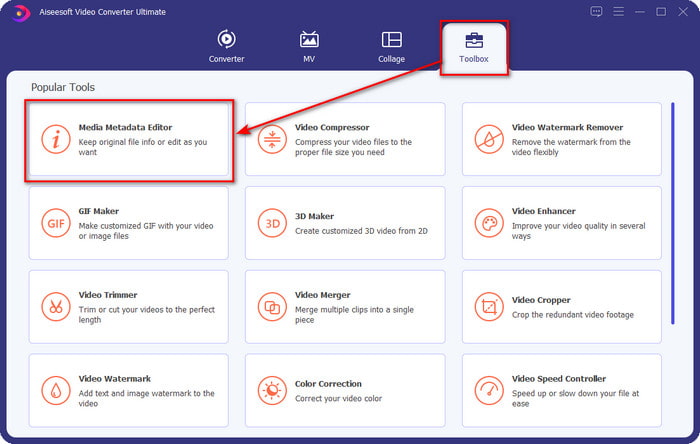
Step 2. Open the Toolbox, look for the Media Metadata Editor, and tap it to open.
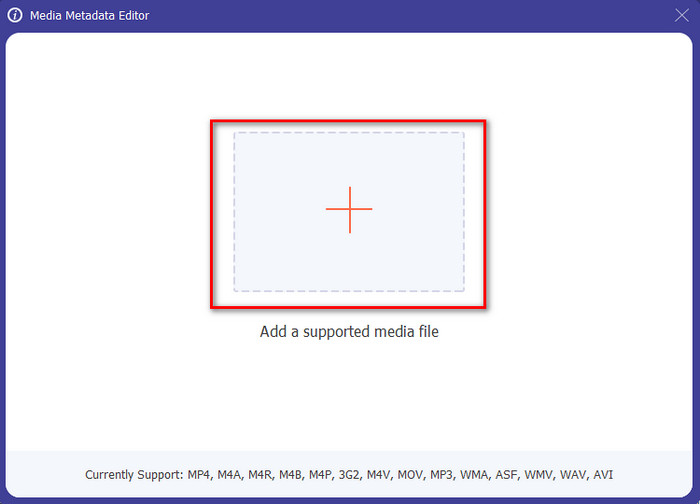
Step 3. Upload your MKV file by clicking the + icon, and a file folder will show, select the MKV file and press Open.
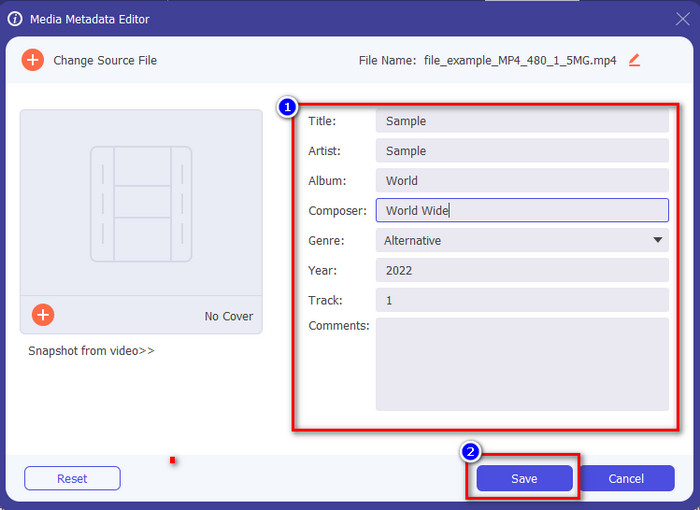
Step 4. Edit the metadata textbox; you can either fill them or remove them, do what you want to do with the metadata. After all of that, click Save to apply the change you've made earlier. With that, you have now edited the MKV tags.
Část 3. 3 bezplatné editory značek MKV, které byste měli vědět, jsou k dispozici na Windows, Mac a online
GROUPDOCS.Metadata [zdarma na webu]
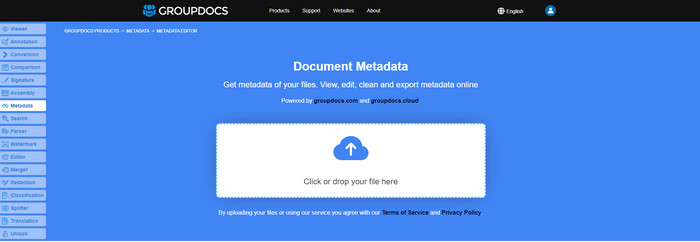
If you want to use an MKV metadata editor for free on the web, we highly suggest you try the GROUPDOCS.Metadata. It is the best choice to view and edit the metadata on your MKV as it works on all platforms, which means it is flexible and adaptable in any case. Moreover, it can easily manipulate the search and update of the tag according to the properties you will need, and if it needs to be removed, it will automatically do it. However, the tool can be challenging to handle on specific tasks, like updating the file's tags. So to get the hang of using the web tool, you will need to use it most of the time to improve your knowledge about the website functions and make it easier to handle.
Vlastnosti v systému Windows [Vestavěný editor v systému Windows]
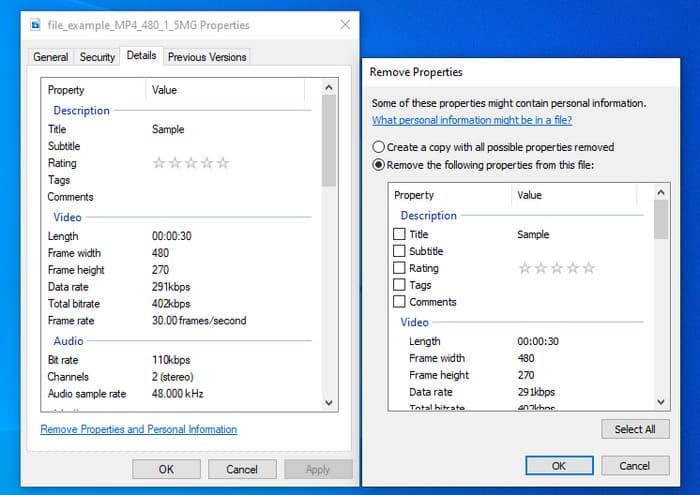
Nechcete stahovat nástroj pro změnu metadat MKV a chcete použít vestavěnou funkci ve Windows k úpravě metadat? Pak by bylo nejlepší, kdybyste použili Vlastnosti ve Windows. Tato funkce je k dispozici na všech počítačích se systémem Windows a k jejímu použití si nebudete muset stahovat žádný nástroj ani internet. Pomocí této bezplatné funkce můžete rychle zobrazit metadata a úspěšně je upravit. Existují však zprávy o chybějících značkách poté, co se pokusili tuto funkci použít. Podle uživatelů může automaticky odstranit značky z vašeho souboru. Namísto použití této funkce mají v úmyslu stáhnout správný nástroj, aby plýtvali úsilím na značky, které zahrnují do svého MKV nebo mediálního souboru. Pokud ale chcete vidět, kde se tato funkce nachází, stačí kliknout pravým tlačítkem myši na soubor, hlavně ve spodní části.
iFlicks [For Mac]
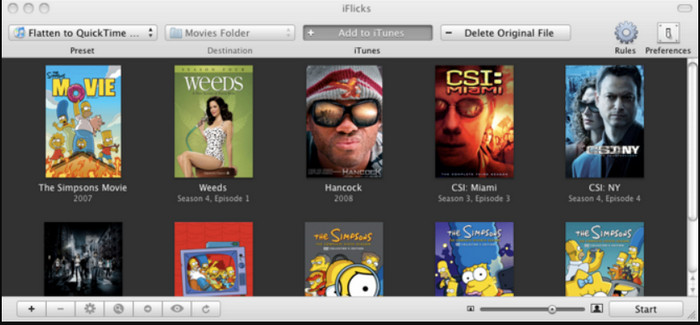
iFlicks vám může pomoci převést MKV do hratelného formátu nebo vás naučit, jak upravovat metadata MKV na Macu. Tento nástroj dobře spolupracuje s iTunes, protože poskytuje podrobná metadata o každém mediálním souboru. Pomocí tohoto softwaru můžete přidat různé informace o svém souboru, jako je slogan, žánr, datum. hodnocení, rozlišení a další se načítají z databází online. Kromě toho tento software sestavuje metadata o tom, kde si je můžete stáhnout, a automaticky je aplikovat na soubory. Bezplatné zkušební verze však mohou trvat pouze sedm dní, takže pokud budete chtít nástroj znovu používat, budete muset zaplatit poplatek za předplatné.
Část 4. Nejčastější dotazy o editoru metadat MKV
Lze MKV přehrát na Macu?
MKV is playable on Mac if you use a third-party tool, such as the Blu-ray Player. But if you intentionally play the video on Quicktime, it won't work because it is unsupported. So, if you want to watch your MKV files on Mac, we highly recommend that you use a third-party Blu-ray Player, or you can convert the MKV format into MOV with the help of FVC Video Converter Ultimate.
Musím před úpravou metadat převést MKV?
Pokud nástroj, který chcete použít, nepodporuje nahrávání formátu MKV, doporučujeme formát nejprve převést do kompatibilního formátu. Ale s mýtným, které jsme zmínili nahoře, nebudete muset převádět soubor do podporovaného formátu. Neexistuje však mnoho možností nebo nástrojů pro úpravu značek MKV, protože formát je neznámý. I když je těžké to hledat, snažili jsme se prohledat všechny editory, které můžete použít k aktualizaci nebo změně metadat podporujících formát MKV.
Proč jsou soubory MKV příliš velké?
The main reason why MKV files are big is that they can contain multiple contents of a video, audio, and subtitle with different codecs and elements. And you've added metadata on that file, and the file size will become even enormous. So, the best way to save space while having an MKV file on your drive is to compress it without destroying the quality or losing the information on the file. Click this link to learn more about compressing video files.
Závěr
Even though there is a limited MKV metadata editor on the market, there are still powerful tools you can depend on available on different platforms. As we reviewed different software you can use, it is always still on your hands; which do you prefer to use on changing the metadata of your MKV file. Indeed, it is a tough decision because all of the tools are awesome to use. If you haven't decided which you prefer, we suggest you use the FVC Video Converter Ultimate because it is the most flexible software and has more advanced features that anyone can use. By pressing the download button, you will attain the best tag editor you can have on Windows and Mac!
-
 5 nejjednodušších způsobů, jak odstranit metadata z jakéhokoli mediálního souboru
 Jak odstranit metadata? Je těžké to udělat? Musím si zakoupit nebo použít bezplatný nástroj k odstranění štítků? Na všechny tyto otázky najdete odpovědi v tomto článku.
-
 5 nejlepších editorů metadat MP4 [aktualizováno 2022]
 Jak mohu změnit svá metadata MP4? Nejlepším způsobem, jak změnit metadata vašeho MP4, je použít editor značek, který podporuje formát MP4, jako je ukázka, kterou uvádíme níže.
-
 5 nejlepších editorů AVI video tagů uživatelů pro rok 2022
 Jaký je nejlepší editor značek AVI, který mohu použít? Trh editorů značek pro soubory AVI je příliš široký. Dnes si tedy představíme pět nejvybranějších redaktorů roku 2022.
