


 Video Converter Ultimate
 Screen Recorder
 Oprava videa
Vyjádřete své emoce lépe s Top 8 GIF Maker Online na PC a Mac
První věc, která nás napadne, když mluvíme o GIFech, je komedie. Tyto jednoduché video obrázky mohou proměnit naši obyčejnou textovou zprávu v živější melodii. GIFy se tak v dnešní době staly populární, protože ukazují některé přehnané emoce, které chceme, aby svět viděl. Je však skutečně snazší přidat do zprávy GIF, aby lépe vyjádřil své emoce. Ale ne všechny GIFy na internetu poskytují konkrétní emoce, které chcete doručit. Takže zavádějící GIFy mohou poskytnout vaší zprávě špatný úmysl. Ale místo hledání na internetu nebo v závislosti na aplikacích pro zasílání zpráv, proč si neuděláte vlastní GIF?

Ve skutečnosti je snadné si nějaký vytvořit. Pokud hledáte nejlepší online tvůrce GIFů, jste na správném místě. Proto byste měli věnovat pozornost níže uvedeným seznamům a zjistit, který nástroj vytváří nejlepší GIFy, jež můžete použít k vyjádření svých emocí nebo pomoci ostatním uživatelům, kteří mají potíže s hledáním toho nejlepšího GIFu pro vyjádření pocitů. Naučit se vytvářet vlastní GIFy a zároveň pomáhat ostatním je jako zabít dvě mouchy jednou ranou. Takže bez dalších řečí se pojďme podívat, které nástroje patří mezi nejlepší a jak je správně používat k vytvoření výjimečného GIFu. Níže uvedený seznam přináší 8 nejlepších bezplatných tvůrců GIFů, na které můžete na webu narazit.
Nahoru 1. Bezplatný online převaděč videa
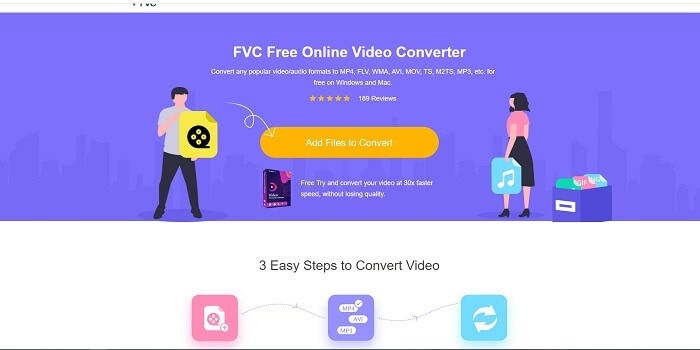
Pokud hledáte výjimečný online tvůrce GIFů, pak je to pro vás – čtěte pozorně, abyste se o něm dozvěděli víc. FVC free online video converter Tento nástroj je webová aplikace, na kterou pravděpodobně narazíte na internetu. Nejlepší způsob, jak vytvářet GIFy z videí, je převést je do formátu GIF. Možná si říkáte, zda je skutečně možné vytvářet GIFy pomocí převodníku místo specializovaného tvůrce? Odpověď zní ano. Je to jednodušší způsob, jak vytvořit GIF. Tento nástroj však není jako jiné převodníky nebo tvůrci v seznamu níže. Na rozdíl od ostatních online nástrojů nabízí nejrychlejší a velmi spolehlivý převod, který si můžete oblíbít. Neexistuje žádné omezení počtu převodů, což znamená, že můžete převádět libovolné množství videí či audia, pokud máte připojení k internetu. Velikost souboru také není omezena jen na určitý počet MB a kvalita výstupních souborů je vynikající.
Věděli jste ale, že tento nástroj má i prémiovou verzi bez konkurence? Říká se mu také otec všech převodníků. Jmenuje se Video Converter Ultimate. Tento nástroj poskytuje uživateli mnohem lepší zážitek z převádění díky vysoké rychlosti konverze a prémiovým funkcím, stejně jako možnosti převádět do všech možných formátů, které znáte. Na rozdíl od jiných nástrojů v tomto seznamu i na webu je Ultimate Converter nejlepším nástrojem na tvorbu GIFů pro převod libovolného video souboru na GIF. Navíc můžete ke GIFu přidat svůj osobní dotek, aby byl výmluvnější. Rychlost převodu do formátu GIF je 30× vyšší než u online nástroje a 100× vyšší než u převodníků nebo tvůrců GIFů níže. Můžete jej používat po instalaci na disk. Přestože je placený, nestojí tolik. A skutečně jde o víceúčelový převodník, zejména pokud jde o GIFy. Není tedy důvod snižovat očekávání, protože tento nástroj je mnohem víc než jen převodník.
Zdarma ke staženíPro Windows 7 nebo novějšíBezpečné stažení
Zdarma ke staženíPro macOS 10.7 nebo novějšíBezpečné stažení
Ale prozatím se zaměřme na bezplatný online nástroj tohoto softwaru. Abychom vám tedy poskytli důkaz, že tento online nástroj je při převodu velmi účinný, musíte postupovat podle následujících jednoduchých kroků níže. Pokud o tom máte pochybnosti. Ale abych vám řekl, ne všechny funkce v Converter Ultimate jsou zde v online nástroji, ale produkují skutečně překvapivý formát.
Krok 1. Abyste nástroj spustili, musíte kliknout na odkaz, který vás přenese na hlavní stránku FVC.
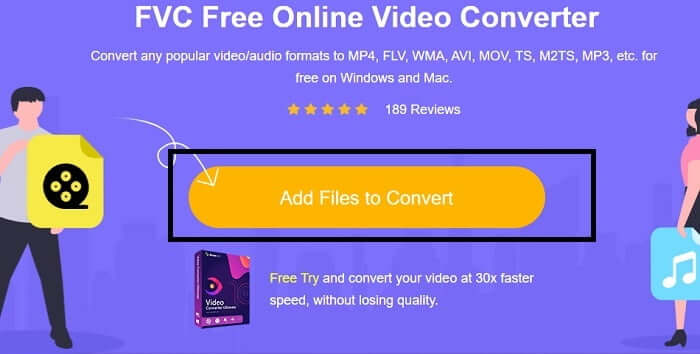
Krok 2. Klikněte na Add Files to Convert a následně na Allow, aby se převodník spustil.
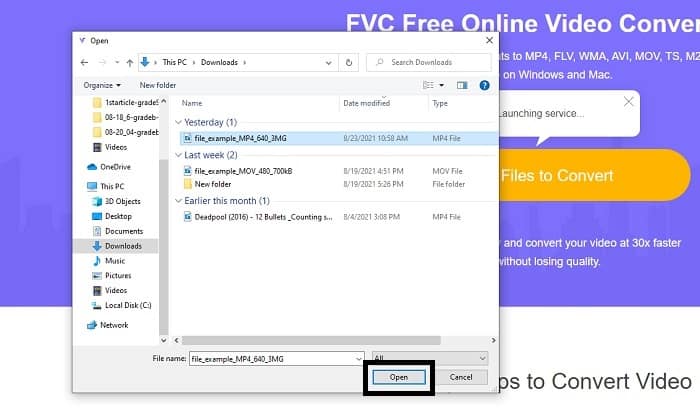
Krok 3. Pokud se vám na obrazovce zobrazí takovýto průzkumník souborů, postupujete správně. Najděte a klikněte na video soubor, který chcete převést, a stiskněte Open.
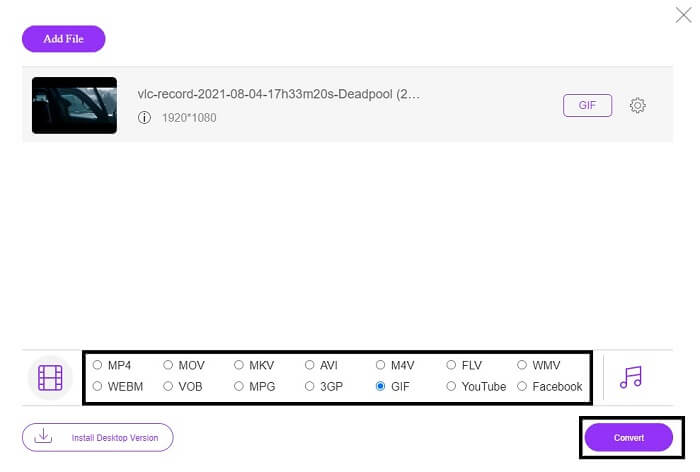
Krok 4. Změňte formát souboru na GIF. Pro doplnění: můžete také převést své video nebo audio do jiného, pro vás vhodnějšího formátu. Pokud je vše připraveno, klikněte na Convert a spusťte převod. Poté zvolte umístění, kam chcete uložit finální výstup.
Krok 5. Jakmile je převod dokončen, na obrazovce se opět zobrazí průzkumník souborů a vy si najděte výsledný soubor. A pak si ho užijte.
Nahoru 2. Ezgif
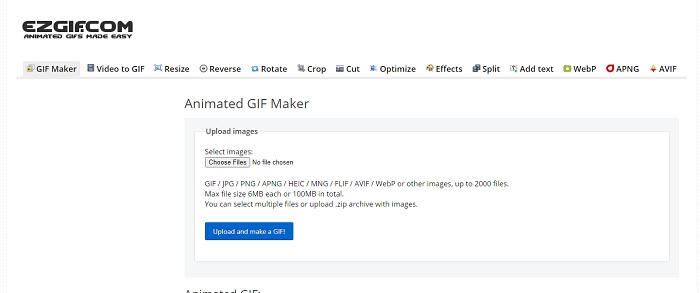
Jedním z nejlepších online tvůrců GIFů je Ezgif. S tímto nástrojem můžete vytvářet GIFy a zároveň je vylepšovat, měnit velikost, ořezávat, optimalizovat, přidávat text a mnoho dalšího. Umí také převádět video pouze do formátu GIF. Ačkoli nabízí spoustu funkcí, každá z nich je oddělená. Místo práce v jednom rozhraní tak musíte mezi jednotlivými částmi přeskakovat při vytváření i úpravách. Používání tohoto nástroje je trochu nepohodlné, zvláště když nepodporuje přetahování souborů (drag & drop) pro snadnější nahrávání. Přesto všechno ale stále patří mezi kvalitní online tvůrce.
Top 3. Imgflip
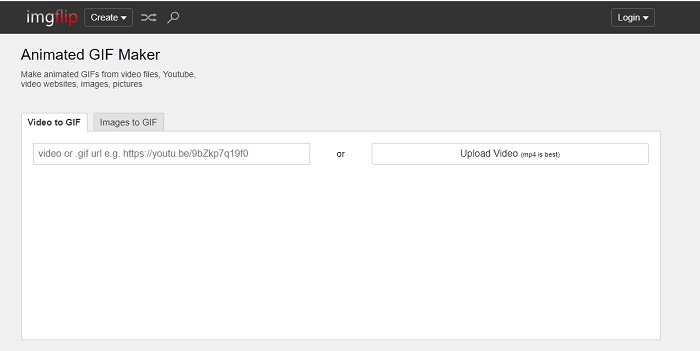
Online tvůrce GIFů z videa a odkazu, který nabízí skvělou možnost tvorby GIFů – to je nástroj pro vás. Imgflip vám pomůže vytvořit meme, GIF nebo graf a svou práci zvládá dobře. Nabízí také základní úpravy GIFů. Nejvyšší rozlišení, které ve verzi zdarma poskytuje, je ale 360 pixelů a v prémiu 480. To znamená, že pokud je vaše video v rozlišení 1080p nebo 4K, kvalita výsledného GIFu bude mnohem nižší, než byste čekali.
Nahoru 4. Visme
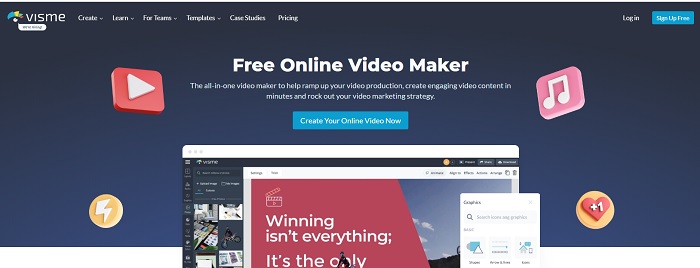
Tento nástroj vám umožňuje být podrobnějšími ve vašem GIF. Visme je známý, protože poskytuje podrobnější tvůrce videa. Tento nástroj také vyžaduje, abyste byli přihlášeni k účtu, než ho budete moci používat. Můžete používat Facebook, Gmail nebo se zaregistrovat na jejich webových stránkách. Pokud jste tedy fanouškem ochrany osobních údajů, pak tento nástroj není skvělou volbou. Přestože přihlášení do tohoto nástroje o vás neprozradí informace, někteří z nás o nás nechtějí poskytovat důležité informace, protože chceme, aby naše data byla více soukromá a pro naši bezpečnost. Není se ale čeho bát, protože neexistuje žádný případ, že by tento nástroj narušil vaše soukromí.
Top 5. FreeGIFMaker.me
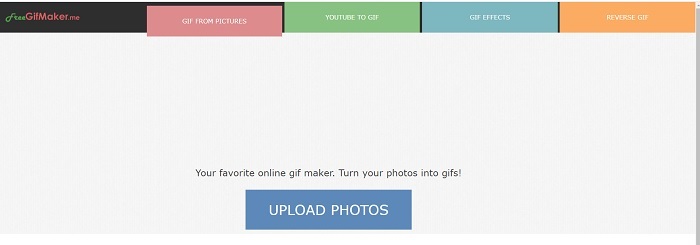
Pokud hledáte odkaz na video do převaděče GIF, pak je to pro vás. Konkrétně podporuje pouze odkazy na videa z platformy YouTube. FreeGIFMaker. umí provést jednoduchou konverzi videa na GIF. Poskytuje však také obrázky pro gif, úpravy gifů a reverzní gif. Ačkoli tento nástroj poskytuje nejběžnější funkce, kterou by měl tvůrce GIF poskytovat, stále není jedním z nejlepších, ale může být zařazen na seznam 30 nejlepších výrobců gifů. Uvedené funkce jsou v různých částech, takže namísto vytváření konečného výstupu GIF s úpravami budete muset jít po jednom k druhému, abyste provedli požadované úpravy.
Top 6. Vytvořte GIF
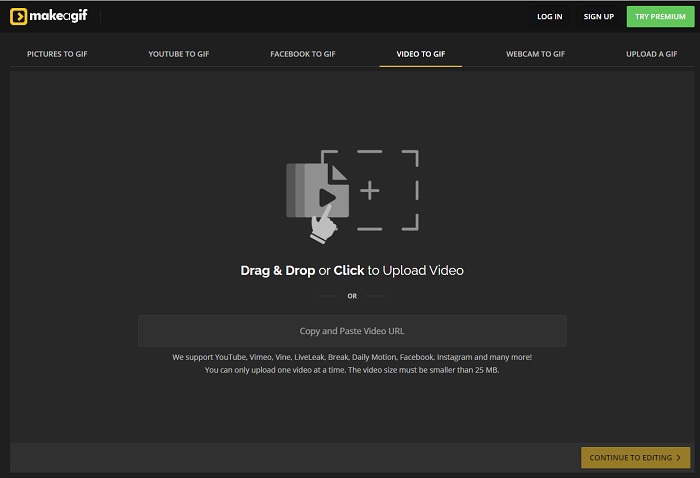
Další online tvůrce GIFů, na který už jste na webu možná narazili, je Make A Gif. Nabízí klidnější, tmavší prostředí, takže pokud se vám líbí „dark mode“, je to něco pro vás. Tento nástroj je opravdu flexibilní, protože se zaměřuje čistě na tvorbu GIFů – ať už z obrázků, videí z Facebooku, videí z YouTube, vašich vlastních videí nebo z webkamery. Vložené video však musí mít vždy méně než 25 MB, takže pokud chcete dlouhý GIF, není to pro vás ideální volba, ale pro krátké GIFy kolem 10 sekund je perfektní.
Top 7. Online editor obrázků
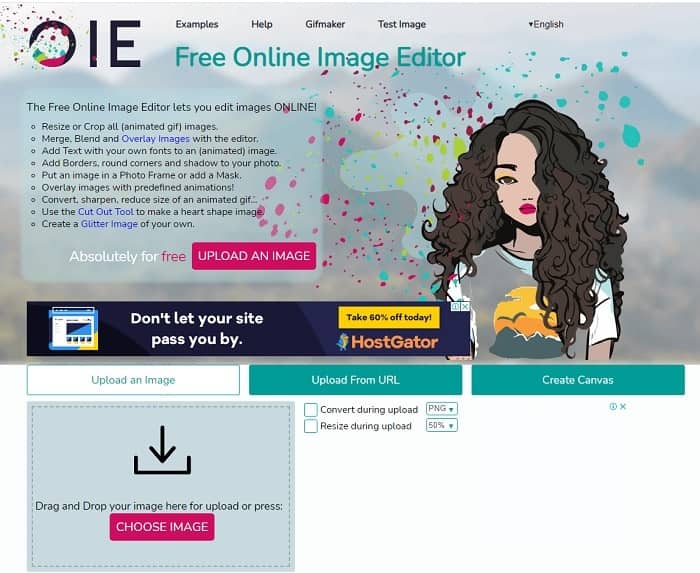
Tento nástroj vám umožňuje upravit obrázek a převést jej do formátu GIF. Online editor obrázků vám umožňuje vytvořit GIF pomocí vašich obrázků. Poskytuje také animace a funkce jednoduchých nástrojů pro úpravy. Je však těžší vytvořit GIF pomocí tohoto nástroje, protože jeho vytvoření si musíte udělat čas. Pokud jste tedy ve vytváření GIF noví, pak tento nástroj může být dobrý, ale ne nejlepší pro vás. Je to, jako byste vytvářeli GIF ve Photoshopu, ale mnohem horší kvůli samotnému nástroji. Přestože je hlavní webová stránka vynikající, rozhraní nástroje je tak jednoduché, že se stává nudnější čas od času se na ni dívat. Vypadá to, že rozhraní stále nikdo neaktualizuje. Ale navzdory tomu je to skvělá volba, pokud chcete vytvořit GIF s obrázky.
Top 8. Kapwing
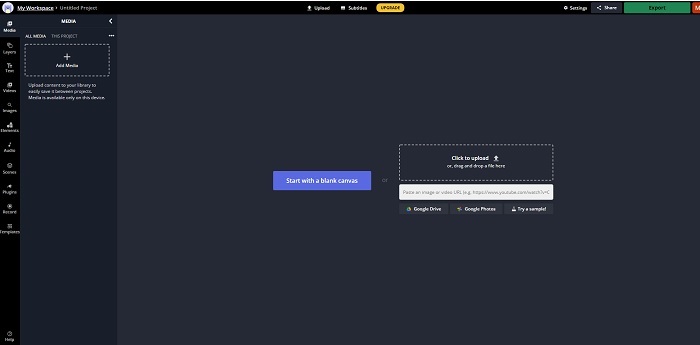
Tento nástroj je další bezplatný online tvůrce GIFů. Na první dojem vám připomene Photoshop, jen v online podobě. Kapwing vám pomůže vytvořit vlastní GIF z videí nebo obrázků, které nahrajete. Ačkoli jeho název nemusí znít zrovna důvěryhodně, jde o skvělou volbu pro online tvorbu animovaných GIFů. Tento nástroj není převodník, ale přímo tvůrce GIFů. Finální výstup můžete sdílet na hlavních platformách jako Facebook, Twitter a Instagram. I když se GIFy vytvářejí snadno, export videa je výrazně pomalejší než u jiných nástrojů v seznamu. Pokud máte pomalejší internet, nástroj sice můžete používat, ale počítejte s delší dobou čekání na výsledný soubor. Maximální délka videa, které byste měli nahrát, je méně než 60 sekund, abyste uchovali dobrou kvalitu. Pokud nemáte žádné zkušenosti s Photoshopem, může pro vás být práce s tímto nástrojem obtížnější.
Časté dotazy o online GIF Makeru
Proč se GIFy vyvíjejí?
Na konci roku 1987 měl americký počítačový vědec jménem Steve Wilhite, který pracoval pro CompuServe, problém, protože chtěli zobrazit pohyblivý obraz a přitom šetřit místo, a tak vyvinuli GIF. Také na základě jeho prohlášení, že je vyslovováno jako JIF, nikoli GIF, ale hláskování je GIF s měkkou výslovností G. Ačkoli oba mají správný pravopis.
Mohu pomocí aplikace Photoshop převést svůj soubor na GIF?
Ano, můžete převést MPG na GIF pomocí Photoshopu nebo jakéhokoli známého formátu na GIF.
Je možné převést MP4 na GIF?
Ano, můžete převést MP4 na GIF nebo také převést jakýkoli jiný video formát na GIF.
Závěr
Po všech diskusích je nyní jasnější, že všechny nástroje jsou schopné vytvářet formát GIF. Ačkoli mají různé schopnosti, například fungují jako převod do GIF, vytváření GIF, propojení s GIF nebo obrázky do GIF. Ale všechny nástroje mají své vlastní jedinečné vlastnosti, ale jedna z nich - FVC Video Converter Ultimate je nejlepší volbou. To je nejen nejlepší při vytváření GIF, ale také vám dává možnost převádět, sloučit, vytvářet koláže, MV a mnoho dalších. Ačkoli nemáte přístup k funkcím prémiové verze online, můžete si ji kdykoli vyzkoušet, vyzkoušet nebo provést konverzi online pomocí bezplatné verze. Video Converter Ultimate je nejlepší ze všech nejen v převodu, jak se říká. Svou magii můžete také použít k vytvoření nádherného výstupu bez omezení. Nikdy tedy neomezujte své dovednosti, protože tento nástroj je snadný, jednoduchý a přesto vytváří majestátní výstup.
-
 (Průvodce) Jak převést videa M4V na animované GIFy ve Windows/Mac
 Pokud chcete vytvářet animované soubory GIF z vašich oblíbených videí M4V, můžete se dozvědět o 2 snadných a efektivních způsobech převodu videí M4V na GIF s přizpůsobeným nastavením.
-
 WebM to GIF - 3 bezplatné převaděče WebM na GIF pro vytváření vlastních GIFů
 Je WebM GIF? Jak z videa udělat GIF? Existuje nějaký bezplatný převodník WebM na GIF? Tento příspěvek sdílí 3 bezplatné způsoby, které vám pomohou převést WebM na GIF.
-
 Jak převést videa MKV na animované GIF bez Photoshopu/FFmpeg
 Po stažení a sledování filmů MKV na počítači možná budete chtít sdílet úžasné okamžiky s přáteli nebo na internetu jako GIF. V tomto článku se můžete dozvědět o 2 nejjednodušších způsobech převodu MKV na GIF.
