


 Video Converter Ultimate
 Screen Recorder
 Oprava videa
 Bezpečné stažení
Jak převést MP4 na OGG zdarma a online
MP4 je digitální multimediální kontejner, který ukládá video, zvuk a titulky. OGG je bezplatný a otevřený formát kontejneru pro efektivní streamování a kompresi souborů. Někdy je nutné převést MP4 do formátu OGG pro přehrávání na některých zvukových přehrávačích. Tento příspěvek bude sdílet 3 bezplatné převaděče MP4 na OGG pro převod MP4 na OGG bez potíží.

Část 1. Profesionální způsob převodu MP4 na OGG zdarma
Pokud chcete najít ten nejlepší převodník MP4 na OGG, můžete vyzkoušet FVC Free FLV to MP4 Converter. Jde o bezplatný a snadno použitelný software pro převod videa pro Windows a Mac. Můžete s ním snadno převádět různá videa jako MP4, FLV, MOV, MKV, MTS, M2TS atd. na OGG. Kromě toho nabízí editační funkce pro přidání motivů a úpravu autora, času a poskytovatele na začátku/konci videa.

- Převádějte videa v MP4, MKV, AVI, MOV, MP3, AAC, AIFF atd. Do OGG.
- Exportujte videa OGG a bezztrátový zvukový soubor ze souboru MP4 jedním kliknutím.
- Umožněte uživatelům upravit poskytovatele, název, autora, čas a přidat téma.
- Dávkový převod MP4 na OGG pro přehrávání na některých přenosných audio přehrávačích.
Free DownloadPro Windows 7 a novějšíBezpečné stahování
Free DownloadPro macOS 10.7 a novějšíBezpečné stahování
Krok 1. Po stažení nainstalujte a spusťte FVC Free FLV to MP4 Converter ve Windows nebo na Macu. Kliknutím na tlačítko Add Files načtěte soubory MP4 z počítače. Pokud chcete převést více souborů MP4 najednou, jednoduše je nahrajte všechny.
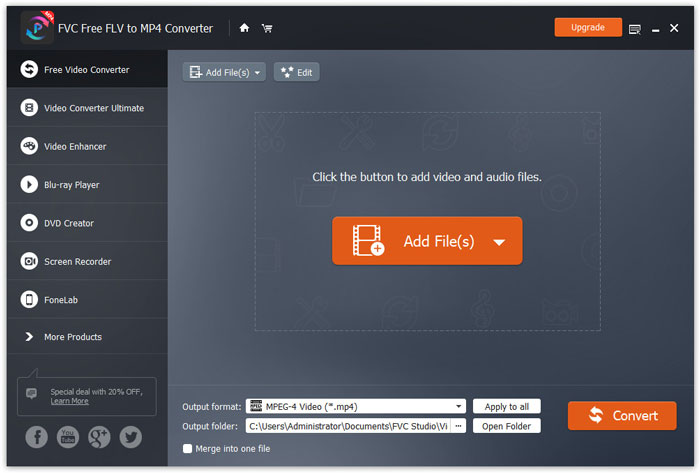
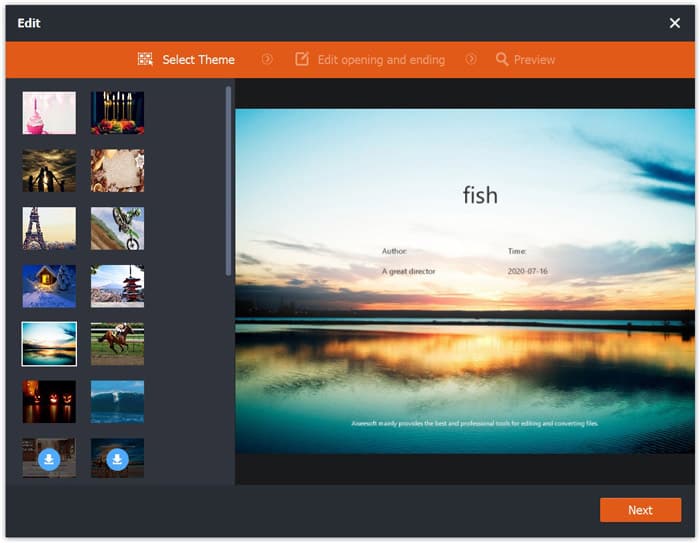
Krok 2. Klikněte na svůj soubor MP4 a poté na tlačítko Edit. Můžete přidat motiv k souboru MP4 a upravit úvodní a závěrečný obsah. Pak klikněte na Next pro náhled a uložení změn.
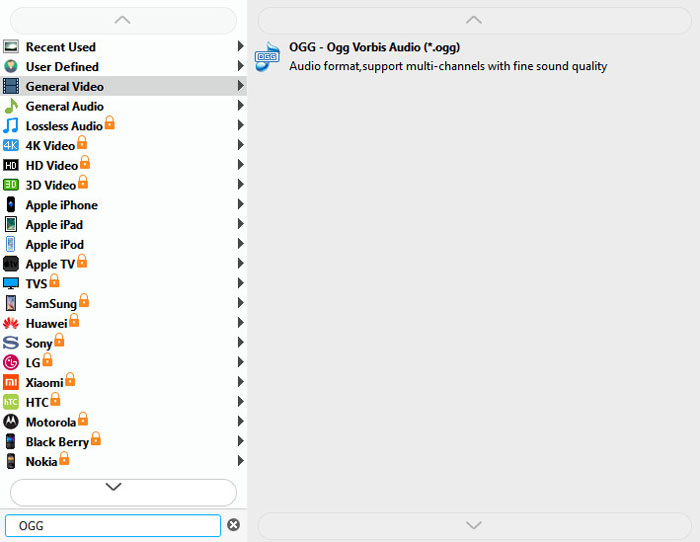
Krok 3. Klikněte na rozbalovací tlačítko Output format dole a v seznamu vyhledejte formát OGG. Jako výstupní formát můžete zvolit OGG - Ogg Vorbis Audio (*.ogg).
Krok 4. Vyberte výstupní složku v počítači a klikněte na tlačítko Convert, abyste zahájili převod MP4 na OGG.
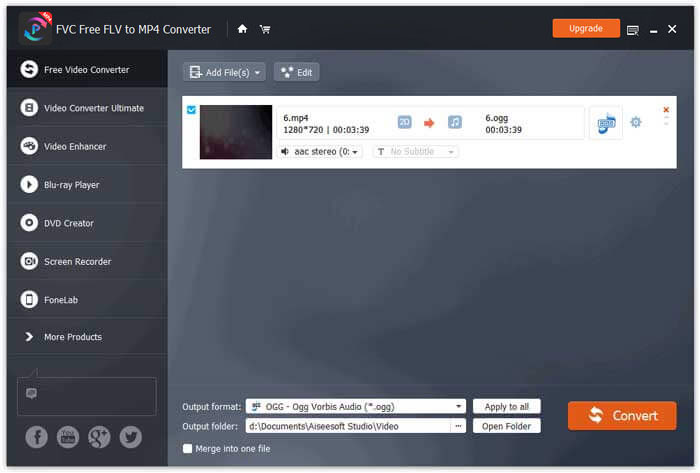
S FVC Free FLV to MP4 Converter můžete také sloučit několik souborů MP4 do jednoho.
Část 2. Jak změnit MP4 na OGG online
Ve srovnání s převaděčem pro stolní počítače je použití online převaděče časově úspornou metodou pro převod MP4 na OGG. Existuje mnoho online převaděčů MP4 na OGG, které si můžete vybrat. V této části budeme sdílet 2 převaděče MP4 na OGG a převádět vaše soubory MP4 na OGG online zdarma.
1. Zamzar
Zamzar je multifunkční online platforma pro převaděče videa, zvuku, obrazu a eBook. Se Zamzarem můžete snadno převést MP4 na řadu dalších formátů, jako je OGG. Zde jsou jednoduché kroky k převodu MP4 na OGG pomocí Zamzar online.
Krok 1. Přejděte na www.zamzar.com/convert/mp4-to-ogg/ a klikněte na tlačítko Add Files pro nahrání souborů MP4.
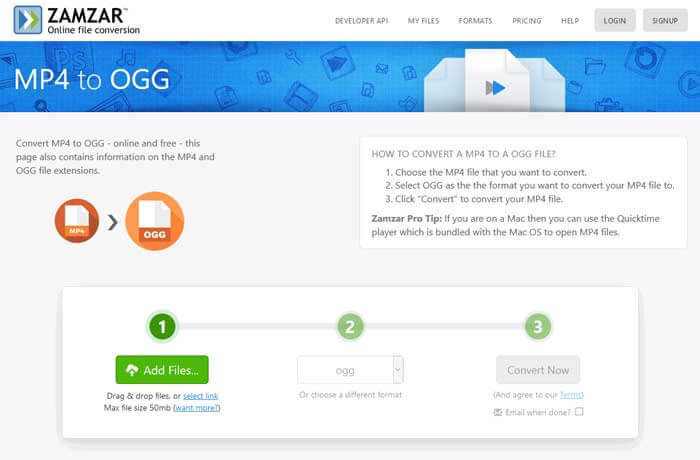
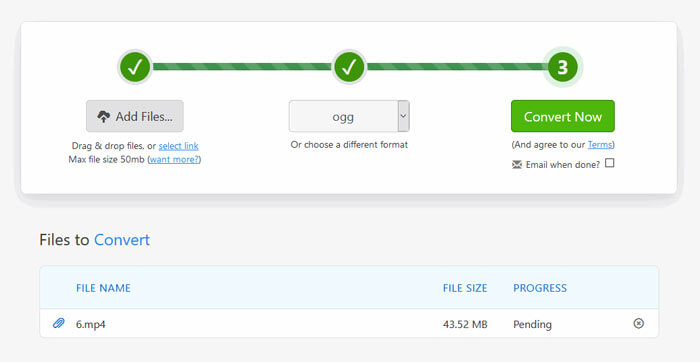
Krok 2. Výchozí výstupní formát je již nastaven na ogg. Klikněte na tlačítko Convert Now a spusťte převod MP4 na OGG.
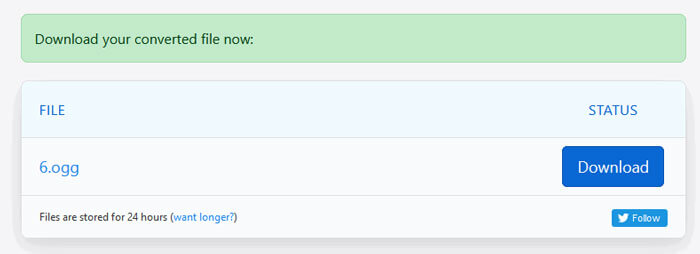
Krok 3. Poté budete přesměrováni na jinou stránku. Kliknutím na tlačítko Download uložíte převedený soubor OGG do počítače.
Při převodu souboru MP4 s velkou velikostí se může převod v Zamzaru zaseknout. Je potřeba stránku obnovit a převod spustit znovu. Pokud chcete plynulý převod, FVC Free FLV to MP4 Converter vám může výrazně pomoci. (Více MP4 přehrávačů najdete zde)
2. Convertio
Convertio je snadný nástroj pro převod dokumentů, obrázků, tabulek, elektronických knih, zvukových a video souborů. Pomocí aplikace Convertio lze soubory MP4 převést na MP3 s vynikající přesností. Při exportu OGG z MP4 pomocí aplikace Convertio postupujte podle následujících pokynů.
Krok 1. Přejděte na Convertio MP4 to OGG Converter (convertio.co/mp4-ogg/). Klikněte na tlačítko Choose Files pro nahrání souborů MP4. Můžete také přidat soubory MP4 z Dropboxu, Google Drive nebo vložit URL.
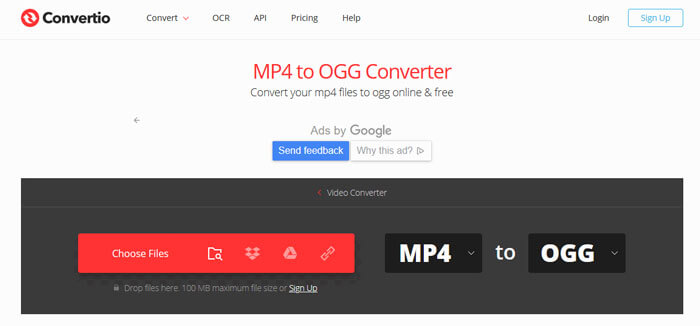
Krok 2. Z rozevírací nabídky vyberte OGG a poté klikněte na ikonu ozubeného kola, kde nastavíte kodek, kvalitu, zvukové kanály, frekvenci a hlasitost. Můžete oříznout soubor MP4 na požadovanou část.
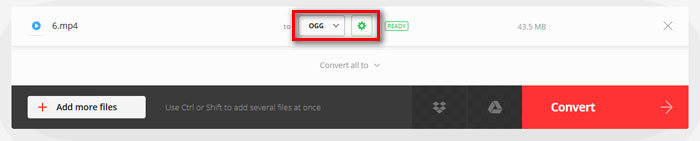
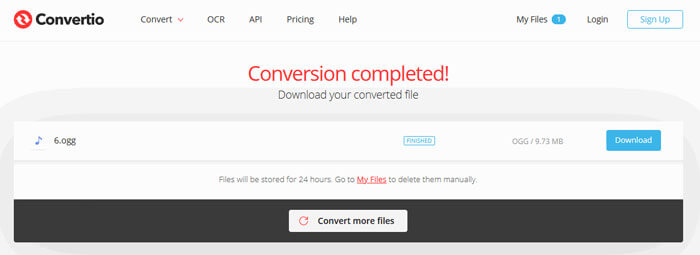
Krok 3. Po dokončení nastavení klikněte na tlačítko Convert pro převod MP4 na OGG. Po převodu klikněte na tlačítko Download a uložte převedený soubor OGG do počítače.
Část 3. Nejčastější dotazy týkající se převodu MP4 na OGG
1. Co je video formát OGG?
OGG je bezplatný a otevřený formát kontejneru, který může obsahovat hudbu, video, text jako titulky a metadata.
2. Který hráč může přehrát soubor OGG?
Existuje mnoho přenosných přehrávačů, které mohou přehrávat soubory OGG, jako jsou VLC, Windows Media Player, Adobe Audition, Audials, MPlayer a další.
3. Jak převést MP4 na MP3?
S pomocí FVC Free Online Video Converter můžete online snadno převést MP4 na MP3. Přejděte na tuto online stránku a klikněte na tlačítko Add Files to Convert pro instalaci spouštěče. Poté vyberte soubory MP4 z počítače a jako výstupní formát zvolte MP3. Kliknutím na tlačítko Convert spustíte převod MP4 na MP3.
Závěr
Zavedli jsme hlavně 3 převody MP4 na OGG pro převod MP4 na OGG soubory online a offline. S stolním převodníkem FVC Free FLV do MP4 můžete snadno exportovat soubor OGG s otevřeným zdrojovým kódem z MP4. Pokud máte lepší řešení, neváhejte zanechat komentář.
-
 WebM na MP4 | Zdarma převést WebM na MP4
 Jak sledovat soubory WebM bez webového prohlížeče? Musíte převést WebM na MP4. Zde je 10 nejlepších bezplatných převaděčů WebM na MP4 pro změnu WebM na MP4 online a na počítačích Mac a Windows.
-
 MP4 do FLV | Nejlepší 3 převaděč zdarma
 Tento příspěvek je podrobným průvodcem k převodu MP4 na FLV. Můžete si vzít 3 nejlepší převaděče a snadno změnit MP4 na FLV online v počítači se systémem Windows nebo Mac.
-
 Top 6 způsobů, jak kombinovat soubory MP4 na Windows / Mac / Online
 Chcete sloučit své surové soubory MP4 pro svůj projekt? Tento příspěvek shrnuje nejlepších 6 způsobů, jak vám usnadnit snadné kombinování videí MP4 ve Windows, Mac a online.
