


 Video Converter Ultimate
 Screen Recorder
 Oprava videa
 Bezpečné stažení
Top 5 přehrávačů GIF pro počítače, Android a iPhone
Animované soubory GIF mohou sdělit více informací než statické obrázky. Hledáte dobrý přehrávač GIF, ve kterém můžete zobrazit všechny typy souborů GIF na iPhonu, iPadu, telefonu se systémem Android nebo v počítači?
V sociálních aplikacích můžete snadno přijímat a odesílat různé vtipné GIFy. Poté, co GIFy uložíte do svého zařízení, ale některé z nich nelze přímo otevřít ve výchozím multimediálním přehrávači, který používáte. Možná si tedy kladete otázku, zda si kvůli přehrávání GIFů nemáte pořídit samostatný přehrávač GIF.

GIF soubory si můžete přímo prohlížet v sociální aplikaci. V některých případech je však už znovu neotevřete přehrávačem ve svém počítači nebo přenosném zařízení s Androidem či iOS. S ohledem na vaše potřeby jsme pro vás připravili seznam 5 přehrávačů animovaných GIF, ze kterých si můžete vybrat. Ať už hledáte přehrávač GIF pro Android, iPhone nebo počítač, najdete mezi nimi vhodný program.
Část 1. Nejlepší přehrávač GIF pro Mac a Windows - bezplatný video přehrávač FVC
FVC Free Video Player je oblíbený bezplatný nástroj pro přehrávání multimediálních souborů, který vám pomůže přehrát libovolné soubory GIF jak v počítači se systémem Windows 10/8/7/XP, tak na Macu. Tento bezplatný přehrávač GIF je typ online přehrávacího softwaru, který vám umožní otevírat všechny typy video a audio souborů. Pro první přehrání GIFu je potřeba nainstalovat malý spouštěcí soubor. Je kompatibilní s mnoha často používanými prohlížeči, včetně Chrome, Safari, IE, Firefoxu a dalších.
Zdarma ke staženíPro Windows 7 nebo novějšíBezpečné stažení
Zdarma ke staženíPro MacOS 10.7 nebo novějšíBezpečné stažení
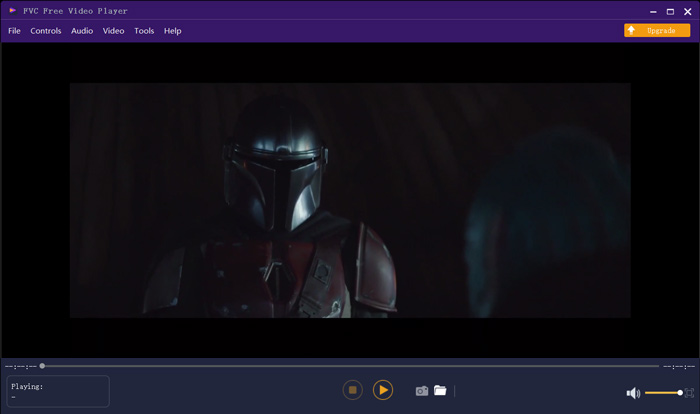
Více než jen bezplatný přehrávač GIF, vysoce podporuje jakékoli populární video a zvukové formáty jako MP4, MOV, FLV, AVI, WMV, VOB, MP3, AAC, ALAC, M4A, WAV, FLAC a další. Neexistuje žádný limit velikosti souboru pro přehrávání GIF. Může vám poskytnout skvělý vizuální zážitek. Kromě toho podporuje pokročilou technologii kódování zvuku DTS-HD a Dolby TrueHD, která může nabídnout skvělý zvukový efekt.
Část 2. Aplikace GIF Player pro Android - OmniGIF
OmniGIF je nástroj pro přehrávání GIFů, který je primárně určen uživatelům Androidu. Pokud chcete otevírat GIFy v telefonu s Androidem, můžete se na něj spolehnout. OmniGIF není jen přehrávač GIF, ale funguje také jako tvůrce GIFů a editor GIFů. Umožní vám snadno spravovat soubory GIF, video klipy a fotografie. Při přehrávání GIFů na zařízení s Androidem můžete přehrávání zrychlovat a zpomalovat, přehrávat dopředu i dozadu, přehrávat po jednotlivých snímcích a provádět další operace podle svých potřeb.
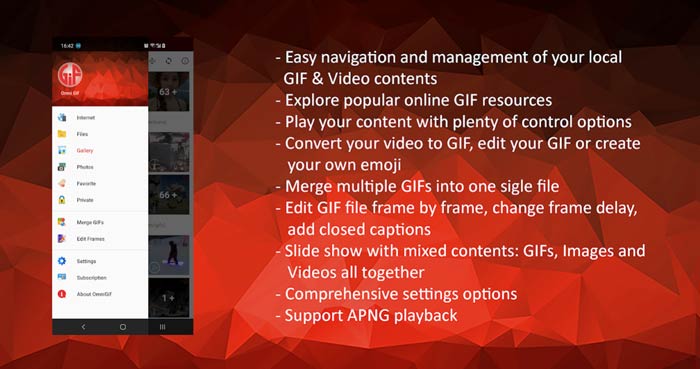
Tato aplikace Android GIF player umožňuje tajně skrýt některé soukromé soubory. Poskytuje také výkonné funkce pro úpravy a vytváření GIF. OmniGIF navíc poskytuje skvělou funkci sdílení pro rychlé sdílení vašich souborů GIF, videoklipů nebo fotografií na Facebook, Instagram, Twitter, Messenger, Line, WhatsApp, Gmail a další.
Část 3. Aplikace GIF Player pro iPhone a iPad - Prohlížeč GIF
GIF Viewer je aplikace pro přehrávání GIFů pro uživatele iOS. Tento přehrávač GIF si můžete zdarma nainstalovat z App Storu do svého iPhonu nebo iPadu. Umí snadno přehrávat, organizovat a sdílet soubory GIF uložené v aplikaci Fotky. Tato iOS aplikace pro přehrávání GIFů vám také umožňuje přidávat a zobrazovat animace GIF z jiných zdrojů.
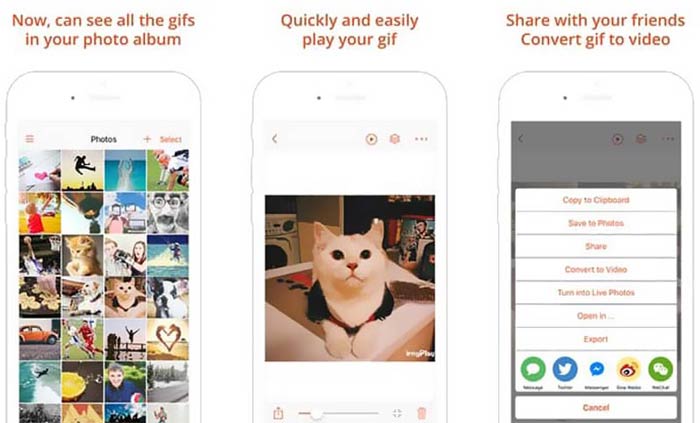
GIF Viewer dokáže přehrát všechny typy souborů GIF z místního úložiště, schránky, iCloud Drivu, Dropboxu a zkopírovaného odkazu z Twitteru. Navíc vám tento přehrávač GIF může pomoci převést GIF na video, aby se lépe přehrával na vašich zařízeních.
Část 4. GIF Player pro Mac a Windows PC - QuickTime Player
QuickTime Player je výchozí multimediální přehrávač pro Mac. Může sloužit jako přehrávač GIF, ve kterém na Macu otevřete a zobrazíte soubory GIF. Pokud používáte Mac, můžete soubor GIF přímo otevřít v tomto předinstalovaném přehrávači. K dispozici je také verze pro Windows, díky níž lze GIFy přehrávat i v počítači s Windows.
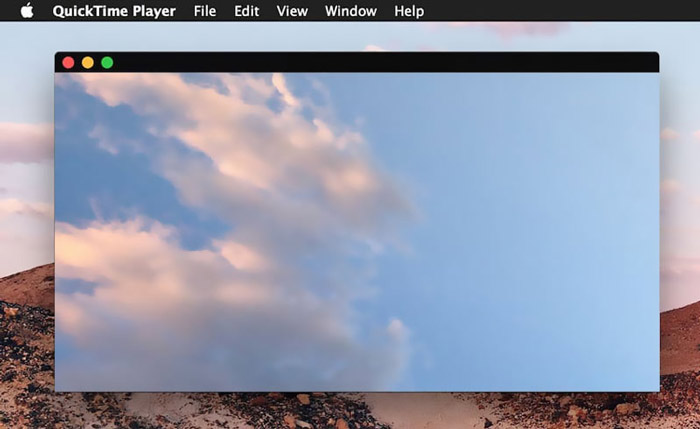
Jako přehrávač může QuickTime podporovat pouze některé často používané video a zvukové formáty, jako jsou MP4, MOV, M4V, AAC, M4A, MP3 a další. Je navržen s některými základními funkcemi pro úpravy a nahrávání. Můžete se spolehnout, že tento přehrávač GIF zachytí vaši obrazovku a upraví soubor.
Část 5. Online GIF přehrávač zdarma - OnlineImageTools
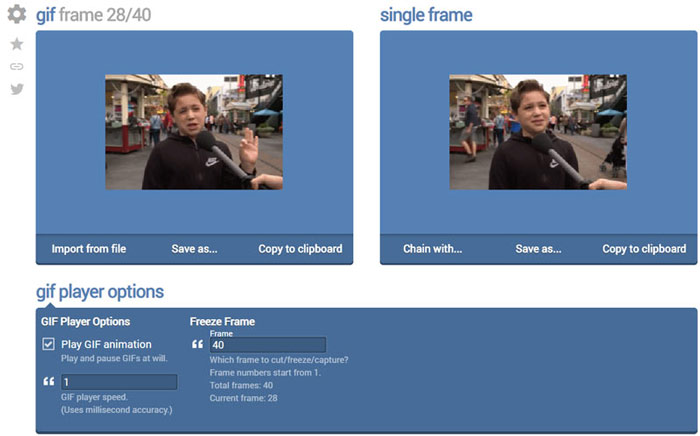
OnlineImageTools je online nástroj pro přehrávání souborů GIF, který vám umožní zobrazovat GIFy jak na Macu, tak v počítači s Windows. Není nutné instalovat žádné zásuvné moduly ani jiné soubory kvůli přehrávání GIFů. Tento bezplatný přehrávač animovaných GIFů v prohlížeči vám umožní otevřít soubor GIF přímo online. Při přehrávání GIFů dovoluje přehrávat soubor GIF snímek po snímku.
Část 6. Časté dotazy k přehrávači GIF
Otázka 1. Jak ukládat GIF na iPhone?
Chcete-li uložit soubor GIF na svůj iPhone, můžete stisknout a podržet GIF, dokud se nezobrazí výzva. Poté můžete vybrat možnost Uložit obrázek a uložit jej do aplikace Fotografie.
Otázka 2. Jak zdarma převést video na GIF?
K vytvoření souboru GIF z videa se můžete spolehnout na oblíbený Free Online Video Converter. Umožní vám snadno převést libovolný video klip na GIF.
Otázka 3. Může VLC hrát GIF?
Ne. Přehrávač médií VLC může otevřít soubor GIF pouze jako statický obrázek.
Závěr
Ať už hledáte přehrávač GIF pro počítač nebo mobilní telefon, mezi 5 výše doporučenými nástroji pro přehrávání GIFů najdete ten pravý. Pokud máte ohledně přehrávače GIF nebo přehrávání GIFů ještě nějaké dotazy, zanechte nám zprávu.
-
 Výukový program pro kompresi GIF a zmenšení jeho velikosti souboru s vysokou kvalitou
 Tady jsou 2 snadné způsoby, jak komprimovat GIF na počítači nebo mobilním telefonu. Můžete použít FVC Free Online Video Compressor a Photoshop ke zmenšení velikosti souboru GIF v různých aspektech.
-
 Nejlepší 10 přehrávače FLV pro Windows, Mac, iOS a Android v roce 2021
 Přehrávač FLV vám pomůže snadno přistupovat k vašim souborům FLV ve vašem zařízení Windows, Mac, Android nebo iOS. Podívejte se na nejlepší přehrávače souborů FLV, které si můžete stáhnout právě teď.
-
 Top 8 SWF File Player to Play Flash Video Files on Windows and Mac
 Pokud si chcete vychutnat filmy a hry SWF na PC a Mac, můžete se z článku dozvědět více o vynikajících funkcích 8 nejlepších přehrávačů souborů SWF.
