


 Video Converter Ultimate
 Screen Recorder
 Oprava videa
 Bezpečné stažení
Seznamte se se základy aplikací pro záznam formátu AMR
AMR or also known as Adaptive Multi-Rate is a lossy format. This type of file contains voice recording, MMS messages and such. It was made specifically for 3G phones only but now you can open it with the other media player that supports this format. Moreover, users encounter trouble choosing what is the best AMR recorder that fits their demands. So, this article talks about the tools that are all based on your specification, steps, information and many more. Read this write-up to know what is the best for you as their future customer. Without any more delay let’s now proceed.
Část 1. Nejlepší AMR rekordér pro Windows a Mac
FVC bezplatný zvukový záznamník

An online tool that allows you to record any calls, jamming sessions, voice over, and many more. FVC Free Audio Recorder is a tool developed by the FVC which allows the user to experience a better recording online. This tool does the task as an audio recorder. If you have a doubt about this tool, why don’t you try it first. So, without any more explanation, let’s explore this incredible tool and learn from it by following this simple step provided to you.
Step 1. Press the link to go to the main website. Don’t worry, it is malware free.
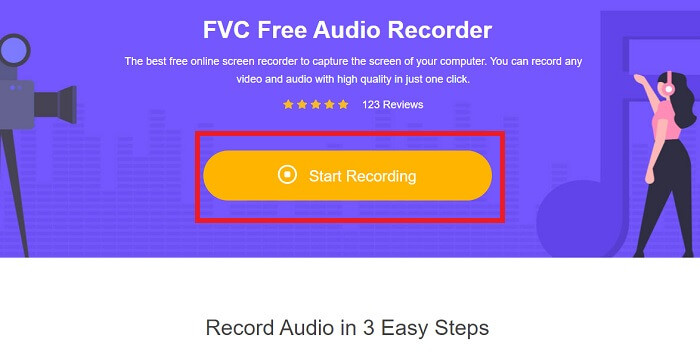
Step 2. launch the tool by clicking Start Recording.
Step 3. A toolbar like this will show to your screen. It only means that the tool is already running.
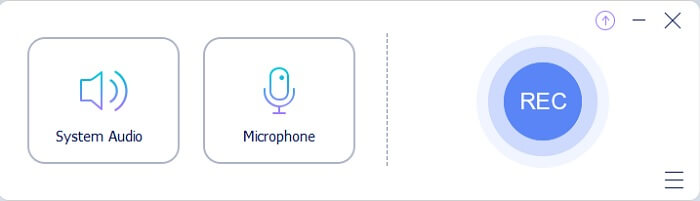
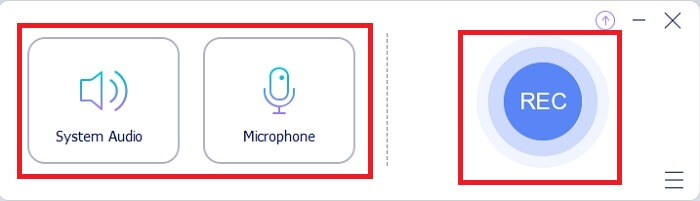
Step 4. The tool bar has a Speaker to add the sound in the system and Mic for your voice. If you’re ready click the round button to Start.
Step 5. If recording is already finished, click the cube shape button to stop the recording. It will be automatically saved in your storage. If you want to re-listen again the recording click the three-lined below and the recording list will show the first one that is the latest.
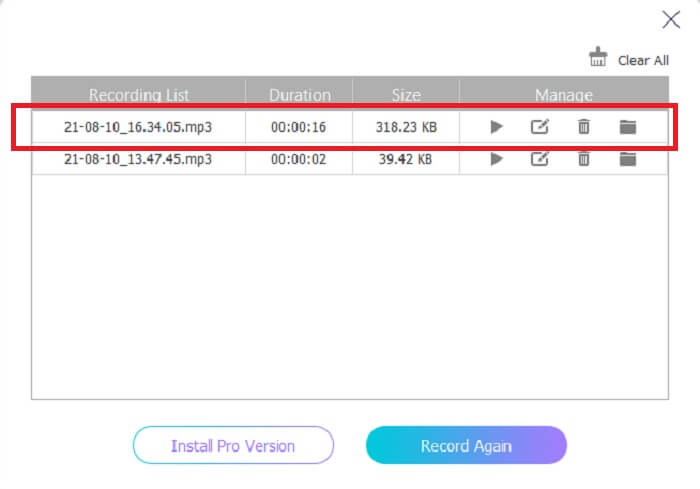
Část 2. 4 Nejlepší alternativní nástroje pro AMR Recorder pro Windows a Mac
1. FVC Screen Recorder
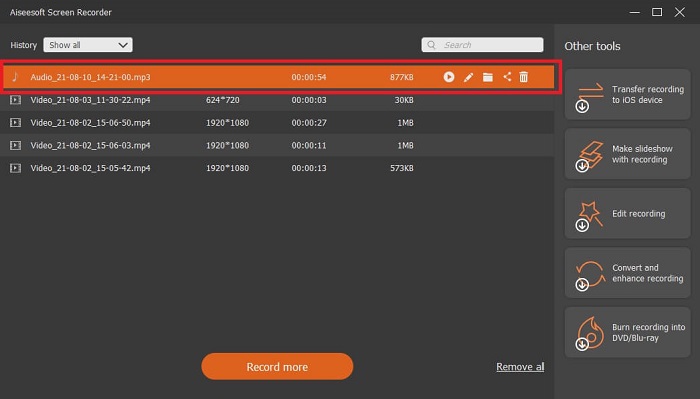
If you are looking for the best mp3, amr, wav, ac3 audio recorder then this is for you. No need to look for the other tools, instead focus on what this tool can provide. Because this tool is the one-and-only FVC Screen Recorder. This is the finest premium video-audio recorder that most people use as their first-choice recorder. Not only that, maybe you’re wondering why you should use this tool as your personal recorder. Then it is an honor to introduce this tool and provide these easy steps for you. Without further ado let’s proceed to the steps. Follow it thoroughly to become a pro in recording.
Step 1. Choose between the platform that you’re currently using. Download it then install. Change the Preferences according to your wants and click the Finish to save.
Zdarma ke staženíPro Windows 7 nebo novějšíBezpečné stažení
Zdarma ke staženíPro macOS 10.7 nebo novějšíBezpečné stažení
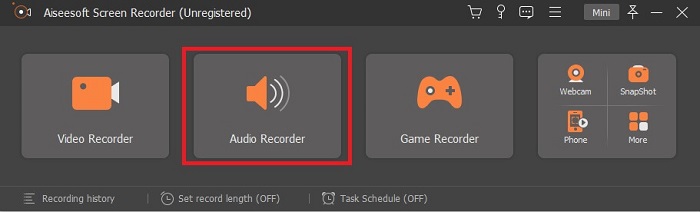
Step 2. After launching the tool, A floating toolbar like this will show in your display. Then click the Audio Recorder to proceed.
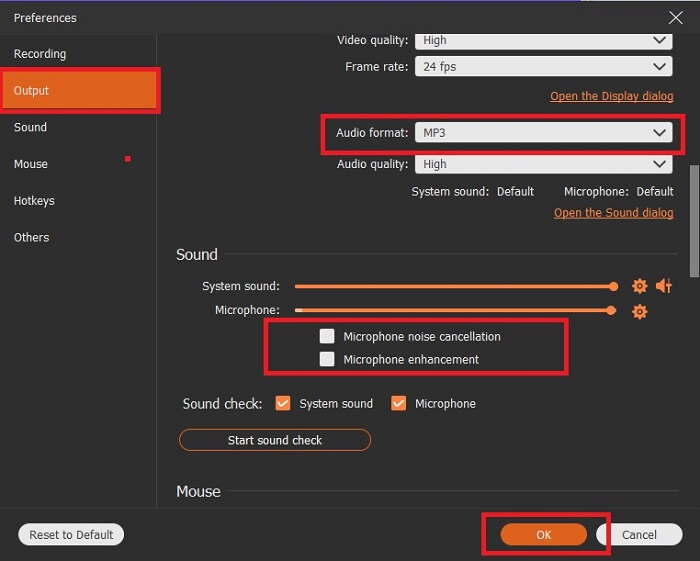
Step 3. Find the gear icon to go to the settings. Change the Audio output to the format you want and adjust other options then click OK to save.
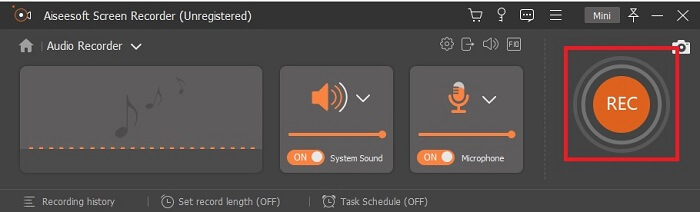
Step 4. In the toolbar, click the System Sound and Microphone to add the audio system and your voice. If everything is done, now you’re ready to go. Click the round REC button to start recording.
Step 5. If everything is settled and done, click the box button to stop the recording. Click the Save and Next to save the final output. If you want to recap your recording then click the parallel line and a history of your recording will show.
2. Drzost
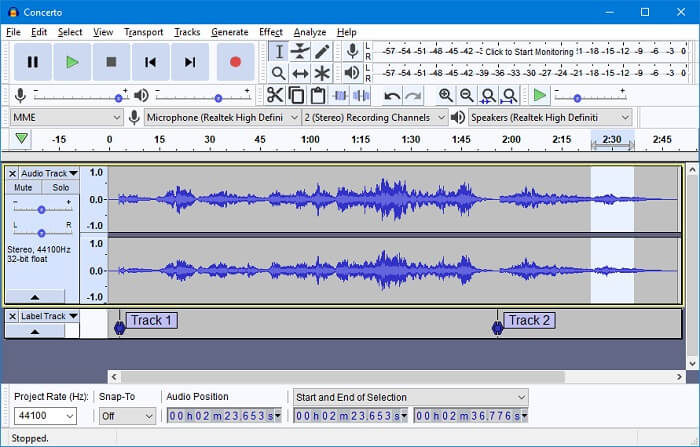
Another audio recording tool. Audacity is a bit complicated if you're new to the interface but in later days you’ll get onto this. You may as well record and edit it, like merging audio tracks. But the program has a limited mixing ability and the files for installation of the tool are separated for the plug-ins and encoders.
3. Wavosaurus
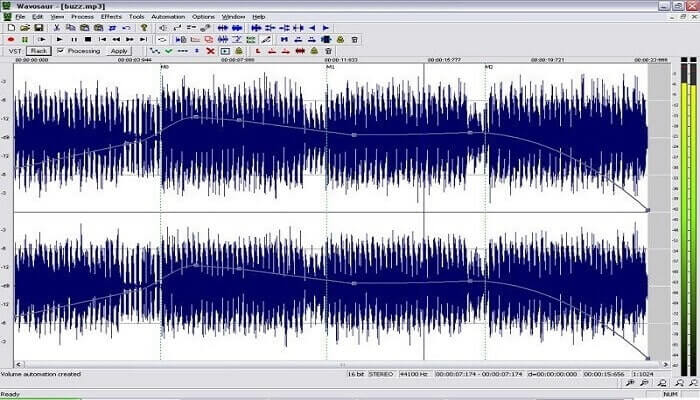
Wavosaur has tools to record and edit, such as copy, trimming, splitting etc. This tool can do the most complicated things like music arrangement, complex beat, and many more. If you’ve been troubled on how to use the tool because you’re not familiar with it, it also provides a video tutorial for you to understand.
4. Adobe Audition
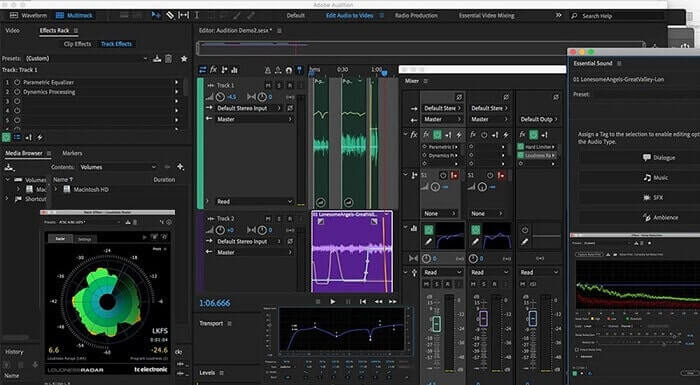
This tool is most commonly used in industrial recording. If money is no issue to you then Adobe Audition is a good tool for music producing. It provides precise editing of the music, cleaning it up, sound design and others. But the tool can’t provide you a one-time payment and it has an overwhelming User Interface. So, you must be prepared if you want to try using the tool.
Část 3. Srovnávací tabulka
| Funkce | FVC bezplatný zvukový záznamník | Záznamník obrazovky FVC | Drzost | Wavosaur | Adobe Audition |
| Nahrávání zvuku |  | | | | |
| Potlačení hluku |  | | | | |
| Editační nástroje | | | | | |
| Vylepšení mikrofonu | | | | | |
| Specialita | Jednoduché, ale efektivní nahrávání | Uživatelé mají k dispozici více možností než bezplatná verze s profesionálním výstupem. Přesto se snadno používá s profesionálním výstupem. | Základní efekty, úpravy a přidávání. | Editační nástroje pro přehrávání, zastavení, nahrávání, přetáčení a další. | komplexní sada nástrojů. |
| Dostupné formáty | MP3 a AMR | MP3, WMA, AAC, M4A, FLAC, OGG, AMR, Opus a mnoho dalších. | WAV, AIFF a MP3 | WAV a MP3 | AC-3, M4A, MAT, VOX, W64, WAV a mnoho dalších |
| Cenové rozpětí | Jedná se o bezplatný online nástroj | Po dobu 1 měsíce: $25,00 Za rok: $31.20 Doživotní licence: $55.20 | Software ke stažení zdarma | Software ke stažení zdarma | $27,62/moment, pro roční $315,61/rok, za roční $41,43/měsíční tarif |
Část 4. Nejčastější dotazy o AMR Recorder
Jaké jsou různé typy souborů AMR?
Amr has two types of format standards the AMR-NB and the AMR-WB.
AMR-NB is a narrowband version or known as the basic version. It includes a low bitrate that you may have on MP3 that ranges from 300 to 3400 that are most commonly used for traditional telephones. Examples of its bitrate are:06.70 kbps, 07.40 kbps, 07.95 kbps, 10.20 kbps, 12.20 kbps.
While the AMR-WB occupies a much broader bandwidth. It stores more quality audio than the NB, the range of it is from 50 to 7000 Hz. Because of its wide range frequency GSM and UMTS use this to optimize. Here are some lists of the bitrates it used:15.85 kbps, 18.25 kbps, 19.85 kbps, 23.05 kbps, 23.85 kbps.
Proč nelze AMR otevřít v mém přehrávači médií?
Like any other file formats, some of the media players don't support this type of format. So, if you want to play your AMR recordings, FVC Free Video Player might help you to play it.
Je AMR komprimovaný formát souboru?
Ano, je to formát komprimovaného zvukového kodeku pro kódování řeči.
Závěr
Abychom shrnuli, tyto nástroje mají své vlastní různé schopnosti a jedinečnost. Ne všechny jsou ale pro začátečníky tou nejlepší volbou. Pokud tedy chcete znát nejlepší záznamník, který si vybere začátečník i odborník. FVC Screen Recorder je multifunkční nástroj, který vám umožní dělat to, co chcete. Neomezuje uživatele na vaši hranici. Ale pomůže vám to jít víc a vykročit do své bezpečné zóny. Tak na co ještě čekáte, tento speciální nástroj pro vás nebude zátěží, ale bude vaším velkým pomocníkem.
-
 5 nejlepších rekordérů obrazovky WebM pro Windows/Mac: recenze do hloubky
 Další informace o souborech WebM Extension si přečtěte v tomto článku a objevte aplikace WebM pro záznam obrazovky, které můžete použít k nahrávání videa WebM.
-
 4 nejlepší videorekordéry SWF přístupné online zdarma
 Slyšeli jste o souboru SWF? Další informace o tomto formátu souboru a objevte způsoby, jak zaznamenávat soubory SWF pomocí bezplatných online nástrojů.
-
 Srovnatelné videorekordéry MTV kompatibilní s počítači Mac/Windows
 Tento článek vám pomůže seznámit se s formátem souboru MTV a seznamem videorekordérů MTV, které můžete použít k snadnému nahrávání obrazovek počítače.
