


 Video Converter Ultimate
 Screen Recorder
 Oprava videa
Co znamená AVI a jak jej hrát na stolních a mobilních zařízeních
Jedním ze známých nekomprimovaných formátů je AVI. Nejčastěji se používá pro synchronizované přehrávání videa a audia. Pokud se chcete o AVI dozvědět více, musíte číst dál. Účelem tohoto článku je zjistit, co je AVI a jaký je přehrávač médií, který tento typ souboru podporuje. Čtěte dál níže, abyste získali více informací o tomto formátu a dostupných přehrávačích médií.

Část 1. Co je to soubor AVI
AVI bylo uvedeno na trh koncem roku 1992 společností Microsoft. Zkratka AVI znamená Audio Video Interleave. Je to jeden z nejoblíbenějších kontejnerových formátů díky své jednoduchosti a kompatibilitě na různých platformách. Pokud tedy chcete nahrávat nebo stahovat video či audio ve formátu AVI, počítejte s tím, že soubor bude velký, protože není komprimovaný. Abyste měli jasnější představu, zde jsou některé výhody a nevýhody tohoto formátu.
Klady
- Jedná se o multifunkční kontejner souborů, který může obsahovat libovolný soubor.
- Široce používaný formát pro krátké filmy, proma a reklamy. Kvůli kvalitě, kterou poskytuje.
- Kvalitní obchody AVI jsou výjimečné.
- K přehrávání souborů AVI nebudete potřebovat konkrétní hardware ani software, protože je neomezený.
- Snadno komprimujte soubory AVI, protože podporuje různé kodeky jako DivX, XviD, MPEG-1, MPEG-4 a další.
Nevýhody
- Pokud zkomprimujete soubor AVI za limit, existuje šance, že váš soubor 4k, HD nebo 1080 sníží kvalitu.
- AVI nejsou komprimovány, takže pokud používáte tento typ formátu, očekávejte velkou velikost souboru.
- Pokud ke komprimaci AVI používáte kodeky přes online, nezapomeňte, že na váš disk musí být nainstalovány stejné kodeky. Instalace kodeků je velmi jednoduchá, ale výběr kodeku je trochu děsivý, protože některé jsou nespolehlivé a nezabezpečené. Buďte tedy opatrní, pokud si nějaký stáhnete.
Teď, když už víte, o jaký formát jde, je ten pravý čas zjistit, jak přehrávat soubory AVI na vašem počítači. Všechny nástroje uvedené níže jsou nejlepší přehrávače médií, na které jste při hledání na webu možná narazili, nebo ještě ne. Každý AVI přehrávač obsahuje popis a postup, takže čtěte pozorně, abyste zjistili, který z nich je pro vás nejlepší.
Část 2. Jak přehrávat soubory AVI na počítačích Mac a Windows Media Player
1. FVC Free Video Player
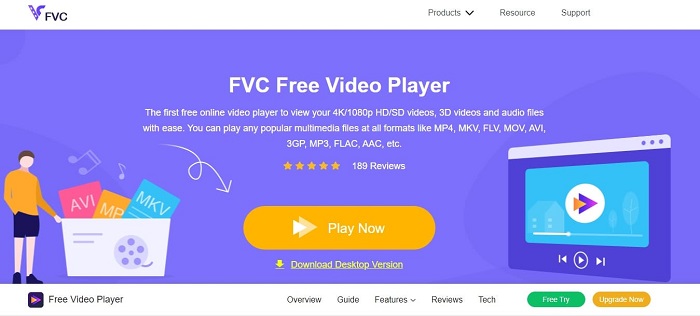
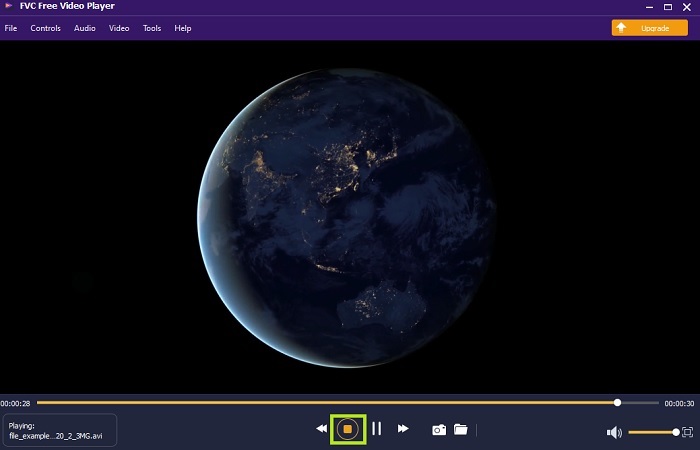
Použijte tento FVC Free Video Player k přehrávání jakéhokoli video formátu přes internet. Na rozdíl od jiných níže uvedených přehrávačů tento nástroj nepotřebuje žádné další soubory k tomu, aby fungoval. Pokud tedy máte připojení k internetu, můžete sledovat kdykoli a kdekoli. Také poskytuje vysokou kvalitu a nemá problém s přehráváním souborů AVI. Pamatujte však, že pokud dojde k přerušení internetového připojení, nástroj se může na chvíli načítat nebo pozastavit. To je zcela běžné, protože je závislý na internetu. Můžete zde také přehrávat DVD, pokud chcete. Už žádné přemýšlení, jak otevřít soubory AVI, abyste je mohli sledovat. Stačí, když budete postupovat podle níže uvedených kroků, které jsou určeny právě pro vás.
Krok 1. Klikněte na tento hyperlink, abyste přešli na hlavní webovou stránku AVI video přehrávače.
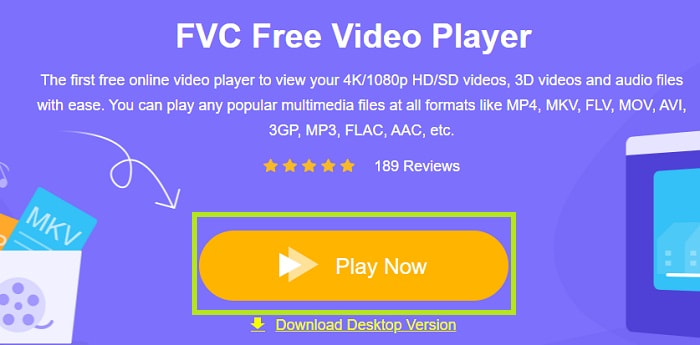
Krok 2. Klikněte na Play Now, aby se spustil online AVI přehrávač.
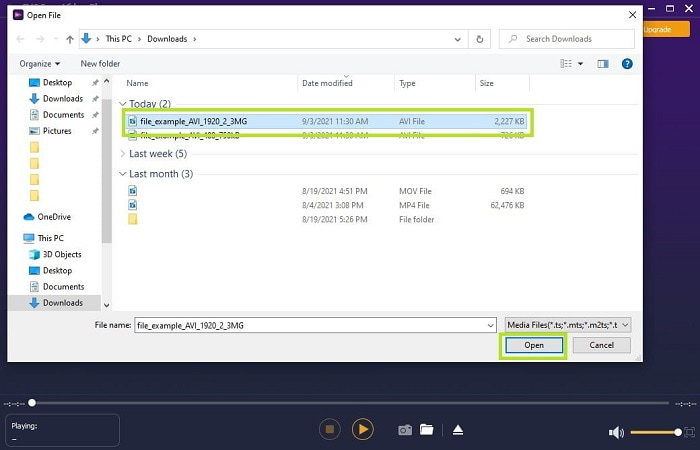
Krok 3. Poté klikněte na Open File a vyberte AVI video, které chcete sledovat. Jakmile jej vyberete, klikněte na Open.
Krok 4. Počkejte chvilku, než se AVI video spustí, a voilà, již se přehrává. V rozhraní můžete během sledování také zdarma pořizovat snímky obrazovky, pokud chcete.
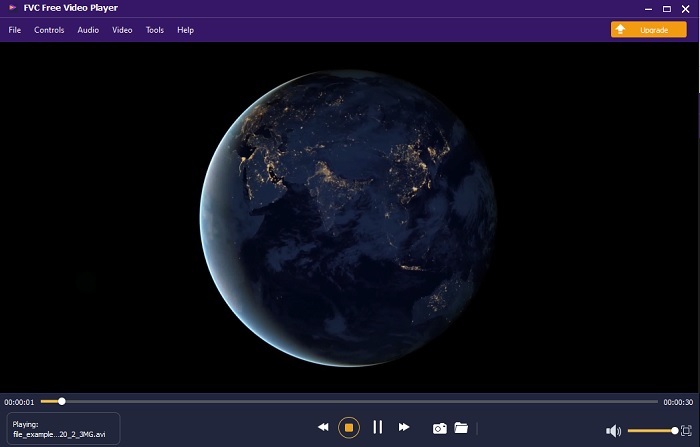
Krok 5. A pokud chcete video ukončit, stačí kliknout na tlačítko čtverec pro zastavení. Pokud chcete přehrát další AVI video nebo jiný formát, zopakujte stejný postup.
Klady
- Ke spuštění nástroje není potřeba žádný další soubor.
- Je efektivnější než ostatní níže uvedené nástroje.
- Poskytuje 3D vibrace, pokud sledujete 4k video.
Nevýhody
- Závislé na internetu, takže pokud nemáte internet, nemůžete k němu přistupovat.
- Některé hlavní funkce v prémii zde nejsou vidět.
2. Windows Media Player
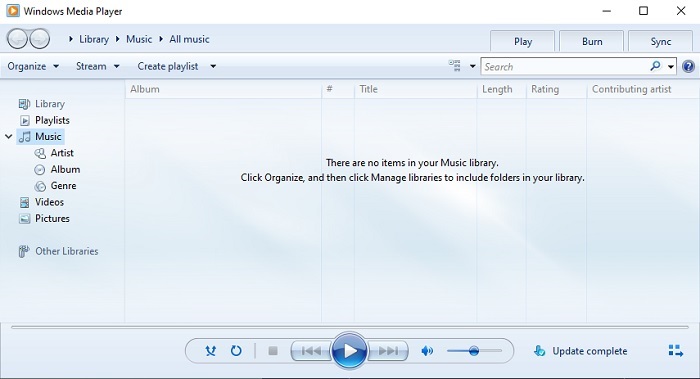
Pokud chcete vědět, jak přehrávat soubory AVI ve Windows 10, můžete použít tento výchozí přehrávač médií vyvinutý společností Microsoft pro uživatele Windows. Jsou tu ale případy, kdy budete muset stáhnout dodatečný kodek, abyste v tomto přehrávači mohli AVI přehrát. To je trochu nepohodlné a někdy i otravné, protože najít správný kodek může být dost obtížné. Připravte se tedy na pokus–omyl a občasné stažení špatných kodeků. Nemusíte se však bát, protože stahování kodeků do počítače je velmi jednoduché.
Klady
- Vestavěný přehrávač médií pro Windows.
- Podporuje téměř všechny formáty.
- Snadné použití.
Nevýhody
- V některých případech budete muset stáhnout další kodek, který tento nástroj nepodporuje.
- Neposkytuje streamování přes pomalá připojení DSL.
3. Přehrávač médií VLC
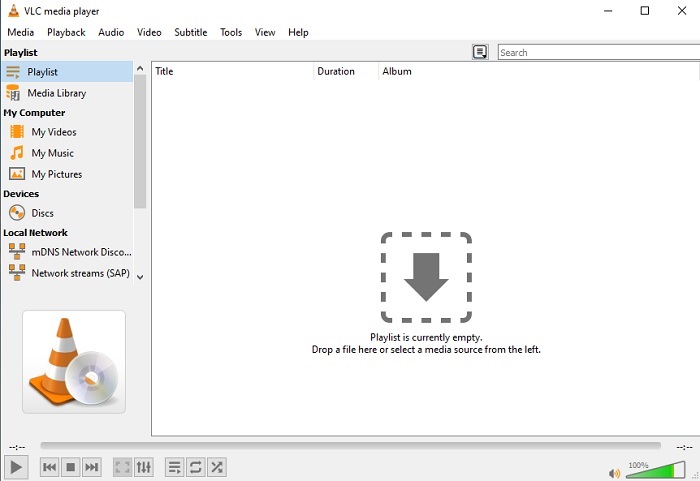
Tento přehrávač médií nevyžaduje stažení dalších kodeků k přehrávání AVI. Možná se ptáte, jak snadno spustit soubor AVI – odpovědí může být VLC Media Player. Tento přehrávač médií pomáhá milionům uživatelů po celém světě jednoduše přehrát jejich multimediální soubory tím, že je v něm otevřou. Přestože tomuto nástroji důvěřují miliony uživatelů, obsahuje i nějaké chyby a některé soubory tento software nepodporuje. Očekávejte tedy občasné chyby, ale není potřeba se obávat – stává se to jen velmi zřídka.
Klady
- Jeden z nejlepších přehrávačů médií pro všechny platformy.
- Může přehrávat video, i když stahování ještě není dokončeno. Ale ne celé video.
- Flexibilní ve všech formátech.
Nevýhody
- Většinu času se vyskytnou drobné chyby, se kterými se můžete při používání VLC setkat.
- Kvůli kodekům má také potíže s přehráváním některých formátů videa.
Část 3. Jak sledovat soubory AVI na iPhone
Výše uvedené přehrávače médií nemůžete používat na svých mobilních zařízeních. Existuje však způsob, jak přehrávat AVI na iPhonu nebo iPodu. A nejen to – víme, že soubory AVI jsou velké. Pokud je tedy přenesete do telefonu, zaberou vám velkou část úložiště. Místo přenosu původního souboru AVI byste jej měli převést do nového formátu, který je přehratelný a zároveň neztratí kvalitu. Převeďte AVI do vhodného formátu s pomocí programu Video Converter Ultimate. Podrobnější informace o převodu najdete na tomto odkazu.
Část 4. Časté dotazy o AVI
Co je lepší, AVI nebo MP4?
AVI má lepší kvalitu, ale není komprimované, zatímco soubory MP4 zabírají méně místa, ale mají také dobrou kvalitu. Pokud chcete vědět více o tom, jaké jsou mezi nimi rozdíly a který formát je lepší, klikněte na AVI vs MP4.
Jak převést AVI na MP4?
Převod je nejlepší způsob, jak zmenšit velikost souboru a změnit jej na jiný formát. A nejlepší způsoby, jak převést AVI na MP4, jsou uvedeny v tomto článku. Naučí vás postup převodu a představí různé nástroje, které k tomu můžete použít.
Může QuickTime hrát AVI?
Přestože přehrávač médií QuickTime podporuje různé formáty, při přehrávání výchozího přehrávače AVI s Macem dochází k potížím. Kvůli proprietárnímu Microsoft má. Abyste věděli, jaká je nejlepší alternativa pro QuickTime, musíte si přečíst tento článek a vybrat, která je nejlepší alternativou.
Co když se soubor AVI neotevírá?
Existuje několik důvodů, proč se soubory AVI neotevírají. První je způsoben tím, že soubor je neúplný, kromě toho, že nekomprimovaný soubor může být ztracen. Za druhé, formát AVI není podporován ve vašem místním přehrávači médií ani v přehrávači médií jiných výrobců. Za třetí, považujte to za mrtvé, zejména pokud jej příliš komprimujete, aby se mohl změnit v nehratelný. A konečně, kodek je špatný, takže pokud komprimujete AVI různými kodeky současně, je tento problém běžný.
Závěr
Na závěr: AVI používá mnoho uživatelů po celém internetu. Samotný soubor je však nekomprimovaný, takže se připravte na to, že budete potřebovat hodně místa na disku, pokud soubory AVI nahráváte, stahujete nebo přenášíte. Odteď už se nemusíte ptát, co je formát AVI, díky výše uvedeným informacím a přehledu, kde jej můžete přehrávat. Neváhejte použít FVC Free Video Player, protože je open-source a může k němu přistupovat každý s připojením k internetu. Můžete ale také zvolit prémiovou verzi tohoto nástroje, která podporuje více formátů než bezplatná verze a nabízí také mnoho funkcí navíc. Pokud si ji chcete vyzkoušet, klikněte na tlačítko pro stažení a nainstalujte si ji do počítače.
-
 5 nejlepších alternativ Windows Media Player pro mobilní zařízení Android
 Protože si nemůžete stáhnout Windows Media Player pro Android, měli byste si přečíst tento článek a dozvědět se o 5 nejlepších alternativách k Windows Media Playeru.
-
 Top 5 nejlepších přehrávačů videa pro iPhone, které byste si v roce 2025 neměli nechat ujít
 Chcete -li na svém iPhone přehrávat videa ve všech formátech a mít lepší zážitek ze sledování, měli byste si přečíst tento článek a seznámit se s nejlepšími 5 přehrávači videa pro iPhone 12/11/X/8/7/6.
-
 Výjimečný průvodce přehráváním souborů MOV na mobilních zařízeních Android
 Máte problém, proč se vaše soubory MOV nehrají v přehrávači médií Android? Poté si přečtěte tento článek, který vám poskytne 2 různé metody pro opravu souborů MOV a jejich přehrávání.
