


 Video Converter Ultimate
 Screen Recorder
 Oprava videa
Nejspolehlivější editor metadat MP4 pro snadné přidávání, úpravy a odstraňování metadat MP4
MP4 tags can help you organize and manage the files by sorting them according to the metadata. And for that reason, many users are looking for a perfect metadata editor to handle this task easily. Luckily, today we sifted out the best choice of tag editors you can use on your MP4 files on the market. With the help of deep research, let's see which MP4 metadata editor you should use to arrange the files accordingly.

Část 1. 4 nejlepší bezplatné editory značek MP4 dostupné na webu a offline
Přehrávač VLC Media Player
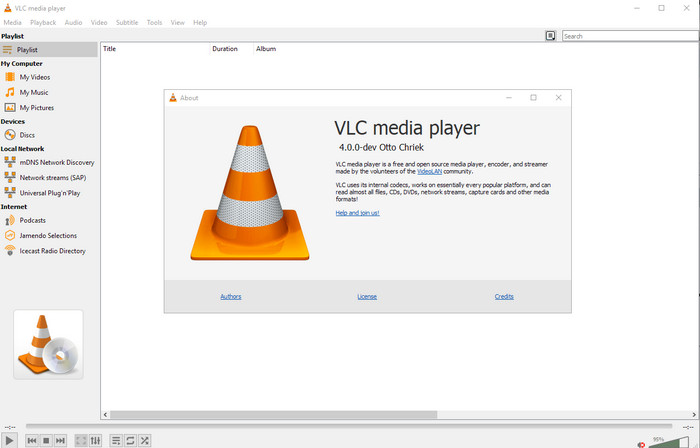
Available on: Windows, Mac, and Linux
First on our list is the best video player, but if you want to have an mp4 metadata editor freeware, you might need this one. VLC Media Player gives you a free experience of editing or removing the tags bound into your MP4 files. With this tool, you can easily manipulate the metadata on the file like title, copyright, genre, artist, date, time, and more. Although many users said it is easy to edit the metadata here, some contradict this comment. They find it confusing and ineffective, unlike the other tag editor. Nonetheless, if you want a safe tool to download that has already proven a lot to the users, then try to use the tool.
Amvidia Tag Editor
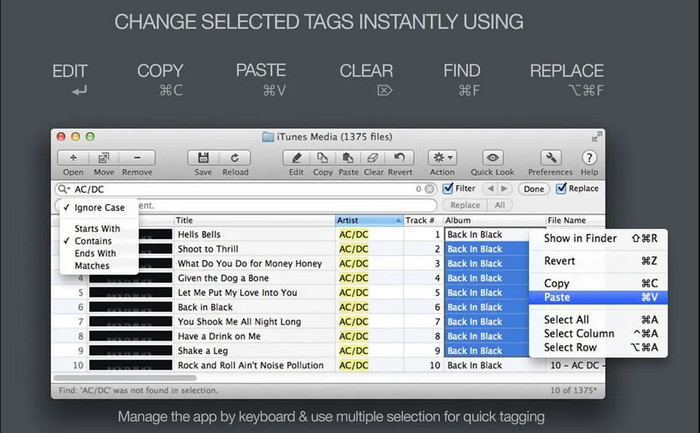
Available on: Mac
Another MP4 metadata editor on Mac is the Amvidia Tag Editor. If you need to add metadata, the image covers, tags on iTunes, or change the file's name, you can all do that here; if you need batch tagging, then this tool will help you. In addition to that, this free-to-download software supports a significant amount of media formats to upload on the tool, but you'll need to download it. Because of the in-detailed features it supports, beginners might take time to use the tools as you need to do many steps before adding the metadata. Also, the interface of it is outdated, like the VLC.
TigoTago
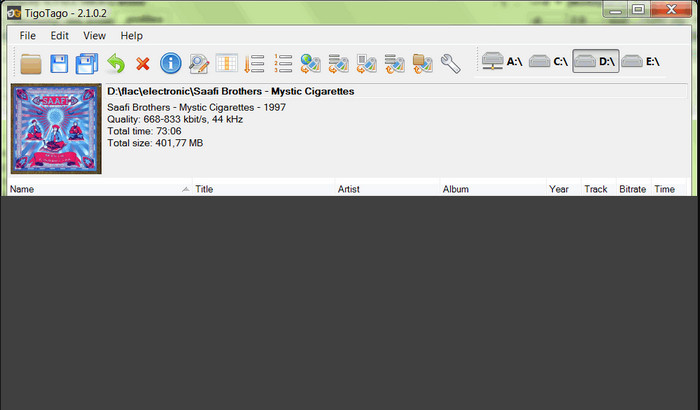
Available on: Windows
TigoTago is another MP4 metadata tagger you can use for free on Windows. So if you need to edit the specific data or tags of your MP4 file, download the tool and modify the MP4 tags easily one at a time. With this tool, you can fill the basic tags that a file has, such as a title, album, tracks, and artist, but you can also add some advanced tags like lyrics, comments, etc. If we compare this tool to VLC, we can say that this is much better because it prioritizes editing the tags. Although It offers better than the media player, it still needs improvement, including its GUI and other features.
InstantD3 – bezplatný online editor ID3 tagů
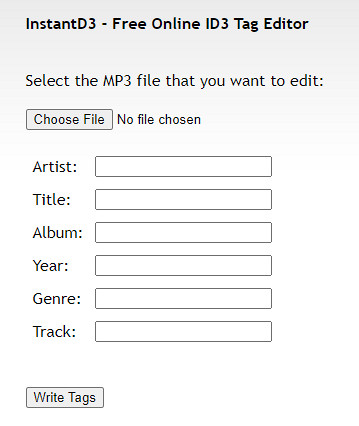
Available on: Web
Pokud nechcete stahovat software, můžete získat přístup k tomuto online editoru značek videa MP4, InstantD3 - Free Online ID3 Tag Editor. Přestože je nástroj dostupný na webu, nemůže prohledávat metadata online, aby automaticky použil značky, které potřebujete na MP4. Nástroj nabízí intuitivní rozhraní, které uživatelům umožní zažít snadný způsob přidávání značek do jejich zvukových souborů. Protože je nástroj zdarma, na webu jsou reklamy, ale musíme vás upozornit, že reklamy na jeho webu jsou nevhodné pro osoby mladší 18 let. Přístup k nástroji také provádíte na vlastní nebezpečí; jakmile vstoupíte na webovou stránku nástroje, vaše internetové připojení není zabezpečeno.
Část 2. Nejlepší volba Video Editor pro přidání, úpravu a odstranění metadat v systémech Windows a Mac
Available on: Windows, Mac & Linux
The MP4 metadata editors mentioned above are best, but the FVC Video Converter Ultimate is the powerful metadata editor you will need in editing or removing the metadata. This tool offers the best editing features you can easily use but has a professional output. Unlike the tools mentioned above, which support limited media formats, with this tool, you can upload MP4, MOV, MKV, FLV, AVI, and other 1000+ formats and quickly change the metadata of all of this. Isn't it amazing what this tool can do? If you see the amazing tool, you can easily follow the step-by-step tutorial we provide to edit, add, and remove the tags on your MP4 files.
Step 1. Press the download button first to download the MP4 tag editor on Mac or Windows. Follow the installation process after clicking the file, and open it.
Zdarma ke staženíPro Windows 7 nebo novějšíBezpečné stažení
Zdarma ke staženíPro MacOS 10.7 nebo novějšíBezpečné stažení
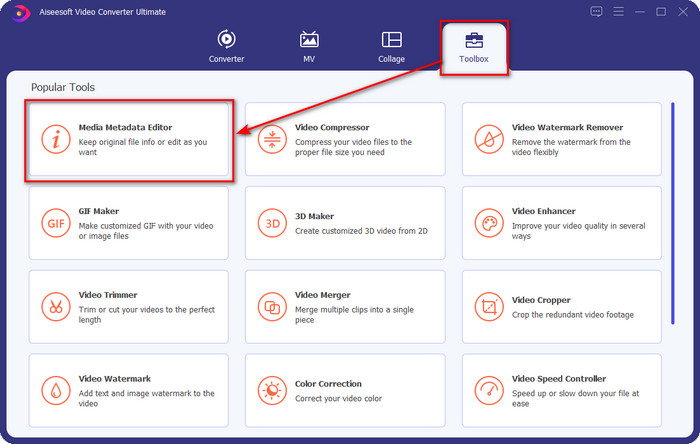
Step 2. Now that you've opened the editor choose the Toolbox at the three sections available; under it, click the Media Metadata Editor.
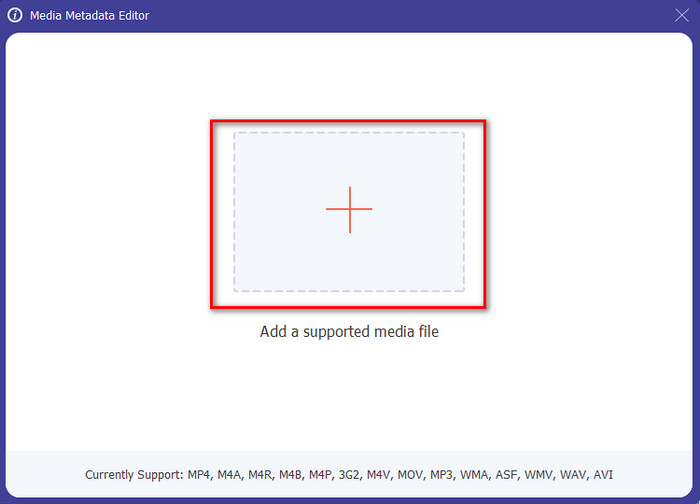
Step 3. To upload the MP4 file, click the + button, find the .mp4 on the folder that will show, and hit Open to insert it successfully.
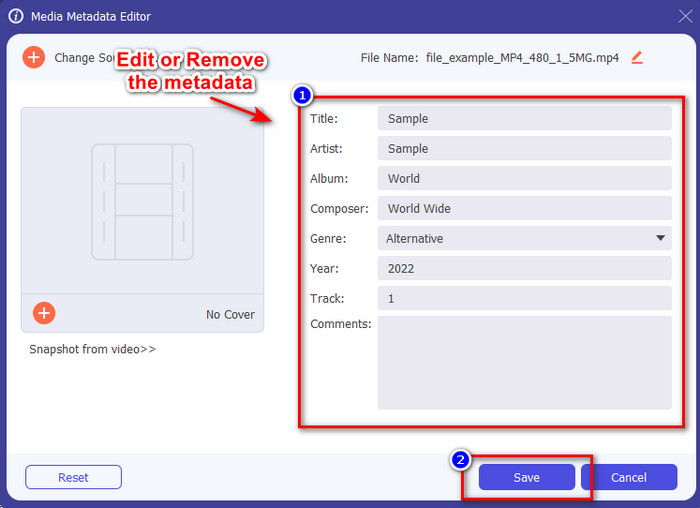
Step 4. Add, remove, and edit the information on the textbox that will show on your screen; fill them in according to your wants. And to save the changes you've made on the MP4 tag, click the Save button. You can easily say that it is an easy-peasy task if you choose the ultimate editor.
Související:
Část 3. Nejčastější dotazy o MP4 Tag Editoru
Jak zkontrolovat metadata MP4 ve Windows?
Pokud chcete zkontrolovat metadata svého souboru MP4, postupujte takto. Nejprve najděte soubor .mp4, klepněte pravým tlačítkem myši, přejděte na Vlastnosti a nakonec klepněte na Podrobnosti. Všechny informace, které budete o svých metadatech potřebovat, jsou v tomto seznamu. Pokud je tedy chcete upravit podle svých představ, vyberte si nástroj, který byste měli použít výše.
Kde mohu sledovat soubory MP4?
Most media players support MP4 files because it is the standard video file format. But the question is, where can you watch high-resolution MP4 videos? In that case, you must click this link. All you need to know is in this article.
Jak vybrat nejlepší editor značek MP4?
Než si vyberete editor metadat MP4, který budete používat, musíte si zapamatovat několik věcí; pokud nevíte, co to je, můžete se na tyto standardy spolehnout. Nejprve se ujistěte, že editor metadat podporuje formát, který máte; ne všechny editory podporují širokou škálu formátů. Použití editoru metadat, který nepodporuje váš formát, by bylo zbytečné. Zadruhé se ujistěte, že se nástroj snadno používá; pokud s úpravou metadat začínáte, ujistěte se, že zvolený nástroj není příliš náročný na to, abyste se ho naučili. Nakonec se ujistěte, že je použití bezpečné; pokud je ke stažení nebo online, budete potřebovat vědět, zda je bezpečné jej používat. Ujistěte se, že před použitím editoru budete muset dodržovat všechny tyto jednoduché standardy, abyste měli jen to nejlepší.
Závěr
The MP4 metadata editors we added in this article can help you quickly edit, add, or remove the metadata on your MP4 files. With the relevant reviews we've written about the tools, we can now compare them and see which suits our needs regarding editing the MP4 tags. If you still haven't decided which you should use, we offer you the best on the list: the FVC Video Converter Ultimate. This fantastic tool will fit your needs; downloading the tool is the only way to have this. So, click the download button, follow the steps we provided for you, and enjoy editing the tags without breaking a sweat.
-
 5 nejjednodušších způsobů, jak odstranit metadata z jakéhokoli mediálního souboru
 Jak odstranit metadata? Je těžké to udělat? Musím si zakoupit nebo použít bezplatný nástroj k odstranění štítků? Na všechny tyto otázky najdete odpovědi v tomto článku.
-
 5 nejlepších extraktorů metadat dostupných online a offline [2025]
 Na trhu můžete najít několik extraktorů metadat, ale dnes vybíráme pouze pět nejvybranějších extraktorů značek podle publika.
-
 5 nejlepších editorů metadat videa pro rok 2025 [Nezaujatá recenze]
 Chcete zobrazit metadata svého videa? Pokud ano, přečtěte si podrobnosti níže, abyste téma plně pochopili a věděli, který nástroj vám nejlépe vyhovuje.
