


 Video Converter Ultimate
 Skærmoptager
 Video reparation
 Sikker download
Fantastisk Photobucket Vandmærkefjerner [Easy Ways]
Photobucket er en app, som folk bruger til billedhosting og som et fotolager til private og erhvervsmæssige formål. Dette softwareprogram giver dig mulighed for at indlejre dine fotos hvor som helst og tilføje filtre, klistermærker, annoteringer og beskæring til dine billeder. Desuden vil billedkvaliteten ikke blive påvirket, når du gemmer dine fotos med Photobucket. Men da billederne fra Photobucket er Shutterstock-billeder, kan du ikke downloade billeder uden vandmærke. Heldigvis har vi et værktøj til dig, hvor du kan fjerne Photobucket‑vandmærket fra dit billede. Læs denne artikel for at lære det mest fremragende Photobucket Watermark Remover at kende.

Del 1. Sådan fjerner du Photobucket-vandmærker ved hjælp af gratis vandmærkefjerner
Mange mennesker har svært ved at søge efter en vandmærkefjerner, der er nem at bruge. Brug af vandmærkefjerner er kompliceret; vi søgte efter den bedste app til at fjerne Photobucket-vandmærker på dine billeder. Her er det gratis at bruge værktøj til at fjerne Photobucket vandmærker på dit billede uden videre.
FVC Free Watermark Remover er et onlineprogram, der giver dig mulighed for at fjerne vandmærker fra billeder eller videoer. Denne online vandmærkefjerner er let at bruge, fordi den har en enkel brugerflade og en detaljeret vejledning. Derudover fjerner den ikke kun Photobucket‑vandmærker på dine billeder, men kan også fjerne vandmærker på alle JPEG-, JPG-, PNG- og BMP‑fotos. Når du fjerner vandmærket fra dit billede med dette værktøj, gemmes det desuden i samme format. Det fantastiske ved denne online vandmærkefjerner er, at du kan vælge, hvilken type fjerningsværktøj du vil bruge: polygon, lasso eller pensel. Og hvis du laver en fejl, mens du fjerner vandmærket, kan du vælge at fortryde handlingen.
Fordele
- Det er et brugervenligt værktøj.
- I modsætning til andre onlineværktøjer indeholder den ikke annoncer.
- Den har en viskelæderfunktion, når du begår en fejl.
- Tilgængelig på alle browsere, inklusive Google, Firefox og Safari.
Ulemper
- Du kan opleve en langsom driftsproces, når din internetforbindelse er langsom.
Trin til, hvordan man fjerner Photobucket‑vandmærke med FVC Free Watermark Remover:
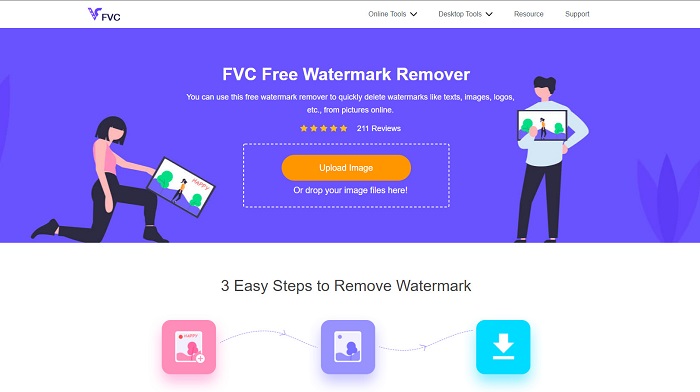
Trin 1. Søg efter FVC Free Watermark Remover i din browser. Klik derefter på siden, der vises først på din resultatside. Deres webside ser sådan ud:
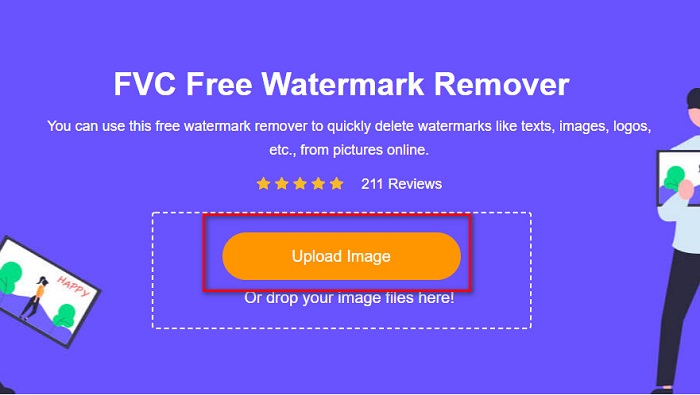
Trin 2. Klik derefter på softwarens hovedgrænseflade på knappen Upload Image for at uploade dit Photobucket‑billede. Din computers mapper vises, hvor du vælger dit Photobucket‑billede og klikker på Open.
Trin 3. Vælg derefter det fjerningsværktøj, du vil bruge, blandt mulighederne ovenover. Du kan vælge mellem polygonal, lasso eller brush.
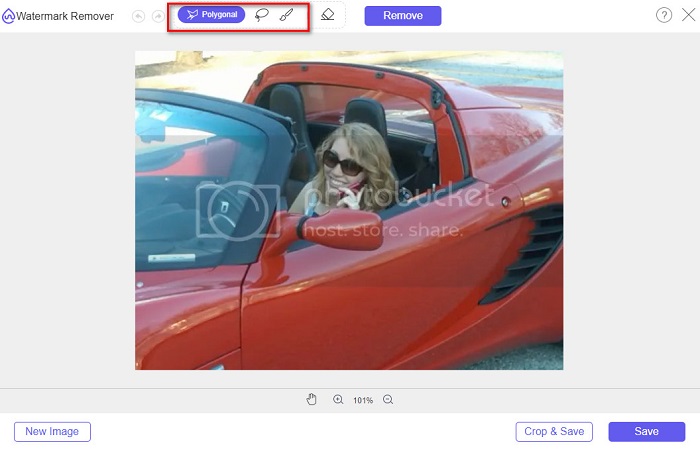
Trin 4. Brug polygonal-indstillingen til at tegne det område, du vil fjerne, og klik derefter på Remove.

Trin 5. Klik på knappen Save; derefter gemmes din fil automatisk på din computer.

Nemt er det ikke? Du kan fjerne vandmærket på dit Photobucket-billede med kun fem nemme trin.
Del 2. Sådan fjerner du Photobucket vandmærke ved hjælp af Photoshop
Adobe Photoshop er et værktøj, som mange bruger til at redigere billeder. Du kan også bruge Adobe Photoshop til at fjerne vandmærket på dit billede. Du vil her lære, hvordan du fjerner vandmærket på dine Photobucket‑billeder med Photoshop.
Fordele
- Den har mange redigeringsfunktioner at bruge.
- Det er den mest populære billedredigeringsapplikation.
- Rediger dit billede og fjern vandmærker professionelt.
Ulemper
- Det er ikke begyndervenligt.
Trin 1. Installer Adobe Photoshop på din computer, og start derefter appen. Åbn derefter billedet i Photoshop.
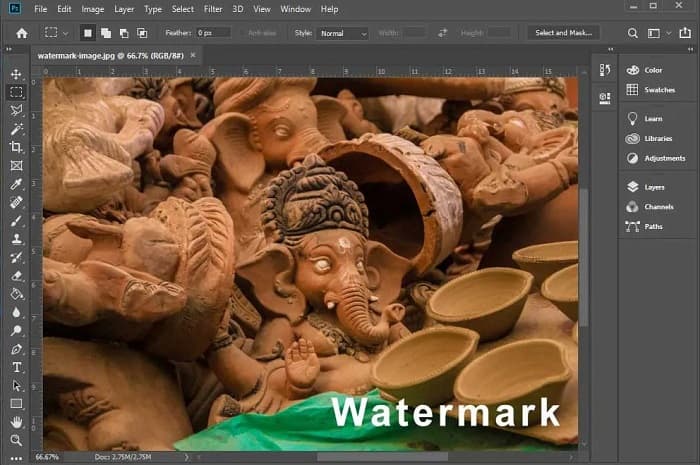
Trin 2. Klik derefter på Magic Wand Tool (W), zoom ind på området med dit vandmærke, og tryk på CTRL +. Brug Magic Wand Tool til at markere det vandmærke, du vil fjerne.
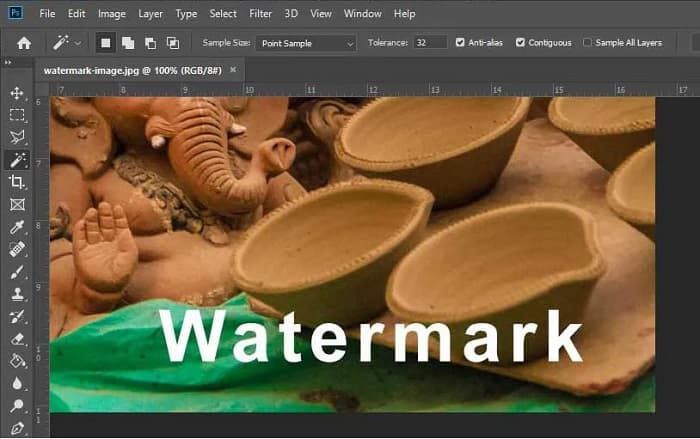
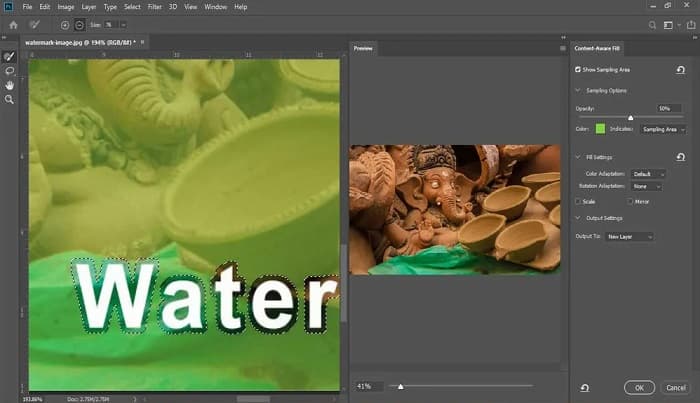
Trin 3. Gå til sidst til menuen Edit, og vælg derefter Content-Aware Fill. Content-Aware Fill vil automatisk fjerne vandmærket.
Del 3. Sådan fjerner du Photobucket vandmærke ved hjælp af PixlR
Et andet Photobucket‑vandmærkefjernelsesværktøj, du kan bruge, er PixlR. PixlR er en online fotoredigeringsprogram, som du kan bruge gratis. Dette onlineværktøj er ikke kun til fotoredigering; det giver dig også mulighed for at fjerne vandmærker på dine fotos. Denne vandmærkefjerner understøtter mange billedformater, som PSD, PXD, JPEG, PNG, SVG osv. PixlR har en enkel grænseflade, hvilket gør det nemt at fjerne vandmærket med blot få klik. Derudover kan du bruge denne app på mobile enheder.
Fordele
- Den har en enkel brugergrænseflade.
- Det giver dig mulighed for at indstille kvaliteten og størrelsen på dit billede.
- Du kan få adgang til det gratis.
Ulemper
- Nogle gange kan der forekomme en langsom driftsproces.
Trin 1. Åbn PixlR fotoredigering. For at uploade dit foto skal du klikke på knappen Open Image. Du kan også bruge en URL til at uploade dit foto.
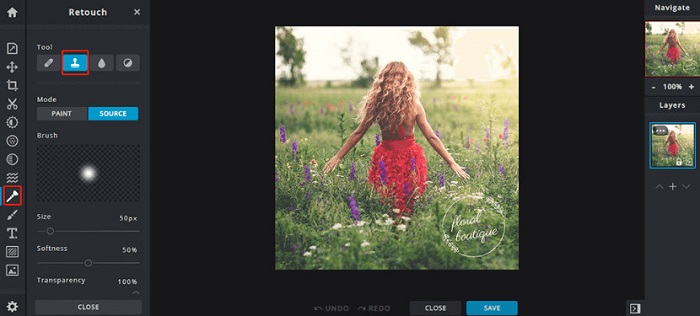
Trin 2. Klik på Retouch > Clone Stamp. Klik derefter på vandmærket, og træk musen for at fjerne vandmærket på dit foto.
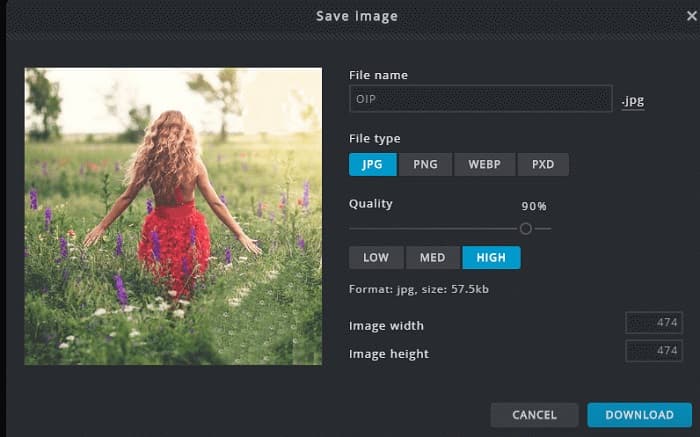
Trin 3. Til sidst skal du klikke på knappen Save for at gemme dit foto på din enhed. Du kan også vælge quality og size på dit foto i dette trin.
Del 4. En anden måde at fjerne Photobucket vandmærke online.
Der er flere online vandmærkefjernere, som du vil se på internettet. Det er dog ikke alle online vandmærkefjernere, der er sikre og har en enkel brugergrænseflade. Derfor søger vi efter et alternativ til at fjerne Photobucket-vandmærket.
Media.io
Media.io er en online vandmærkefjerner, der er brugervenlig. Den har en enkel brugerflade og er sikker at bruge. Du kan også nemt fjerne videologo, tekster og stempler. Desuden kan du fjerne vandmærket på alle billedformater som PNG, JPEG, SVG osv. Det, der er endnu mere imponerende ved dette værktøj, er, at du kan fjerne vandmærket på dine videoer i enhver tilgængelig format.
Fordele
- Det giver dig mulighed for at fjerne vandmærker fra dine fotos og videoer.
- Det er en online video editor.
- Den indeholder ikke annoncer.
Ulemper
- Det er internetafhængigt.
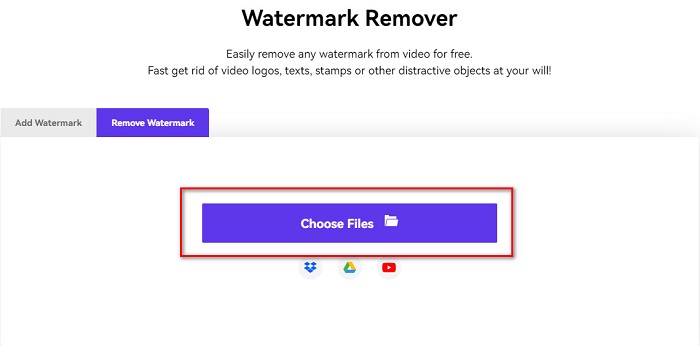
Trin 1. Søg efter Media.io watermark remover i din browser. Klik derefter på knappen Choose Files på softwarens hovedgrænseflade.
Trin 2. Træk og slip derefter dit foto ind på softwarens grænseflade for at uploade dit Photobucket‑billede.
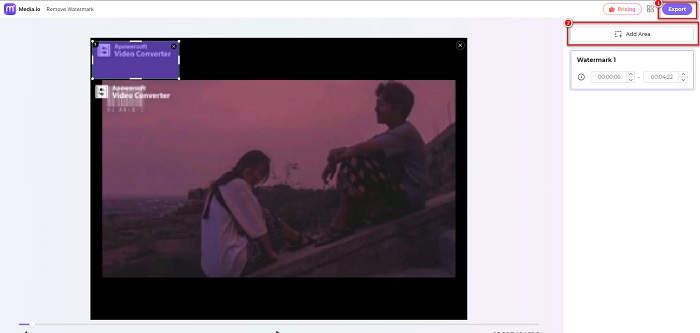
Trin 3. Klik til sidst på indstillingen Add Area, og vælg derefter området med vandmærket. Klik derefter på knappen Export for at fjerne vandmærket.
Relaterede:
Tilføj baggrund til foto på iPhone, Android, computer, online
Konvertér HEIC til JPG med 6 effektive offline- og online-metoder
Del 5. Ofte stillede spørgsmål om Photobucket Watermark Remover
Kan jeg fjerne et vandmærke fra JPEG-billeder?
Ja. Du kan bruge vandmærkefjerneren nævnt ovenfor til at fjerne vandmærker fra dine JPG/JPEG-billeder.
Kan du fjerne vandmærker fra videoer?
Heldigvis, ja. Du kan fjerne vandmærker fra din video. Nogle værktøjer giver dig mulighed for at fjerne vandmærker fra ethvert videoformat, såsom FVC Video Converter Ultimate.
Er der en app til Android til at fjerne vandmærker?
PicLab er en redigeringsapp, der kan fjerne vandmærker på dit billede. Denne app er tilgængelig på Android- og iOS-platforme.
Konklusion
Ved at bruge de ovennævnte værktøjer til Photobucket watermark remover kan du nemt fjerne vandmærker fra dit Photobucket‑billede. Men hvis du ønsker en praktisk og enkel måde at fjerne vandmærker fra dit foto på, så brug FVC Free Watermark Remover.
-
 Sådan konverteres JPG til HEIC på Mac og Windows
 Vil du vide, hvordan man konverterer JPG til HEIC? Denne artikel vil give dig de bedste måder at konvertere JPG til HEIC ved hjælp af de bedste og gratis JPG til HEIC-konvertere.
-
 CopyTrans HEIC-gennemgang, funktioner og alternativer
 Hvis du vil vide, hvad CopyTrans HEIC kan, giver vi dig værktøjets funktioner, fordele og alternativer.
-
 Top 5 bedste PNG til HEIC-konvertere, du ikke må gå glip af
 Hvis du vil kende de mest brugte PNG til HEIC-konvertere, giver vi dig de bedste PNG til HEIC-konvertere online. Læs denne artikel for mere info.
