


 Video Converter Ultimate
 Bildschirm recorder
 Videoreparatur
Beschleunigen Sie Videos auf Android mit hilfreichen Anwendungen auf Android [2025]
Heutzutage sind Smartphones die vielseitigste Technik, die wir täglich benutzen. Dieses Gerät hilft uns zu kommunizieren, aufzunehmen und Dinge zu bearbeiten – etwa zuschneiden, trimmen, beschleunigen und vieles mehr – selbst wenn wir nicht viel Ausrüstung für ein umfangreiches Setup haben. In diesem Beitrag zeigen wir dir daher, wie du mit Hilfe einer herunterladbaren Drittanbieter‑App ein Video auf Android schneller abspielen kannst. Zur Ergänzung: Dein Android‑Smartphone verfügt standardmäßig über keine integrierte Funktion, um Videos schneller abspielen zu lassen. Wenn du so eine Funktion nutzen möchtest, lies einfach weiter – wir stellen dir verschiedene Apps vor, auf die du dich verlassen kannst.

Teil 1. So beschleunigen Sie Videos auf Android
1. FilmoraGo
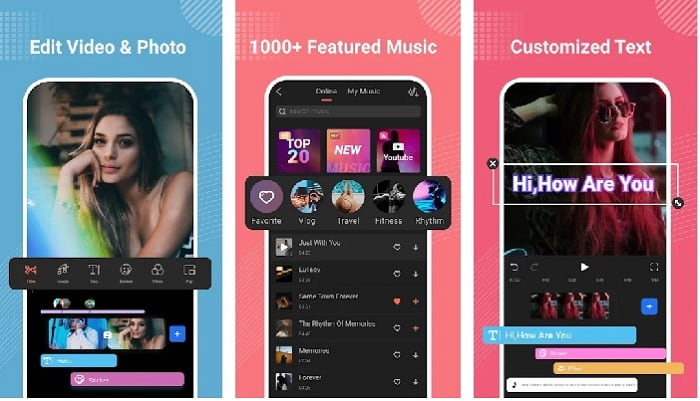
Filmora hat eine App entwickelt, die du auf dein Android‑Gerät herunterladen kannst, um nahezu dieselben Funktionen zu nutzen wie mit dem Desktop‑Programm. Filmora Go gehört zu den besten kostenlosen Videoeditoren, mit denen du ein eindrucksvolles Video erstellen kannst. Darüber hinaus verfügt dieses Tool über ein umfassendes Funktionspaket, das du wahrscheinlich nutzen wirst, selbst wenn du keine Erfahrung im Videoschnitt hast. Allerdings unterstützt die kostenlose Version nur eine Auswahl an Funktionen. Die Funktion Video auf Android schneller abspielen ist zwar kostenlos, aber in ihrem Umfang begrenzt. Auch wenn das Tool auf den ersten Blick perfekt wirkt, gibt es in den App‑Bewertungen einige Punkte, die Nutzer gerne verbessert sehen würden.
Vorteile
- Es ist ein kostenloser, aber leistungsstarker Video-Editor, den Sie auf Ihren Android-Geräten verwenden können.
- Das Tool erhält eine der besten Bewertungen, die wir je gesehen haben, und es erhält 4,6 Sterne.
- Das Tool hat sich bereits einen Ruf als einer der besten Editoren auf dem Desktop aufgebaut.
Nachteile
- Hier kommt es manchmal zu Dateiverlusten.
- Manchmal kommt das Exportieren der Dateien durcheinander, selbst wenn Sie sie bearbeiten.
- Meistens sind Audio und Video nicht synchron.
2. Hyper-Zeitraffer
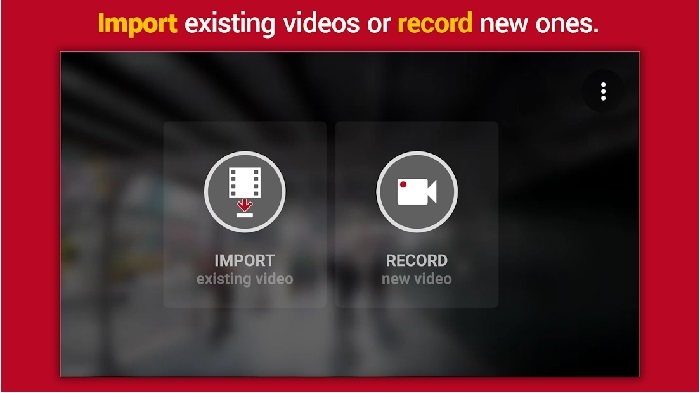
Hyper Timelapse ist eine der Apps zum Beschleunigen der Videowiedergabe auf Android, die du kostenlos herunterladen kannst. Diese App hat bereits eine Bewertung von 4,1 Sternen erreicht, was zunächst positiv klingt. Die Rezensionen sind jedoch teilweise schwer zu ertragen, weil es viele Beschwerden gibt. Als wir die App ausprobiert haben, war die Oberfläche zwar nicht schlecht und die Beschleunigung funktionierte gut, aber beim Export stürzte die App ab. Beim Versuch, ein Zeitraffervideo zu erstellen, wurde die Videodatei außerdem jede Minute deutlich größer. Im Grunde kannst du hier also kein langes Zeitraffervideo aufnehmen.
Vorteile
- Die App ist sehr einfach zu bedienen, auch wenn Sie ein Anfänger sind.
- Es hat einen eingebauten Zeitraffer.
- Die Schnittstelle des Tools ist nicht in Ordnung.
Nachteile
- Abstürze und Fehler treten immer noch in diesem Tool auf.
- Die endgültige Ausgabe wird nicht gespeichert, da sie jedes Mal abstürzt.
3. Lassen Sie es verfallen
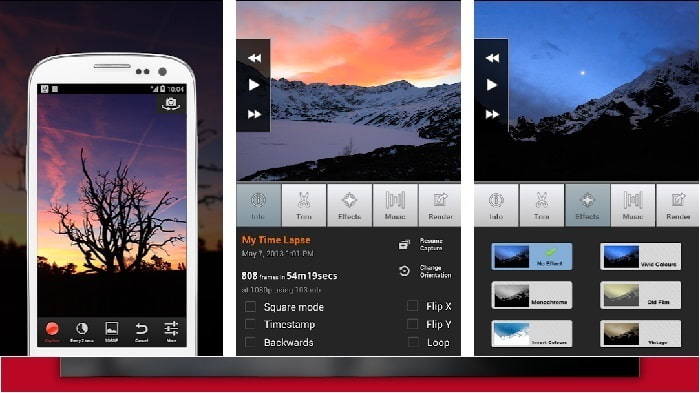
Wenn du nach einer App suchst, um Videos auf Android zu beschleunigen, dann probiere Lapse It aus. Dieses Tool vereint die Funktionen der beiden zuvor genannten Apps, denn du kannst damit Zeitraffer, Stop‑Motion und verschiedene Bearbeitungen vornehmen. Obwohl das Tool für Android eigentlich vielversprechend klingt, hat es in diesem Beitrag die niedrigste Bewertung erhalten. Die App kommt nur auf 3,5 Sterne, und viele Kommentare in den Rezensionen halten sie für völlig nutzlos. Einige Nutzer schreiben zwar, dass diese App früher ihr Favorit für eindrucksvolle Videos war, aber inzwischen gebe es viele bessere Alternativen.
Vorteile
- Es hat eine einzigartige und leistungsstarke Funktion, die viele Benutzer gerne verwenden.
- Diese App kann das beste Rendering auf Android haben.
- Das Anpassen des Videos kann ganz einfach mit Hilfe dieser App auf Android erfolgen.
Nachteile
- Das Tool wurde von der S-Klasse auf D geändert, da es auch nach dem Update immer noch zu Abstürzen und Fehlern kommt.
- Anweisungen zur Ausführung sind nicht klar.
- In jedem Videoende kommt immer eine Popup-Werbung.
Teil 2. Möchten Sie einen professionelleren Geschwindigkeitsregler? Probieren Sie Video Converter Ultimate aus!
Video Converter Ultimate ist das wohl außergewöhnlichste Tool, das du verwenden kannst, wenn du ein beeindruckendes Ergebnis erzielen willst. Das Beschleunigen eines Videos lässt sich mit diesem Programm sehr einfach umsetzen. Auch der Funktionsumfang insgesamt ist diesem Android‑Tool deutlich überlegen. Allerdings kann diese Software nicht auf Android‑Geräten genutzt werden, da sie dafür nicht verfügbar ist. Du kannst sie zwar auf deinem Smartphone nicht direkt einsetzen, dafür wirst du bei der Nutzung auf dem Computer keinerlei Einfrieren, Abstürze oder Bugs erleben. Wenn du also erfahren möchtest, wie man ein Video auf Android schneller macht, folge den unten stehenden Schritten.
Schritt 1. Lade zunächst das Programm herunter. Installiere es nach Abschluss des Downloads, führe die kurze Ersteinrichtung durch und klicke anschließend auf „Fertig stellen“, um fortzufahren.
Gratis DownloadFür Windows 7 oder neuerSicherer Download
Gratis DownloadFür MacOS 10.7 oder neuerSicherer Download
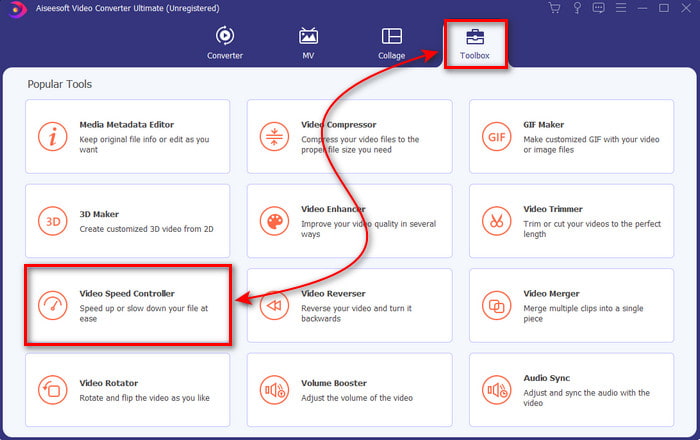
Schritt 2. Gehe als Nächstes zum Toolbox-Bereich und suche den Video Speed Controller. Klicke darauf, um ihn zu öffnen.
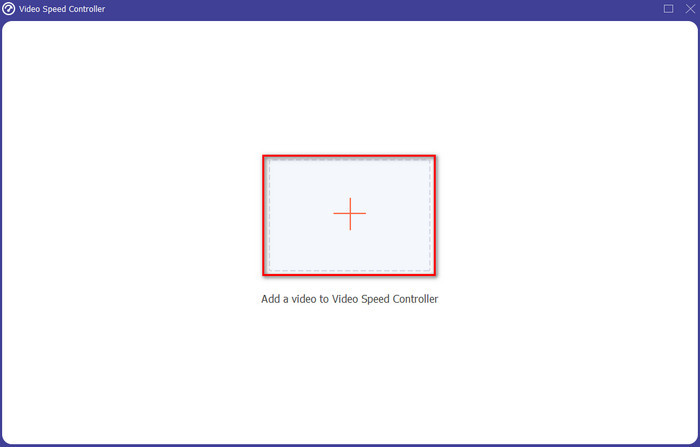
Schritt 3. Es erscheint anschließend eine Oberfläche; klicke auf die +‑Schaltfläche, um die Datei hinzuzufügen. Nach dem Klick öffnet sich ein Ordner – wähle die Datei aus, die du beschleunigen möchtest, und klicke auf Öffnen.
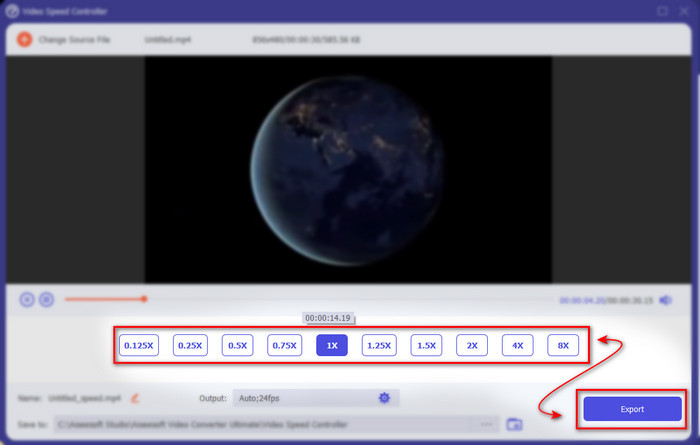
Schritt 4. Es öffnet sich erneut ein neues Fenster. Wähle nun in diesen kleinen Feldern die gewünschte Geschwindigkeit aus. Wenn du bereit bist, die beschleunigte Datei zu exportieren, klicke auf Exportieren.
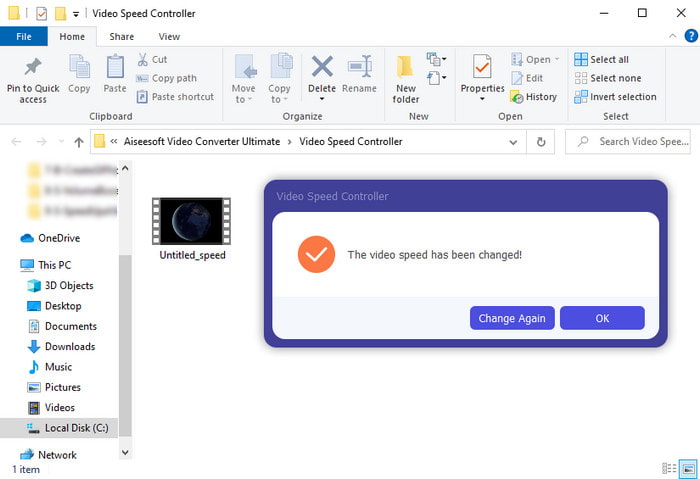
Schritt 5. Warte einen kurzen Moment; sobald das Video fertig ist, wird ein Ordner eingeblendet, der die von dir erstellte beschleunigte Datei enthält. Klicke auf die Videodatei, um die schnellere Version anzusehen.
Teil 3. Häufig gestellte Fragen zum Beschleunigen eines Videos auf Android
Beeinträchtigt die Beschleunigung meines Videos dessen Qualität?
Wenn Sie ein Video beschleunigen möchten, erwarten Sie keine Änderung der Videoqualität. Wenn die von Ihnen verwendete App jedoch keine Videoausgabe in hoher Qualität unterstützt, müssen Sie damit rechnen, dass die Videoausgabe automatisch verringert wird.
Kann ich ein Video in Zeitlupe ansehen?
Auf jeden Fall ja! Mit Hilfe der 5 besten Slow-Motion-Video-Player kannst du das machen – klicke auf diesen Link, um zum neuen Beitrag zu gelangen.
Warum muss ich mein Video beschleunigen?
Es gibt viele Gründe, warum du ein Video mit der doppelten Geschwindigkeit oder noch schneller abspielen möchtest. Wenn du diese Gründe kennenlernen willst, lies diesen Artikel über Was ist ein 2x‑Video.
Fazit
Abschließend lässt sich sagen, dass alle hier vorgestellten Tools gut geeignet sind, wenn du ein Android‑Smartphone hast – dennoch gibt es ein Programm, das besonders hervorsticht. Dieses herausragende Tool ist Video Converter Ultimate, denn bei der Nutzung wirst du keine Bugs oder andere Probleme erleben. Da diese Software jedoch nicht für Android‑Telefone verfügbar ist, musst du sie auf deinem Desktop installieren, wenn du sie ausprobieren möchtest. So kannst du alle Funktionen dieser großartigen Software voll ausschöpfen.
-
 So spielen Sie MKV-Dateien auf dem iPad 2025 ab
 Wie spielt man MKV-Dateien auf dem iPad 2 ab? Kann ich MKV in MP4 konvertieren, um es auf dem iPad Pro/Air/2 abzuspielen? In diesem Beitrag werden 2 einfache Möglichkeiten zum Abspielen von MKV auf dem iPad beschrieben.
-
 [Gelöst] VLC spielt keine DVD ab, wie man es repariert
 Kann VLC eine DVD abspielen? Warum spielt VLC meine DVD nicht ab? Wie bringe ich VLC dazu, eine DVD unter Windows 10 abzuspielen? Dieser Beitrag gibt 3 Tipps zur Behebung des Problems, dass VLC keine DVD abspielt.
-
 [Gelöst] MP4-Dateien auf Chromebook 2025 abspielen
 Können Sie Videos auf Chromebooks abspielen? Wie kann ich MP4-Dateien von USB auf Chromebook abspielen? In diesem Beitrag werden drei Möglichkeiten zum Abspielen von MP4 auf Chromebooks beschrieben.
