


 Video Converter Ultimate
 Bildschirm recorder
 Videoreparatur
Bestimmen Sie, wie Sie AVI-Dateien mit den 4 verfügbaren Tools umkehren können
AVI-Dateien gehören zu den Formaten mit der größten Dateigröße, denen du bei der Suche nach den besten Formaten im Web bereits begegnet bist. Kurz erklärt: AVI-Formate sind unkomprimierte Dateien, und die meisten Editoren akzeptieren AVI-Dateien wegen ihrer komplizierten Struktur nicht. Deshalb haben wir heute verschiedene Tools für dich zusammengestellt, mit denen du AVI-Dateien umkehren kannst – einfach und effektiv. Außerdem wurden alle unten vorgestellten Tools bereits vom Autor selbst getestet. Ohne weitere Verzögerung kommen wir nun zu den Online- und Offline-Tools, mit denen du ein Video rückwärts abspielen lassen kannst.

Teil 1 Wie man eine AVI-Datei mit der ultimativen Software offline umkehrt
Wenn wir über den herausragenden Video-Reverser für PC und Mac sprechen, könnte dies deine erste Wahl sein. Denn diese Software ist sowohl gegenüber Online- als auch Offline-Tools überlegen. Video Converter Ultimate ist nicht nur in einer einzigen Aufgabe gut, sondern in fast allen: Bearbeiten, Optimieren, GIFs erstellen, beschleunigen oder verlangsamen und mehr. Anders als die anderen Tools, die du im Web zum Umkehren von AVI-Dateien findest, gibt dir diese Software die Möglichkeit, ein besonders klares Rückwärtsvideo zu erstellen. Dieses Tool ist zwar nicht kostenlos, aber wenn du es kaufst, kannst du bereits mit dem besten Ergebnis rechnen. Wenn du also wissen möchtest, wie du deine Datei im AVI-Format umkehrst, folge den nachstehenden Schritten.
Schritte zum Umkehren eines Videos mit Hilfe von Video Converter Ultimate:
Schritt 1. Lade das Tool zuerst auf dein Laufwerk herunter und wähle dabei aus, ob du einen PC oder Mac verwendest. Installiere es anschließend, führe die schnelle Erstkonfiguration durch und klicke auf „Fertig stellen“, um fortzufahren.
Gratis DownloadFür Windows 7 oder neuerSicherer Download
Gratis DownloadFür MacOS 10.7 oder neuerSicherer Download
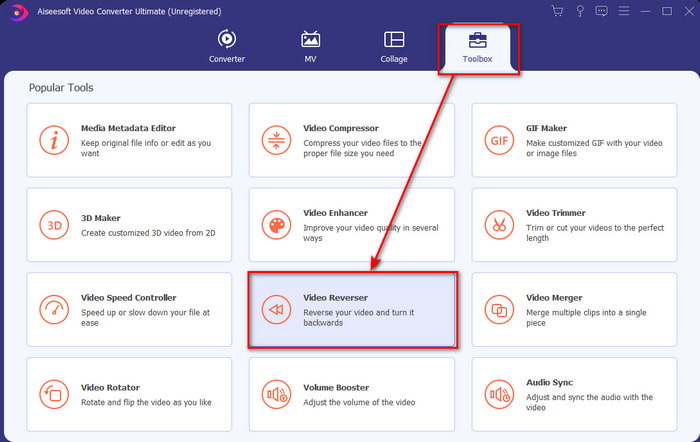
Schritt 2. Um den Video Reverser zu finden, klicke zunächst auf die Toolbox; darunter befindet sich die Reverse-Funktion.
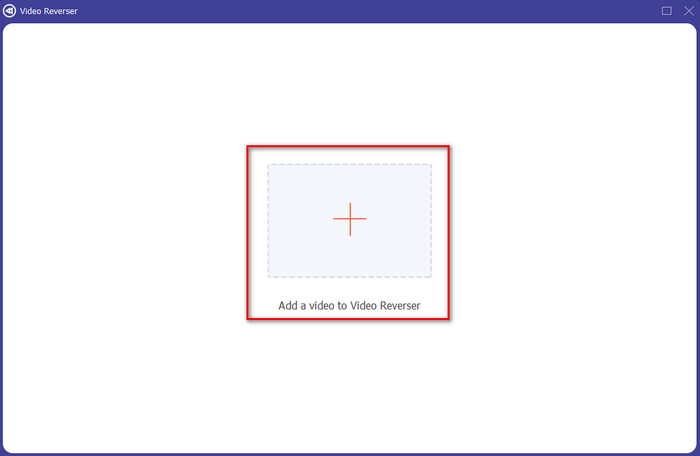
Schritt 3. Klicke auf die +‑Schaltfläche, um die AVI-Datei hinzuzufügen, die du umkehren möchtest, klicke auf Öffnen und fahre fort.
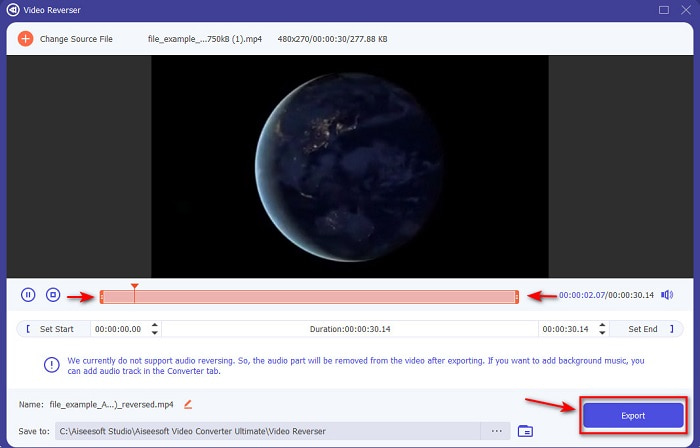
Schritt 4. In der Oberfläche kannst du nun die Dauer des Videos anpassen, indem du Playback In und Out verstellst. Um das rückwärts abgespielte Video zu speichern, klicke auf die Schaltfläche Exportieren und fahre fort.
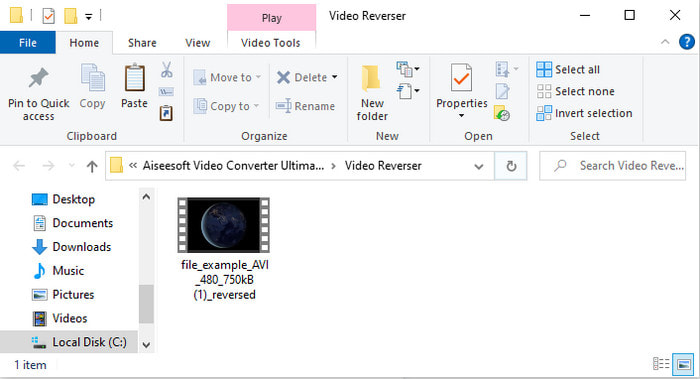
Schritt 5. Nachdem der Export abgeschlossen ist, wird ein Ordner mit der umgekehrten Datei auf deinem Bildschirm angezeigt. Klicke auf das Video, um es rückwärts abzuspielen.
Teil 2. Wie man eine AVI-Datei online umkehrt
1. Fastreel - Online-Videoumkehrer
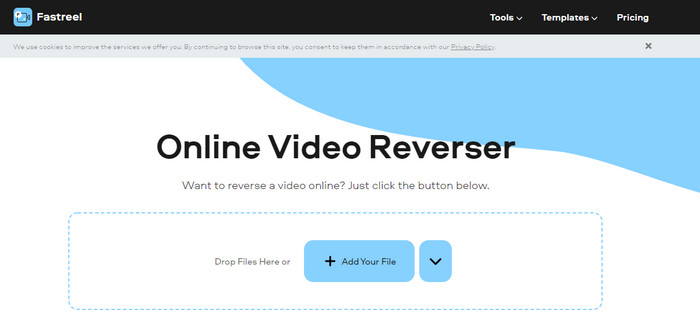
Wenn du AVI-Dateien online umkehren möchtest, kannst du Fastreel verwenden. Dieses Web-Tool wird seinem Namen gerecht: schnell und zuverlässig beim Umkehren. Außerdem stellt es auch einfache Bearbeitungsfunktionen bereit, allerdings in einem anderen Web-Tool. Obwohl das Tool gut und einfach zu bedienen ist, bleibt der Nachteil bestehen – insbesondere, wenn deine Internetverbindung unterbrochen wird. Wenn du während der Konvertierung die Verbindung verlierst, besteht zudem die Gefahr, dass Teile der AVI-Datei verloren gehen, weil sie unkomprimiert ist. Hast du jedoch eine schnelle und stabile Internetverbindung, solltest du unbedingt ausprobieren, wie man dieses Tool verwendet, indem du den unten aufgeführten Schritten folgst.
Schritt 1. Öffne deine Suchmaschine und suche nach der offiziellen Webseite des Fastreel Online Video Reverser. Klicke auf den Link, um fortzufahren.
Schritt 2. Klicke dann auf + Dateien hinzufügen, und ein Dateifenster erscheint auf deinem Bildschirm. Klicke auf Öffnen, um die Datei einzufügen. Warte ein bis zwei Minuten, bis die Datei hochgeladen ist.
Schritt 3. Klicke anschließend auf Mit Wasserzeichen herunterladen; die Datei wird automatisch auf deinem Laufwerk gespeichert.
2. Pixiko-Umgekehrtes Video
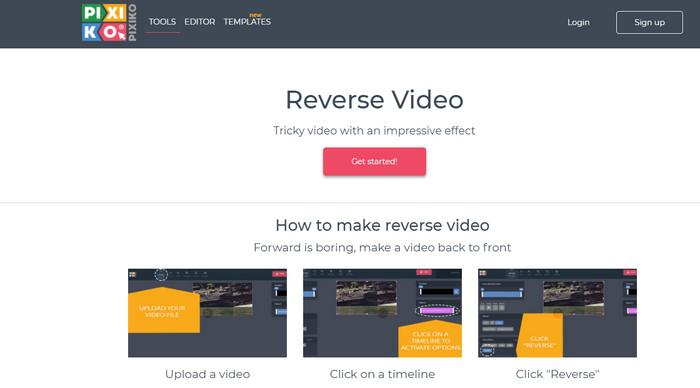
Pixiko ist eines der Online-Tools, das wir ebenfalls als hilfreich empfunden haben, wenn du AVI-Dateien umkehren möchtest. Die Benutzeroberfläche ist sehr minimalistisch und leicht verständlich. Wie beim ersten Online-Tool ist die Internetverbindung jedoch die Lebensader dieses Dienstes. Ohne Internetverbindung kannst du – wie beim ersten Tool – nicht darauf zugreifen. Allerdings ist dieses Tool etwas leistungsfähiger als Fastreel. Wenn du wissen möchtest, wie du dein Video rückwärts abspielen lassen kannst, folge den unten angegebenen Schritten.
Schritt 1. Rufe den Pixiko Video-Reverser auf, indem du danach im Web suchst.
Schritt 2. Klicke auf Get Started und warte einige Sekunden, bis die Reverser-Oberfläche geladen ist. Klicke in der Oberfläche in einen beliebigen Bereich des Rechtecks, um im Ordner nach deiner Datei zu suchen, und klicke dann auf Öffnen, um fortzufahren.
Schritt 3. Klicke anschließend auf Reverse, damit der Vorgang gestartet wird; die Webseite lädt nun, und du musst einige Minuten warten, während die Datei verarbeitet wird. Wenn du bereit bist, die Datei zu exportieren, klicke auf Download Video.
3. Ezgif
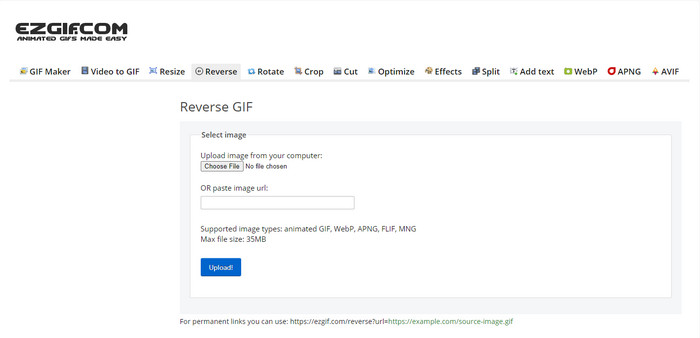
Es überrascht nicht, dass Ezgif in dieser Liste auftaucht, denn es ist eines der besten Tools im Web, um GIFs zu erstellen und sogar AVI-Dateien umzukehren. Dieses webbasierte Tool hat Internetnutzern bereits vielfach bewiesen, dass es nahezu alles kann, um dein Video beeindruckender aussehen zu lassen als zuvor. Allerdings sind die Funktionen dieses Tools begrenzt; mit anderen Worten, du kannst dein Video nicht so einzigartig gestalten wie mit manch anderer Software. Wenn du jedoch ein knappes Budget hast, solltest du dieses Tool ausprobieren und dein Video mithilfe der folgenden Schritte umkehren.
Schritt 1. Suche in der Adresszeile deines Browsers nach Ezgif. Klicke dann auf den Link und suche die Funktion Reverse.
Schritt 2. Klicke auf Datei auswählen, um das Video hochzuladen, das du rückwärts abspielen lassen möchtest. Wähle anschließend im Ordner die AVI-Datei aus und klicke auf Öffnen. Nachdem die Datei eingefügt wurde, klicke auf Upload, um fortzufahren.
Schritt 3. Aktiviere die Option „Reverse“ und klicke dann auf Submit. Anschließend klicke auf Save, um die umgekehrte Datei herunterzuladen.
Teil 3. Häufig gestellte Fragen zum Umkehren von AVI-Dateien
Warum sind AVI-Dateien zu groß?
Der einzige Grund, warum AVI-Dateien so groß sind, ist, dass das Format unkomprimiert ist. Das bedeutet, dass alle Dateien im AVI-Format Rohdateien sind und keine fest zugewiesenen Codecs besitzen. Wenn du eine Vorstellung davon bekommen möchtest, was eine AVI-Datei ist, klicke auf diesen Link, um fortzufahren.
Wie komprimiert man AVI-Dateien ohne Qualitätsverlust?
Einen Compressor zu finden, der AVI-Dateien komprimiert, ist schwieriger, als man denkt. Wenn du also wissen möchtest, wie man AVI-Dateien komprimiert, ohne die Qualität zu verlieren, dann lies diesen Artikel. Er hilft dir dabei, die besten Methoden dafür zu entdecken.
Ist die Konvertierung von AVI in MP4 eine gute Idee?
Auf jeden Fall ja! Anstatt einen Compressor zu verwenden, solltest du versuchen, die Datei in das MP4-Format zu konvertieren. Um eine vollständige Vorstellung davon zu bekommen, wie man AVI in MP4 umwandelt, klicke auf diesen Link und wechsle zu einer neuen Webseite.
Fazit
Alles in allem sind die hier vorgestellten Tools aufgrund ihrer Leistung beim Umkehren von AVI-Dateien großartig. Obwohl die oben vorgestellten Tools großartig sind, gibt es dennoch einen einzigen phänomenalen Video-Editor, den Sie gerne verwenden würden. Video Converter Ultimate macht beim Konvertieren, Umkehren, Bearbeiten usw. bereits das Unmögliche möglich. Wenn Sie also die Großartigkeit dieses Tools erleben möchten, dann ist jetzt der richtige Zeitpunkt, es herunterzuladen.
-
 So spielen Sie Apple Music auf Xbox One
 Wie spiele ich Musik auf Xbox One vom Telefon aus? Möchten Sie Musik spielen, während Sie auf Xbox One spielen? 3 Möglichkeiten, wie Sie Apple Music auf Xbox One vom Telefon aus abspielen können.
-
 Top 5 der besten WebM-Player für Android / iPhone / Windows / Mac (kostenlos herunterladen)
 Wenn Sie ein WebM erfolgreich auf Ihrem Gerät abspielen möchten, sollten Sie in diesem Artikel mehr über die fünf besten WebM-Player für Android, iPhone, Windows und Mac erfahren.
-
 Die 4 besten M3U8-Player für Windows und Mac, die Sie nicht verpassen sollten
 Wenn Sie eine Datei mit dem M3U8-Stream-Link erfolgreich abspielen möchten, sollten Sie in diesem Artikel mehr über die 4 hervorragenden M3U8-Player für Windows und Mac erfahren.
