


 Video Converter Ultimate
 Bildschirm recorder
 Videoreparatur
 Sicherer Download
MP4 zu MXF für die problemlose Wiedergabe von MXF-Dateien auf verschiedenen Geräten
Manchmal bevorzugen bestimmte Videobearbeitungsprogramme oder Übertragungssysteme MXF-Dateien. Wenn Sie damit zu kämpfen haben, ist die Konvertierung Ihrer MP4-Videos in MXF für eine reibungslose Wiedergabe und Bearbeitung unerlässlich. Es gibt einige praktische Tools, die diese Konvertierung zu einem Kinderspiel machen können. Wenn Sie also neugierig sind, diese Aufgabe in Angriff zu nehmen, ohne ins Schwitzen zu geraten, lesen Sie weiter!
Let's get to know these fantastic MP4 to MXF converters and the simple steps they offer to convert your MP4 files to MXF like a pro.

Teil 1. Die 5 besten Möglichkeiten, MP4 in MXF zu konvertieren
1. Videokonverter Ultimate
Video Converter Ultimate is a top-tier tool that offers a fantastic solution for converting MP4 files to various video formats and devices like iPhone, iPad, Galaxy S6, and more. Its user-friendly interface makes it a breeze even for non-tech-savvy folks to navigate and use effectively. You won't believe how fast it converts videos, leaving other software in the dust. Plus, the bulk mode for converting multiple files is simply incredible. Check out the guide below to learn how to convert MP4 to MXF using this powerful tool.
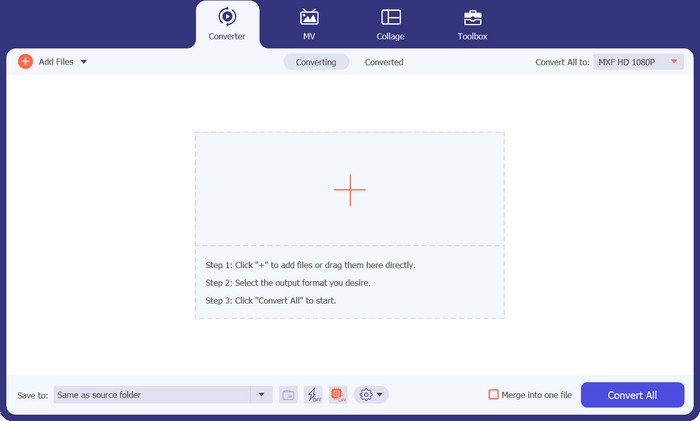
Step 1. Download and install the converter from the Free Download buttons below. Once installed, launch the app on your computer.
Kostenloser DownloadFür Windows 7 oder höherSicherer Download
Kostenloser DownloadFür macOS 10.7 oder höherSicherer Download
Step 2. Upload the MP4 video you want to convert by clicking the Plus sign button or using the Spacebar to open your computer folder. Browse and select the target video.
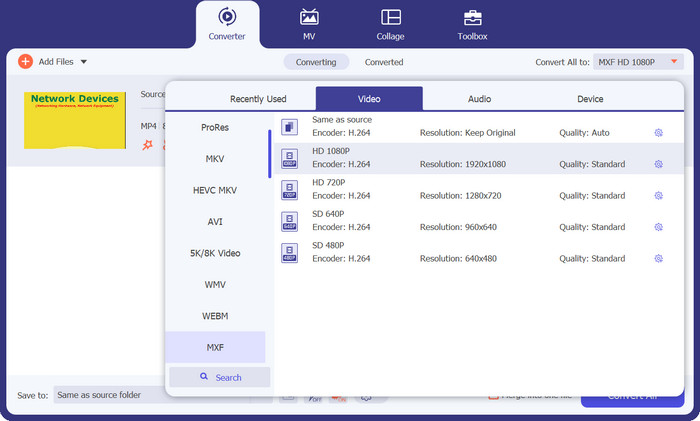
Step 3. Choose MXF as the output format. Simply drop down the Profile list at the top right corner, head to the Video tab, and find MXF. You can also use the search bar to locate it quickly. Pick the desired quality for your output.
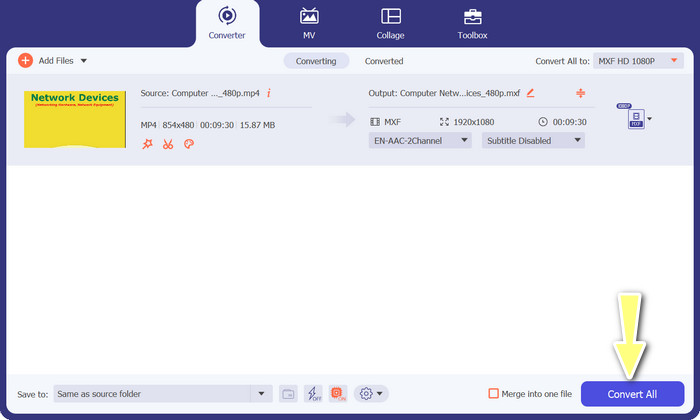
Step 4. Ready to convert! Tick the Convert All button at the bottom right corner, and voilà! Your converted file will be automatically saved to your computer folder.
2. Kostenloser MP4-Konverter online
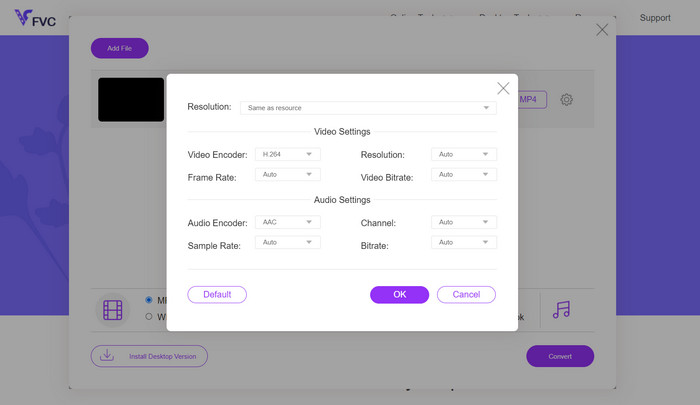
If you're in search of a dependable online MP4 converter to convert MP4 to MXF online, check out Free MP4 Converter Online. This website provides a secure and reliable platform to upload your MP4 files and convert them to MXF or various other formats. Rest assured, the conversions maintain consistently high quality with every use. Not only that, but you also have the option to modify the conversion by editing the video codec and preset. Give it a try, and you'll be able to customize your conversions just the way you want.
Step 1. Go to their website using your web browser. You don't need to download anything; just open it up like any other website.
Step 2. Click the Add Files to Convert button or drag and drop your MP4 video onto the website. It'll start processing your file, and you'll see a progress bar.
Step 3. Once the upload is complete, find the option and select MXF from the list. If there's a quality setting, choose the one you prefer. Hit the Convert button, and the magic begins!
3. FreeFileConvert
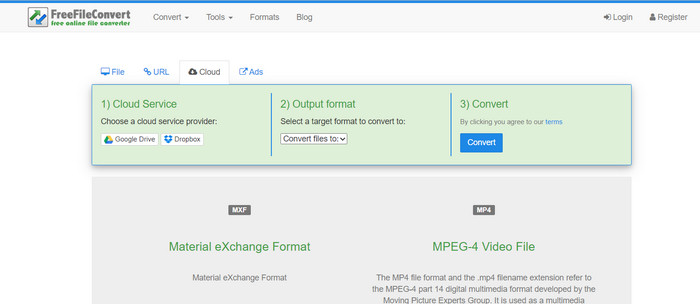
Suchen Sie nach einem weiteren kostenlosen MXF-zu-MP4-Konverter? Probieren Sie FreeFileConvert aus! Diese benutzerfreundliche Plattform folgt einem einfachen dreistufigen Prozess und bietet eine einfach zu navigierende Oberfläche, die Ihnen dabei hilft, Ihre Videos problemlos zu konvertieren. Besuchen Sie einfach deren Website, laden Sie Ihre Datei von Ihrem Computer hoch, wählen Sie das gewünschte Ausgabeformat aus und klicken Sie auf „Konvertieren“. Sie können Dateien nicht nur von Ihrem Computer hochladen, sondern haben auch die Möglichkeit, Dateien von Ihrem Dropbox- oder Google Drive-Konto hochzuladen.
Step 1. Open up your web browser and head to the FreeFileConvert website. No need to install anything, just like visiting any regular website.
Step 2. Click the Choose File button. You may also upload from Dropbox or Google Drive if that's more convenient for you.
Step 3. In the Output Format dropdown menu, find MXF and pick it as your desired format. Then hit the Convert button, and let FreeFileConvert work its magic!
4. AnyConv
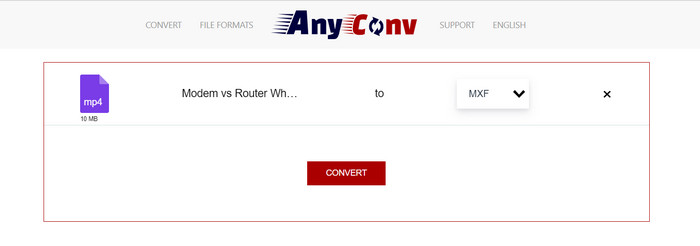
Suchen Sie nach einem Online-Tool zum Konvertieren von MP4 in MXF? Dann sind Sie bei AnyConv genau richtig! Wie die anderen erfordert es keine Installation. Außerdem ist es nicht nur auf MP4 zu MXF beschränkt; Es kann auch verschiedene andere Formatkonvertierungen verarbeiten! Der beste Teil? Sie müssen sich für den Vollservice nicht registrieren – er ist problemlos. Befolgen Sie einfach die folgenden Schritte, und die Konvertierung von MP4 in MXF ist im Handumdrehen erledigt. Kinderleicht.
Step 1. Open AnyConv's website using any web browser.
Step 2. Hit the CHOOSE FILES button to upload your MP4 video. Then, expand the Profile menu and find the MXF format.
Step 3. Ready to convert? Hit the blue Convert button, and the conversion process will start.
5. Convertio
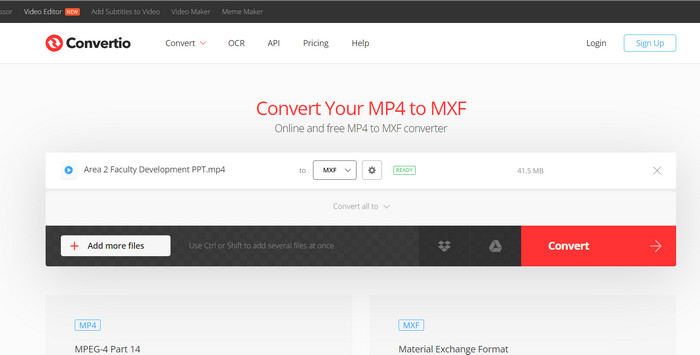
Aufruf an alle Benutzer, die einen Dateikonverter wünschen, ohne zusätzliche Apps herunterladen zu müssen! Convertio ist für Sie da. Mit diesem Tool ist die Online-Konvertierung von MP4 in MXF ein Kinderspiel, ohne dass komplizierte Einstellungen angepasst werden müssen. Der beste Teil? Es unterstützt verschiedene Mediendateiformate, darunter Dokumente, Archive, Tabellenkalkulationen, Präsentationen und mehr.
Step 1. Pick a browser on your computer and head to the official page of the tool.
Step 2. On the program's main interface, hit the Choose Files button to upload your MP4 files. Alternatively, for your convenience, you can just drag and drop the video file.
Step 3. Find the Profile menu and select the MXF format from the Video section. Then, click the Convert button to kickstart the conversion process.
Weiterführende Lektüre:
4 Free Ways to Convert Camcorder MXF to MP4 for Universal Playback
[Guide] 2 Ultimate Methods to Join MXF Videos from Sony X70
Teil 2. FAQs zu MP4 zu MXF
Was ist eine MXF-Datei?
Eine MXF-Datei ist eine Dateierweiterung, die das Material Exchange Format darstellt und als Container für standardmäßige professionelle Audio- und Videoinhalte dient. Aufgrund seiner Fähigkeit, qualitativ hochwertige Videos aufrechtzuerhalten, wird es häufig bei Fernseh- und Theaterübertragungen eingesetzt. Im Wesentlichen fungiert MXF als Alternative zum Speichern tatsächlicher Videos im digitalen Format und ist daher die bevorzugte Wahl für die Verarbeitung professioneller Videoinhalte.
Kann ich MXF in MP4 konvertieren?
Absolut! Mit Tools wie Video Converter Ultimate ist die Konvertierung von MP4 in MXF oder umgekehrt ein Kinderspiel. Sie haben die Flexibilität, beide Optionen auszuprobieren und herauszufinden, welche für Sie am besten geeignet ist.
Wie öffne ich eine MXF-Datei?
Wenn es um das Öffnen von MXF-Dateien geht, ist der VLC Media Player eine erstklassige Wahl. Dieses leichte und plattformübergreifende Mediendienstprogramm zeichnet sich durch die Anzeige von Mediendateien aller Art aus.
Was sind die möglichen Nachteile der Konvertierung von MP4 in MXF?
Das Konvertieren von MP4 in MXF kann aufgrund der unterschiedlichen Komprimierungsmethoden, die in MXF verwendet werden, zu größeren Dateigrößen führen. Darüber hinaus erfordern einige Tools möglicherweise eine stabile Internetverbindung für die Online-Konvertierung.
Kann ich die MXF-Dateien nach der Konvertierung bearbeiten?
Ja, nach der Konvertierung von MP4 in MXF können Sie die MXF-Dateien mit einer kompatiblen Videobearbeitungssoftware bearbeiten. MXF-Dateien werden von professionellen Videobearbeitungstools und nichtlinearen Bearbeitungssystemen gut unterstützt.
Fazit
Whether you need to convert MP4 to MXF, open MXF files, or handle any video format, there are user-friendly tools available to make the process seamless. Through these powerful and versatile tools, you can effortlessly navigate the world of video conversions and enjoy hassle-free media playback.
-
 So komprimieren Sie MXF mit Premiere Pro und Free Online
 Wie komprimiere ich MXF mit kleinerer Dateigröße? Wie komprimiere ich MXF-Dateien in Adobe Premiere Pro? Dieser Beitrag bietet zwei Möglichkeiten zum Komprimieren von MXF-Dateien.
-
 Top 4 der besten Lösungen zur Konvertierung von MXF in MKV [Gelöst]
 Lernen Sie diese vier großartigen Methoden kennen, um MXF einfach online und offline in MKV zu konvertieren. Die in diesem Beitrag enthaltenen Apps können Ihnen helfen, Dateien problemlos zu konvertieren.
-
 So konvertieren Sie MP4 ganz einfach auf dem Desktop und online in MPG
 Erfahren Sie, wie Sie Ihre Lieblings-MP4 mit einfachen Schritten in MPG konvertieren. Keine technischen Probleme, nur reibungslose Übergänge für Ihre Mediendateien.
