


 Video Converter Ultimate
 Bildschirm recorder
 Videoreparatur
Detaillierte Anleitung zum schrittweisen Konvertieren von animiertem GIF in FLV
Heutzutage ist es im Trend, GIFs zu Nachrichten hinzuzufügen, um eine Aussage klar auf den Punkt zu bringen. Momentan wird dies auch als Marketing-Taktik genutzt, weil auf diese Weise das Publikum gezielt angesprochen wird. Trotzdem unterstützen manche Plattformen das Posten von GIFs auf ihren Seiten nicht. Dieses Problem ist zwar ziemlich lästig, aber es ist kinderleicht, ein GIF in ein Videoformat wie FLV zu konvertieren und anschließend zu teilen. Sie haben keine Ahnung, wie Sie animierte GIFs in FLV umwandeln können – auf dem PC, Mac, online, unter Android oder auf iOS? Werfen wir einen Blick auf die Tools, die Ihnen dabei helfen können.

Teil 1. So konvertieren Sie animiertes GIF in FLV mit FVC Video Converter Ultimate
Sie können GIFs nicht teilen, weil sie nicht unterstützt werden? Dann wandeln Sie Ihr animiertes GIF in FLV um mit dem FVC Video Converter Ultimate. Dieses Tool unterstützt die Konvertierung Ihrer GIFs in über 200 Formate mit verschiedenen Auflösungen. Außerdem verfügt das Programm über Hardwarebeschleunigung und eine schnelle Konvertierung, sodass Sie beim Umwandeln Ihrer Dateien keine Zeit verlieren. Darüber hinaus ist dieses ultimative Tool auf allen Betriebssystemen verfügbar, egal ob Windows oder Mac. Ohne Zweifel ist es die beste Wahl, wenn es um die Konvertierung Ihrer Mediendateien geht. Legen wir also los und lernen wir, wie Sie Ihr GIF umwandeln und anschließend teilen können.
Schritt 1. Klicken Sie auf die Download-Schaltfläche und installieren Sie das Tool. Klicken Sie danach auf „Jetzt starten“, um mit dem nächsten Schritt fortzufahren.
Gratis DownloadFür Windows 7 oder neuerSicherer Download
Gratis DownloadFür MacOS 10.7 oder neuerSicherer Download
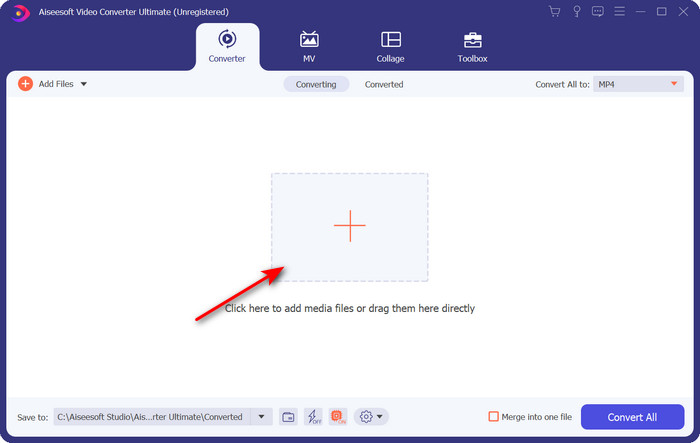
Schritt 2. Klicken Sie dann auf Dateien hinzufügen oder auf die +-Schaltfläche, um die GIF-Datei in die Software zu laden, und klicken Sie auf Öffnen.
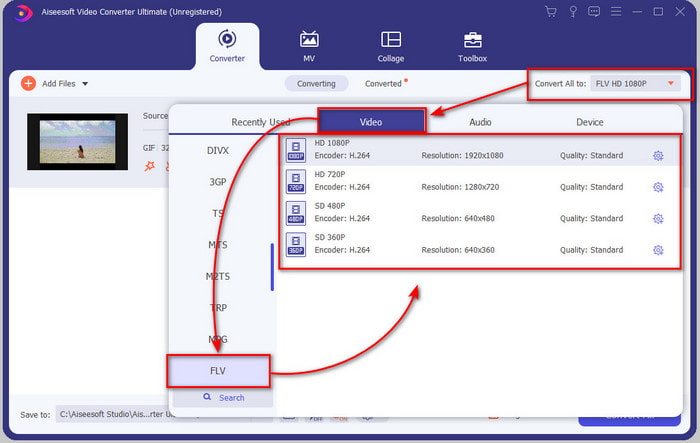
Schritt 3. Klicken Sie auf der linken Seite der Konverter-Oberfläche auf Alle konvertieren in und wählen Sie anschließend FLV als Zielformat aus.
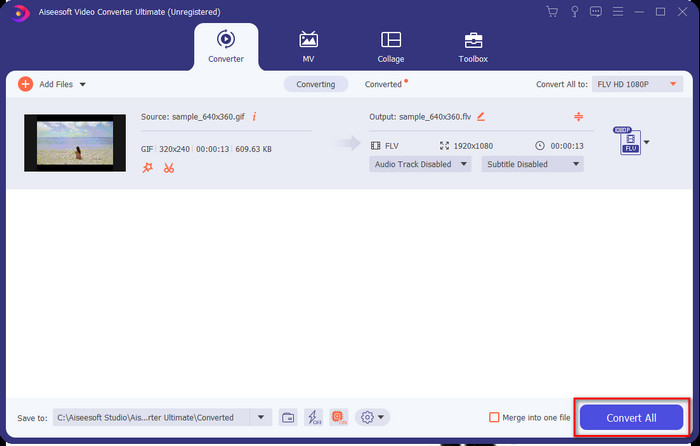
Schritt 4. Wenn Sie bereit sind, GIF in FLV zu konvertieren, klicken Sie auf Alle konvertieren.
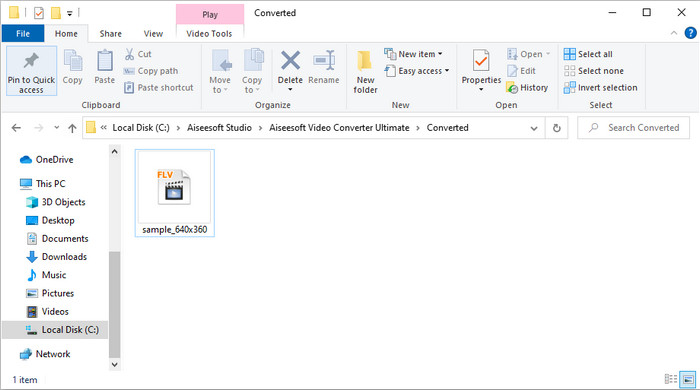
Schritt 5. Ein Ordnerfenster mit der konvertierten Datei erscheint auf dem Bildschirm, und nun ist sie bereit, überallhin versendet zu werden.
Teil 2. Konvertieren Sie GIF in FLV Online
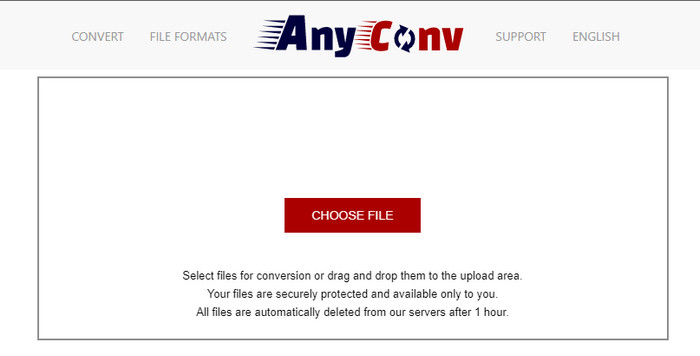
Sie können AnyConv nutzen, um GIF online und kostenlos in FLV umzuwandeln; außerdem unterstützt es eine große Vielfalt an Dateiformaten für Bilder, E-Books, Dokumente und mehr. Darüber hinaus können Sie diesen Konverter jederzeit und überall mit einer Internetverbindung verwenden. Allerdings können Sie hier keine Stapelkonvertierung durchführen, um Zeit zu sparen, da jede Datei einzeln konvertiert werden muss. Zudem können Sie keine Mediendateien mit mehr als 50 MB hochladen, da diese Größe nicht unterstützt wird. Wenn Sie wissen möchten, wie Sie dieses Online-Tool verwenden, folgen Sie der Anleitung unten.
Schritt 1. Rufen Sie das Onlinetool in Ihrem Browser auf.
Schritt 2. Klicken Sie auf Datei wählen, um das GIF hochzuladen, und ändern Sie dann das Format in FLV. Klicken Sie anschließend auf „Konvertieren“, um den Umwandlungsprozess zu starten.
Schritt 3. Klicken Sie auf .FLV herunterladen, um die Datei auf Ihrem Laufwerk zu speichern.
Teil 3. Konvertieren Sie GIF in FLV auf dem iPhone
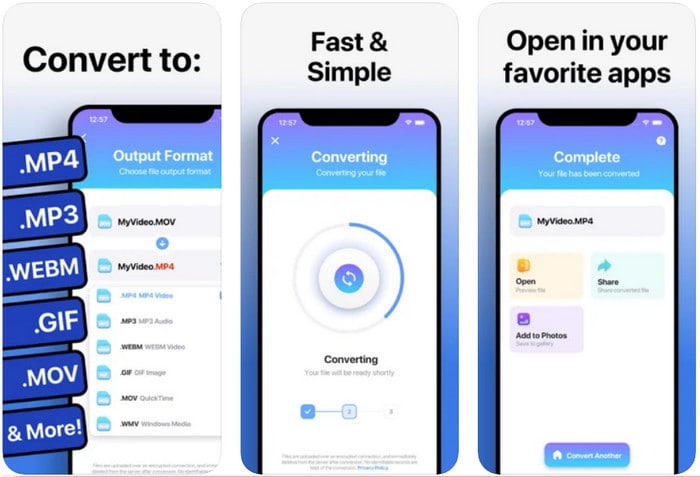
The Video Converter ist ein Spitzenkonverter, den Sie auf Ihr iOS-Gerät herunterladen können, um GIF in FLV umzuwandeln. Dieser iOS-Konverter hat von seinen Nutzern eine Bewertung von 4,2 Sternen erhalten, da er sehr leistungsstark arbeitet. Dennoch bereuen manche Nutzer den Kauf des Lifetime-Passes, den dieses Tool anbietet, weil nach dem Kauf viele Abstürze und Bugs auftreten. Wenn Sie es dennoch ausprobieren möchten, können Sie die kostenlose Version nutzen, indem Sie sie herunterladen und die folgenden Schritte befolgen.
Schritt 1. Öffnen Sie das Tool nach dem Download, tippen Sie auf Fotos und suchen Sie das GIF.
Schritt 2. Das Dropdown-Menü wird automatisch angezeigt; suchen Sie dann nach dem Format FLV und tippen Sie darauf.
Schritt 3. Tippen Sie auf Dateien konvertieren, um die Umwandlung zu starten.
Teil 4. Konvertieren Sie GIF in FLV auf Android
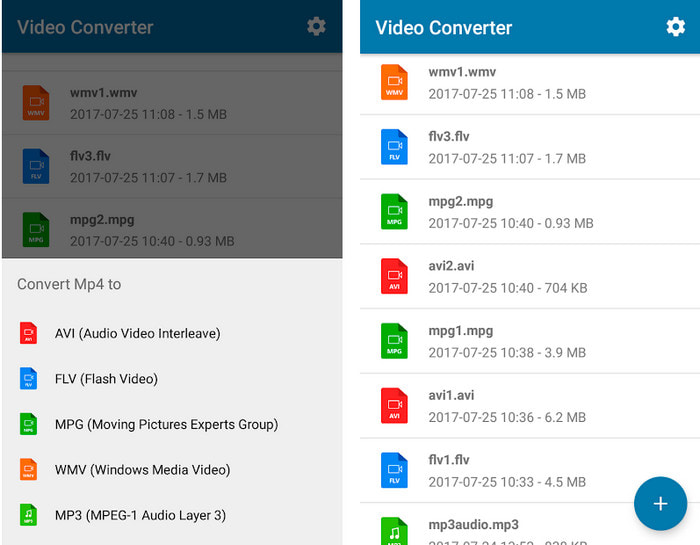
Wenn Sie Android-Nutzer sind, können Sie Video Converter: MP3, AVI, MPEG, GIF, FLV, WMV, MP4 verwenden, um GIF schnell in FLV zu konvertieren. Diese App ist im Play Store Ihres Smartphones verfügbar, sofern Sie das Format gerne in eine neue Version umwandeln. Im Gegensatz zur zuvor genannten App erhält dieser Konverter allerdings nur eine niedrige Bewertung von 2,3 Sternen auf Basis von 1.000 Rezensionen. Obwohl diese Bewertung sehr gering ist, kann die App Ihre Datei dennoch in ein anderes Format umwandeln. Wenn Sie wissen möchten, wie das funktioniert, folgen Sie den Schritten unten.
Schritt 1. Laden Sie die App auf Ihr Android-Gerät herunter, indem Sie sie im Play Store suchen.
Schritt 2. Öffnen Sie sie, tippen Sie unter GIF auf die Plus-Schaltfläche, um die Datei zu finden, die Sie konvertieren möchten. Eine neue Option erscheint; tippen Sie dann auf FLV (Flash Video).
Schritt 3. Nachdem die Datei konvertiert wurde, finden Sie das Video im Ordner auf Ihrem Smartphone.
Teil 5. Kurze Diskussion über GIF und FLV
Das GIF-Format ist unkompliziert zu verstehen, da wir sie fast täglich sehen und verwenden. Dieses Format enthält ein bewegtes Bild; Obwohl die Mediendateien animiert sind, wird es immer noch nicht als Videoformat betrachtet. Lassen Sie uns ein wenig tiefer in GIFs eintauchen; Dieses Format unterstützt 8 Bit pro Pixel für Bilder mit einer Farbpalette von bis zu 256 Farben in einer 24-Bit-RGB-Farbkombination. Obwohl die Farben viel sind, ist dies immer noch nicht genug, wenn man bedenkt, dass JPG und PNG mehr Farbkombinationen enthalten. Wenn Sie jedoch kein langweiliges Standbild haben möchten, müssen Sie ein GIF verwenden, da es klein und animiert ist.
Andererseits ist FLV das beste Format für die Übertragung von Video- und Audiodateien über das Internet. Betrachtet man diese Datei als Standard-Videoformat auf HTML 5, verwenden Sie selbst keine Flash-Plug-Ins zum Abspielen von Videos. Bisher hat dieses Format im Vergleich zu GIF viel Unterstützung beim Online-Sharing erhalten.
Um fortzufahren, wenn Sie ein GIF zu allen Social-Media-Sites hinzufügen oder teilen möchten, ist es ein Muss, die Datei zuerst in FLV zu konvertieren, ohne die Qualität zu verlieren.
Teil 6. Häufig gestellte Fragen zur Konvertierung von GIF in FLV
Wie erstelle ich ein GIF?
Auch wenn Sie GIFs online herunterladen oder generieren können, ist es besser, ein eigenes zu erstellen. Wenn Sie das Geheimnis kennen möchten, wie man personalisierte GIFs macht, klicken Sie auf diesen Link und lesen Sie die Details dort.
Wie lange kann ein GIF abgespielt werden?
Die maximale Länge eines GIFs sollte 15 Sekunden nicht überschreiten, aber wenn sich Ihr GIF in einer Schleife befindet, gibt es keine zeitliche Begrenzung. Es ist der Standard für jedes GIF, die Datei schneller zu senden und weniger zu laden.
Kann ich GIFs auf VLC abspielen?
Wie bereits erwähnt, ist GIF ein Bildformat und kein Videoformat. Wenn Sie also GIF-Dateien im VLC-Player öffnen, werden sie als Standbild und nicht als bewegtes Bild angezeigt. Hier finden Sie die besten GIF-Player, die Sie verwenden können.
Fazit
Aus den obigen Ausführungen ergibt sich, dass wir GIFs nun problemlos in FLV, AVI, MP4, MOV und andere Formate konvertieren können, ganz ohne Umstände. Wenn Sie die Konvertierung jedoch besonders effektiv durchführen möchten, sollten Sie den FVC Video Converter Ultimate herunterladen. Denn dieses Tool ist nicht nur beim Formatumwandeln führend, sondern auch in vielen anderen Bereichen hervorragend. Möchten Sie wissen, welche Funktionen dieses Tool bietet? Dann klicken Sie auf die Download-Schaltfläche und entdecken Sie alle Features dieser Software.
-
 Was ist der beste Weg, um GIF in AVI zu konvertieren [Open-Source & Premium]
 Möchten Sie Ihr GIF in ein AVI-Format konvertieren, ohne die Qualität des Videos zu verlieren? Lesen Sie weiter, um zu erfahren, wie Sie Ihre GIF-Datei in AVI konvertieren.
-
 Bester GIF-Konverter zum Konvertieren von animiertem GIF in das MOV-Format [2021]
 Konvertieren Sie Ihr GIF mühelos in das MOV-Format, ohne die Qualität der Videodatei zu beeinträchtigen. Auch mit Stufen und verschiedenen Werkzeugen.
-
 Top 10 GIF-zu-MP4-Konverter zum Konvertieren von animiertem GIF zu MP4 [2021]
 Finden Sie heraus, welcher Konverter GIF am besten in MP4 konvertiert. Mithilfe dieses Artikels werden wir über die verschiedenen Tools sprechen, die Sie verwenden können, und auf dem Laufenden bleiben.
