


 Video Converter Ultimate
 Bildschirm recorder
 Videoreparatur
Top 3 der idealen Konverter zum Konvertieren von VOB-Dateien in das GIF-Format
VOB-Dateien sind Dateien, die am häufigsten auf DVDs zu sehen sind und fast alle Daten wie Navigation, Menü, Untertitel, Video, Audio usw. enthalten können. Außerdem kann dieses Format problemlos Wiedergabeprogramme speichern und ist dennoch schwer zu speichern Ihr Schreibtisch. Um einige der Video-Highlights im VOB-Format einfach und effektiv auf anderen Social-Media-Plattformen zu teilen. Das beste Format, das Sie verwenden können, ist das GIF-Format, obwohl dieses Format keine Audiodatei unterstützt, ist es dennoch das beste Format, um es weltweit zu teilen. Um eine bessere Vorstellung davon zu bekommen, wovon wir sprechen, fahren wir mit dem Tool fort, mit dem Sie eine VOB-Datei in GIF konvertieren können, damit Sie sie ansehen und mit der Welt teilen können.

Teil 1. 3 verschiedene Methoden, wie man eine VOB-Datei in GIF umwandelt
Methode 1. Verwenden Sie die Desktop-Software – FVC Free Video Converter
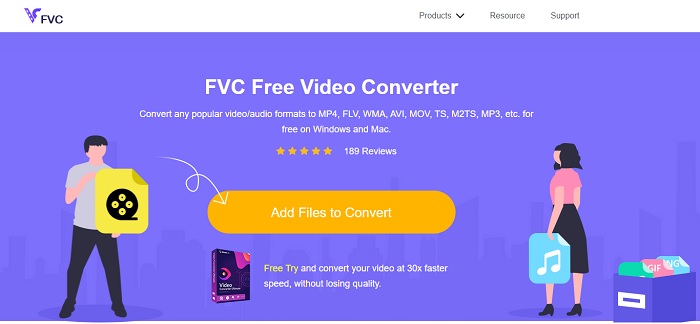
Der beste Online-Konverter, der von FVC entwickelt wurde, um eine VOB-Datei in GIF zu konvertieren, ist der FVC Free Video Converter. Obwohl dieses Tool kostenlos ist, fehlen dennoch einige Formate, aber die gängigsten Formate sind hier vorhanden. Außerdem können Sie in diesem Webtool die Bitrate, die FPS und die Auflösung der Videodatei ändern. Wichtige Bearbeitungsfunktionen wie das Verbessern von Video und Audio, das Erstellen von GIFs oder das Verstärken des Tons sind jedoch nicht verfügbar. Die Konvertierung ist jedoch deutlich schneller als bei fConvert und die Webseite dieses Tools enthält keine lästigen Werbeanzeigen. Um zu erfahren, wie dieses Tool funktioniert, folgen Sie den untenstehenden Schritten und lernen Sie von einem der besten Online-Tools, das Sie kostenlos nutzen können.
Schritte zur Verwendung des FVC Free Video Converter für die Online-Konvertierung
Schritt 1. Klicken Sie auf den obigen Hyperlink, der auf die Hauptwebsite des FVC Free Video Converter verweist.
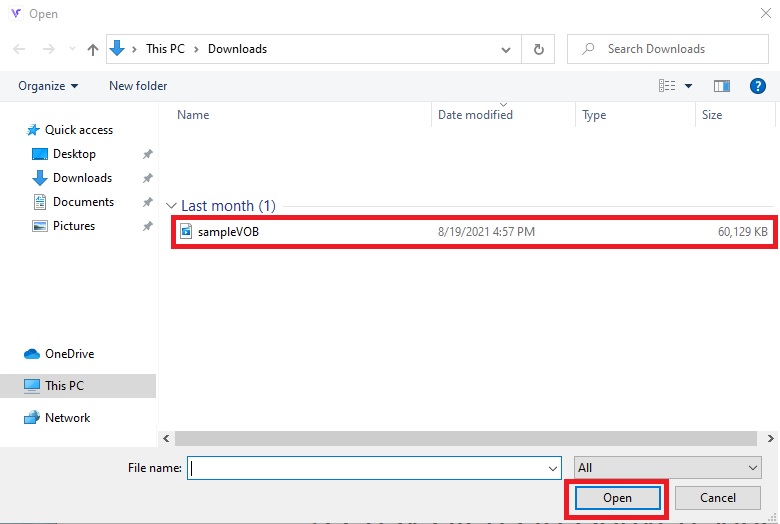
Schritt 2. Klicken Sie auf Dateien hinzufügen, um zu konvertieren, suchen Sie die VOB-Datei und klicken Sie auf Öffnen.
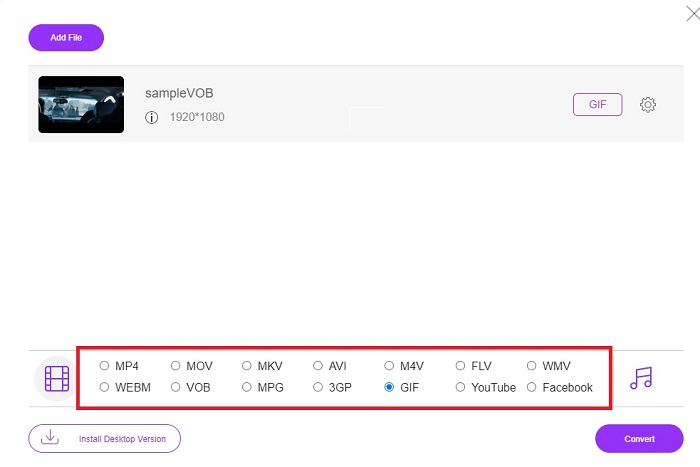
Schritt 3. Wählen Sie im unteren Bereich das Format aus, in das die endgültige Ausgabe konvertiert werden soll, und klicken Sie darauf.
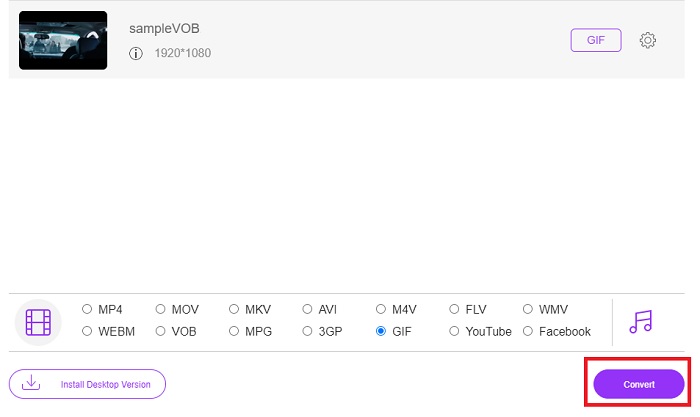
Schritt 4. Klicken Sie auf Konvertieren, um die Umwandlung zu starten.
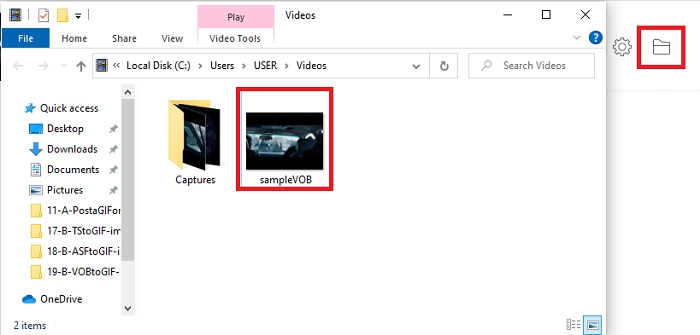
Schritt 5. Um die soeben konvertierte VOB-Datei zu finden, klicken Sie auf die ordnerartige Schaltfläche, um den Ordner zu öffnen, in dem sich die konvertierte Datei befindet.
Methode 2. Verwenden Sie Freeware – FVC Free Video to GIF Maker
Wenn das Online-Tool Sie überzeugt hat, dann lernen Sie wie man eine .vob-Datei in ein GIF konvertiert mit Hilfe des FVC Free Video to GIF Maker. Wenn das Konvertieren Ihr Problem ist, dann lösen wir es mit Hilfe dieses kostenlosen herunterladbaren Tools. Es unterstützt mehr Formate als das kostenlose Online-Tool und bietet zudem grundlegende Bearbeitungsfunktionen. Große Bearbeitungsfunktionen wie beim Ultimate Converter, den FVC anbietet, fehlen hier allerdings. Neben dem Ultimate Converter können Sie dieses Programm dennoch verwenden, da es zu den besten Tools gehört, um sicher und effizient zu konvertieren. Außerdem ist es wesentlich schneller als jedes webbasierte Tool, auf das Sie online zugreifen können. Wenn Sie also eine schnellere und effektivere Konvertierung wünschen, folgen Sie den unten angegebenen Schritten.
Schritte zur Verwendung des FVC Free Video to GIF Maker zur Offline-Konvertierung
Schritt 1. Laden Sie den FVC Free Video to GIF Maker auf Ihre PC- oder Mac-Festplatte herunter. Nehmen Sie dann die gewünschten Einstellungen im Setup vor und klicken Sie nach der Installation auf „Fertig stellen“, um die Änderungen zu speichern.
Kostenloser DownloadFür Windows 7 oder höherSicherer Download
Kostenloser DownloadFür MacOS 10.7 oder höherSicherer Download
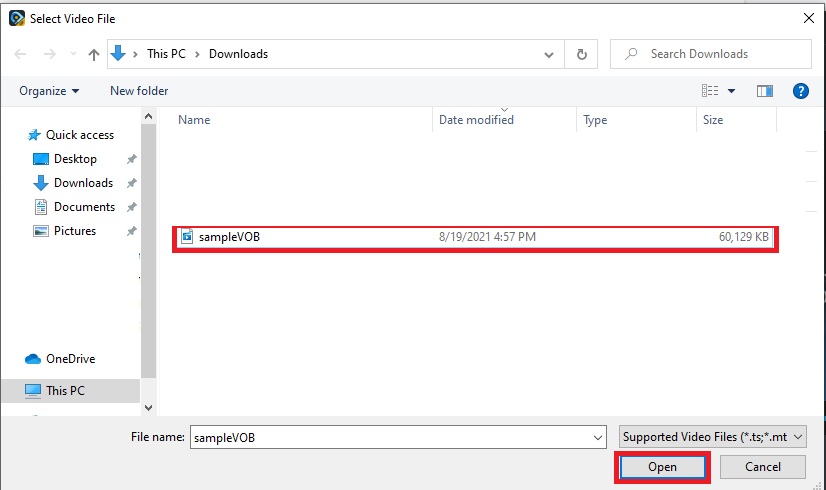
Schritt 2. Um Dateien in die Oberfläche zu importieren, klicken Sie auf die Schaltfläche Datei hinzufügen oben links in der Oberfläche. Klicken Sie anschließend auf Öffnen, um die VOB-Datei in die Hauptoberfläche zu laden.
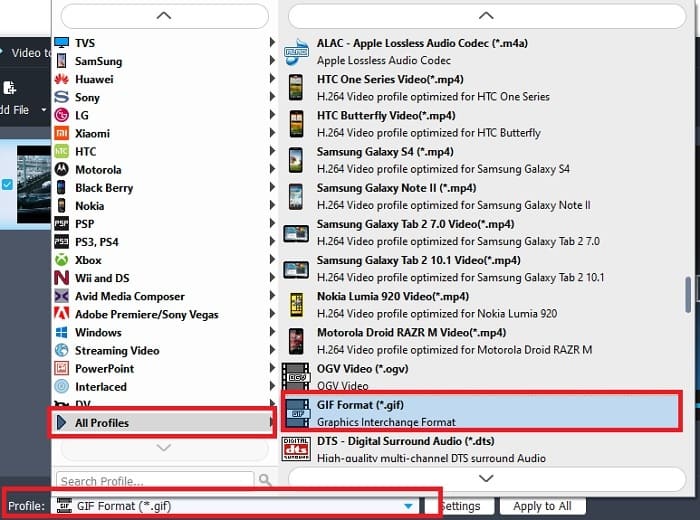
Schritt 3. Ändern Sie das Format, indem Sie auf Profil klicken und das gewünschte Zielformat auswählen.
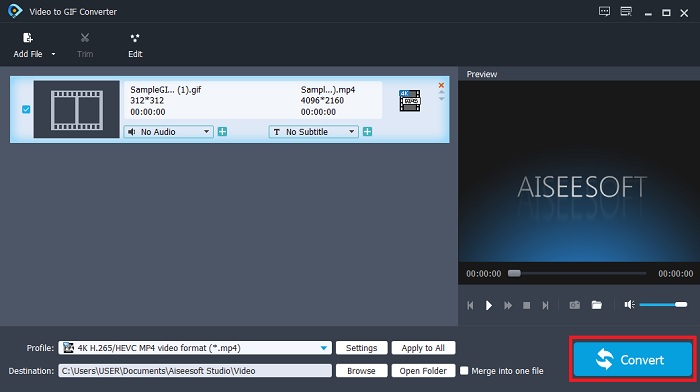
Schritt 4. Starten Sie die Umwandlung der VOB-Dateien, indem Sie die Schaltfläche Konvertieren drücken.
Schritt 5. Suchen Sie die Datei in Ihrem Dateimanager und spielen Sie die VOB-Datei ab, die Sie zuvor konvertiert haben.
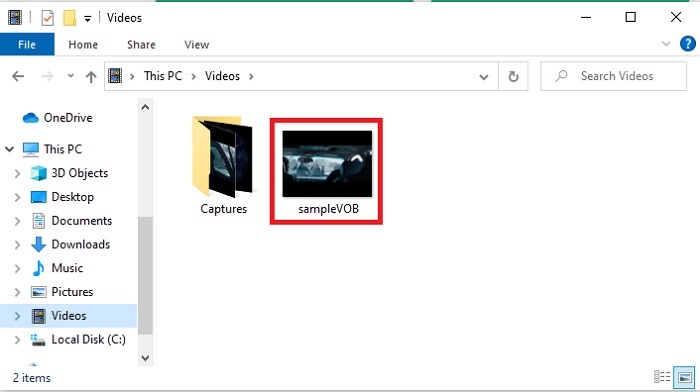
Methode 3. Verwenden Sie ein Online-Tool – fConvert
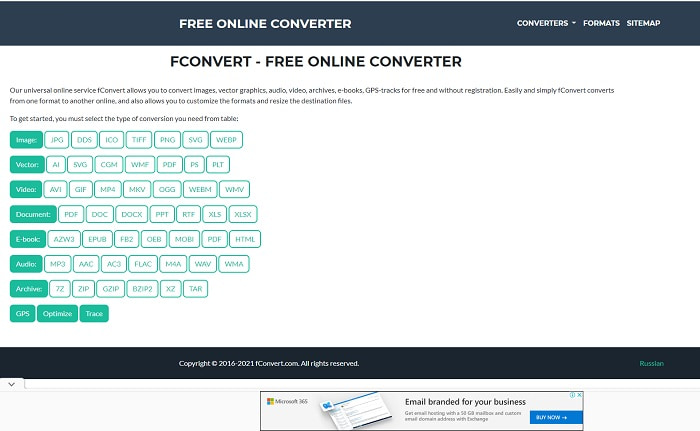
Ein weiteres Online-Tool, mit dem Sie VOB-Dateien konvertieren können, ist fConvert. Mit diesem Webtool kann der Nutzer jedes Medienformat in eine neuere Version umwandeln, um es weiterzuverwenden. Allerdings gibt es auf der Website einige lästige Werbeanzeigen. Auch wenn diese noch erträglich sind, sind die Anzeigen auf der Hauptseite recht störend. Obwohl fConvert fast alle gängigen Konvertierungen unterstützt, ist die Anzahl der Formate immer noch geringer als beim FVC Free Video Converter. Zusätzlich sollten Sie wissen, dass beim Starten des Konverters noch mehr Werbung erscheint als auf der Website selbst – achten Sie also darauf, nicht auf eine andere Seite umgeleitet zu werden.
Schritt 1. Öffnen Sie Ihre Suchmaschine und suchen Sie die Hauptwebsite des Tools.
Schritt 2. Wählen Sie den Konvertierungsvorgang aus, der ausgeführt werden soll.
Schritt 3. Fügen Sie dann die zu konvertierende Datei hinzu und warten Sie, bis der Vorgang abgeschlossen ist.
Teil 2. Häufig gestellte Fragen zur Konvertierung von VOB in GIF
Was ist eine VOB-Datei?
VOB kann Multiplex-Stream-Daten in DVDs enthalten, und meistens ist dieses Format auch verschlüsselt. Abgesehen davon können VOB-Dateien aufgrund der Einschränkungen, die dieses Format bietet, nicht einfach auf DVDs gerippt werden. Wenn Sie das Rippen der .vob-Datei erzwingen, besteht die Möglichkeit, dass das Ergebnis viele verlorene Daten enthält, oder wenn Sie Glück haben, ist die Wahrscheinlichkeit, dass sie ordnungsgemäß gerippt wird, sehr gering. Aber Sie können VOB-Dateien über das Internet herunterladen, aber Sie können sie nicht auf Ihren Telefonen oder Desktops abspielen, wenn Sie nicht über die richtige Datei verfügen. Es besteht die Möglichkeit, dass eine Benachrichtigung wie diese Datei wird nicht unterstützt oder diese Datei ist verschlüsselt auf Ihrem Bildschirm angezeigt wird.
Wo kann ich meine VOB-Datei abspielen, ohne sie zu konvertieren?
Die Konvertierung ist eine ideale Lösung, um dieses Problem zu lösen. Wenn Sie sich jedoch nicht mit dem Konvertieren beschäftigen möchten, können Sie die Datei auch direkt hier abspielen. Dieser Media Player stammt ebenfalls von FVC und dient dazu, alle nicht abspielbaren Formate wiederzugeben, auf die Sie bereits gestoßen sind. Der Blu-ray Player ist eine der Lösungen, um nicht abspielbare VOB-Dateien ohne zusätzliche Software wiederzugeben. Um dieses Tool herunterzuladen, klicken Sie auf den untenstehenden Link. Blu-ray Player für PC herunterladen Blu-ray Player für Mac herunterladen
Was ist besser: VOB oder MP4?
Wenn wir die Datei auf DVDs oder CDs speichern möchten, ist es idealer, VOB-Dateien als MP4 zu verwenden. Da diese Datei viel kleiner ist, können Sie mehr speichern, ohne an Qualität zu verlieren. Aber wenn Sie es auf Ihrem Telefon oder Desktop speichern möchten, dann ist MP4 viel besser als VOB-Datei. Um MP4 in VOB oder umgekehrt zu konvertieren, können Sie das Videokonverter-Tool wie FVC Free Video Converter nutzen, um die Formatkonvertierung zu erreichen.
Geht nach der Konvertierung von VOB die Qualität verloren?
Dies ist nur möglich, wenn Sie den falschen Konverter verwenden. Auch wenn das Konvertieren einfach aussieht, ist die Wahl des richtigen Konverters schwieriger, als Sie denken. Wenn Sie eine außergewöhnliche Konvertierung erleben möchten, müssen Sie den FVC Video Converter Ultimate herunterladen und selbst testen. FVC Video Converter Ultimate für PC herunterladen FVC Video Converter Ultimate für Mac herunterladen
Fazit
Um die Diskussion zu beenden, wenn Sie erneut auf nicht abspielbare VOB-Dateien stoßen, müssen Sie erwägen, sie in ein abspielbares Format zu konvertieren. Obwohl der FVC Video Converter Ultimate hier nicht erwähnt wird, ist der Konvertierungsprozess, den dieses Tool bietet, im Gegensatz zu anderen schnell, einfach, effizient und effektiv. Um das Tool zu erkunden, müssen Sie es jetzt auf Ihren PC oder Mac herunterladen.
-
 [2 Lösungen] So konvertieren Sie SWF-Dateien einfach und kostenlos in GIF-Dateien
 Wenn Sie das GIF-Format über die Flash-Software nicht exportieren können, können Sie zunächst versuchen, die Dateien im SWF-Format zu speichern. Dann erfahren Sie in diesem Artikel 2 einfache Möglichkeiten zum Konvertieren von SWF- in GIF-Dateien.
-
 [2 Lösungen] So konvertieren Sie WMV-Videos kostenlos in GIF-Dateien
 Wenn Sie die wunderbaren Teile der WMV-Videos ausschneiden und daraus GIFs erstellen möchten, können Sie in diesem Artikel zwei einfache Methoden zum Übertragen von WMV-Videos in GIFs kennenlernen
-
 MOV to GIF – So konvertieren Sie MOV in animiertes GIF auf Mac, PC und online kostenlos
 Was ist ein GIF? Wie konvertiert man Videos in GIF? Wie ändere ich MOV online in animiertes GIF? In diesem Beitrag erfahren Sie, wie Sie MOV online auf Mac/PC in GIF konvertieren können.
