


 Video Converter Ultimate
 Bildschirm recorder
 Videoreparatur
 Sicherer Download
Was sind die besten QuickTime-Ersatzteile, die in allen Softwares verfügbar sind (kostenlos und kostenpflichtig)
QuickTime Player ist der lokale Medienplayer im macOS-System. Er ist tatsächlich der beste kostenlose Medienplayer von Apple, aber seine Nutzung ist auf andere Betriebssysteme, wie etwa Windows, nicht übertragbar. Daher haben Mac‑Benutzer Schwierigkeiten, sich für den besten QuickTime‑Player‑Ersatz zu entscheiden, den sie verwenden sollten. Ohne weiter um den heißen Brei zu reden, liefert Ihnen dieser Artikel genügend Informationen über die einzelnen Tools und zeigt, welche anderen Alternativen Sie nutzen können, um Videos so effizient anzusehen, wie es QuickTime ermöglicht. Lesen Sie diesen Beitrag weiter, um mehr über diese Mediaplayer zu erfahren.

Teil 1. Der beste Online-QuickTime-Ersatz
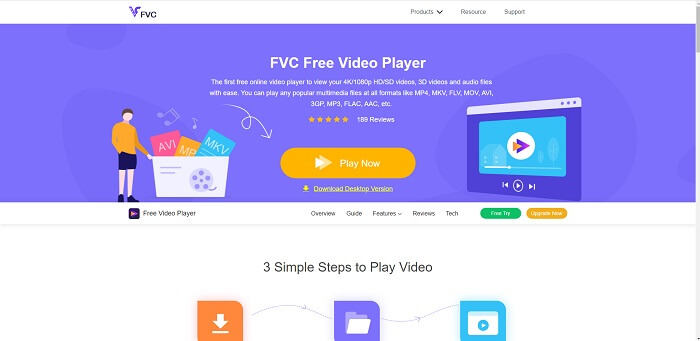
Wenn Sie online nach der besten Alternative zum QuickTime Player suchen, ist dies genau das Richtige für Sie. Es ist keine Anmeldung, kein Login und keine Bezahlung erforderlich. Das Erstaunliche daran ist außerdem, dass Sie jederzeit und überall mit einer Internetverbindung darauf zugreifen können, ohne dass Sie ständig als 'Roboter' überprüft werden oder auf Bildern Feuerhydranten, Autos, Busse, Zebrastreifen und Ähnliches anklicken müssen. FVC Free Video Player wird Ihr Seherlebnis für Lieblingsvideos und ‑audios im Internet verändern. Er ist wie ein QuickTime Player, aber online. Kein Download erforderlich, und Sie müssen sich keine Sorgen machen – er ist frei von Malware.
Vorteile
- Ein Online-Tool zum Austausch von QuickTime, auf das Sie über das Internet zugreifen können.
- Rekorder der besten Wahl über das Internet. Außerdem müssen Sie das Tool nicht herunterladen. Einfach starten, platzieren und anschauen.
- Malware-sicher, keine Werbung im Web und beim Spielen.
Nachteile
- Internet abhängig.
- Wenn das Internet instabil ist, können Sie die Datei nicht genießen.
Teil 2. Die Prime Elite QuickTime Player-Alternative für Mac und Windows 10
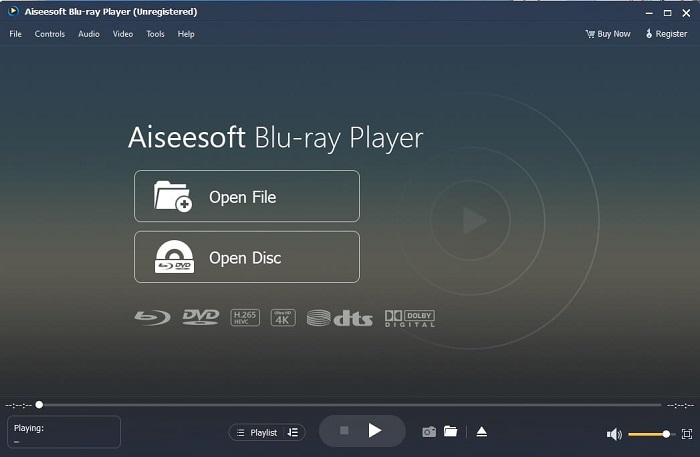
Wenn Ihnen das kostenlose Online‑Tool bereits eine gute Qualität beim Ansehen und Anhören Ihrer Lieblingsvideos und ‑audios bietet, wird dieses Programm alles noch einmal übertreffen. Wenn Sie nach einem lange versteckten Schatz suchen, ist nun der Zeitpunkt gekommen: Ihre Suche ist vorbei, denn ab heute haben Sie ihn gefunden. Dieses Tool ist die beste QuickTime‑Player‑Alternative für Windows 10 und Mac, weil es deutlich besser arbeitet und mehr Dateiformate unterstützt. Blu-ray Player ist der verlorene Schatz. Wenn Sie nach einem Mediaplayer suchen, der Ihnen eine hervorragende Leistung beim Ansehen und Anhören Ihrer Lieblingsvideos oder ‑songs bietet, sind Sie hier richtig. Man sagt, für jeden Schatz, den man an sich nimmt, müsse man einen Preis zahlen. Üblicherweise geht man davon aus, dass ein solches Programm sehr teuer sein muss, wenn es besser sein soll als QuickTime selbst. Doch dem ist nicht so. Ehrlich gesagt ist dieses Tool den anderen Mediaplayern, die Sie in diesem Artikel oder generell im Web finden, weit überlegen. Wenn Sie auf der Suche nach einem Player mit Kinoqualität sind, ist dieser Player ein absolutes Muss.
Kostenloser DownloadFür Windows 7 oder höherSicherer Download
Kostenloser DownloadFür macOS 10.7 oder höherSicherer Download
Vorteile
- Mediaplayer der S-Klasse.
- Ohne Internetverbindung funktioniert es einwandfrei.
- Es unterstützt alle Plattformen, die Sie kennen und nicht kennen. Mit mehr Qualität in Video und Audio.
Nachteile
- Es muss auf Ihren PC oder Mac heruntergeladen werden.
- Es kostet Sie $36.00.
Teil 3. Weitere 4 hilfreiche QuickTime Player-Alternativen
In der folgenden Liste finden Sie Beispiele, die Sie möglicherweise verwenden oder im Internet finden, wenn Sie nach einem Ersatz für QuickTime suchen. Weil zuvor gesagt wurde, dass QuickTime der Standard-Mediaplayer für Mac OS ist. Lesen Sie die anderen Alternativen zum QuickTime-Player für Mac und Windows, die Sie wahrscheinlich zum Ansehen von Videos verwenden können, wenn QuickTime auf Ihrer Plattform nicht unterstützt wird.
1. VLC Mediaplayer
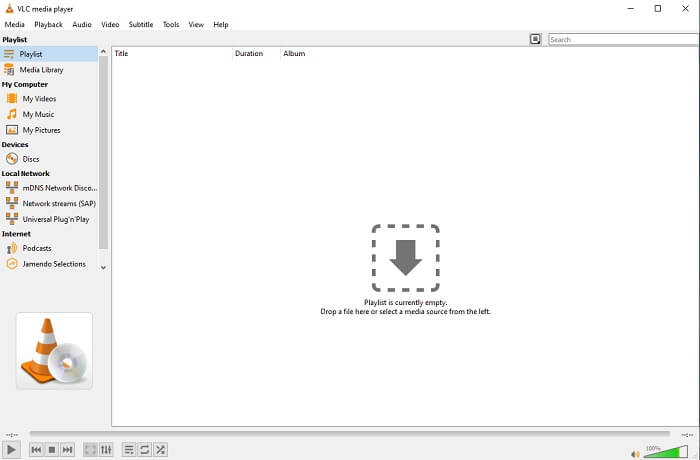
Dieses Tool macht sich seinen Namen als bester Mediaplayer im gesamten Web. Aufgrund seiner Zugänglichkeit verwenden die meisten Benutzer dies als erste Wahl. Außerdem kann es DVDs, VCDs, CDs und mehr abspielen, ohne weitere Codecs hinzuzufügen. Um es einfach zu machen, es ist ein schneller Spieler der A-Klasse.
Vorteile
- Einer der besten Mediaplayer.
- Einfache Schnittstelle.
- Offline-Tools müssen heruntergeladen werden.
Nachteile
- Einige Formate sind nicht abspielbar.
- Sie werden auf einige Fehler stoßen, die noch nicht behoben sind.
2. KM-Spieler

Ein QuickTime‑Ersatz für Windows und Mac, der es Ihnen ermöglicht, verschiedene Dateiformate in hoher Qualität abzuspielen. Anders als beim VLC Media Player lassen sich WMV‑Dateien mit KMPlayer problemlos wiedergeben. Außerdem kann er 3D‑Videos abspielen und bietet einige Bearbeitungsfunktionen.
Vorteile
- Der am häufigsten verwendete Mediaplayer.
- Bekannt für seine Hardwarebeschleunigung.
- Wiedergabe von 3D-Videos.
Nachteile
- Es ist eine Spyware/Adware.
- Es kann Ihr System aufgrund der unvermeidlichen Installation verlangsamen. Seien Sie also vorsichtig, wenn Sie diese Software herunterladen möchten.
3. MPlayer
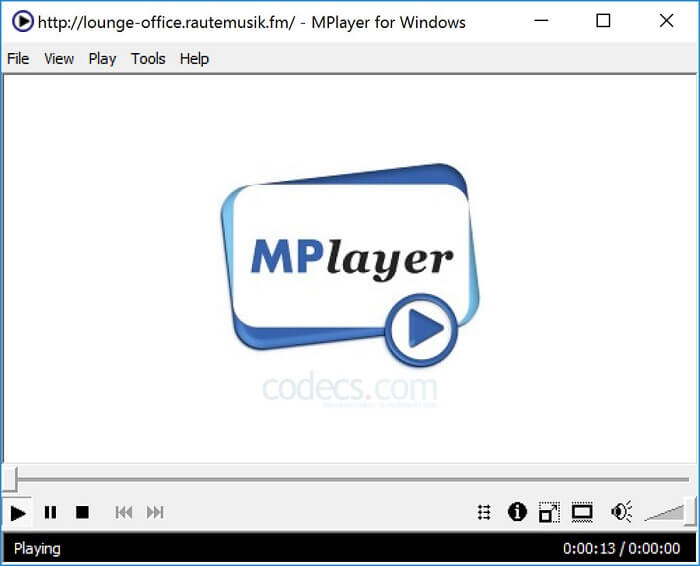
Dieses Tool ermöglicht es dem Benutzer, mit zwei getrennten Fenstern zu arbeiten. Zum Beispiel ist das Videofenster von der Hauptoberfläche getrennt. MPlayer kann verschiedene Formate abspielen und unterstützt insbesondere Dateien, die mit Ffmpeg aufgenommen wurden.
Vorteile
- Punktgenaues Werkzeug.
- es wird kein zusätzlicher Codec benötigt.
- Tastenkombinationen.
Nachteile
- In einigen Fällen sind die Dateien, die Sie auf dem anderen Media Player abspielen, abspielbar, aber wenn Sie diesen verwenden, besteht die Möglichkeit, dass er nicht abgespielt wird. Es ist immer noch aus unbekannten Gründen.
- Fehlende Verzeichniswiedergabe.
4. Perian
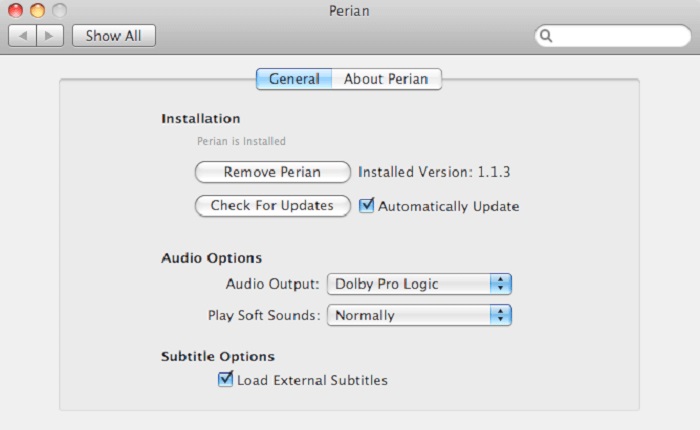
Wenn Sie eine veraltete QuickTime‑Version haben und wissen möchten, welche anderen Optionen es für Sie gibt, ist dies die richtige Wahl. Perian ist als das Schweizer Taschenmesser für Ihr Mac‑Betriebssystem bekannt. Wenn die alte QuickTime‑Version Ihr gewünschtes Format nicht abspielen kann, können Sie Perian verwenden, denn damit lassen sich in QuickTime Player deutlich mehr Dateiformate wiedergeben.
Vorteile
- Auch an veraltetem QuickTime funktioniert es noch.
- Unterstützt mehr Wiedergabe für ältere QuickTime-Versionen.
- SSA- und SRT-Untertitelformate von QuickTime werden weiterhin unterstützt.
Nachteile
- Es funktioniert nicht auf der modernen Version von QuickTime 10.
- Wenn Sie eine Version von QuickTime aus dem Jahr 2012 verwenden, ist dies nicht erforderlich. Denn QuickTime kann noch mehr leisten, was dieses Tool bietet.
Teil 4. Häufig gestellte Fragen zum QuickTime Player
Was kann ich tun, außer Videos auf QuickTime abzuspielen?
QuickTime bietet außerdem weitere Funktionen wie Aufnahme, Bearbeiten und Trimmen, Neu anordnen, Drehen sowie das Teilen von Videos und Bildern.
Hat QuickTime eine Pro-Version davon?
Ja, es gibt auch eine Pro-Version davon. Wie üblich bietet die Pro-Version mehr Funktionen als die kostenlose Version.
Gibt es ein nicht abspielbares Dateiformat, wenn Sie QuickTime verwenden?
In manchen Fällen lassen sich MOV‑ und MP4‑Dateien nicht abspielen, weil sie komplexe Codecs verwenden. Dies tritt besonders häufig auf, wenn Sie eine ältere QuickTime‑Version nutzen. Die beste Lösung besteht daher darin, MOV in MP4 zu konvertieren.
Fazit
Nun wissen Sie, welche Tools Sie verwenden können, wenn Sie einen Mediaplayer wie QuickTime möchten. Wie bereits erwähnt, hat jedes dieser Programme seine eigenen Stärken, gemeinsame Merkmale und Besonderheiten, die es von anderen Mediaplayern unterscheiden. Aber es ist eindeutig, dass der beste QuickTime‑Player‑Ersatz – oder genauer gesagt das Tool, das QuickTime übertreffen kann – der Blu-ray Player ist. Er ist QuickTime in allen Bereichen überlegen, insbesondere was die Verfügbarkeit und vieles mehr betrifft. Vielleicht fragen Sie sich noch, warum Sie dieses Programm kaufen sollten. Der einzige Grund ist, dass es den anderen Tools, die Sie im Web oder in anderen Artikeln finden können, weit überlegen ist. Worauf warten Sie also noch? Sehen Sie Filme wie ein Profi und nutzen Sie ihn als Ihren persönlichen Standard‑Mediaplayer.
-
 Bester 1080p HD-Videoplayer für Windows / Mac / iOS / Android im Jahr 2025 Kommentare Feed
 Wenn Sie nach einem Videoplayer suchen, um 1080p-High-Definition-Videos auf Ihrem Computer anzusehen, sehen Sie sich unsere Auswahl der besten 1080p-HD-Videoplayer für Mac, Windows PC, iOS und Android an.
-
 5 praktikable Methoden zur Behebung von QuickTime kann MOV-Dateien nicht öffnen Kommentar-Feed
 Das MOV-Format wird hauptsächlich für die Wiedergabe im QuickTime Player erstellt. Manchmal können Sie jedoch feststellen, dass sie nicht darin spielen. Erfahren Sie in diesem Beitrag, wie Sie beheben können, dass QuickTime MOV-Dateien nicht abspielt.
-
 So konvertieren Sie MKV-Dateien zum reibungslosen Abspielen auf PS3
 Möchten Sie MKV-Videos auf Ihrer PS3 abspielen? PS3 kann MKV-Dateien jedoch nicht direkt abspielen. Dieser Artikel zeigt Ihnen, wie Sie MKV-Videos in PS3-unterstützte Videoformate konvertieren können, um sie problemlos auf PS3 abzuspielen.
