


 Video Converter Ultimate
 Bildschirm recorder
 Videoreparatur
Ausführliche Rezensionen zu den 3 Web- und Desktop-Konvertern, die zum Konvertieren von WMV-Dateien in AVI . verwendet werden
There will be a time that you want to convert your file into a new one because they aren't playable. An excellent example in this situation is the WMV format. If you are a Windows user, you have already heard of this format. It stores different video and audio files in one container. However, this format doesn't gain support from most of the media players. So the best way to watch the video file stored in the file extension of .wmv is to convert. If you're asking the same question as others, can you convert WMV to AVI? Then try to proceed below as we accumulate different web tools you can use with the steps provided.
Teil 1. Top 3 Konverter zum kostenlosen Konvertieren von WMV in AVI Online
Top 1. Kostenloser FVC-Videokonverter online
Converting can be quickly done if you have internet access and use this FVC Free Video Converter Online. This software supports a much faster and better conversion, unlike other webtool. Also, you will not need to wait for the file to upload because this tool doesn't want you to wait for too long. Another good thing about this web tool is the built-in converted video library this tool provides. To access the video or audio, you convert efficiently and effectively. However, if you don't have internet access, you can't use this just like the other web tool below. Moreover, if you want to try this tool, then here are some provided steps you can follow to convert WMV to AVI for free online.
Step 1. First, go to the main website of the FVC by clicking this link.
Step 2. Then click Add Files to Convert to install the launcher of the web tool. No need to worry because it is only just a few bytes, and it is safe also. If the installer is on your drive, re-click the Add Files to Convert, choose the .wmv format on the folder, and click Open.
Laden Sie die Desktop‑Version herunter, um Dateien stapelweise zu konvertieren.
Step 3. Once the WMV file is on the interface, you must now choose the AVI format on the options available below.
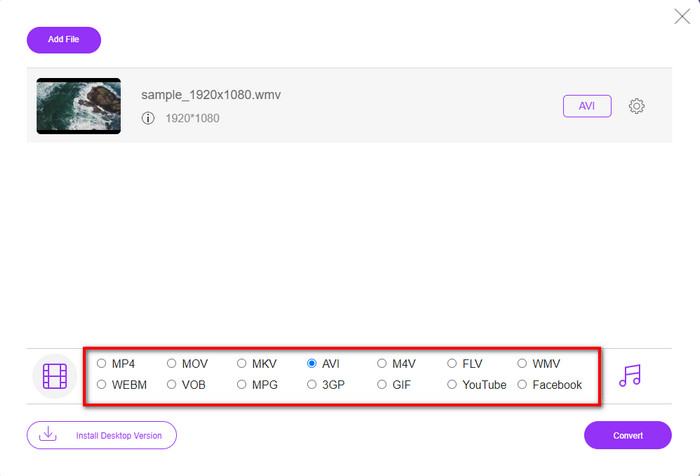
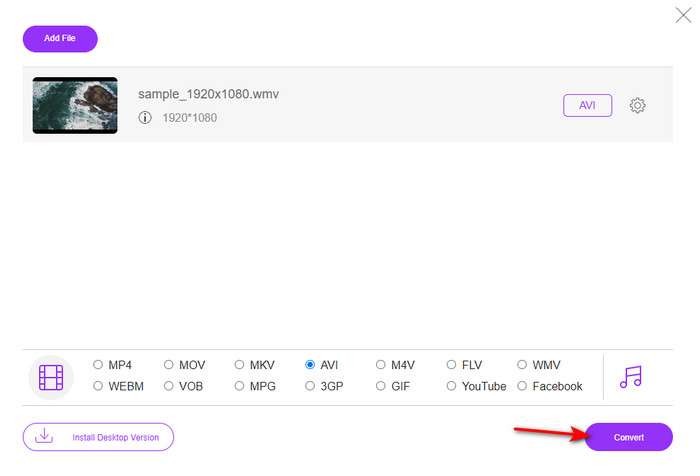
Step 4. After selecting the format, it is now the right time to convert it by clicking Convert.
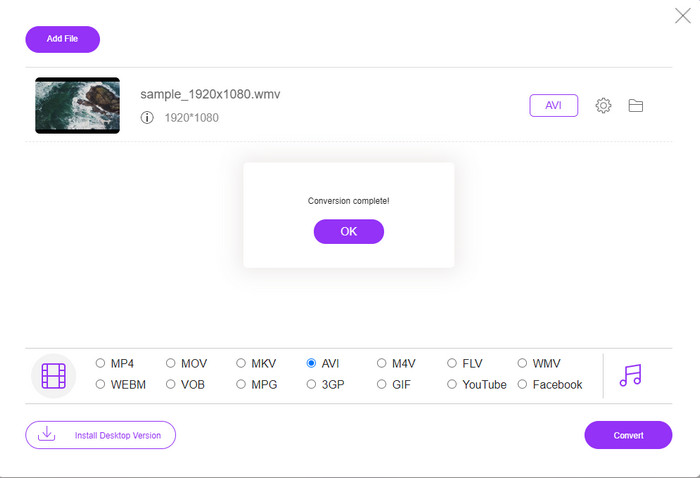
Step 5. Wait for a few minutes for the process to end, and if it is a folder containing your converted file will show on your screen. Then click it to watch the new WMV format you've made with this tool.
Top 2. Konvertieren
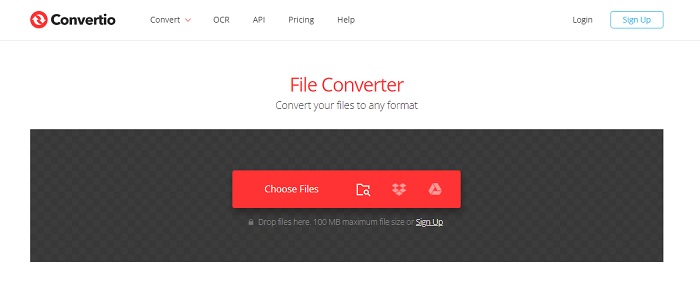
Another online converter you can use to convert WMV files to AVI for free is the Convertio. Unlike the web tool mentioned first, you will not need a launcher to use it. Also, you can convert PDFs, images, audio, and more in this tool. However, the major drawback is that uploading and downloading files will take a lot of time. Also, it doesn't have a built-in library containing all the converted files you've made. So now, if you want to use this as your converter, then follow these steps.
Step 1. Go to your favorite browser and search Convertio.io.
Step 2. Click Choose File and locate the WMV file you want to convert to the folder. Then click the drop-down button and choose AVI.
Step 3. The uploading process will take your time, and click Download to save the converted format.
Top 3. CloudConvert
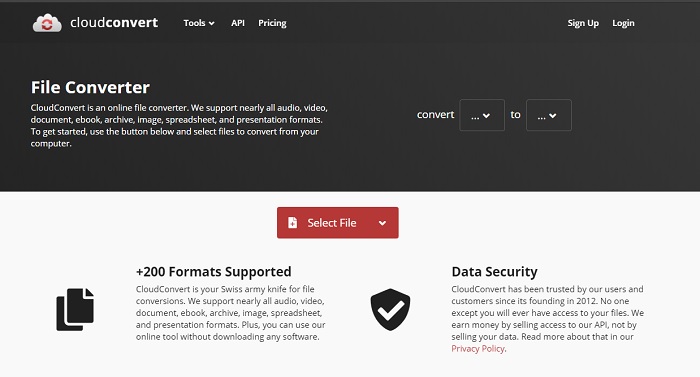
CloudConvert supports small-scale formats you can choose to convert on. Also, the conversion process here is safe and doesn't keep a record of your converting process. Just like the Convertio, this tool doesn't have a library as well. And the process of converting format here is so much slower as it doesn't support hardware acceleration to boost the conversion speed. Moreover, if you want to experience a free convert WMV to AVI online, copy the steps below.
Step 1. Open your web browser and search the Cloud Convert.
Step 2. Press Select File, then search for the .wmv file on the folder that will show on your screen.
Step 3. Click Convert to, choose the AVI format, click the Convert button, click Download after the conversion.
Teil 2. So ändern Sie WMV in AVI auf Mac & PC mit dem Lightning Speed Converter
The online software mentioned above can't copy what FVC Video Converter Ultimate provides to its customers. If you are looking for a multi-purpose tool, this must be the best choice. Also, you can use this software as a converter, editor, GIF maker, and more. Moreover, this software is more than expected on what it can do and how fast it can finish. The overall performance of this tool amazes us and if you want to be surprised too, then download this phenomenal converter on your desktop. And now, let's proceed with converting WMV to AVI on Mac and PC by following the step-by-step procedure we made below.
Step 1. Before you can access the tool, you will need to download it first and choose which platform you are currently using. Then install the software on your desktop and so the quick set-up takes less than a minute.
Gratis DownloadFür Windows 7 oder neuerSicherer Download
Gratis DownloadFür MacOS 10.7 oder neuerSicherer Download
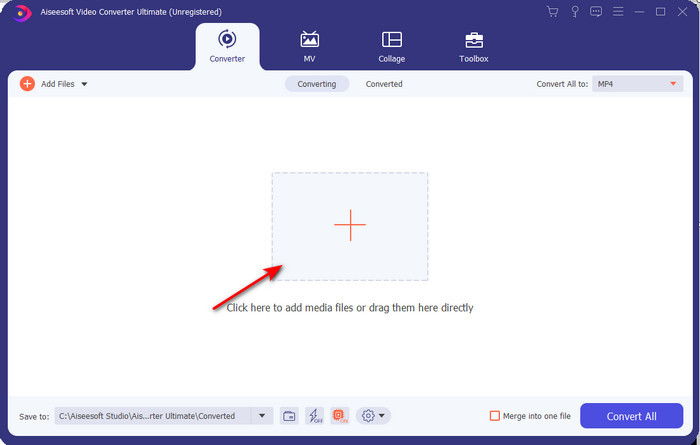
Step 2. Open the software to proceed to the next step; after launching it, you will see a + sign; click it to add the files, then select Open.
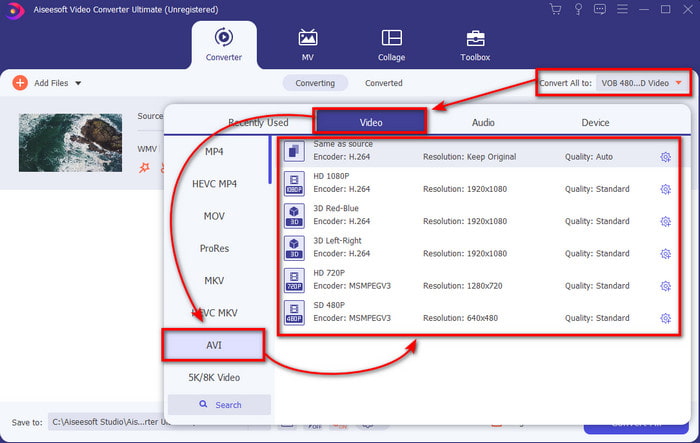
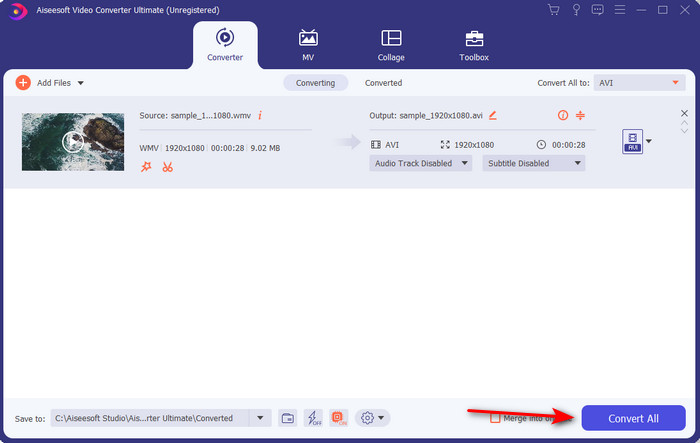
Step 3. To change the format, click the drop-down menu of Convert All to and choose AVI on the submenu.
Step 4. So now, to convert the WMV file to AVI successfully, click Convert All and wait for several seconds for the process to be done.
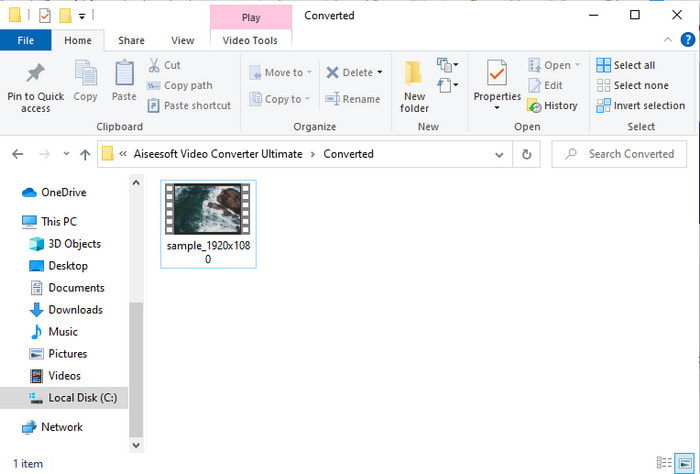
Step 5. After converting, a folder will show on your screen with the converted file you made a few seconds ago. To watch it click the video file and enjoy your converted WMV file without losing the quality.
Teil 3. WMV VS AVI; Welches Format schneidet am besten ab
WMV und AVI sind einige der erstklassigen Videodatei-Container, die Sie gerne verwenden würden. Die beiden genannten Formate können qualitativ hochwertiges Video und Audio enthalten, aber lassen Sie uns nun ihre Unterschiede anhand dieser Vergleichstabelle bestimmen.
| WMV | AVI | |
| Auch bekannt als | Windows Media-Video | Audio-Video-Interlevanz |
| Beste Verwendung für | Früher wurde eine große Datei in eine kleinere umgewandelt, um gut strukturiertes Video-Streaming online zu ermöglichen. | Wird verwendet, um Video und Audio getrennt zu speichern und gleichzeitig ohne Verzögerungen abzuspielen. |
| Entwickelt von | Microsoft | Microsoft |
| Nachteile des Formats | Es gewinnt weniger Aufmerksamkeit und Unterstützung von den Mediaplayern. | Es braucht einen Codec, um diese große Datei in eine viel kleinere Datei zu komprimieren, aber innerhalb einer Grenze. |
WMV vs. AVI
WMV wurde von Microsoft produziert und war in den 2000er Jahren eines der gängigsten Videoformate. Es kann über das Internet angesehen und von verschiedenen Mediaplayern unter Windows abgespielt werden. Und es ist auch das Standard-Videodateiformat von Windows Media Player. Aber es wurde in letzter Zeit von anderen Formaten übernommen.
Basierend auf dem Resource Interchange File Format (RIFF) wurde das AVI-Format 1992 von Microsoft eingeführt. Es kann Video/Audio in hoher Qualität speichern, da es weniger Komprimierung verwendet. Aber das verursacht auch die große Dateigröße einer AVI-Datei, was bei begrenztem Speicherplatz ein Problem sein kann.
Teil 4. Häufig gestellte Fragen zum WMV- und AVI-Format
Beeinflusst das Umwandeln von WMV in AVI die Qualität?
Die Qualität der WMV-Datei beim Umwandeln in AVI darf sich nicht ändern. Nehmen wir jedoch an, Ihr WMV ändert sich und die Qualität sinkt. In diesem Fall unterstützt der von Ihnen verwendete Konverter kein hochwertiges Pixel Ihres Videos.
Ändert sich die Größe meiner WMV nach der Konvertierung?
Die Dateigröße der WMV kann etwas von der ursprünglichen Dateigröße abweichen. Es gibt einen Grund, warum es sich ändert. Einer der Gründe ist, dass die komprimierte Datei unkomprimiert wird, sodass sich die Dateigröße ändert. Die Änderungen müssen jedoch der ursprünglichen Dateigröße entsprechen und sollten nicht so weit oder groß sein.
Kann ich WMV verwenden, um ein Video an eine E-Mail anzuhängen?
Ja, es ist ideal, das WMV-Format zu verwenden und das Video an eine E-Mail anzuhängen, da es laut Microsoft eine bessere und schnellere Komprimierung als MPEG-4 unterstützt. Es ist auch als Miniaturformat bekannt, da die Dateigröße so klein sein könnte. Die Qualität des Videos bleibt jedoch erhalten.
Fazit
Am Ende ist es für uns einfacher zu verstehen, dass nicht alle Plattformen und Software WMV unterstützen. Darüber hinaus funktioniert das Webtool gut, aber es gibt ein Tool, das Batch-Dateien viel schneller und einfacher konvertieren kann: den FVC Video Converter Ultimate. Angenommen, Sie möchten die phänomenale Konvertierung dieser Software erleben. In diesem Fall müssen Sie diese jetzt auf Ihren Desktop herunterladen und verwenden.
-
 So konvertieren Sie WMV in MP4 kostenlos und online [Gelöst]
 Wie konvertiere ich WMV-Dateien in MP4? Hier sind die 4 einfachen Möglichkeiten, WMV in Mac und Windows mit einfachen Schritten in MP4 zu konvertieren.
-
 WMV in MP3 – So konvertieren Sie Video kostenlos in Audio [ Desktop/Online ]
 Beim Anschauen eines WMV-Videos finden Sie den Audioteil faszinierend. Sie möchten es also auf Ihrem MP3-Player abspielen. Aber offensichtlich unterstützt Ihr Player das WMV-Format nicht. Das lässt Sie sich fragen, ob es eine Möglichkeit gibt, WMV in MP3 zu konvertieren.
-
 2 einfachste Möglichkeiten zum Konvertieren von WMV-Dateien in FLV auf PC/Mac
 Wie kann man WMV in FLV umwandeln? Zuerst müssen Sie unsere Empfehlung lesen und Ihre Lieblingsmethode finden und dann unserem Leitfaden folgen, um die Arbeit schnell zu erledigen.

