


 Video Converter Ultimate
 Bildschirm recorder
 Videoreparatur
 Sicherer Download
So führen Sie MPG-Dateien auf dem Computer zusammen
Wenn Sie versuchen, einen Film von einer DVD auf den Computer zu kopieren, wird er normalerweise im MPG‑Format gespeichert. Da der kopierte Film dabei oft in mehrere kurze MPG‑Clips aufgeteilt wird, möchten Sie diese einzelnen MPG‑Clips möglicherweise zu einer Datei zusammenfügen, um den vollständigen Film zu erhalten. In diesem Artikel zeigen wir Ihnen, wie Sie MPG‑Dateien zusammenfügen können – auf 2 verschiedene Arten.

Teil 1. So verbinden Sie MPG-Dateien mit Video Converter Ultimate
Um MPG-Filme zusammenzuführen und zu bearbeiten, benötigen Sie möglicherweise eine professionelle Software zum Verbinden von Videos. Video Converter Ultimate ist der beste Weg, um Ihr Problem zu lösen. Mit den leistungsstarken Funktionen zum Zusammenführen, Konvertieren und Bearbeiten von Videos können Sie viele MPG-Dateien verbinden und auf Ihrem Computer anpassen.
- 1. Verbinden und konvertieren Sie verschiedene Arten von Videoformaten, einschließlich MPG-Dateien, mit einem Klick.
- 2. Mehrere MPG-Videobearbeitungsfunktionen, einschließlich Zuschneiden, Teilen, Drehen und Hinzufügen von Wasserzeichen und Untertiteln.
- 3. Spezielle Toolbox, die Ihnen MPG Video Enhancer zur Verbesserung der Videoqualität bietet.
- 4. Fügen Sie Themen und Filter hinzu, um Ihre mpg-Movieclips zu dekorieren
Gratis DownloadFür Windows 7 oder neuerSicherer Download
Gratis DownloadFür MacOS 10.7 oder neuerSicherer Download
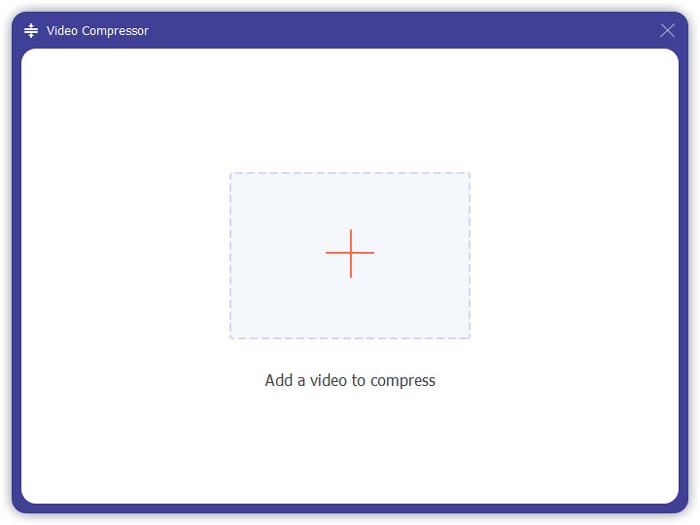
Schritt 1. Laden Sie Video Converter Ultimate herunter und installieren Sie das Programm. Wählen Sie die Oberfläche Converter. Dann können Sie die MPG‑Dateien, die Sie zusammenfügen möchten, hinzufügen, indem Sie auf das Quadrat Add Files in der Mitte der Oberfläche klicken. Sie können die MPG‑Dateien auch per Drag & Drop in das Quadrat ziehen. Das Programm unterstützt das Hinzufügen mehrerer MPG‑Dateien und deren Zusammenführung zu einer einzigen Datei.
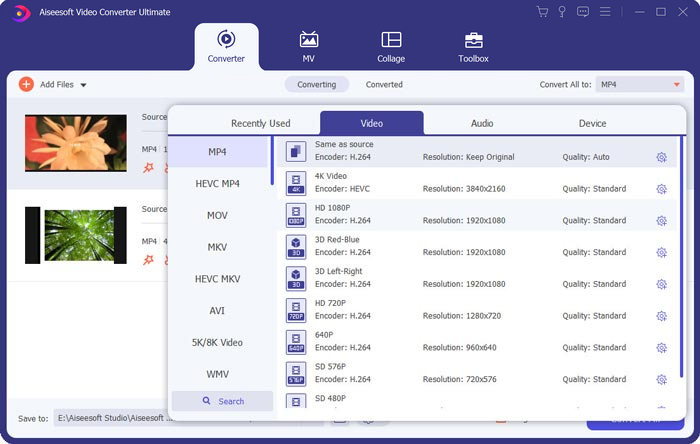
Schritt 2. Wählen Sie dann das Ausgabeformat, indem Sie rechts auf das Feld Convert All to klicken. Im Menü können Sie verschiedene Formate auswählen, darunter MP4, MOV, MKV usw. Durch Klicken auf das Zahnrad-Symbol können Sie die Parameter des Formats manuell anpassen.
Schritt 3. Um Ihre Videos zu bearbeiten, können Sie auf das Scheren-Symbol klicken, um die Bearbeitungsoberfläche zu öffnen. Dort können Sie Start- und Endzeit der Videos festlegen, um sie zu schneiden. Die MPG‑Videos in der linken Leiste sind in chronologischer Reihenfolge aufgelistet. Wenn Sie die Reihenfolge der Videos ändern möchten, können Sie sie per Drag & Drop verschieben. Im endgültig zusammengefügten Video wird das oben stehende Video vor dem darunter stehenden abgespielt.
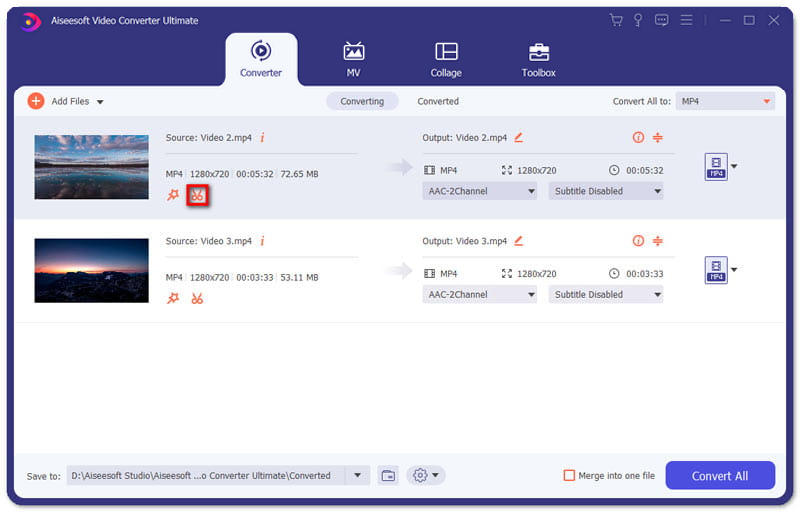
Schritt 4. Wenn Sie die Bearbeitung abgeschlossen haben, können Sie die Clips zusammenführen und das endgültige Projekt exportieren. Sie sollten wissen, dass die Videos entsprechend der Reihenfolge in der Bearbeitungsoberfläche chronologisch zusammengeführt werden. Um mit dem Zusammenfügen zu beginnen, aktivieren Sie das Kästchen Merge into One File und klicken dann auf die Schaltfläche Convert All. Nach Abschluss finden Sie das zusammengefügte Video im Ausgabeordner.
Anschließend können Sie die MPG‑Dateien direkt mit dem MPG‑MPEG‑Player abspielen.
Teil 2. So verbinden Sie MPG-Dateien kostenlos online
Wenn Sie MPG‑Dateien online und kostenlos zusammenführen möchten, können Sie den Free Online Video Merger verwenden. Die einfache und übersichtlich gestaltete Oberfläche ist für alle Benutzer leicht zu bedienen.
Schritt 1. Laden Sie das Startprogramm herunter und richten Sie das Fusions‑Tool ein. Danach können Sie MPG‑Dateien hinzufügen, indem Sie auf das + in der Oberfläche klicken. Unten auf dem Bildschirm können Sie Auflösung und Format des zusammengefügten Videos im Menü einstellen. Die Reihenfolge der Videos verläuft auf dem Bildschirm chronologisch von links nach rechts.
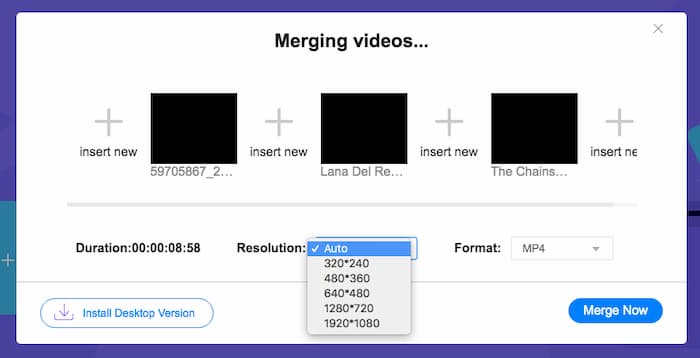
Schritt 2. Um mit dem Zusammenfügen zu beginnen, klicken Sie auf die Schaltfläche Merge Now. Wenn das Zusammenführen abgeschlossen ist, finden Sie das Video im Standardordner Download auf Ihrem Computer.
Teil 3. FAQs zum Beitreten zu MPG-Dateien
1. Wie kann ich eine MPG-Videodatei öffnen?
Normalerweise handelt es sich bei der MPG-Videodatei um die Versionen MPEG-1 und MPEG-2. MPEG-1 ist mit den meisten gängigen Mediaplayern wie Windows Media Player und VLC Media Player kompatibel. MPEG-2 ist für DVD-Videos konzipiert. Sie können einen DVD-Decoder eines Drittanbieters herunterladen, um ihn zu öffnen.
2. Was ist eine MPG-Datei?
Die MPG-Datei ist eine häufig verwendete Videodatei zum Speichern von Video- und Audiodaten. Es kann große Audio- und Videodaten in kleinen Größen speichern und komprimieren, ohne an Qualität zu verlieren. Es wird von der Moving Picture Experts Group (MPEG) standardisiert. MPG wird zum Speichern und Verteilen von Filmen im Internet verwendet. MPG-Dateien werden als PS oder MPEG-PS in einem Programm-Stream-Container-Format gespeichert.
3. Wie kann ich MPG-Videodateien kostenlos zusammenführen?
Es gibt viele kostenlose Tools zum Verbinden von Videos im Internet. Der oben erwähnte kostenlose Online-Video-Zusammenschluss ist ein kostenloses Tool mit einer einfachen und übersichtlichen Oberfläche, die Ihre Anforderungen erfüllen kann.
Fazit
Wenn Sie mehrere MPG‑Dateien zu einer zusammenfügen möchten, benötigen Sie einen professionellen Video‑Joiner. In diesem Artikel erfahren Sie, wie Sie solche Video‑Joiner nutzen können, um Ihr Vorhaben umzusetzen. Wenn Sie Fragen zu den Video‑Merge‑Tools haben oder mehr darüber wissen möchten, wie man MPG‑Dateien zusammenfügt, hinterlassen Sie bitte unten einen Kommentar.
-
 2 ultimative Methoden zum Verbinden von MXF-Videos von Sony X70
 Wenn Sie einige MXF-Videos von Sony X70 aufgenommen haben, was sind die besten Methoden, um MXF-Dateien zusammenzufügen? Hier sind die 2 effizienten Methoden, um die Videos mit hoher Qualität zu kombinieren.
-
 2 Möglichkeiten zum Komprimieren von Videos für YouTube
 YouTube-Videos sind groß und langsam hochzuladen? Komprimieren Sie die Größe von Videodateien für YouTube auf zwei Arten online und am Computer.
-
 GIF-Player - 5 besten GIF-Player für Windows PC, Mac, Android und iPhone
 Welches Programm öffnet GIF-Dateien? Wie kann ich GIFs auf Android anzeigen? Hat das iPhone einen GIF-Player zum Öffnen von GIFs? Dieser Beitrag teilt die 5 besten GIF-Spieler für Sie.
