


 Video Converter Ultimate
 Bildschirm recorder
 Videoreparatur
Neueste Online- und Offline-Software, mit der Sie MP4-Videos einfach umkehren können
Meistens, wenn wir versuchen, unser Video rückwärts abzuspielen, entstehen dabei lustige Reaktionen, bei denen wir denken müssen, dass wir es selbst sind. Weil es rückwärts abgespielt wird, erzeugt der Effekt etwas ganz Neues für unsere Augen. Wenn Sie also wirksame Wege kennenlernen möchten, wie Sie MP4‑Videos rückwärts abspielen können, dann sollten Sie diesen Artikel unbedingt lesen. Da er verschiedene Online‑ und Offline‑Programme vorstellt, können Sie diese nutzen, um auf einfache Weise viele Rückwärts‑Videos zu erstellen. Also, ohne weitere Verzögerung stellen wir sie Ihnen nun nacheinander vor.

Teil 1. So kehren Sie ein MP4-Video um (Offline)
Das herausragende Tool im gesamten Web ist der Video Converter Ultimate. Dieses Programm hat bereits Millionen von Nutzern geholfen, die Schwierigkeiten haben, MP4 rückwärts abzuspielen. Anders als jedes andere Tool in dieser Liste können Sie diese Software auch ohne Internetverbindung nutzen. Außerdem kann dieses Tool Videodateien blitzschnell importieren und exportieren – ehe Sie sich versehen, ist das Video schon rückwärts. Ein weiterer beeindruckender Vorteil: Es bietet alle erweiterten Funktionen, die Sie möglicherweise nutzen möchten. Gehen wir nun zu den Schritten über, wie Sie ein Video effektiv rückwärts abspielen lassen.
Schritte zum Umkehren von Videos auf Video Converter Ultimate
Schritt 1. Laden Sie das Programm zunächst auf Ihr Laufwerk herunter. Installieren Sie es anschließend und folgen Sie dem Einrichtungsassistenten.
Gratis DownloadFür Windows 7 oder neuerSicherer Download
Gratis DownloadFür MacOS 10.7 oder neuerSicherer Download
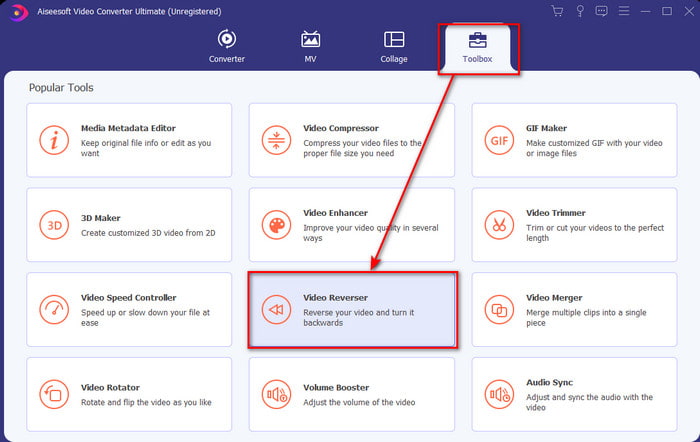
Schritt 2. Starten Sie die Software, klicken Sie auf die Toolbox und wählen Sie Video Reverser.
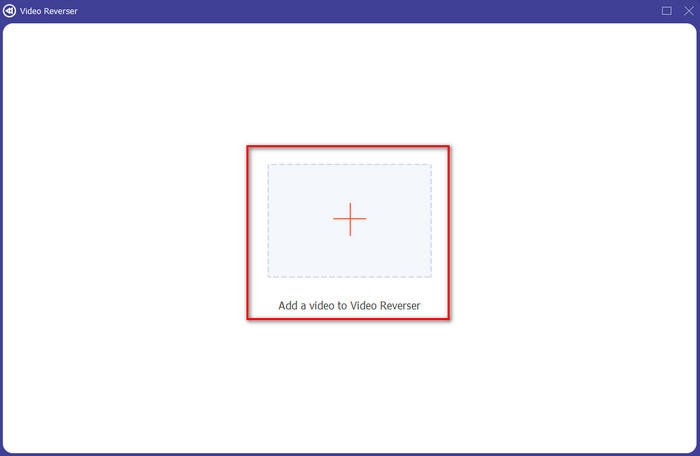
Schritt 3. Fügen Sie dann die MP4‑Datei hinzu, indem Sie auf das +-Symbol klicken und die Datei aus dem Ordner Ihres Computers auswählen. Klicken Sie anschließend auf Öffnen, um die .mp4‑Datei in die Oberfläche zu importieren.
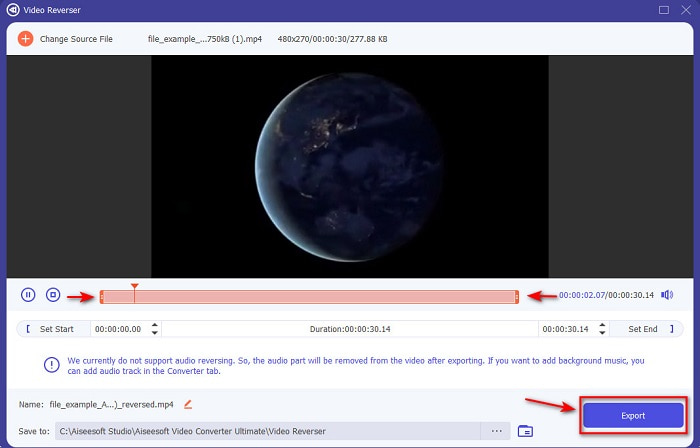
Schritt 4. Passen Sie nun den Wiedergabe‑In‑ und ‑Out‑Punkt an, um die Dauer des Videos zu verändern. Klicken Sie auf Exportieren, um fortzufahren.
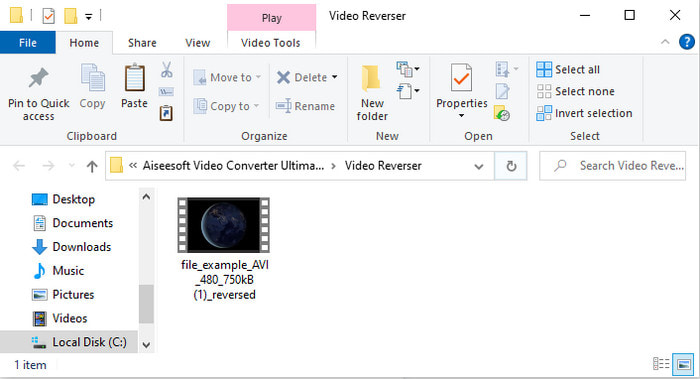
Schritt 5. Nachdem der Export abgeschlossen ist, klicken Sie im Ordner auf die Datei, um das rückwärts abgespielte Video wiederzugeben und zu sehen, wo sie gespeichert wurde.
Teil 2. Wie man ein MP4-Video umkehrt (online)
1. Dateikonvertieren
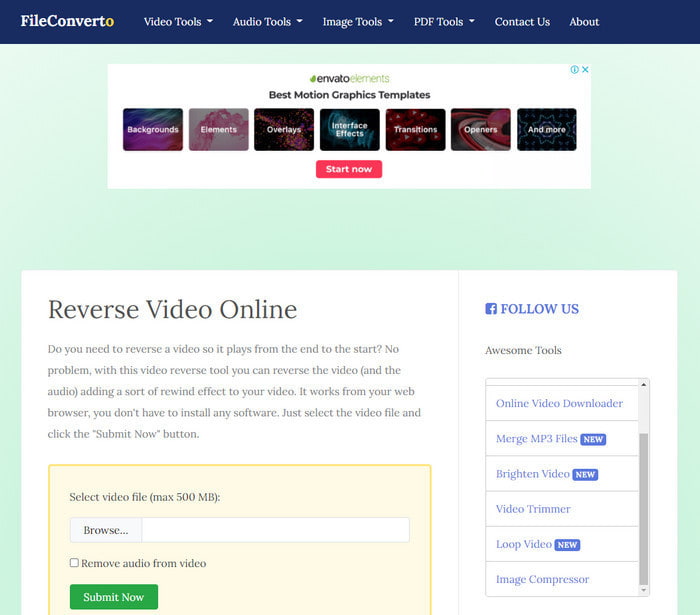
Das Online‑Tool zum Rückwärtsabspielen von MP4‑Videos FileConverto bietet viele Web‑Funktionen, mit denen Sie Ihr Video außergewöhnlich machen können. Die Leistung dieses webbasierten Tools ist ideal für alle, die keine Software herunterladen möchten. Allerdings ist die Weboberfläche etwas langweilig gestaltet, der Upload‑Vorgang nimmt viel Zeit in Anspruch und nicht alle Videoformate werden unterstützt. Außerdem werden Ihnen beim Versuch, ein Video rückwärts abzuspielen, vermutlich einige Fehler und Pop‑up‑Seiten begegnen. Trotz der vielen bekannten Probleme ist es dennoch gut nutzbar und hilfreich.
Vorteile
- Die Software ist leicht zugänglich und bietet viele grundlegende Bearbeitungsfunktionen, die Sie benötigen.
- Sehr benutzerfreundlich, dass selbst ein Benutzer, der keine Rückwärtsfahrt erlebt, dies hier tun kann.
- Es begrenzt Ihre Konvertierung auf 500 MB, was großartig ist.
Nachteile
- Das Importieren von Dateien hier und das Exportieren ist sehr langsamer als erwartet.
- Es hat nur im Webtool viele Anzeigen, die Sie ärgern können. Und nachdem Sie auf eine Webtool-Funktion geklickt haben, wird eine Anzeige angezeigt, die Sie erneut anklicken müssen.
- Es unterstützt nicht alle Videoformate.
2. PickFrom
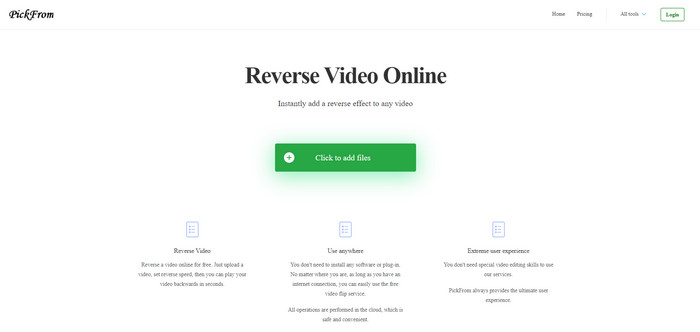
PickFrom hat, im Vergleich zu FileConverto, eine bessere Oberfläche. Es setzt auf ein minimalistisches Design, und die Farbkombination aus Weiß und Cyan wirkt sehr ansprechend. Allerdings ist die Schrift etwas schmal und schwer zu lesen. Wenn Sie also keine Adleraugen haben, könnten Sie das Tool schwer lesbar finden. Außerdem sind die Optionen, mit denen Sie hier MP4‑Videos rückwärts abspielen können, in vereinfachtem Chinesisch beschriftet. Das macht das Verständnis etwas schwierig, doch das Importieren von Dateien geht hier schneller als bei FileConverto.
Vorteile
- Es hat eine viel bessere Weboberfläche im Vergleich zu FileConverto.
- Keine Werbung im oberen Teil der Website, aber wenn Sie nach unten scrollen, gibt es eine Menge lästiger Werbung.
- Unterstützt viele grundlegende Bearbeitungsfunktionen.
Nachteile
- Die Werkzeugeinstellungen sind auf Chinesisch geschrieben, was schwer zu verstehen ist, wenn Sie nicht Chinesisch sprechen können.
- Nachdem Sie auf die Startschaltfläche geklickt haben, reagiert das Tool nicht mehr und der Exportvorgang nimmt viel Zeit in Anspruch.
- Es verringert die Qualität des exportierten Videos.
3. Media.io
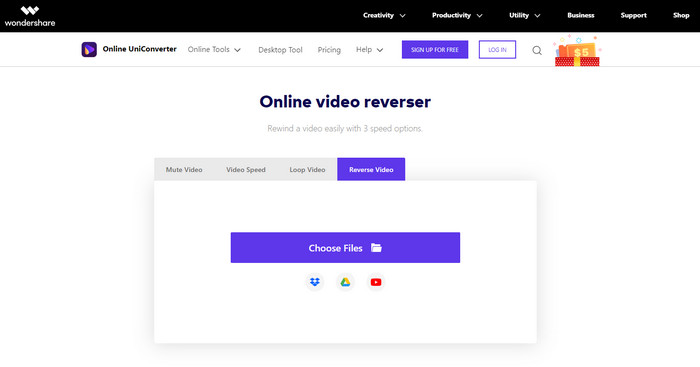
Media.io bietet drei verschiedene Geschwindigkeitsoptionen für das Rückwärtsabspielen: x 0,5, x 1, x 2. Sie können damit das Video im Grunde umkehren und MP4 rückwärts abspielen, indem Sie die Rückwärts‑Funktion nutzen. Obwohl das Tool sehr ansprechend aussieht, treten bei der Nutzung von Media.io dennoch einige Probleme auf. Beispielsweise werden Sie beim Exportieren aufgefordert, sich zuerst anzumelden, bevor Sie die Datei exportieren können. Außerdem können Sie hier nur 10 Rückwärts‑Videos mit begrenzter Dateigröße erstellen.
Vorteile
- Tool-Schnittstelle ist großartig und attraktiv.
- Sie können das endgültige Ausgabeformat des Reverse-Videos ändern, wenn Sie möchten, oder das Originalformat beibehalten.
- Sie können das Video stummschalten oder die Stummschaltung aufheben.
Nachteile
- Die Website fordert Sie auf, sich anzumelden, bevor Sie exportieren können, was bedeutet, dass Sie Benachrichtigungen per E-Mail senden können.
- Die Umkehrung des x 2 ist weniger langsam als die x 2 der anderen Tools.
- Das Tool schränkt die Verfügbarkeit des Webtools ein. Sie können beispielsweise nicht mehr als 10 Dateien pro Tag stornieren und es gibt eine maximale Dateigröße.
Teil 3. Häufig gestellte Fragen zum Umkehren von MP4
Verringert sich die Qualität nach dem Umkehren des Videos?
Das Umkehren eines Videos mit dem Tool sollte die Qualität des Videos, das Sie umkehren möchten, nicht beeinträchtigen. Es gibt jedoch eine Menge Software, die die Videoqualität verringert. Es gibt jedoch einige Fälle, in denen Sie die Qualität niedrig und nicht hoch einstellen.
Wie füge ich meiner Reverse-Datei Audio hinzu?
Die meisten der hier aufgeführten Programme unterstützen kein Rückwärtsabspielen von Audiospuren. Sie können jedoch diesem Link folgen und erfahren, wie man Audio zu einem Video hinzufügt.
Wie kann ich mein Reverse-Video auf dem iPhone zusammenführen?
Es gibt viele unterschiedliche Möglichkeiten, Videos auf dem iPhone effektiv zusammenzuführen. Allein durch das Lesen dieses Artikels erfahren Sie 4 verschiedene Methoden, wie Sie Videos auf dem iPhone zusammenführen können.
Fazit
Abschließend: Jetzt, da wir wissen, wie man mit Hilfe dieser verschiedenen Tools eine MP4‑Datei rückwärts abspielt, können Sie das für Sie passende Programm auswählen. Allerdings liefern nicht alle hier genannten Programme ein ebenso beeindruckendes Endergebnis wie der Video Converter Ultimate. Wenn Sie also von diesem Tool begeistert sein möchten, sollten Sie es unbedingt herunterladen. Sie müssen dafür kein dickes Handbuch lesen, um zu verstehen, wie dieses Tool als Ganzes funktioniert.
Gratis DownloadFür Windows 7 oder neuerSicherer Download
Gratis DownloadFür MacOS 10.7 oder neuerSicherer Download
-
 [Aktualisiert 2021] Die 9 besten GIF-Editoren für PC, Mac, iOS und Android
 Müssen Sie Ihrem GIF eine persönliche Note verleihen, damit es ausdrucksvoller wird? Lesen Sie diesen Artikel weiter, um zu erfahren, wie Sie bearbeiten und welches Werkzeug für den Job am besten geeignet ist.
-
 Anleitung zum Reparieren von Videos, die auf Android-Handys nicht abgespielt werden
 Möchten Sie wissen, warum Videos auf Ihrem Android-Gerät nicht wiedergegeben werden können? Und wenn ja, gibt es Möglichkeiten, das Problem selbst zu beheben? Lesen Sie weiter, um mehr zu erfahren.
-
 Detaillierte Anleitung zum Abspielen von MKV-Dateien auf PS4 [Aktualisiert 2021]
 Wenn Sie diesen Artikel lesen, erfahren Sie, wie Sie MKV auf PS4 abspielen und die Videodatei konvertieren, falls das Video nicht funktioniert' abspielen.
