


 Video Converter Ultimate
 Bildschirm recorder
 Videoreparatur
[Vollständige Überprüfung] Was sind die besten Video-Metadaten-Editoren auf dem Desktop?
Videometadaten können Ihnen in vielerlei Hinsicht helfen; ein hervorragendes Beispiel ist das Sortieren Ihrer Dateien nach Zeit und Datum, Autoren, Dateigröße und vielem mehr – im Grunde zur Organisation. Obwohl Metadaten in jeder Mediendatei enthalten sind, müssen wir sie aus bestimmten Gründen bearbeiten. Allerdings kann es schwierig sein, das passende Werkzeug auszuwählen, denn es gibt eine ganze Reihe von Metadaten-Editoren auf dem Markt. Um Ihnen diese Last zu erleichtern, helfen wir Ihnen dabei, verschiedene Editoren für Ihre Daten zu bewerten, die es auf dem Markt gibt und die ausschließlich hohe Qualität bieten. Alle Details und Funktionen werden gründlich geprüft, um Ihnen eine ehrliche Bewertung jeder Software zu liefern. Schauen wir uns nun näher die fünf besten Videometadaten-Editoren an, auf die Sie sich verlassen können.

Teil 1. 5 der besten Video-Metadaten-Editoren, die offline auf dem Desktop verfügbar sind
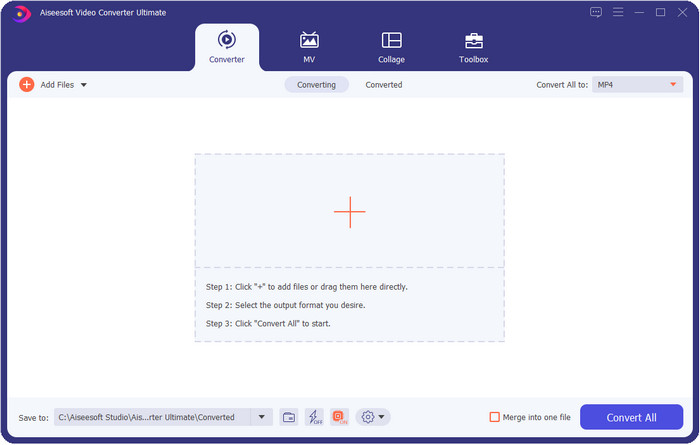
Video Converter Ultimate [Sehr empfehlenswert]
Gratis DownloadFür Windows 7 oder neuerSicherer Download
Gratis DownloadFür MacOS 10.7 oder neuerSicherer Download
Kompatible Betriebssysteme: Windows, Mac und Linux
Video Converter Ultimate ist der beste Videometadaten-Editor zum Anzeigen, Entfernen und Bearbeiten der Metadaten Ihrer Datei. Dieser Metadaten-Editor ist nicht der übliche Editor, den Sie verwenden können, denn er ist ein Komplettpaket an Funktionen, die Sie in kurzer Zeit problemlos beherrschen. Mit diesem Tool können Sie viele nützliche Informationen zu Ihren Metadaten hinzufügen, etwa Kommentare, Titelbild, Jahr, Genre (wenn es sich um Musik handelt) und vieles mehr – in weniger als einer Sekunde. Möchten Sie wissen, was uns an dem Tool beeindruckt? Anders als andere Software erstellt es keine Kopie der bearbeiteten Datei, was Speicherplatz spart. Wenn Sie dieses Tool verwenden, wird auf Basis der von Ihnen hochgeladenen Datei keine zusätzliche Kopie erstellt, und die Metadaten werden direkt auf dieselbe Datei angewendet; es ist also speicherschonend. Darüber hinaus ist dies die perfekte Wahl für alle Nutzer, die ein umfassendes Werkzeug und einen Metadaten-Viewer auf Mac und Windows benötigen.
Vorteile
- Es unterstützt mehrere Formate, auf die Sie hochladen können, wie MP4, MKV, AVI, FLV, MP3 und mehr als 1000 Medienformate, um die Metadaten einfach zu ändern oder zu entfernen.
- Es ermöglicht jedem Benutzer eine unkomplizierte Bearbeitung der Metadaten.
- Es ist die beste Wahl für Windows- und Mac-Benutzer, diesen Metadaten-Editor auf ihr Laufwerk herunterzuladen.
- Entfernen Sie Metadaten mehrerer Dateien ganz einfach mit wenigen Klicks.
Nachteile
- Das Tool zu kaufen und herunterzuladen ist unerlässlich, aber es ist jeden Cent und jedes Computerlaufwerk wert.
ExifTool
Kompatible Betriebssysteme: Windows, Mac & Unix
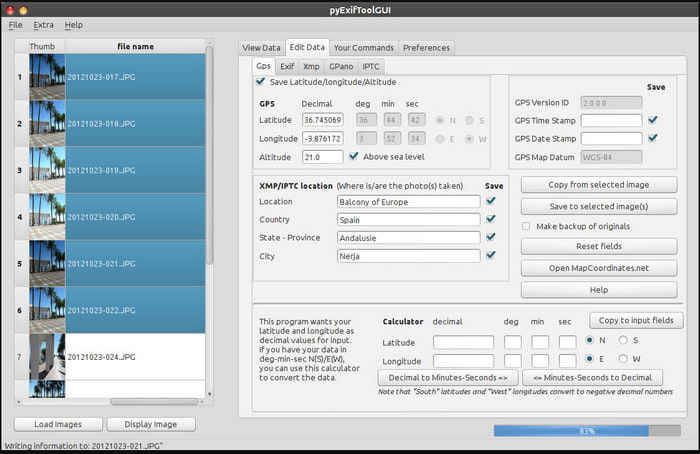
ExifTool ist ein bekannter Videometadaten-Editor für Windows, Mac und Unix, auf den Sie kostenlos zugreifen können. Er unterstützt zahlreiche Video- und Bildformate, um Metadaten zu ändern oder zu entfernen. Außerdem können Sie mit diesem Tool mehrere Metadatensätze in verschiedenen Dateien gleichzeitig bearbeiten. Im Gegensatz zu anderen Editoren in dieser Liste ist hier sehr viel auf einmal möglich; wenn Sie also neu im Bearbeiten von Metadaten sind, benötigen Sie etwas Zeit, um sich mit dem Tool vertraut zu machen.
Vorteile
- Kostenlos herunterzuladen.
- Es kann die Metadaten einfach bearbeiten und anzeigen.
Nachteile
- Benutzeroberfläche und Optionen sind verwirrend zu verwenden.
Metadaten++
Kompatible Betriebssysteme: Windows
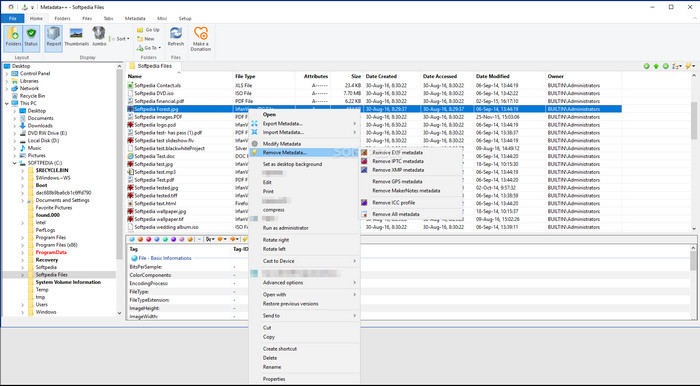
Wenn Sie sich auf einen Open-Source-Videometadaten-Editor unter Windows verlassen möchten, könnten Sie Metadata++ verwenden. Dieses Tool hilft Ihnen, Metadaten schnell über Tastenkürzel zur Datei hinzuzufügen oder sie zu entfernen, sodass Sie die Maus seltener benötigen. Der Editor ist jedoch nicht so leistungsfähig wie die anderen in dieser Liste, dennoch können Sie sich auf dieses Tool stützen, wenn Sie es verwenden möchten.
Vorteile
- Für die schnelle Bearbeitung von Metadaten stehen Hotkeys zur Verfügung.
- Fügen Sie einfach Metadaten zu den Dateien hinzu, die dies nicht getan haben.
- Kostenloser Download unter Windows.
Nachteile
- GUI ist veraltet.
- Zu viele Funktionen müssen verstanden werden, bevor Sie sie verwenden.
MyMeta
Kompatible Betriebssysteme: Windows
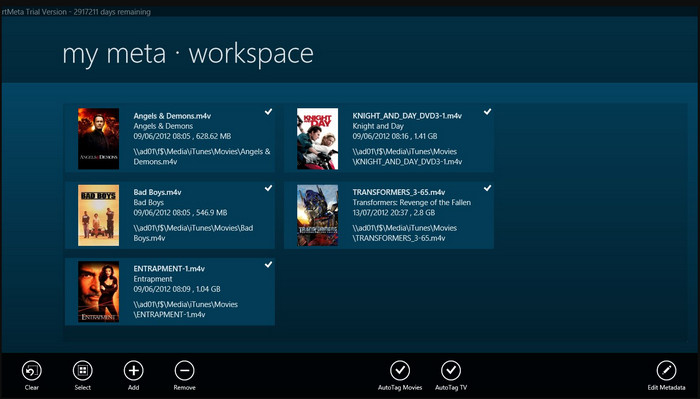
MyMeta ist ein Videometadaten-Editor, mit dem Sie MP4, M4V und MOV sofort bearbeiten können. Dieses Tool bietet die Funktion, Metadaten und Cover automatisch anhand von Ergebnissen aus dem Internet zu erstellen. Außerdem können Sie mit diesem Tool Dateien entsprechend den Informationen taggen. Obwohl das Tool überzeugend ist, beschränkt sich das unterstützte Format ausschließlich auf MP4, M4V und MOV.
Vorteile
- Einfach zu verwenden.
- Mit dem Auto-Tag können Sie die Metadaten einer bestimmten Datei mit wenigen Klicks kopieren.
- Ordentliche GUI.
Nachteile
- Es unterstützt nur MP4, M4V und MOV. Wenn Sie also versuchen, hier ein anderes Format hochzuladen, wird es nicht unterstützt.
- Einige Funktionen entsprechen nicht den Anforderungen des Benutzers.
VLC Media Player
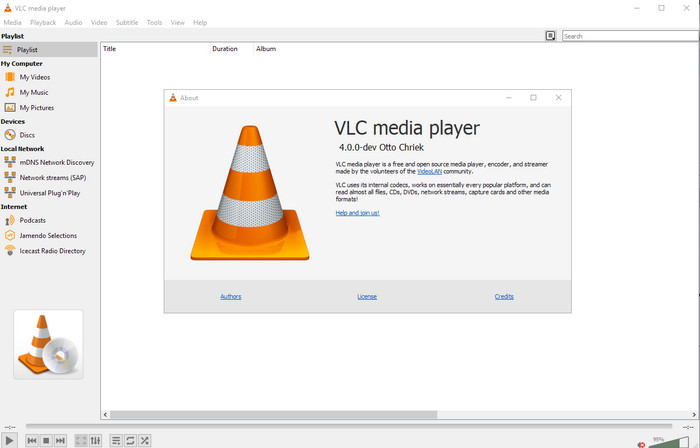
Kompatible Betriebssysteme: Windows, Mac, Linux
VLC Media Player ist zwar in erster Linie zum Abspielen von Mediendateien gedacht, doch Sie können diesen Open-Source-Videometadaten-Editor auch verwenden, um die Metadaten einer Datei zu bearbeiten. Wie bereits erwähnt, kann er eine große Vielfalt an Formaten mit verschiedenen Codecs auf nahezu jeder Plattform abspielen, da er ein erstklassiger Mediaplayer ist. Obwohl er zahlreiche Dateiformate abspielen kann, ist die Anzahl der Formate, deren Metadaten Sie damit bearbeiten können, begrenzt und nicht so groß wie bei den anderen hier genannten Tools.
Vorteile
- Open-Source-Metadaten-Editor zum Herunterladen.
- Benutzerfreundlich.
- Verfügbar in allen Betriebssystemen.
Nachteile
- Es unterstützt das durchschnittliche Format zum Hochladen.
- Die GUI des Tools ist veraltet.
Teil 2. Vergleichstabelle zum Video-Metadaten-Editor
| Eigenschaften | Video Converter Ultimate [Sehr empfehlenswert] | ExifTool | Metadaten++ | MyMeta | VLC Media Player |
| Metadaten hinzufügen und entfernen |  | | | | |
| Benutzerfreundlich | | | | | |
| Unterstützt Wide-Range-Formate | |  | | | |
| Beste Wahl für Anfänger | | | | | |
| Batch-Metadaten bearbeiten | | | | | |
Teil 3. Hinzufügen, Entfernen und Bearbeiten von Metadaten mit dem hoch empfohlenen Metadaten-Editor
Wenn Sie sich entschieden haben, den Video Converter Ultimate als Ihren Videometadaten-Editor zu verwenden, empfehlen wir Ihnen, die unten angegebenen Schritte zu befolgen. Ohne weitere Umschweife: Halten wir das Tempo und beginnen wir mit dem ultimativen Tool für diese ultimative Aufgabe.
Schritt 1. Laden Sie das Tool herunter, indem Sie auf die unten angezeigte Download-Schaltfläche klicken; wählen Sie aus, ob Sie Windows oder Mac verwenden. Nach dem Herunterladen müssen Sie auf die Datei klicken, um sie sofort zu installieren, und sie anschließend starten, wenn alles abgeschlossen ist.
Gratis DownloadFür Windows 7 oder neuerSicherer Download
Gratis DownloadFür MacOS 10.7 oder neuerSicherer Download
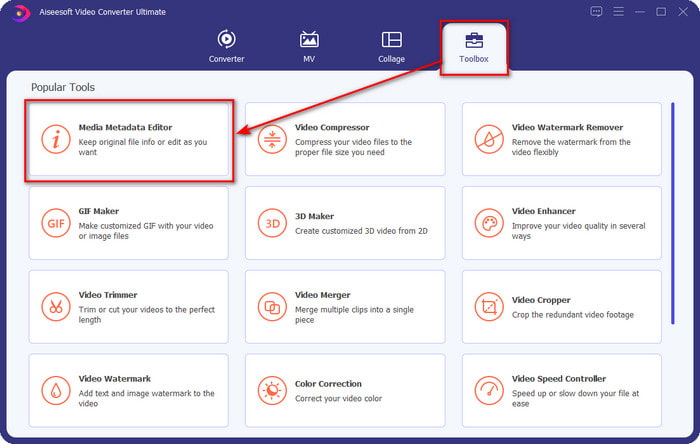
Schritt 2. Nachdem Sie das Tool gestartet haben, klicken Sie auf den Bereich Toolbox und suchen Sie darunter nach dem Media Metadata Editor; klicken Sie darauf, bevor Sie mit dem nächsten Schritt fortfahren.
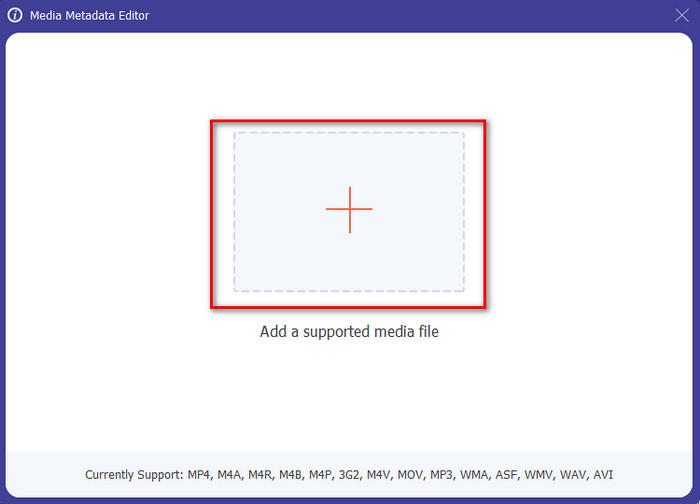
Schritt 3. Fügen Sie die Datei ein, indem Sie auf das +-Symbol klicken; daraufhin wird ein Ordner auf Ihrem Bildschirm angezeigt. Wählen Sie die Mediendatei aus, deren Metadaten Sie bearbeiten möchten, und drücken Sie Öffnen.
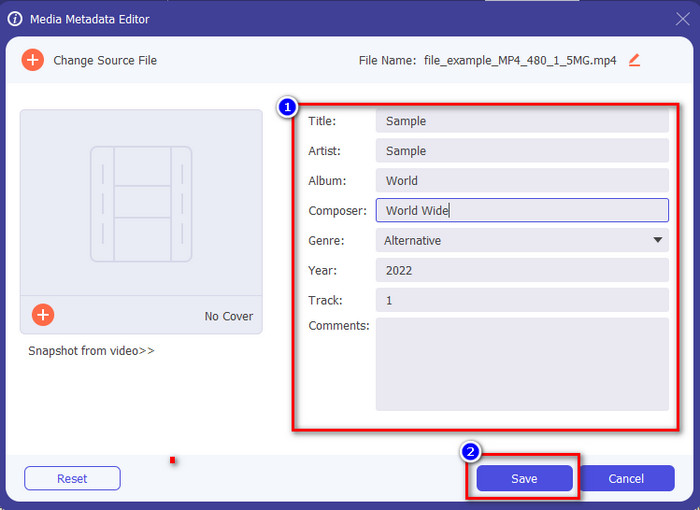
Schritt 4. In dem neuen Fenster, das auf Ihrem Bildschirm erscheint, können Sie nun Metadaten in den angezeigten Textfeldern bearbeiten, entfernen oder hinzufügen. Wenn Sie mit den Metadaten zufrieden sind, klicken Sie auf Speichern, um die Metadaten auf die Datei anzuwenden. Ganz einfach, oder? Genau das kann das Ultimate-Tool leisten.
Teil 4. Häufig gestellte Fragen zum Video-Metadaten-Editor
Kann ich Metadaten online einsehen?
Ja, Sie können FVC Free Video Converter Online verwenden, um Metadaten eines Videos online anzuzeigen; folgen Sie den nachstehenden Schritten, um zu erfahren, wie Sie sie einsehen können. Klicken Sie zunächst auf den Link, um eine neue Registerkarte in Ihrem Browser zu öffnen; dieser Link führt Sie automatisch zur offiziellen Website des FVC Online-Converters. Klicken Sie danach auf Dateien zum Konvertieren hinzufügen; wenn Sie ihn zum ersten Mal verwenden, müssen Sie den Launcher herunterladen und die Datei anklicken, um ihn zu installieren. Klicken Sie anschließend erneut darauf; diesmal öffnet sich ein Dateifenster auf Ihrem Computer. Wählen Sie die Datei aus, deren Metadaten Sie anzeigen möchten, und drücken Sie auf „Öffnen“, um fortzufahren. Ein neues Fenster wird auf dem Bildschirm angezeigt; klicken Sie auf das i-Symbol, woraufhin Sie die Metadaten des Videos sehen können.
Was sind die Bestandteile von Metadaten?
Metadaten umfassen verschiedene Arten von Informationen über die Mediendatei: Name des Autors, Werk, Aufnahmeort, Einstellungen, verwendetes Gerät, Datum, Uhrzeit, Genre (wenn es sich um Musik handelt), Bild und vieles mehr. Meist hängen die Metadaten jedoch davon ab, worum es in der Datei geht; sind es zum Beispiel Hörbücher, unterscheiden sie sich von denen einer Videodatei.
Ist ID3 ein Beispiel für Metadaten?
ID3 ist ein Metadaten-Container, der auf MP3-Mediendateien zu sehen ist; im Grunde auf Audiodateien.
Fazit
Die in diesem Artikel vorgestellte Software kann Ihnen helfen, die Metadaten eines Videos anzuzeigen, zu bearbeiten, hinzuzufügen oder zu entfernen, selbst wenn Sie nicht viel über Metadaten wissen. Da Sie nun die fünf besten Editoren auf dem Markt kennen, ist es an der Zeit zu entscheiden, auf welches Tool Sie sich bei dieser Aufgabe verlassen wollen. Wenn Sie sich noch unschlüssig fühlen, empfehlen wir Ihnen aus vielen Gründen den Video Converter Ultimate. Anders als die anderen Tools kann diese Software diese Aufgabe in nur wenigen Sekunden erledigen. Wenn Sie uns immer noch nicht glauben, sollten Sie das Tool herunterladen, es ausprobieren und selbst entdecken, welche weiteren Funktionen es bietet.
-
 4 der besten Metadaten-Viewer online und offline [Aktualisiert 2025]
 Kann ich die Metadaten meiner Datei überprüfen? Ja, das können Sie, mit Hilfe dieses Beitrags stellen wir Ihnen die verschiedenen Metadaten-Viewer vor, die Sie verwenden können.
-
 Top 5 Metadatenextraktoren, die online und offline verfügbar sind [2025]
 Sie können mehrere Metadaten-Extraktoren auf dem Markt finden, aber heute wählen wir nur die fünf am häufigsten ausgewählten Tag-Extraktoren nach Zielgruppe aus.
-
 7 Editoren für beliebte Musik-Tags auf Windows, Mac und Mobilgeräten
 Musik-Tags werden gerne für die Anordnung der Musik in Ihrer Bibliothek gemäß den darin enthaltenen Daten verwendet. Was ist, wenn Sie es ändern möchten? Lesen Sie die Details unten, um mehr zu erfahren.
