


 Video Converter Ultimate
 Bildschirm recorder
 Videoreparatur
VLC Metadata Editor und seine besten Alternativen zum einfachen Bearbeiten von Metadaten
VLC Media Player ist zu einem der bekanntesten Videoplayer geworden, den du auf jedes Gerät wie Windows, Mac, Android und iOS herunterladen kannst. Dank der unterstützen Formate und Codecs läuft die Videowiedergabe hier äußerst flüssig. Zusätzlich zu seiner Fähigkeit, zahlreiche Formate abzuspielen, verfügt dieses Tool über verschiedene Funktionen und Features, die du gerne nutzen wirst. Eines davon ist das Bearbeiten von Metadaten. Lies diesen Artikel weiter, um mehr über den VLC-Metadaten-Editor und seine anderen konkurrenzfähigen Alternativen zu erfahren.

Teil 1. VLC Metadata Editor Review/Pros & Contras/ Beste Alternativen für den VLC Metadata Editor
Einführung in die Metadaten-Bearbeitungsfunktion des VLC Media Players
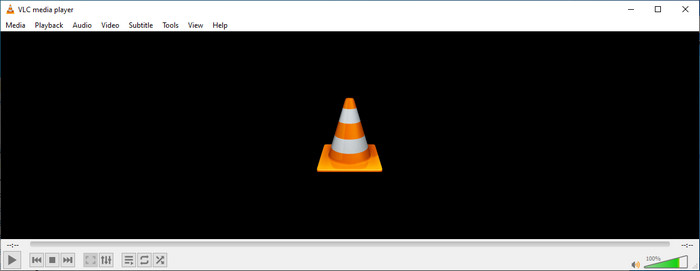
Der Hauptzweck des VLC-Metadaten-Editors ist nicht als Editor, sondern als Player. Dieses Tool spielt ein breites Format ab, das unser nativer Media Player nicht unterstützt. Anstatt Codecs für Ihre Datei herunterzuladen, macht dieses Tool die Arbeit problemlos, indem es die Datei hinzufügt und es genießt, sie anzusehen. Nach seiner Erstveröffentlichung im Jahr 2001 verbesserte der Entwickler die allgemeine Mediaplayer-Funktion und -Features, um mit der anderen Software zu konkurrieren. Auch wenn dem Tool viele Features und Funktionen hinzugefügt werden, reicht es immer noch nicht aus, um mit den anderen dedizierten Metadaten-Editoren zu konkurrieren.
Für und Wider
Nun, da wir eine Vorstellung von der Metadaten-Editor-Fähigkeit von VLC haben, wollen wir sehen, ob es ein idealer Tag-Editor ist, den Sie verwenden sollten. Wenn Sie mehr über den VLC-Metadaten-Editor unter Android, iOS, Windows und macOS erfahren möchten, lesen Sie am besten weiter seine Vor- und Nachteile.
Vorteile
- Es ist eine Freeware, was bedeutet, dass Sie das Tool nicht kaufen müssen, um es herunterzuladen.
- Es unterstützt ein breites Format, um Ihre Metadaten einfach zu bearbeiten.
- Es kann die Wiedergabe für Video und Audio Ihres Auswahlgeräts optimieren.
- Erweiterbar mit Plug-Ins, wenn Sie mögen.
Nachteile
- Der VLC-Video-Metadaten-Editor ist nicht der beste, um die Metadaten Ihrer Datei zu bearbeiten.
- Das Tool ist nicht zum Bearbeiten gedacht, daher kann man es nicht unbedingt als professionellen Videoeditor betrachten.
- Bei der Verwendung der Software kommt es häufig zu Abstürzen und Einfrieren.
- Schlechtes Update auf seiner GUI.
Auch wenn es nicht die beste Wahl für die Bearbeitung von Metadaten ist, glauben wir dennoch, dass dies der beste Mediaplayer ist, den Sie kostenlos herunterladen können und der die anderen integrierten Mediaplayer auf Ihrem Gerät übertreffen kann. Die folgenden Details helfen Ihnen, die besten Alternativen zum Bearbeiten der Tags als VLC zu ermitteln.
Teil 2. 3 der Konkurrenzfähigen und besten Alternativen für den VLC-Metadaten-Editor
Video Converter Ultimate
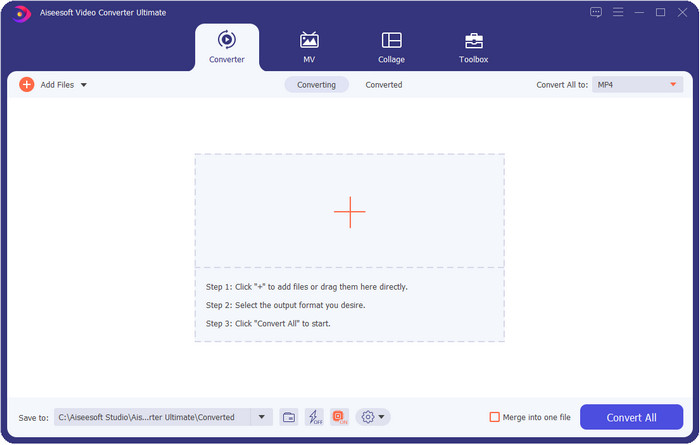
Video Converter Ultimate ist beim Bearbeiten von Tags das konkurrenzfähigste Tool und besser als alles, was der VLC-Metadaten-Editor bieten kann. Mit diesem Programm kannst du alle Tags deiner MP4-, MOV-, M4V-, AVI-, WMV-Dateien und von über 1.000 weiteren Formaten ganz einfach bearbeiten. Für die meisten von uns war das Hinzufügen von Tags noch nie besonders einfach, aber wenn du dieses Tool verwendest, kannst du Titel, Künstlername, Album, Kommentare, weitere Informationen und sogar Bilder als Teil der Metadaten zur Datei hinzufügen. Zwar kannst du mit VLC grundlegende Tag-Bearbeitungen vornehmen, doch das reicht nicht aus; wenn du mehr machen willst, musst du zum ultimativen Tool greifen. Um dir zu helfen, mühelos die benötigten Tags hinzuzufügen, die VLC oder andere Metadaten-Editoren auf dem Markt nicht bereitstellen können. Wenn du wissen möchtest, was du bekommst, wenn du das Ultimate-Tool herunterlädst, werden wir einige der Funktionen auflisten, die du mit dem Programm nutzen kannst.

Video Converter Ultimate
Über 5.689.200 Downloads- Es kann die Tags Ihrer Mediendateien wie MP4, AVI, FLV, RMVB und mehr bearbeiten.
- Es hat einen ultraschnellen Konvertierungsprozess und Hardwarebeschleunigung.
- Zusätzliche erweiterte Features und Funktionen befinden sich in Toolbox.
- Es unterstützt die Batch-Konvertierung, um die Aufgabe gleichzeitig zu erledigen
- Verfügbar sowohl für Windows als auch für macOS zum Herunterladen.
Gratis DownloadFür Windows 7 oder neuerSicherer Download
Gratis DownloadFür MacOS 10.7 oder neuerSicherer Download
MetaZ
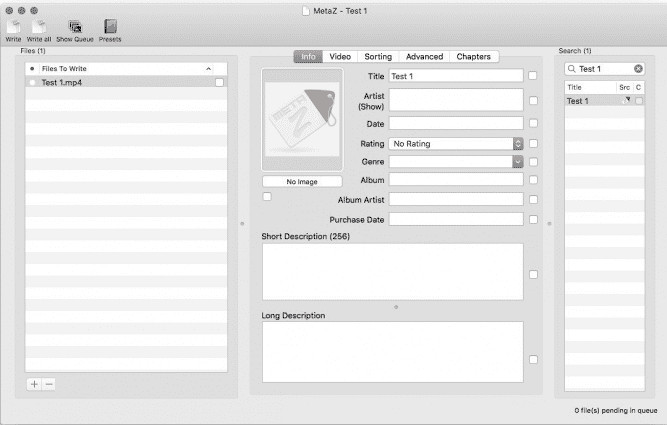
Wenn du einen kostenlosen VLC-Videometadaten-Editor für den Mac haben möchtest, dann ist MetaZ ein Tool, das du verwenden musst. Dieses Programm ist ein spezieller Meta-Tagger, den du auf dem Mac herunterladen kannst, und sein Hauptzweck ist das Hinzufügen oder Bearbeiten von Tags in Mediendateien. Wenn du es verwendest, kannst du mit bestehender Internetverbindung die Tags sogar automatisch suchen und hinzufügen lassen. Mit diesem Tool kannst du die Tags außerdem über die Archiv-Exportfunktion übertragen, die nur in MetaZ verfügbar ist. Obwohl das Tool vielversprechend wirkt, ist seine Kompatibilität mit anderen Betriebssystemen, etwa Windows, ein Problem. Außerdem unterstützt es nur eine durchschnittliche Anzahl an Formaten, daher solltest du vor der Nutzung wissen, dass es Einschränkungen beim Hinzufügen von Dateien gibt. Abgesehen davon gibt es keine weiteren Probleme bei der Verwendung des Tools.
Tag-Scanner
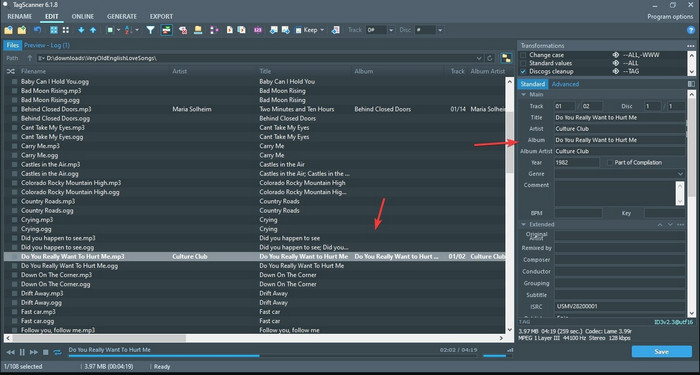
Tag Scanner ist eine bessere Version des MKV-Metadaten-Editors in VLC. Mit diesem Tool kannst du die Tags von Mediendateien mühelos bearbeiten und organisieren. Während du das Programm verwendest, wirst du feststellen, dass es im Vergleich zu VLC bei der Tag-Bearbeitung eine detailliertere Benutzeroberfläche bietet, was bedeutet, dass du mehr Details zu den Dateiinformationen hinzufügen kannst. Wie MetaZ kann dieses Tool nach den Tags suchen, die du für deine Datei benötigst, indem es in verschiedenen Datenbanken recherchiert. Aufgrund der umfangreichen Oberfläche ist die Bedienung etwas anders als bei einem gewöhnlichen Metadaten-Editor, sodass du etwas Zeit investieren musst, um dich daran zu gewöhnen. Nichtsdestotrotz ist leicht zu erkennen, dass dieses Tool deutlich besser ist als VLC und andere Konkurrenten, auch wenn es nicht so benutzerfreundlich ist wie andere Programme auf dem Markt.
Teil 3. FAQs zum VLC Metadata Editor
Wo kann ich VLC herunterladen?
Sie können den offiziellen VLC auf videolan.org herunterladen. Stellen Sie sicher, dass Sie es von der offiziellen Website herunterladen, um Umstände wie Viren auf Ihrem Desktop zu vermeiden.
Kann ich das Video mit VLC bearbeiten?
Ja, du kannst zwar mit VLC bearbeiten. Allerdings ist es kein professioneller Editor, wie du ihn für komplexe Videobearbeitung benötigst. Wenn du ein angehender Vlogger oder Content-Creator bist und nach dem besten Video-Editor für Windows suchst, klicke auf diesen Link. Wenn du hingegen Mac-Nutzer bist, klicke auf diesen Link, um den Top-Video-Editor für Mac kennenzulernen.
Wie behebt man die Audioverzögerung bei VLC?
Klicke auf diesen Link, um die beste Lösung zu entdecken, um die Audioverschiebung in VLC zu beheben – mit detaillierten Schritten.
Fazit
VLC ist ein fantastisches Tool, das du kostenlos nutzen kannst. Mit diesem Programm kannst du beliebige Video- und Audiotypen abspielen oder sogar deren Tags bearbeiten. Doch was das Bearbeiten von Tags in VLC betrifft, können wir sagen, dass es nicht so gut ist wie andere spezialisierte Tag-Editoren auf dem Markt – auch wenn es grundsätzlich dazu in der Lage ist. Wenn deine Aufgabe darin besteht, die Tags von Mediendateien zu bearbeiten oder zu korrigieren, ist VLC eine Option, aber nicht die beste. Was solltest du also tun? Wir haben die besten Alternativen aufgelistet, mit denen du Tags besser bearbeiten kannst als mit VLC, und eine davon ist der Video Converter Ultimate. Anders als die anderen Alternativen und der VLC-Metadaten-Editor bietet dieses Tool zahlreiche fortschrittliche Funktionen – lade es also jetzt herunter, um sie alle zu nutzen.
-
 So bearbeiten und reparieren Sie MP4-Metadaten auf sehr clevere Weise
 Möchten Sie wissen, wie Sie MP4-Metadaten reparieren können? Lesen Sie in diesem Fall den gesamten Inhalt dieses Artikels, um die Tricks zu kennen, wie Sie die MP4-Tags einfach reparieren können.
-
 4 beste Methoden zum Reparieren und Bearbeiten von MP3-Metadaten unter Windows und Mac
 Möchten Sie die Geheimnisse der einfachen Bearbeitung von MP3-Metadaten kennenlernen? Dieser Blog wird Ihnen verschiedene Techniken mit den verschiedenen Tools beibringen, auf die Sie leicht zugreifen können.
-
 2 beste Möglichkeiten zum Bearbeiten von OGG-Metadaten, die Sie kostenlos ausprobieren sollten
 Müssen Sie OGG-Metadaten bearbeiten? Nun, Sie können die Tags problemlos bearbeiten, indem Sie die richtige Software verwenden. Wenn Sie keinen haben, ist das Lesen dieses Artikels ein Muss.
