


 Video Converter Ultimate
 ضبط صفحه
 تعمیر ویدیو
4 تا از بهترین سازندگان انیمیشن عکس که می توانید برای ساخت تصاویر متحرک استفاده کنید
امروزه اکثر وبسایتهای شبکههای اجتماعی بهجای استفاده از تصویر ثابت قدیمی، از گیف (GIF) استفاده میکنند. چون گیفها از نظر بصری برای کاربران جذابترند و پیام را بسیار بهتر از تصاویر ثابت منتقل میکنند. بنابراین اگر میخواهید بدانید چه سازندههای انیمیشن عکس قابل دسترسیای وجود دارد که میتوانید استفاده کنید، فهرست زیر را دنبال کنید؛ زیرا ما بهدنبال بهترین ابزارهایی گشتهایم که بتوانید برای افزودن حرکت و انیمیشن به تصاویر از آنها بهره ببرید.
قسمت 1. بهترین نرم افزار ساخت انیمیشن عکس
در این فهرست، این ابزار را در ابتدا قرار دادهایم زیرا ویرایشگر فوقالعادهای است که میتوانید از آن استفاده کنید: Video Converter Ultimate. پس اگر میخواهید از عکسها انیمیشن بسازید، بهراحتی میتوانید این کار را در این برنامه انجام دهید. علاوه بر این، این نرمافزار دسکتاپ میتواند با ویژگیهای پیشرفتهای که حتی اگر حرفهای نباشید هم میتوانید از آنها استفاده کنید، هر تصویری را زنده و پویا کند. تجربه کلی ما هنگام امتحان این نرمافزار تا اینجا، در مقایسه با سایر ابزارهای آنلاین و آفلاین، بهترین بوده است. حالا اگر میخواهید بدانید چگونه تصاویر ساده خود را زنده کنید، مراحل زیر را دنبال کرده و ادامه دهید.
۵ مرحله آسان برای جان بخشیدن به تصاویر با Video Converter Ultimate:
مرحله ۱. ابتدا روی دکمه دانلود زیر کلیک کنید و سیستمعاملی را که در حال حاضر استفاده میکنید، انتخاب کنید. سپس نرمافزار را نصب کنید، تنظیمات اولیه را سریع انجام دهید و برای ادامه روی Start Now کلیک کنید.
دانلود رایگانبرای ویندوز 7 یا بالاتردانلود امن
دانلود رایگانبرای MacOS 10.7 یا بالاتردانلود امن
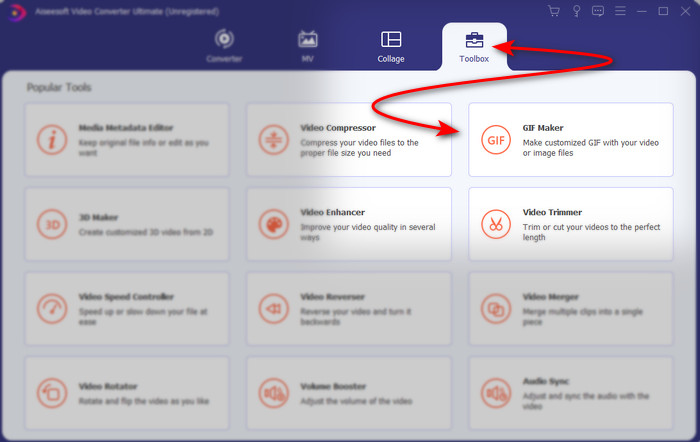
مرحله ۲. نرمافزار را باز کنید و به بخش Toolbox بروید تا GIF Maker را پیدا کنید.
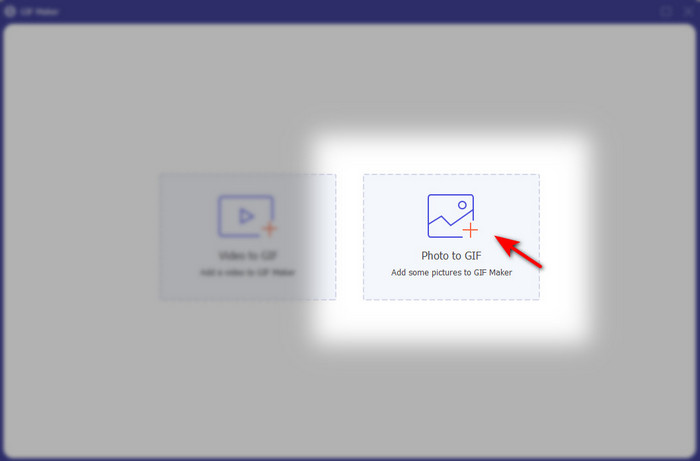
مرحله ۳. روی گزینه Photo to GIF کلیک کنید، سپس پوشه فایل در صفحه شما باز میشود. فایل مورد نظر را انتخاب کرده و برای وارد کردن آن روی Open کلیک کنید.
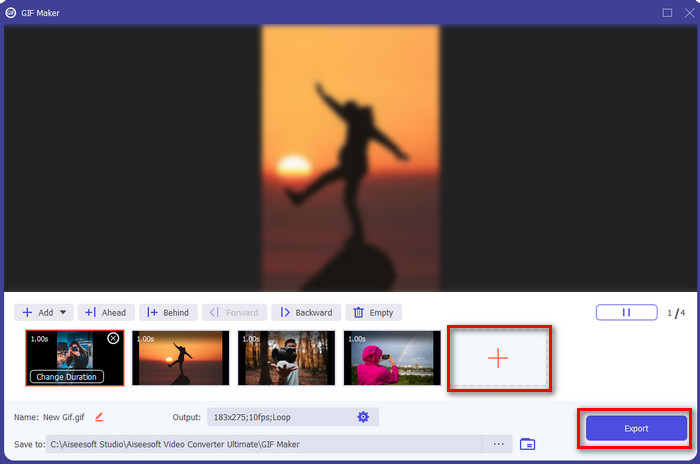
مرحله ۴. برای افزودن تصاویر بیشتر و ساخت انیمیشن از عکسها، روی دکمه + کلیک کنید. سپس با کلیک روی تصویر و بعد کلیک بر دکمه Change Duration button مدتزمان را تنظیم کنید. پس از آن برای ذخیره تغییرات روی Apply فشار دهید. برای دانلود انیمیشن روی Generate GIF کلیک کنید.
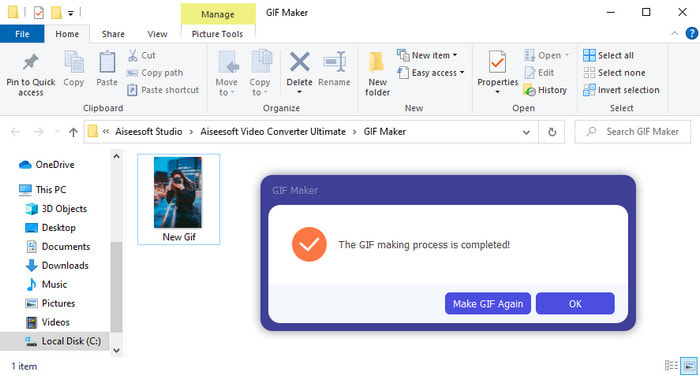
مرحله ۵. پس از تولید گیف، پوشهای حاوی فایل گیف متحرک روی صفحه شما نمایش داده میشود. روی فایل کلیک کنید تا انیمیشنی را که قبلاً ساختهاید تماشا کنید.
قسمت 2. تاپ 3 عکس متحرک آنلاین رایگان
بالا 1. ازگیف
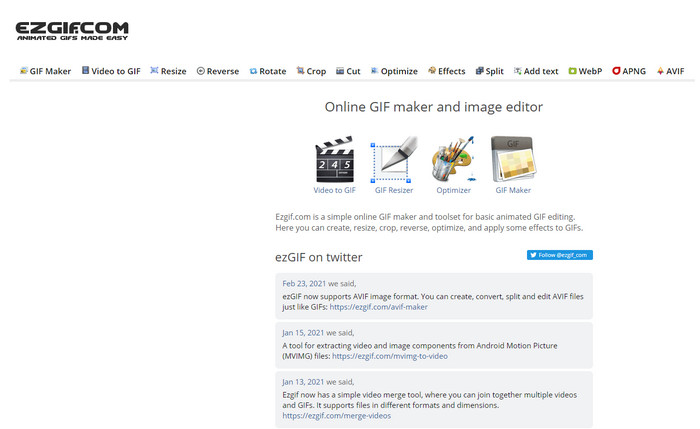
اگر بهدنبال یک سازنده عکس متحرک آنلاین و رایگان هستید، پس Ezgif میتواند همان چیزی باشد که میخواهید. این وبابزار در زمینه ساخت عکسهای متحرک فوقالعاده، یکی از بهترینهاست. و اگر از طرفداران ساخت گیف باشید، احتمالاً قبلاً از این ابزار آنلاین استفاده کردهاید؛ اگر هم هنوز با آن کار نکردهاید، حتماً ارزش امتحان کردن دارد. با این حال، برخی کاربران معتقدند این ابزار فاقد بعضی از قابلیتهای ویرایشی مدرن و پیشرفتهای است که دوست دارند استفاده کنند. بنابراین اگر بودجه محدودی دارید، این ابزار گزینه خوبی است، اما بهیاد داشته باشید که برای حرفهایها انتخاب ایدهآلی نیست، هرچند برای مبتدیان بسیار مناسب است.
طرفداران
- دسترسی آسان و ایمن است.
- ابزاری عالی برای مبتدیانی که می خواهند ساخت GIF های ساده را امتحان کنند.
- ابزار آنلاین ویرایشگر نیمه حرفه ای.
منفی ها
- کاربر خود را برای تجربه عظمت محدود می کند.
- ابزار وابسته به اینترنت بنابراین، اگر اینترنت ندارید، انتظار داشته باشید که نتوانید از این ابزار آنلاین استفاده کنید.
بالا 2. Kapwing
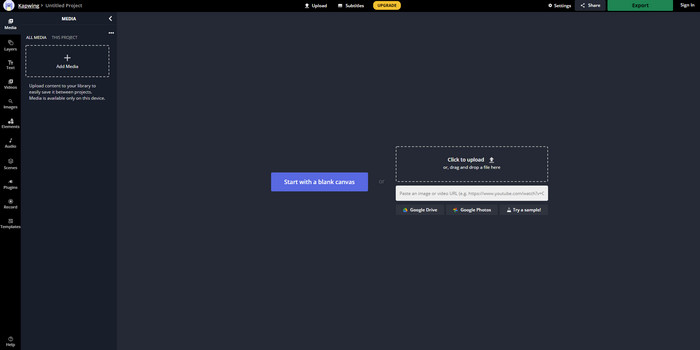
برخلاف Ezgif، ابزار Kapwing در بهبود جلوه بصری تصاویر بهترین عملکرد را دارد. پس اگر قصد دارید از این ابزار آنلاین استفاده کنید، یاد گرفتن چگونگی ساخت گیفهای متحرک از عکسها قطعاً به شما کمک خواهد کرد. عملکرد، دسترسیپذیری و انعطافپذیری این ابزار آنلاین بهقدری خوب است که هر کسی که کمی با ویرایش آشنایی دارد، میتواند از آن استفاده کند. اما بارگذاری و دانلود فایلهای تصویری در این سایت، نسبت به سایر ابزارهای تحت وب، زمان بیشتری میبرد. همچنین روی خروجی نهایی واترمارک قرار میگیرد، هرچند با ورود (Sign in) به ابزار میتوانید آن را حذف کنید.
طرفداران
- در مقایسه با Ezgif دارای بسیاری از ویژگی های اصلی ویرایش است.
- ابزار آنلاین رایگان که برای هر کسی که اینترنت دارد می تواند به آن دسترسی داشته باشد.
- رابط ابزار آنلاین زیبا و مرتب به نظر می رسد.
منفی ها
- خروجی نهایی همیشه دارای یک واترمارک در سمت چپ پایین خواهد بود.
- برای کسانی که تازه شروع به ویرایش فایل های GIF کرده اند، بهترین انتخاب نیست.
بالا 3. GIFMaker.me
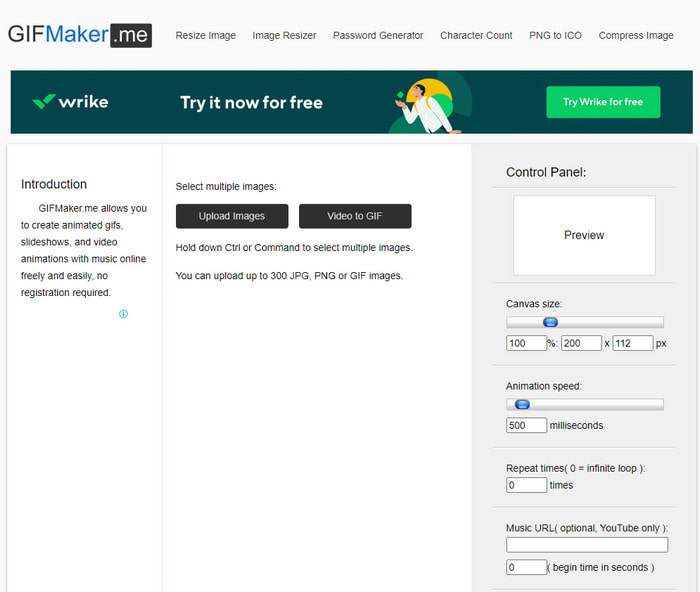
یکی دیگر از سازندههای انیمیشن عکس آنلاین که میتوانید بهصورت رایگان از آن استفاده کنید، GIFMaker.me است. این وبابزار برای کسانی که تجربهای در ساخت گیف ندارند، بسیار مناسب و راحت است؛ چون در این ابزار میتوانید تعداد زیادی تصویر را یکجا وارد کنید و آنها به یک گیف انتقالی تبدیل میشوند. با این حال، این ابزار در این مقاله کمترین محبوبیت را دارد، چون امکانات ویرایشی کافی برای ساخت گیفهای چشمگیر در اختیار شما نمیگذارد. هرچند از نظر امکانات ویرایش ضعیف است، اما اگر فقط میخواهید یک اسلایدشو تصویری ساده بسازید، میتواند انتخاب اول شما باشد.
طرفداران
- بدون هزینه GIF ساز شما می توانید در وب استفاده کنید.
- رابط سازنده ساده و قابل درک است.
- کنترل پنل ساده در سمت راست ابزار آنلاین موجود است.
منفی ها
- تبلیغات مزاحم در رابط وب هستند.
- فاقد اکثر ویژگی های ویرایشی است که دوست دارید استفاده کنید.
بخش 3. سوالات متداول در مورد Photo Animation Maker
آیا می توانم از GIF های متحرک به عنوان تصویر زمینه استفاده کنم؟
شما نمی توانید از یک GIF متحرک خام استفاده کنید و از آن به عنوان پس زمینه در تلفن یا رایانه خود استفاده کنید. با این حال، می توانید از یک ابزار شخص ثالث برای کارکرد آن استفاده کنید. بنابراین، اگر می خواهید بدانید که چگونه این کار را انجام دهید، برای ادامه روی این لینک کلیک کنید.
چرا نمی توانم گیف ها را در اینستاگرام به اشتراک بگذارم؟
هرچند گیف یکی از پرکاربردترین فرمتها در سراسر وب است، اما هنوز هم برخی پلتفرمها از آن پشتیبانی نمیکنند. برای مثال اینستاگرام فقط فرمتهای PNG و MP4 را میپذیرد. بنابراین دو روش متفاوت برای اشتراکگذاری گیف در اینستاگرام وجود دارد؛ روش اول این است که گیف را به MP4 تبدیل کنید. از طرف دیگر، میتوانید با کلیک روی این لینکها، روشهای مختلف انتشار گیف در اینستاگرام را یاد بگیرید.
هدف از GIF چیست؟
گیفها برای متحرکسازی تصاویر طراحی شدهاند، آن هم با حجمی کمتر نسبت به سایر فرمتهای ویدئویی. با وجود متحرک بودن، گیفها یا همان Graphic Interchange Format بهعنوان فرمت ویدئویی شناخته نمیشوند. از این رو، اگر این مقاله درباره گیف را با دقت باز کرده و بخوانید، میتوانید اطلاعات زیادی درباره گیفها بهدست آورید.
نتیجه
برای جمعبندی همه جزئیات بالا، حالا برای هر دوی ما آسانتر است که بدانیم چه سازندههای انیمیشنی در دسترس هستند که میتوانیم برای ساخت انیمیشن از عکسها از آنها استفاده کنیم. هرچند ابزارهای معرفیشده در بالا کمک بزرگی هستند، اما همچنان Video Converter Ultimate قدرتمندترین ویرایشگر گیفی است که احتمالاً از کار با آن لذت خواهید برد؛ زیرا استفاده از آن بسیار آسان است، رابط کاربری خوبی دارد، همه قابلیتهای پیشرفته در آن موجود است و حتی بیشتر از آن. پس اگر هنوز نسبت به این ابزار تردید دارید، خودتان آن را با دانلود کردن و دنبال کردن مراحل ذکرشده در بالا امتحان کنید.
دانلود رایگانبرای ویندوز 7 یا بالاتردانلود امن
دانلود رایگانبرای MacOS 10.7 یا بالاتردانلود امن
-
 GIF شگفت انگیز به برنامه های ویدئویی برای دستگاه های Android و iOS
 آیا میدانستید که میتوانید فایلهای GIF را با استفاده از گوشی خود به هر فرمت ویدیویی که دوست دارید تبدیل کنید؟ بهترین برنامه ها را در اندروید یا iOS خود انتخاب کنید.
-
 راهنمای ساده نحوه تبدیل GIF به WMV در Windows/Mac
 آیا می خواهید بدانید چگونه GIF را به فرمت WMV تبدیل کنید؟ سپس این مقاله را دنبال کنید زیرا راه حل های مختلفی را که می توانید انتخاب کنید را نشان می دهد.
-
 TS به GIF: چگونه فایل TS را به GIF متحرک تبدیل کنیم
 نحوه تغییر فایل های TS به فرمت GIF را با کمک این نوشتن یاد بگیرید. لیست زیر ایده های مختلف در مورد TS و GIF و نحوه تبدیل TS به GIF را نشان می دهد.
