


 Video Converter Ultimate
 ضبط صفحه
 تعمیر ویدیو
بهترین برنامه های حذف واترمارک ویدیویی برای دسکتاپ و تلفن ها
آیا بهدنبال یک برنامه عالی برای حذف واترمارک ویدیو روی کامپیوتر و تلفن همراه خود هستید؟ پس این مقاله ارزش خواندن دارد. امروزه مردم عاشق تماشای فیلمها، کلیپهای ویدیویی، هایلایتها، اسلایدشوها و سایر ویدیوهایی هستند که در اینترنت، تلفن همراه، تلویزیون و … میبینند. اما گاهی بعضی از ویدیوهای موردعلاقهتان دارای واترمارک هستند. به همین دلیل، بهجای لذتبردن از فیلمها یا ویدیوهای محبوبتان، عصبی و ناامید میشوید. علاوه بر این، حتی نمیتوانید تمام بخشهای تصویر را روی صفحهنمایش خود ببینید. خوشبختانه میتوانید با استفاده از نرمافزارها، واترمارک را از ویدیوهایتان در کامپیوتر، آیفون و گوشیهای اندرویدی حذف کنید. همچنین با این برنامهها میتوانید بدون مزاحمتِ اشیای اضافی روی صفحه، از تماشای ویدیوها لذت ببرید. اگر میخواهید این برنامههای عالی و مؤثر حذف واترمارک ویدیو برای دستگاههای مختلف را بشناسید، این مقاله را تا انتها بخوانید.

قسمت 1: بهترین حذف کننده های واترمارک ویدیویی برای رایانه شخصی و مک
1. Video Converter Ultimate
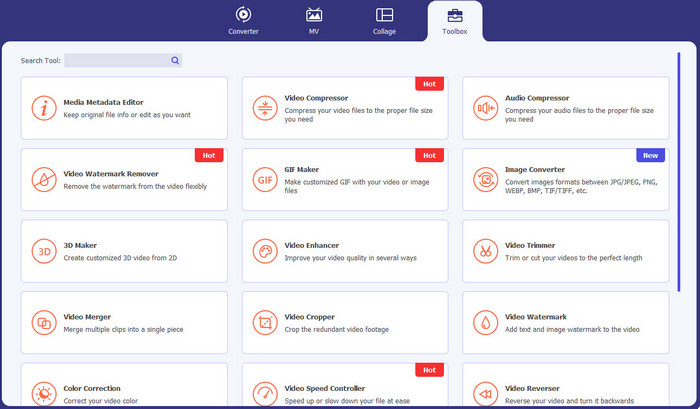
برنامه Video Converter Ultimate همان ابزاری است که میتوانید برای حذف اشیای اضافی از روی ویدیوها، مانند واترمارک، متن، لوگو و امضا استفاده کنید. این برنامه یکی از بهترین اپلیکیشنهای حذف واترمارک ویدیو بهشمار میآید. علاوه بر این، میتوانید واترمارکها را بدون افت کیفیت حذف کنید. همچنین Video Converter Ultimate یک برنامه رایگان و کاربرپسند است. این نرمافزار روی مک و ویندوز در دسترس است که برای کاربران بسیار راحت و کاربردی است. افزونبر حذف واترمارک از ویدیوها، این نرمافزار تنها به همین کار محدود نیست. Video Converter Ultimate از انواع فرمتهای مختلف مانند MP4، MKV، FLV، AVI، MOV و فرمتهای دیگر پشتیبانی میکند.
دانلود رایگانبرای ویندوز 7 یا بالاتردانلود امن
دانلود رایگانبرای MacOS 10.7 یا بالاتردانلود امن
طرفداران
- ایده آل برای مبتدیان.
- فرآیند حذف ایمن و سریع است.
- در مک و ویندوز موجود است.
- آسان برای استفاده.
- می تواند فرمت های مختلف فایل را تبدیل کند.
منفی ها
- برای ویژگی های پیشرفته تر، نرم افزار را خریداری کنید.
2. 123 برنامه
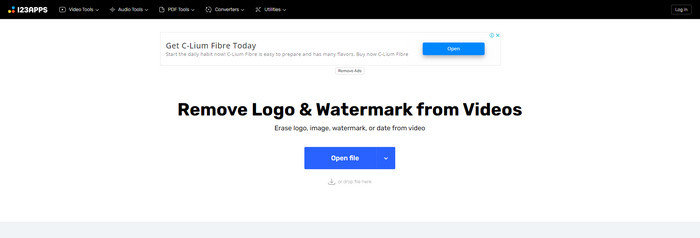
اگر بهدنبال یک ابزار آنلاین رایگان برای حذف واترمارک از ویدیو هستید، میتوانید از 123APPS استفاده کنید. این ابزار آنلاین میتواند اشیای اضافی روی ویدیو، مانند واترمارک، لوگو، متن و موارد دیگر را حذف کند. علاوه بر این، این برنامه از انواع فرمتهای مختلف از جمله MOV، AVI، WMV، MP4 و غیره پشتیبانی میکند. رابط کاربری 123APPS ساده و قابلفهم است و خیلی راحت میتوان از آن استفاده کرد. تنها با چند کلیک میتوانید واترمارکها را حذف کنید که برای مبتدیان بسیار مناسب است. علاوه بر این، ابزار ویرایش ویدیوی این برنامه پاسخگو و سریع است و نیازی به دانلود چیزی روی کامپیوتر ندارید؛ همهچیز بهصورت آنلاین در دسترس است. همچنین قابلیتهای بیشتری برای استفاده در اختیار شما قرار میدهد؛ مانند مبدل ویدیو، مبدل صدا، مبدل تصویر، برش ویدیو، کراپ، چرخاندن، تغییر صدا، تغییر سرعت ویدیو و موارد دیگر. بااینحال، فرایند ذخیرهسازی در این برنامه نسبتاً کند است و ناحیهای که واترمارک در آن حذف میشود، کمی تار میگردد.
طرفداران
- دارای استاندارد حفاظت از داده ها
- برای کاربران راحت است.
- آسان برای استفاده.
منفی ها
- بدون اتصال به اینترنت نمی تواند کار کند.
- فرآیند ذخیره سازی بسیار کند است.
- ویژگی های محدود
3. Apowersoft Online Video Watermark Remover
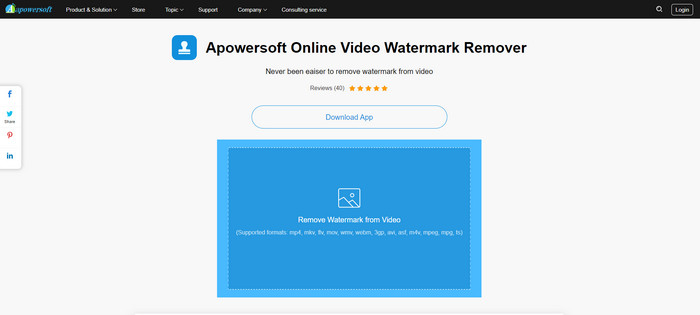
اگر بهدنبال یک ابزار آنلاین برجسته دیگر برای حذف واترمارک از ویدیوها هستید، Apowersoft Online Video Watermark Remover یکی از بهترین گزینههاست. با استفاده از این ابزار آنلاین، میتوانید بهسادگی واترمارک را از روی ویدیوهای خود حذف کنید. این برنامه ساده و آسان برای استفاده است و برای تازهکارهایی که میخواهند واترمارک را بردارند، بسیار مناسب است. همچنین میتوانید با این ابزار واترمارک را از روی تصاویر خود نیز حذف کنید که برای کاربران بسیار کاربردی است. این یک ابزار آنلاین است، بنابراین نیازی نیست برنامه را روی کامپیوتر خود نصب کنید. با این حال، نسخه رایگان آن بسیار محدود است و برای اندازه فایل نیز سقف ۵۰ مگابایتی دارد. علاوه بر این، بارگذاری و حذف واترمارک از ویدیوها زمانبر است.
طرفداران
- بدون خطر حریم خصوصی
- دارای رابط کاربری ساده است که برای مبتدیان خوب است.
منفی ها
- ویژگی های محدود
- برای آپلود و حذف واترمارک خیلی طولانی است.
4. UniConverter
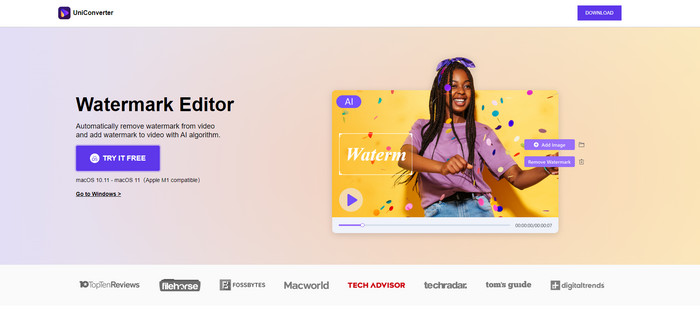
UniConverter یکی دیگر از بهترین نرم افزارهای حذف واترمارک ویدیویی است که می توانید در رایانه های مک و ویندوز خود از آن استفاده کنید. این اپلیکیشن به صورت رایگان قابل استفاده است. UniConverter می تواند به شما در حذف برخی از قطعات آزاردهنده در ویدیوها/فیلم های خود مانند لوگوها، واترمارک ها، متن و موارد دیگر کمک کند. علاوه بر این، میتوانید با ویژگیهای فوقالعادهای مواجه شوید که میتوانید از آنها استفاده کنید، مانند مبدل ویدیو و صدا، کمپرسور، ویرایش صدا و تصویر، ادغام ویدیو، حذف نویز، تغییر پسزمینه ویدیو، ویرایشگر واترمارک و غیره. با این حال، نسخه آزمایشی رایگان این اپلیکیشن از نظر امکانات محدود است. همچنین اگر قصد خرید نرم افزار را دارید باید حجم زیادی از آن را تهیه کنید زیرا هزینه بر است.
طرفداران
- آسان برای استفاده.
- رابط کاربری خوب
منفی ها
- برنامه گران است.
- ویژگی های محدود برای آزمایش رایگان.
5. مووی
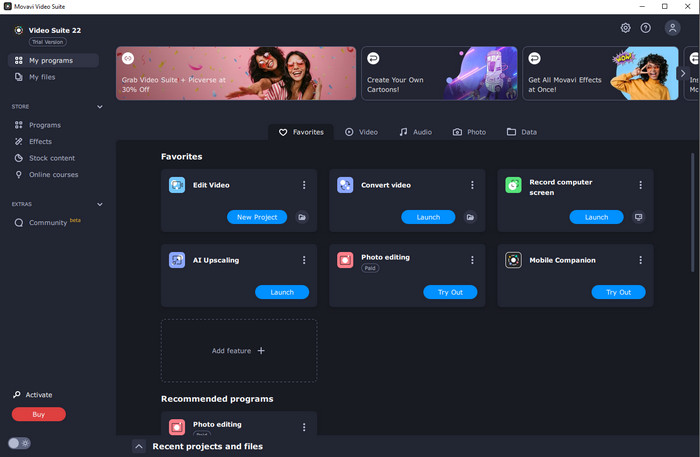
اگر بهدنبال یک برنامه عالی و قابلاعتماد هستید که حاضر به خرید آن برای حذف واترمارک باشید، بهترین برنامهای که میتوانید تهیه کنید Movavi است. این برنامه برای حذف واترمارک، لوگو و موارد دیگر از روی ویدیوها کاربردی و مفید است. علاوهبر حذف واترمارک از ویدیوها، Movavi ابزارهای ویرایش قدرتمند و چشمگیری هم ارائه میکند، مانند برش ویدیو، اصلاح رنگ و موارد دیگر. با اینحال، فرایند ذخیرهسازی در این برنامه نسبتاً کند است.
طرفداران
- دسترسی به ویژگی ها را در طول دوره آزمایشی رایگان محدود نمی کند.
- آسان برای استفاده.
- مناسب برای کاربران حرفه ای و مبتدیان.
- دارای رابط کاربری ساده
منفی ها
- برخی از مسائل در مورد سیاست بازپرداخت وجود دارد.
- برای لذت بردن از استفاده طولانی تر، باید برنامه را خریداری کنید.
6. ManyCam
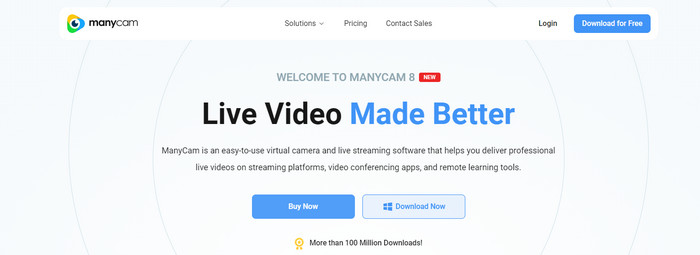
ManyCam یکی دیگر از نرمافزارهای رایگان حذف واترمارک ویدیو است که میتوانید روی کامپیوتر خود استفاده کنید. اگر میخواهید با این نرمافزار واترمارک را از ویدیوها حذف کنید، ابتدا باید اشتراک ManyCam را خریداری یا فعال کنید. به این ترتیب میتوانید واترمارک را از ویدیوها حذف کنید و در عین حال اگر ویدیوهایتان را از طریق ManyCam ذخیره کنید، دیگر واترمارک روی آنها قرار نمیگیرد. علاوه بر این، میتوانید از ManyCam برای استریم بازی، ساخت آموزش، پخش زنده و موارد دیگر هم استفاده کنید.
طرفداران
- دارای ویژگی های بیشتری نسبت به ابزارهای دیگر مانند پس زمینه مجازی، افکت های ماسک سه بعدی و غیره.
- مناسب برای گیمرها و استریمرها.
- مناسب برای کاربران حرفه ای که به ویرایش علاقه دارند.
منفی ها
- فعال کردن اشتراک بسیار گران است.
- برای مبتدیان مناسب نیست.
- برخی از ویژگی ها مانند تنظیمات لایه و افکت ها پیچیده هستند.
قسمت 2: بهترین حذف کننده های واترمارک ویدیویی برای iOS و اندروید
1. پاک کن ویدئو - حذف واترمارک
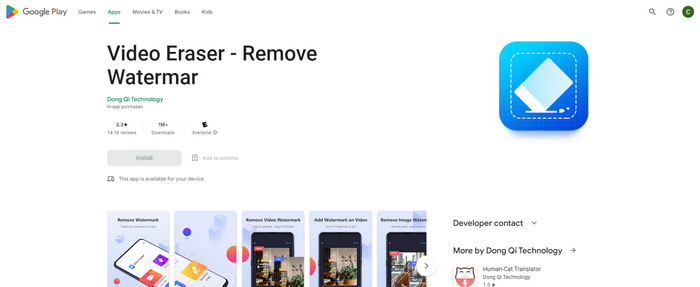
اگر به مطمئن ترین و بهترین برنامه حذف واترمارک ویدیویی برای اندروید علاقه دارید، برنامه ای که می توانید از آن استفاده کنید Video Eraser است. این نرم افزار یک پاک کننده قدرتمند واترمارک است. این به شما کمک می کند تا اشیاء غیر ضروری را از فیلم ها و تصاویر خود پاک کنید. همچنین یک برنامه کاربردی آسان است که برای مبتدیان عالی است. فقط در چند مرحله می توانید واترمارک ها را پاک کنید. علاوه بر این، ویرایش ویدیو دارای ابزارهای مختلفی است که می توانید از آنها استفاده کنید، مانند افزودن متن و آیکون به فیلم ها، برش ویدیوها، کوتاه کردن ویدیوها و موارد دیگر. بخش بزرگ این است که شما می توانید این برنامه را به صورت رایگان بر روی دستگاه اندرویدی خود دانلود کنید.
طرفداران
- سریع و کارآمد.
- ساده برای استفاده، که برای کاربران جدید مناسب است.
- دارای ویژگی های عالی، مانند حذف واترمارک از هر دو ویدیو و تصاویر
منفی ها
- با حذف واترمارک روی ویدیوهایتان، ناحیه تار می شود.
2. FDCTool - اضافه کردن و حذف واترمارک
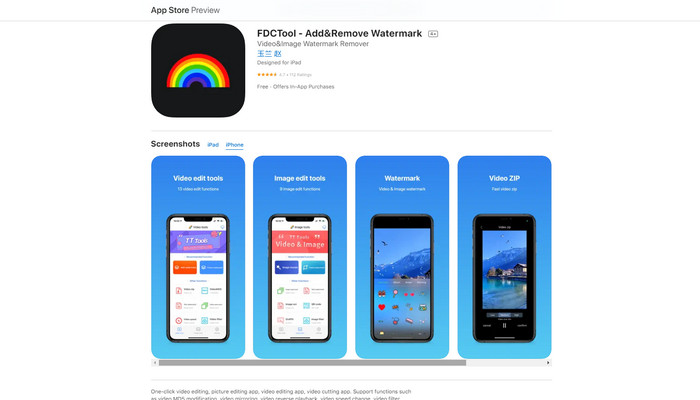
اگر بهدنبال یکی دیگر از بهترین اپلیکیشنهای حذف واترمارک ویدیو برای آیفون هستید، میتوانید از FDCTool استفاده کنید. این برنامه به شما کمک میکند تا اشیای مزاحم را از ویدیوها، فیلمها و کلیپها، مانند واترمارک، لوگو، متن و غیره پاک کنید. علاوه بر این، امکانات عالی دیگری مانند ویرایش تصویر، ویرایش ویدیو، برش ویدیو، اضافه کردن متن به ویدیو و غیره دارد. در نهایت، با استفاده از این برنامه قابلاعتماد، میتوانید تنها با چند مرحله ساده، هر نوع واترمارکی را بهراحتی حذف کنید.
طرفداران
- برای کاربران جدید خوب است.
- از نظر فرآیند ذخیره سازی سریع است.
- حذف واترمارک بدون افت کیفیت
منفی ها
- امکانات محدودی دارد.
قسمت 3: سوالات متداول در مورد حذف واترمارک ویدیو
توصیه شده ترین ابزار حذف واترمارک ویدیویی چیست؟
یک حذفکننده واترمارک ویدیو که بسیار عالی و توصیهشده است، Video Converter Ultimate میباشد. این برنامه به شما اجازه میدهد اشیای اضافی مانند لوگو، متن، تصویر و موارد دیگر را حذف کنید.
آیا می توانم برچسب ها را با استفاده از حذف کننده های واترمارک ویدیو حذف کنم؟
بله حتما! میتوانید با استفاده از حذفکنندههای واترمارک ویدیو، استیکرهای روی ویدیوهایتان را حذف کنید. تنها کاری که باید انجام دهید این است که به دنبال یک برنامه عالی با حذف واترمارک باشید و از آن برای حذف استیکرها از ویدیوهای خود استفاده کنید.
آیا حذف واترمارک به صورت آنلاین ایمن است؟
بله همینطور است! ابزارهای آنلاینی وجود دارد که می توانید به آنها اعتماد کنید. اکثر حذف کننده های واترمارک ویدیویی به صورت آنلاین ایمن و ایمن هستند.
نتیجه
حذف واترمارک از ویدیوها تأثیر خوبی بر بینندگان دارد. بنابراین میتوان نتیجه گرفت که برنامههای حذف واترمارک ویدیو ضروری هستند. این کار باعث میشود ویدیوی شما تماشاییتر و جذابتر شود و احساس ناامیدی نکنید. علاوه بر این، اگر میخواهید واترمارک را از ویدیوهای خود حذف کنید، بهترین برنامهای که میتوانید از آن استفاده کنید Video Converter Ultimate است.
-
 4 روش موثر برای حذف واترمارک Tiktok از ویدیوهای Tiktok
 آیا باید واترمارک Tiktok را از ویدیوهای Tiktok صادراتی خود حذف کنید؟ شما می توانید این کار را در اینجا با کمک ابزارهایی که ارائه می دهیم انجام دهید. شما به راحتی می توانید آن را انجام دهید.
-
 4 بهترین راه برای حذف واترمارک از GIF [آنلاین و آفلاین]
 آیا نیاز به حذف واترمارک از GIF دارید؟ با ابزار موجود در این مقاله، سبک های مختلف را با پاک کننده های مختلف واترمارک موجود در پلت فرم خود خواهید آموخت.
-
 واترمارک در یک ویدیو چیست و چگونه آن را اضافه یا حذف کنیم
 آیا می خواهید واترمارک چیست، انواع مختلف آن و دلیل اضافه کردن آن توسط عکاسان چیست؟ خوب، تنها کاری که باید انجام دهید این است که این مقاله را بخوانید.
