


 Video Converter Ultimate
 ضبط صفحه
 تعمیر ویدیو
کاهش دهنده کیفیت تصویر نهایی که باید در این 2022 داشته باشید
آپلود چندین تصویر و بهاشتراکگذاری آنچه برای ما اتفاق میافتد در سراسر اینترنت، با کمک شبکههای مختلف اجتماعی که بهصورت رایگان در دسترساند، بسیار آسان شده است. متأسفانه وقتی تصاویر را در این وبسایتها پست میکنید، کیفیت آنها افت زیادی میکند، بهویژه اگر کیفیت تصویرتان بالاتر از استاندارد معمول باشد. شاید به این فکر بیفتید که تصویرتان را همانطور در وبسایت آپلود کنید، اما کمی صبر کنید! چون میخواهیم یک راهحل مخفی به شما یاد بدهیم که دستکم فشردهسازیای را که روی تصویر اعمال میشود کاهش دهید، و آن هم پایین آوردن کیفیت تصویر است. در این مطلب، بهترین «کاهندههای کیفیت تصویر» را معرفی میکنیم تا در حل این مشکل به شما کمک کنند. برای اینکه بتوانید ابزار مناسب خود را انتخاب کنید، توضیحات زیر را با دقت بخوانید.

بخش 1. کاهش دهنده های کیفیت تصویر که باید بدانید تا کیفیت تصویر را به راحتی پایین بیاورید [بررسی]
ReduceImages.com
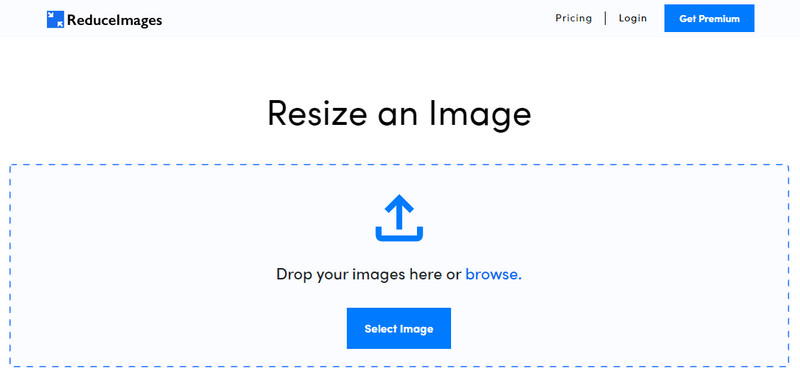
«ReduceImages.com» یک راهحل آنلاین محبوب است که میتوانید از آن برای پایین آوردن کیفیت تصویر استفاده کنید تا آن را با استاندارد وبسایتها سازگار کنید. خوشبختانه این ابزار تحتوب است، بنابراین نیازی به دانلود فایلها ندارید؛ تنها کافی است نام آن را جستوجو کنید و در هر مرورگری که روی دستگاهتان دارید، شروع به استفاده از آن کنید. علاوه بر این، میتوانید اندازه تصاویر JPG، PNG و GIF که اینجا آپلود میکنید را هم تغییر دهید. گرچه میتوانید از این ابزار آنلاین بهصورت رایگان استفاده کنید، اما برخی محدودیتها ممکن است آزاردهنده باشد، بهخصوص اگر بخواهید بهصورت دستهای کار کنید یا از تبلیغات خوشتان نیاید. اگر بودجهای در اختیار دارید، میتوانید پلن پولی را تهیه کنید؛ قیمت آن از حدود ۳٫۹۹ دلار شروع میشود.
طرفداران
- استفاده رایگان و بدون نیاز به نصب
- در صورت تمایل می توانید اندازه تصویر را در اینجا تغییر دهید.
- پس زمینه یک تصویر شفاف را به سیاه و سفید تغییر دهید.
- همه می توانند در کمترین زمان نحوه استفاده از این را بیابند.
منفی ها
- برخی از تبلیغات در نسخه رایگان وجود دارد.
- نمی تواند پردازش دسته ای را در نسخه رایگان انجام دهد.
لوناپیک
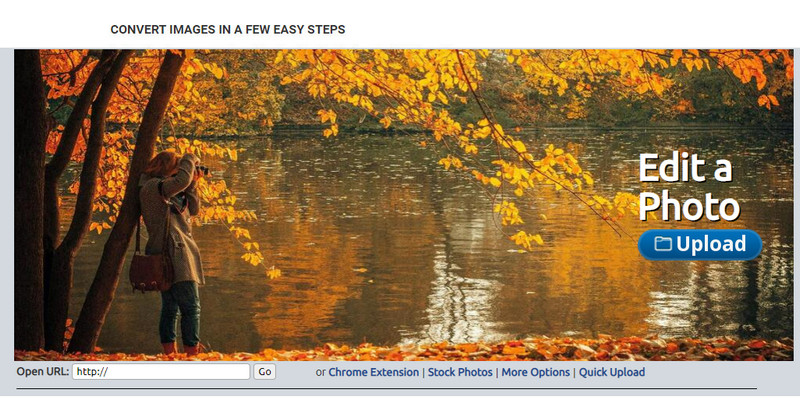
«Lunapic» ابزاری بسیار ساده برای کاهش کیفیت تصویر تا وضوح دلخواه شما است که رابط آن شبیه برنامه Paint است. به خاطر شباهتی که با Paint مشهور روی دستگاههای ویندوزی دارد، خیلی زود با این ابزار آنلاین اخت میشوید. هرچند میتوانید برای بهینهسازی کیفیت تصویر دلخواهتان روی این ابزار حساب کنید، اما تنها فرمتی که پشتیبانی میکند JPEG است و بس. با کپی کردن آدرس اینترنتی (URL) تصویری که میخواهید، میتوانید بدون اینکه ابتدا آن را دانلود کرده باشید، تصویر موردنظرتان را اینجا آپلود و تنظیم کنید. مانند ابزار اول، نیازی به دانلود برنامه ندارید، چون این سرویس روی وب در دسترس است.
طرفداران
- رابط کاربری بصری که به شما امکان می دهد کیفیت را به راحتی دستکاری کنید.
- صفحه پیش نمایش برای مشاهده کیفیت تصویر تنظیم شده پشتیبانی می شود.
- می توانید URL تصویری را که می خواهید آپلود کنید کپی و جایگذاری کنید.
- این رایگان است و از نسخه پریمیوم پشتیبانی نمی کند.
منفی ها
- فرمت پشتیبانی شده فقط JPEG است.
- رابط کاربری گرافیکی قدیمی است و نیاز به تنظیم دارد.
EzGIF
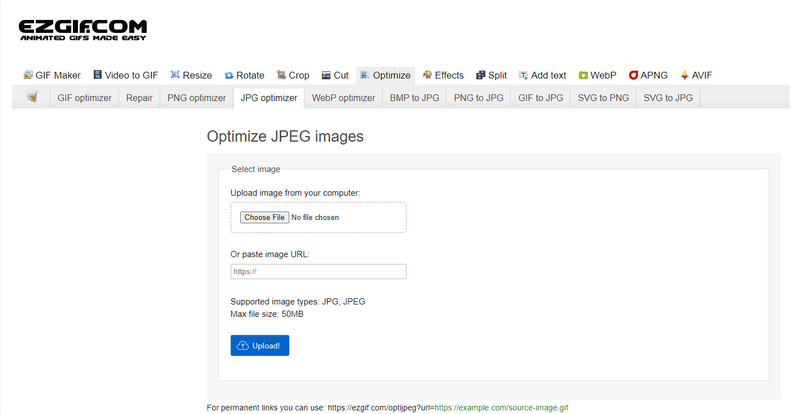
«EzGIF» میتواند سازنده تصاویر کمکیفیت برای شما باشد، یا سادهتر بگوییم، میتواند کیفیت تصاویری را که اینجا آپلود میکنید بهینه کند. این ابزار که در ابتدا بهعنوان تعمیرکننده فایلهای GIF شناخته میشد، اکنون میتواند در صورت نیاز، کیفیت JPEG، WebP و PNG را نیز تغییر دهد. به دلیل کارایی بالا و سالها حضور بهعنوان یک ابزار وب در اینترنت، از دو ابزار قبلی که معرفی کردیم محبوبتر است. این سرویس راهحلی کاربردی و درعینحال مؤثر ارائه میدهد که بهراحتی میتوانید کار با آن را یاد بگیرید. با این حال، با وجود تمام مزایا، نمیتوانید چندین فایل را همزمان اینجا آپلود و پردازش کنید. همچنین، امکان آپلود تصاویری غیر از فرمتهای JPEG یا JPG، PNG، WebP و GIF (چه ثابت و چه متحرک) را ندارید.
طرفداران
- از بسیاری از ویژگی ها مانند تنظیم کیفیت، افزایش، تبدیل و بسیاری موارد دیگر پشتیبانی می کند.
- شما می توانید آزادانه به آن دسترسی داشته باشید و در مرورگرهای وب مختلف از آن استفاده کنید.
- تصویر خود را در اینجا بهینه کنید و قبل از صادرات نتیجه را در صفحه پیش نمایش ببینید.
- بعد از تغییر کیفیت تصویر واترمارکی اضافه نمی کند.
منفی ها
- رابط کاربری گرافیکی آن نیاز به تغییراتی دارد.
- از فرمت های تصویر دیگر مانند BMP، SVG، HEIF و غیره پشتیبانی نمی کند.
- آپلود تصاویر دسته ای پشتیبانی نمی شود.
فتوشاپ
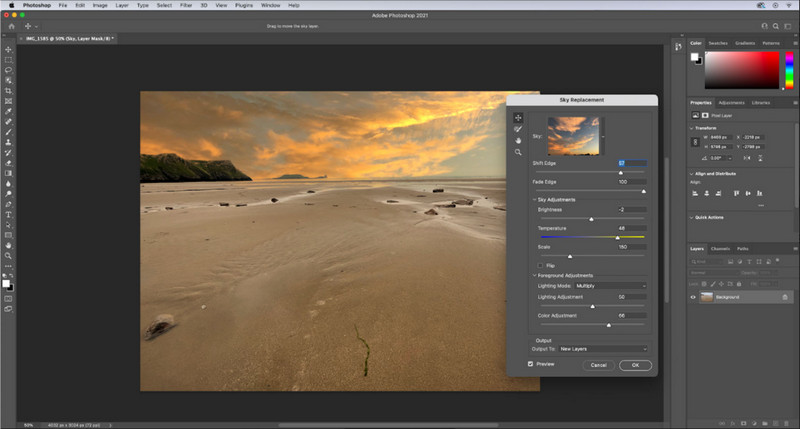
«Adobe Photoshop» مانند یک کد تقلب برای کاهش کیفیت تصویر است، چون در تغییر و دگرگونکردن عکسها یکی از بهترینها بهشمار میآید. با آن میتوانید هر عکسی را وارد کنید و الگوریتم پردازش تصویر را مطابق نیازتان تنظیم کنید. همه دوست دارند از یک ابزار حرفهای استفاده کنند، چون پر از قابلیتهای پیشرفتهای است که در دیگر ویرایشگرهای موجود در بازار یا ابزارهای آنلاین پیدا نمیشود. تفاوت میان یک ابزار درجهیک و یک ابزار «بد نیست» را این برنامه بهخوبی نشان میدهد. با این حال، بدیهی است که بعضی کاربران به دلیل رابط کاربری پیچیده و سنگین آن در یادگیریاش دچار مشکل میشوند. پس اگر اولین بار است که از این نرمافزار استفاده میکنید، ممکن است در کار با آن دچار سختی شوید. در مجموع، این حرفهایترین ویرایشگر تصویری است که میتوانید استفاده کنید؛ قابلیتی که سه ابزار اول معرفیشده در این مطلب در این حد ندارند.
طرفداران
- ویژگی های منحصر به فردی را ارائه می دهد که ویرایشگر تصویر آنلاین دیگر ندارد.
- ویژگی های منحصر به فردی را ارائه می دهد که ویرایشگر تصویر آنلاین دیگر ندارد.
- این بهترین انتخاب برای انجام ویرایش حرفه ای تصویر است.
- ابزاری فشرده و با امکانات کامل که می توانید آن را در دستگاه های مختلف دانلود کنید.
منفی ها
- کاربرانی که برای اولین بار استفاده می کنند در یافتن نحوه استفاده از آن مشکل دارند.
- برای ادامه استفاده از آن پس از دوره آزمایشی رایگان، باید طرحی خریداری کنید.
بخش 2. پاداش: چگونه با استفاده از Top Image Upsclaer در وب، تصویر با کیفیت پایین را بالاتر ببریم
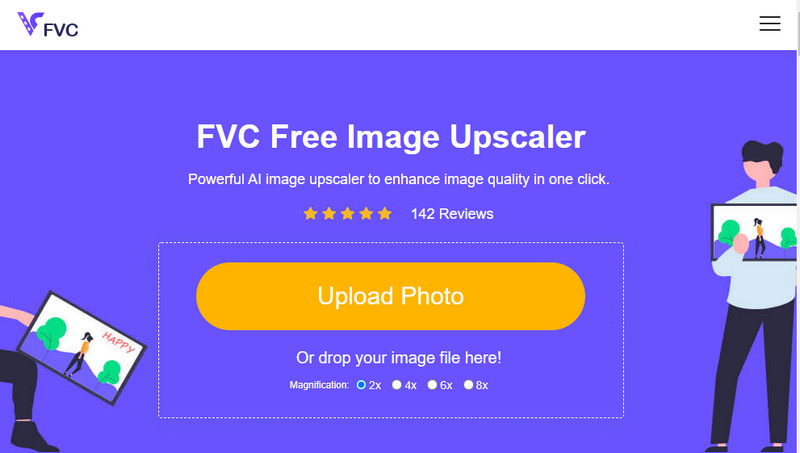
تا بهحال پیش آمده یک تصویر کمکیفیت بسازید که در نهایت پیکسلی یا تار از آب دربیاید و بخواهید آن را به کیفیت اصلیاش برگردانید؟ اگر بله، میتوانید از 'FVC Free Image Upscaler' استفاده کنید. این راهحل تحتوب با ردیابی الگوریتم موجود در تصویر، تنظیم کیفیت و بزرگنمایی آن بر اساس دادههایی که هوش مصنوعی تشخیص میدهد، کار را برای شما انجام میدهد. با استفاده از این ابزار، مزایایی مثل بهترین عملکرد در بزرگنمایی، بینیازی از نصب، ایمنی و سهولت استفاده، و پشتیبانی مشتری ۲۴ ساعته را بهدست میآورید. همچنین میتوانید فرمتهایی مانند JPEG/JPG، PNG، BMP، SVG و بسیاری فرمتهای دیگر را اینجا آپلود کنید تا 'رزولوشن تصویر را افزایش' دهید. علاوه بر این، حتی اگر قبلاً کیفیت تصویر را پایین نیاورده باشید و فقط بخواهید کیفیت کلی آن را بهتر کنید، باز هم میتوانید از این نرمافزار استفاده کنید. برای شروع، روی نام ابزار کلیک کنید و بلافاصله تصویری را که میخواهید بزرگنمایی کنید، آپلود کنید!
بخش 3. سوالات متداول در مورد چگونگی ایجاد یک تصویر با کیفیت پایین
آیا تغییر کیفیت باعث کوچکتر شدن حجم فایل می شود؟
خیر، اینطور نیست. اگر پیکسلهای تصویر را تغییر داده و آن را کمتر کرده باشید، ظاهر تصویر تحتتأثیر قرار میگیرد، اما اندازه فایل لزوماً عوض نمیشود. در اینجا برخی از بهترین 'بهبوددهندههای پیکسل' را معرفی کردهایم که میتوانید امتحانشان کنید.
چرا بیت ریت تصویر من بعد از کاهش کیفیت تغییر کرد؟
پس از تغییر کیفیت تصویر، هنگامی که آن را صادر می کنید، تغییر قابل توجهی در میزان بیت مشاهده خواهید کرد که به طور قابل توجهی هنگام تغییر وضوح تصویر.
چرا GIF متحرک پس از کاهش کیفیت به ثابت تبدیل می شود؟
برنامه ای که برای کاهش کیفیت استفاده می کنید به شما امکان می دهد GIF متحرک را آپلود کنید اما نمی توانید یک GIF متحرک را صادر کنید، بنابراین نتیجه به یک GIF ثابت تبدیل می شود. پسوند تصویر همانطور که هست باقی می ماند، اما متحرک نمی ماند.
نتیجه
با چهار نرم افزاری که اضافه می کنیم می توانید کاهنده کیفیت تصویر خود را انتخاب کنید که می توانید در وب دانلود کرده و به آن دسترسی داشته باشید. اگر از خواندن این مقاله لذت می برید، بسیار متشکریم که به این پنج ستاره امتیاز دهید.
-
 7 بهترین بزرگ کننده عکس آنلاین و آفلاین
 آیا می خواهید بهترین بزرگ کننده های عکس را برای دستگاه ویندوز یا مک خود یاد بگیرید؟ این پست را بخوانید تا بهترین بزرگ کننده های عکس را که ارزش امتحان کردن دارند را بشناسید.
-
 4 بزرگکننده آفلاین و آنلاین GIF که نباید از دست بدهید
 اگر به دنبال بهترین بزرگ کننده های GIF هستید، این پست برای شما مناسب است. ما بهترین بزرگ کننده های GIF آنلاین و آفلاین را برای رایانه شما فهرست کرده ایم.
-
 بهترین برنامه های تغییر اندازه عکس آنلاین و آفلاین برای رایانه
 به دنبال بهترین برنامه های تغییر اندازه عکس برای دسکتاپ خود هستید؟ ما بهترین برنامههای تغییر اندازه عکس آنلاین و آفلاین را که باید امتحان کنید، فهرست کردهایم.
