


 Video Converter Ultimate
 ضبط صفحه
 تعمیر ویدیو
جدیدترین و ساده ترین دستورالعمل نحوه تبدیل AMV به AVI [2021]
You want to edit your video in the best video editor you have, but you can't upload your video because the video editor didn't support your AMV video format. For another instance, if you want to convert AMV to AVI, what are the chances of finding the best tool to solve your problem? This very new topic needs to be considered reading various enlighten your knowledge about how to convert AMV to AVI and their details, comparison, and differences to each other.

قسمت 1. نحوه تبدیل AMV به AVI در ویندوز و مک
Video Converter Ultimate is the best converter the internet can offer either for converting or editing intention. There's a lot of things you can do with this software that can help your video turn to another level. One of the main features this software can provide is the massive video formats it can support, so you don't have to worry about some unfamiliar video formats you need to convert. It is a professional-wise tool that can convert excellent quality videos. That's why converting AMV to AVI is not going to be a challenging part. Let's buckle up and learn all the procedures this software can provide in converting AMV to AVI.
Step 1. First and foremost, you need to download the software by clicking the Free Download button below. You can choose if you will download the software either from Windows and Mac. After you finish downloading, install it to your desktop, and you can now begin using it by clicking Start Now.
دانلود رایگانبرای ویندوز 7 یا بالاتردانلود امن
دانلود رایگانبرای MacOS 10.7 یا بالاتردانلود امن
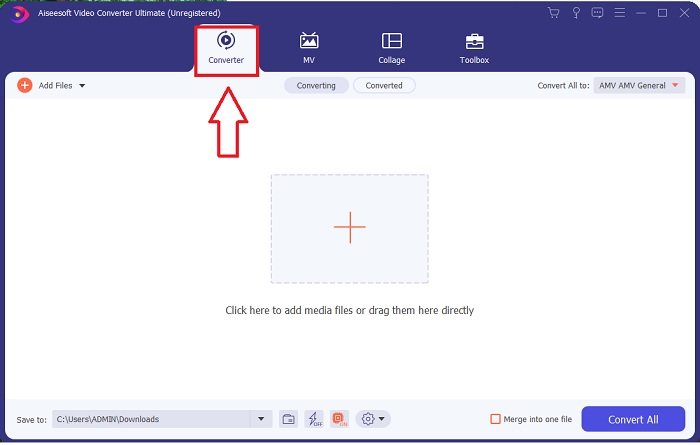
Step 2. Open the software you download. After you launch the software, a window will pop up, and you will see the Converter interface.
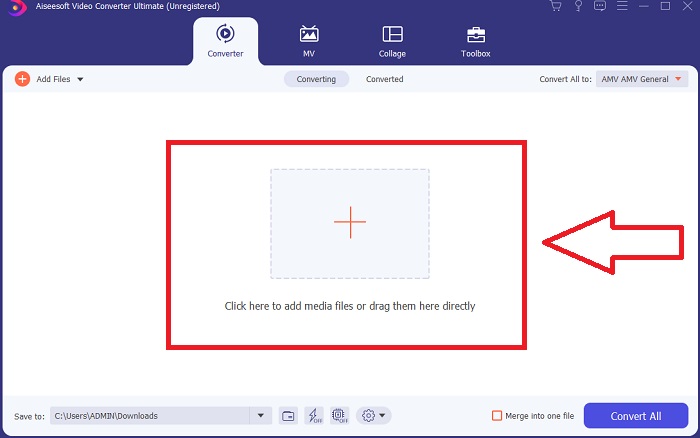
Step 3. Proceed with converting by importing your files to the converter. Click the + icon or drag the video file you wish to convert.
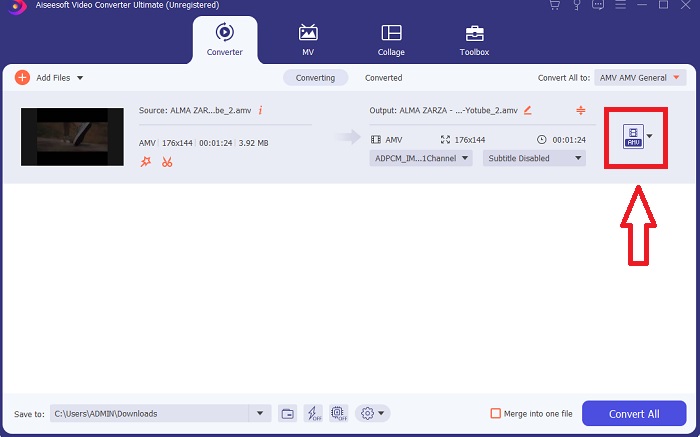
Step 4. Click the selection of video formats to the right corner. Locate and choose the AVI format. After selecting the format, you can now choose different video quality an AVI format can provide. But you can also customize the quality of your video if your preferred video output is not on the choices. You can change and adjust the resolution, frame rate, and even audio quality settings by clicking the gear icon. Click Create New to save the changes.
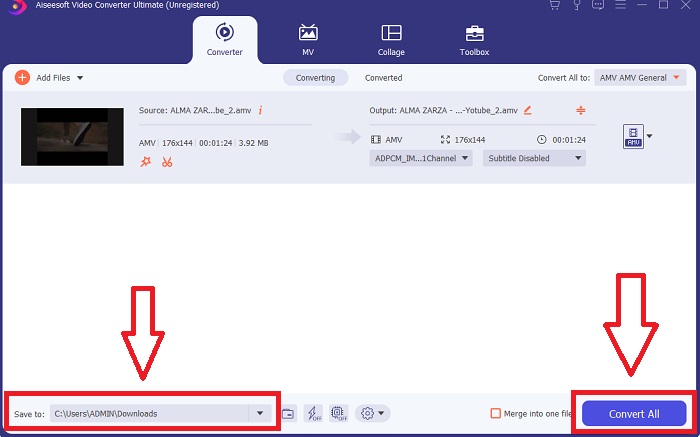
Step 5. After you have adjusted the video file and it is ready to be converted, change the destination of your converted video file first and click Convert All to transfer it to your computer.
قسمت 2. نحوه تبدیل AMV به AVI آنلاین
What if you have no time to download some applications and software to use in converting AMV to AVI? This online tool is a call to help with your problem, introducing ConvertFiles. This online tool can help you convert numerous supported formats online for free; only you have to have excellent connectivity to convert files. In addition, this online tool is very accessible to use, thanks to its user-friendly interface that is very straightforward to the converting process and doesn't include third-party apps. Here are the steps you need to know in order to convert using this online tool:
Step 1. Search ConvertFiles to any search engine. Click the online tool, and the interface of the web tool will appear.
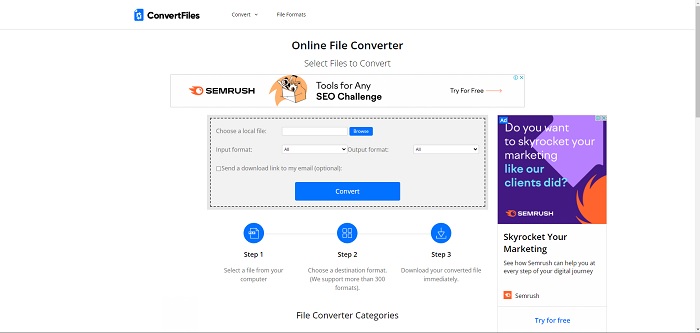
Step 2. Upload a file by clicking Browse. With this, you can search for your video on your file on your desktop and put it on the web tool. Choose an input format, and formally this is the format of the video file you want to convert. And the output format, a video format that where your original video file will be converted to.
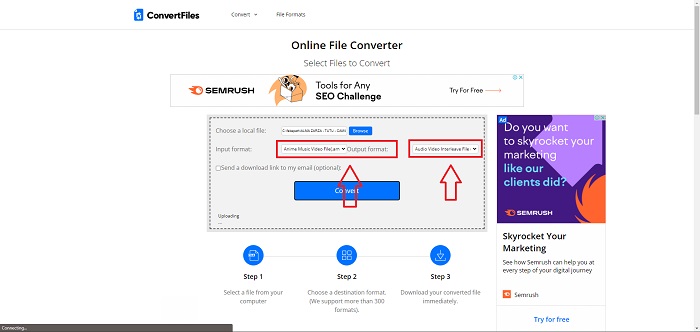
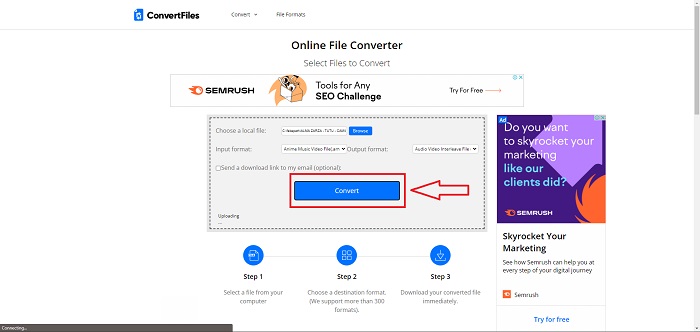
Step 3. To convert and export the file, click Convert and wait for the file to process for a while. The larger the file size, the longer it will take to process. Then, click the link that will appear to download the file.
بخش 3. حقایقی که می خواهید در مورد AMV و AVI بدانید
فایلهای ویدیویی با فرمت AMV (Actions Media Video) را فقط میتوان در پخشکنندههای MP4 و S1 MP3 با قابلیت ویدیو پخش کرد. این یک فرمت محفظه یا بسته بندی ویدئویی ساخته شده توسط مایکروسافت است که داده های ویدئویی کدگذاری شده در کدک های مختلف را ذخیره می کند و می تواند توسط انواع پخش کننده های ویدئویی پخش شود. با این حال، در مقایسه با فرمت های ویدئویی دیگر مانند MPEG و MOV، یک فایل AVI از فشرده سازی کمتری استفاده می کند و بنابراین فضای بیشتری مصرف می کند. فایل های AVI در هنگام ایجاد نیازی به فشرده سازی ندارند. از آنجایی که فایلها دیگر فشرده نمیشوند، بسیار بزرگتر هستند و فضای زیادی را اشغال میکنند - حدود ۲ تا ۳ گیگابایت در دقیقه ویدیو. مهم نیست که چند بار یک فایل بدون اتلاف را باز یا ذخیره کنید، کیفیت آن کاهش نمی یابد. علاوه بر این، هیچ کدک برای پخش مورد نیاز نیست.
بخش 4. سوالات متداول در مورد تبدیل AMV به AVI
آیا AMV و AVI یکی هستند؟
A modified AVI container serves as the transport for the data. All known AMV files run sound at 22050 samples/second and use an IMA ADPCM variant with the first 8 bytes of each frame being origin (16 bits), index (16 bits), and the number of encoded 16-bit samples (32 bits).
آیا می توانید AVI را بدون افت کیفیت به MP4 تبدیل کنید؟
Using VLC Media Player, you can convert AVI files to MP4 files. VLC's Media menu can be accessed from the top bar by selecting it and then clicking Convert/Save. Select the videos you want to convert by clicking Add in the Open Media window. At the very bottom, there is a Convert/Save button to be clicked.
آیا AVI بهتر از MP4 است؟
When it comes to YouTube, AVI and MP4 are acceptable formats, but MP4 does a much better job because it can be compressed without sacrificing video or audio quality. It's easier to edit video files in AVI, but the quality suffers because it must be compressed to fit into a smaller file. You can read on AVI vs. MP4 to explore more detailed information.
نتیجه
After all this article has discussed, AMV is not a very common video file supported by other converters both online and offline. There's Video Converter Ultimate that you can download anytime, and it is free. You can now convert AMV into various types of video formats. Also, you can adjust and change the video quality of the converted output so that it will fit every purpose you want for the desired output, either for entertainment, business or schoolwork. These will be the very best choices you need to consider in converting this kind of format you're unfamiliar with.
-
 3 روش آسان برای تبدیل FLV به AVI در دسک تاپ و آنلاین
 در اینجا سه روش برای کمک به شما در تبدیل کارآمد فایل های ویدئویی FLV به فرمت AVI در Windows و Mac آورده شده است تا بتوانید آنها را با کیفیت بالا مشاهده کنید.
-
 بهترین راه برای تبدیل GIF به AVI [منبع باز و حق بیمه] چیست؟
 آیا می خواهید GIF خود را بدون از دست دادن کیفیت ویدیو به فرمت AVI تبدیل کنید؟ برای یادگیری نحوه تبدیل فایل GIF به AVI به خواندن ادامه دهید.
-
 4 روش کارآمد برای تبدیل MOV به AVI در رایانه شخصی و مک [2021]
 آیا می خواهید بدانید بهترین مبدل MOV به AVI در وب چیست؟ و چرا FVC Ultimate Video Converter ممکن است برای شما مناسب باشد.
