


 Video Converter Ultimate
 ضبط صفحه
 تعمیر ویدیو
با 2 بهترین مبدل برای تبدیل رایگان RMVB به AVI آشنا شوید
اگر به دنبال فشردهسازی کارآمدتر هستید، از فرمت RMVB استفاده کنید، زیرا این فرمت از نرخ بیت متغیر برای رمزگذاری صدا و ویدئو بهره میبرد. این فرمت، بهترین کانتینر برای ذخیرهی محتوای استریمشدهای است که با نرخ بیت ثابت کدگذاری شدهاند. هرچند این فرمت بهترین انتخاب برای پخش آنلاین است، برای تماشای ویدئویی با پسوند .rmvb همچنان باید از یک پلیر چندرسانهای یا کدک مناسب استفاده کنید. پس اگر چنین است، بیایید کار را برایتان راحتتر کنیم و ببینیم از کدام مبدل فایل RMVB به AVI میتوانید برای تبدیل فایلهای RMVB خود استفاده کنید.
قسمت 1. بهترین مبدل آفلاین RMVB به AVI برای ویندوز و مک [سریعترین و موثرترین راه]
اولین مورد در این فهرست مبدل فوقالعادهای است که حتماً دوستش خواهید داشت؛ FVC Video Converter Ultimate سریعترین و ایمنترین راه را برای تبدیل RMVB به AVI بهصورت رایگان در اختیارتان میگذارد. تمام قابلیتهایی که این ابزار ارائه میکند، برای کسانی که زیاد فرمت فایلها را تبدیل میکنند ضروری است. همچنین اگر میخواهید ویدئوی خود را ویرایش کنید، صدایتان را تقویت کنید، یک GIF منحصربهفرد بسازید و کارهای بیشتر انجام دهید، این ابزار انتخاب بسیار مناسبی برای همه است. البته خودِ تبدیل فرمت در اینجا رایگان است، اما خودِ ابزار رایگان نیست. با این حال، برای دانلود، دسترسی و تجربهی کامل تمام قابلیتهای این مبدل، لازم نیست صدها دلار هزینه کنید. فرض کنیم این ابزار را خریده و دانلود کردهاید؛ اکنون بهترین زمان است که با کمک این برنامه از قوهی تخیل خود استفاده کنید تا به بهترین خروجی برسید. و حالا، جزئیات زیر مراحل تبدیل فایلهای RMVB شما به فرمتی جدید را نشان میدهد.
مراحل تبدیل RMVB به AVI با FVC Video Converter Ultimate:
مرحله 1. این مبدل RMVB به AVI را روی رایانهی ویندوز یا مک خود دانلود، نصب و تنظیمات اولیه را انجام دهید، سپس روی Start Now کلیک کنید.
دانلود رایگانبرای ویندوز 7 یا بالاتردانلود امن
دانلود رایگانبرای MacOS 10.7 یا بالاتردانلود امن
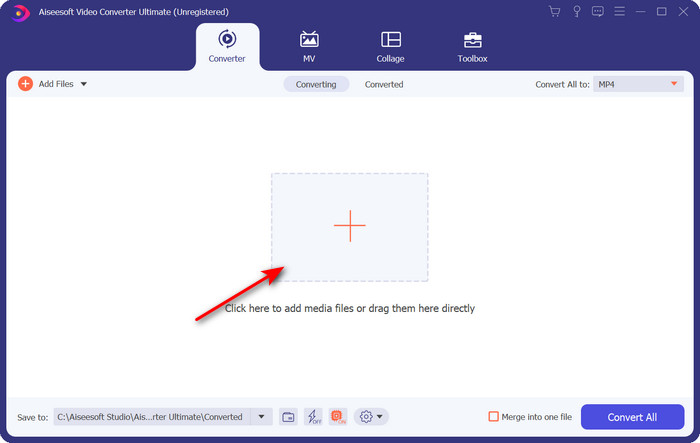
مرحله 2. برنامه را اجرا کنید و با کلیک روی دکمهی + در وسط رابط، فایل .rmvb را بارگذاری کنید. فایل را در پوشه پیدا کرده و روی Open کلیک کنید.
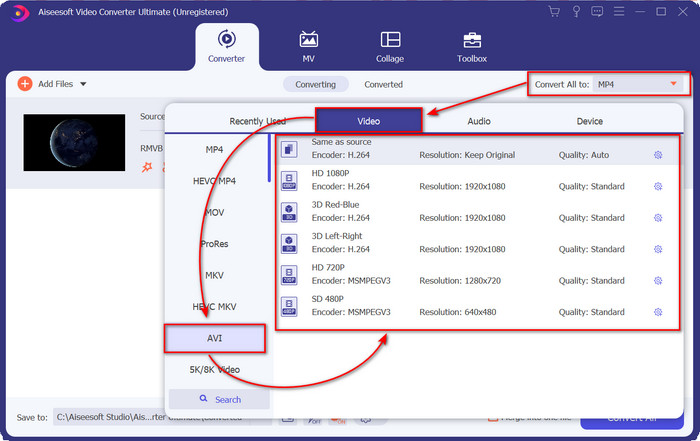
مرحله 3. به بخش Convert All to: بروید و فرمت AVI را پیدا کرده و روی آن کلیک کنید.
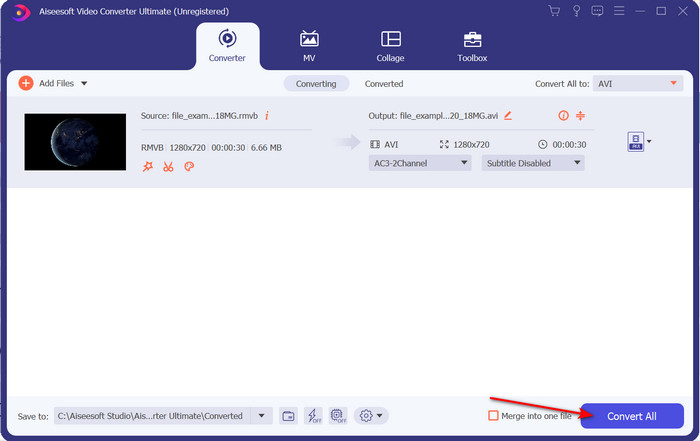
مرحله 4. پس از انتخاب فرمت، با کلیک روی Convert All فرایند تبدیل فایل را شروع کنید.
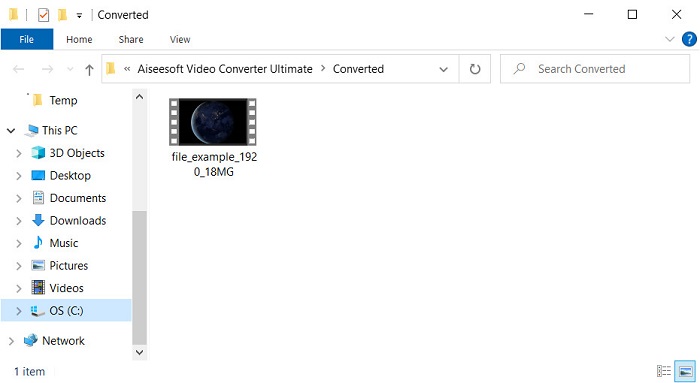
مرحله 5. پوشهای حاوی فایل جدید .rmvb روی صفحهی شما نمایش داده میشود؛ روی فایل کلیک کنید، ویدئو را تماشا کنید و لذت ببرید.
طرفداران
- جعبه ابزار چندین ابزار محبوب را ارائه می دهد که به شما در رفع مشکلات مختلفی که با آن روبرو می شوید کمک می کند.
- در مقایسه با سایر مبدل های آنلاین و آفلاین، 30 برابر سریعتر تبدیل فایل را فراهم می کند.
- اینکه هر کسی با یا بدون تجربه در تبدیل می تواند به راحتی تبدیل کند، بی ابهام است.
- تبدیل دسته ای به سرعت با فرمت های مختلف انجام می شود.
منفی ها
- برای دسترسی به ابزار، باید هزینه آن را بپردازید، اما بیش از صد دلار نیست.
- دانلود در رایانه شخصی یا مک شما مورد نیاز است.
قسمت 2. بهترین تبدیل آنلاین RMVB به AVI برای مرورگر وب [رایگان]
بهدنبال یک مبدل RMVB به AVI آنلاین هستید؟ در این صورت، FVC Free Video Converter Online یکی از گزینههاست. این ابزار تحت وب به شما اجازه میدهد بدون دانلود نرمافزار، فرمت را تبدیل کنید. هرکسی که اتصال اینترنت دارد میتواند به آن دسترسی داشته باشد. همچنین این سرویس رایگان، امن و بدون تبلیغات مزاحم در زمان تبدیل است. علاوه بر این، میتوانید بدون هیچ محدودیتی فایلها را اینجا تبدیل کنید. میتوانید از میان چندین فرمت موجود، انتخاب کنید. با این حال، این ابزار تحت وب امکانات پیشرفتهای مانند آنچه FVC Video Converter Ultimate در اختیارتان میگذارد ندارد. از طرفی، مثل سایر ابزارهای تحت وب، اگر به اینترنت دسترسی نداشته باشید، نمیتوانید از این ابزار استفاده کنید. بنابراین اگر میخواهید بدون هزینه کردن، تبدیل را امتحان کنید، مراحل زیر را دنبال کنید.
مراحل تبدیل RMVB به AVI بهصورت آنلاین با FVC Free Video Converter Online:
مرحله 1. برای دسترسی به این مبدل RMVB به AVI آنلاین، باید روی این لینک کلیک کنید.
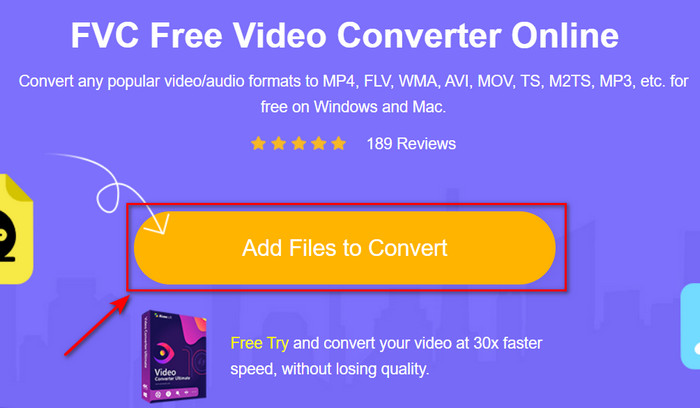
مرحله 2. روی Add Files to Convert کلیک کنید، و اگر اولین بار است که از این ابزار استفاده میکنید، لانچر بهصورت خودکار دانلود میشود. پس از آن دوباره روی Add Files to Convert کلیک کنید تا یک پوشه ظاهر شود. فایل .rmvb را در پوشه پیدا کرده و روی Open کلیک کنید.
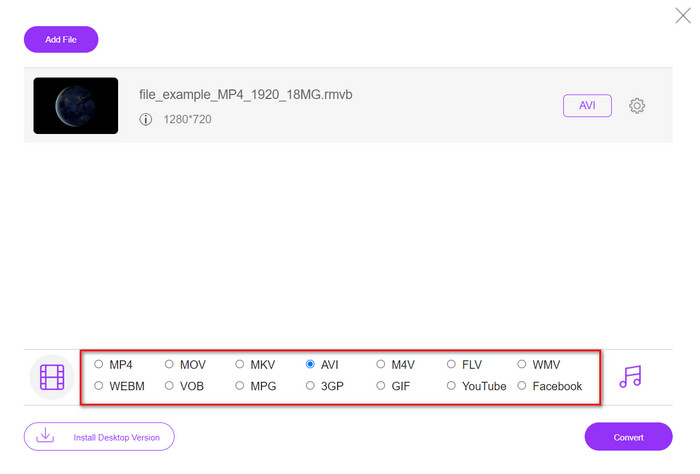
مرحله 3. وقتی فایل روی رابط وب ظاهر شد، از میان گزینههای موجود در پایین، روی AVI کلیک کنید.
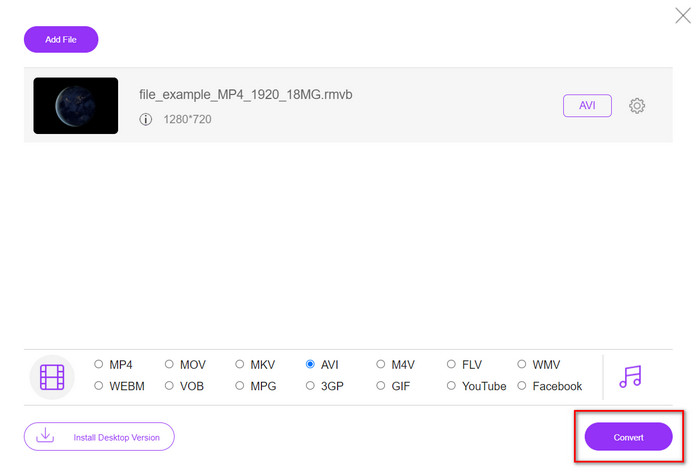
مرحله 4. پس از انتخاب AVI، با فشردن دکمهی Convert فرآیند تبدیل را آغاز کنید.
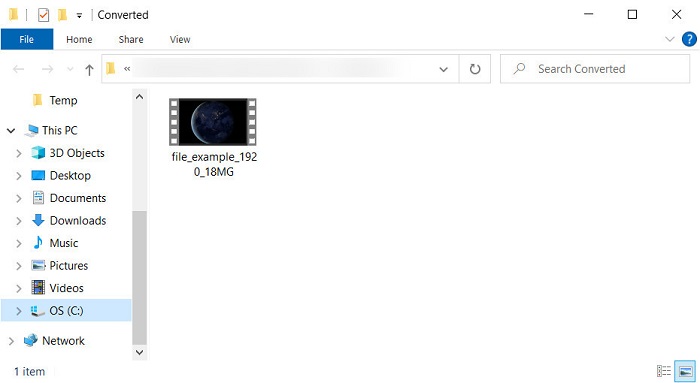
مرحله 5. وقتی تبدیل فایل تمام شد، پوشهای همراه با فایل روی صفحهی شما نمایش داده میشود؛ اگر میخواهید ویدئو را تماشا کنید، روی آن کلیک کنید.
طرفداران
- برای دسترسی به آن به غیر از نصب کننده نیازی به دانلود نیست.
- رایگان است و هیچ تبلیغی در رابط وب ندارد.
- ابزار وب را در مرورگر دیگری باز کنید زیرا در همه موارد موجود است.
منفی ها
- وابسته به اینترنت، یعنی اگر اینترنت نداشته باشید، نمی توانید از آن استفاده کنید.
- هیچ ویژگی ویرایشی مانند FVC Video Converter Ultimate ندارد.
بخش 3. سوالات متداول در مورد RMVB و AVI
آیا می توانم فایل RMVB را در Quicktime پخش کنم؟
Quicktime میتواند فرمتهای مختلفی را پخش کند و این پلیر رسانهای از کدکهای متنوعی که در ترک ویدئو یا صوت شما کدگذاری شدهاند پشتیبانی میکند. اما .rmvb جزو فرمتهای پشتیبانیشده نیست؛ بنابراین برای پخش فایل .rmvb در Quicktime باید آن را به فرمتی پشتیبانیشده مثل MOV، MPEG-4، AVI و دیگر فرمتهای سازگار تبدیل کنید. با این حال میتوانید برای لذت بردن روان از ویدئوهای RMVB خود، از پلیرهای RMVB کمک بگیرید.
چرا نمی توانم فایل های .rmvb را در Windows Media Player باز کنم؟
از آنجایی که کدک فایلهای rmvb. شما در این پخش کننده رسانه پشتیبانی نمیشود، فرض کنید میخواهید ویدیویی را با پسوند فایل rmvb. تماشا کنید. در این صورت، لازم است قبل از پخش یک کدک ویدیویی روی رایانه خود نصب کنید. اما برای جلوگیری از این مشکل، سعی کنید فرمت را به فرمت قابل قبولی تبدیل کنید که این پخش کننده رسانه پشتیبانی می کند.
آیا می توانم یک ویدیو را با فرمت RMVB در گوشی خود ذخیره کنم؟
بله، شما می توانید آن را ذخیره کنید، اما نمی توانید آن را در پخش کننده ویدیوی پیش فرض خود پخش کنید و برای پخش فایل، باید یک پخش کننده ویدیوی شخص ثالث که از این فرمت پشتیبانی می کند، دانلود کنید.
نتیجه
برای جمعبندی، اکنون میدانیم فرمت RMVB چیست و چه نوع رمزگذاریهایی را پشتیبانی میکند. هرچند این فرمت برای ارسال فایل بهصورت آنلاین عالی است، برخی از پخشکنندههای رسانهای همچنان به دلیل ساختار پیچیدهی آن از این فرمت پشتیبانی نمیکنند. به همین دلیل، دو راهحل معرفی کردیم تا بتوانید فایلهای RMVB را به AVI تبدیل کنید؛ یکی ابزاری است که بهصورت رایگان و آنلاین در دسترس است، و دیگری مبدل شگفتانگیزی است که همهی کارها را در یک چشمبرهمزدن انجام میدهد. اگر FVC Free Video Converter Online را انتخاب کنید، میتوانید انتظار بهترین تبدیل آنلاین را داشته باشید. اما اگر تصمیم به دانلود نسخهی پیشرفتهتر بگیرید، باید منتظر عملکردی در سطح نهایی و حرفهای باشید.
-
 راهنمای نحوه تبدیل RMVB به MP4 در ویندوز / مک (3 روش رایگان)
 آیا می خواهید RMVB را به MP4 برای پخش آسان در رایانه یا تلفن همراه خود تبدیل کنید؟ در این راهنما راه های ساده ای برای تبدیل فایل های RMVB خود به MP4 خواهید یافت.
-
 4 برنامه برتر RMVB به FLV مبدل رایگان در دسک تاپ یا آنلاین
 این مقاله بهترین نرم افزار مبدل RMVB به FLV و برنامه های وب را به شما می گوید که می توانند فایل های RMVB (میزان بیت متغیر RealMedia) را به فیلم FLV تبدیل کنند.
-
 بهترین روش برای تبدیل AMV به AVI [تایید شده]
 آیا برای تبدیل فایل ویدئویی با فرمت AMV به AVI مشکل دارید؟ در اینجا چند نکته ارائه شده است که فقط در این مقاله می توانید آنها را بیابید.
