


 Video Converter Ultimate
 Näytön tallennin
 Videon korjaus
 Suojattu lataus
Hämmästyttävä Photobucket-vesileimanpoistoaine [helppoja tapoja]
Photobucket on sovellus, jota ihmiset käyttävät kuvien isännöintiin ja valokuvien säilyttämiseen sekä henkilökohtaisiin että liiketoiminnallisiin tarkoituksiin. Tämän ohjelmistosovelluksen avulla voit upottaa kuvasi minne tahansa sekä lisätä kuviin suodattimia, tarroja, merkintöjä ja rajauksia. Lisäksi, kun tallennat valokuvasi Photobucketiin, kuvan laatu ei heikkene. Koska Photobucketin kuvat ovat kuitenkin Shutterstock-kuvia, et voi ladata kuvia ilman vesileimaa. Onneksi meillä on työkalu, jolla voit poistaa Photobucket-vesileiman kuvastasi. Lue tämä artikkeli tutustuaksesi parhaisiin Photobucket-vesileiman poistajiin.

Osa 1. Photobucket-vesileimien poistaminen ilmaisella vesileimanpoistoaineella
Monilla ihmisillä on vaikeuksia löytää helppokäyttöistä vesileimanpoistoainetta. Vesileimanpoistoaineen käyttö on monimutkaista; etsimme parasta sovellusta Photobucket-vesileimojen poistamiseen valokuvistasi. Tässä on ilmainen työkalu, jolla voit poistaa Photobucket-vesileimat kuvastasi ilman pitkiä puheita.
FVC Free Watermark Remover on verkkosovellus, jonka avulla voit poistaa vesileimoja kuvista tai videoista. Tämä online-vesileimanpoistaja on helppokäyttöinen, koska sen käyttöliittymä on selkeä ja siinä on yksityiskohtaiset ohjeet. Lisäksi se ei ainoastaan poista Photobucket-vesileimoja kuvastasi, vaan voi poistaa vesileimoja myös mistä tahansa JPEG-, JPG-, PNG- ja BMP-kuvista. Kun poistat vesileiman kuvastasi tällä työkalulla, kuva tallennetaan samaan tiedostomuotoon. Tämän verkkotyökalun hieno ominaisuus on se, että voit valita, minkätyyppistä poistotyökalua käytät: monikulmio-, lassotyökalua tai sivellintä. Ja jos teet virheen vesileimaa poistaessasi, voit kumota toiminnon.
Plussat
- Se on käyttäjäystävällinen työkalu.
- Toisin kuin muut verkkotyökalut, se ei sisällä mainoksia.
- Siinä on pyyhekumitoiminto, kun teet virheen.
- Käytettävissä kaikilla selaimilla, mukaan lukien Google, Firefox ja Safari.
Haittoja
- Käyttöprosessi saattaa hidastua, kun Internet-yhteytesi on hidas.
Vaiheet Photobucket-vesileiman poistamiseen käyttämällä FVC Free Watermark Removeria:
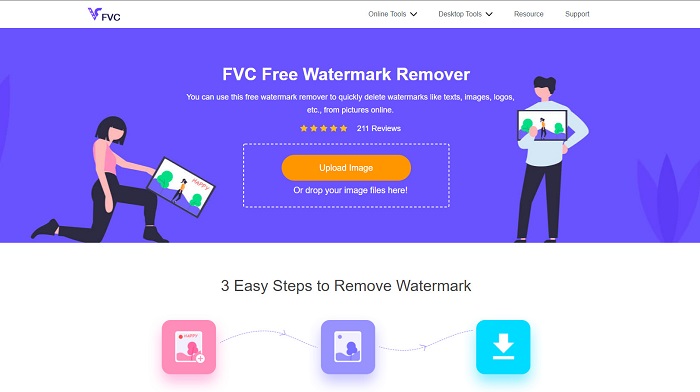
Vaihe 1. Hae selaimessasi FVC Free Watermark Remover. Napsauta sitten ensimmäisenä hakutulossivullasi näkyvää sivua. Heidän verkkosivunsa näyttää tältä:
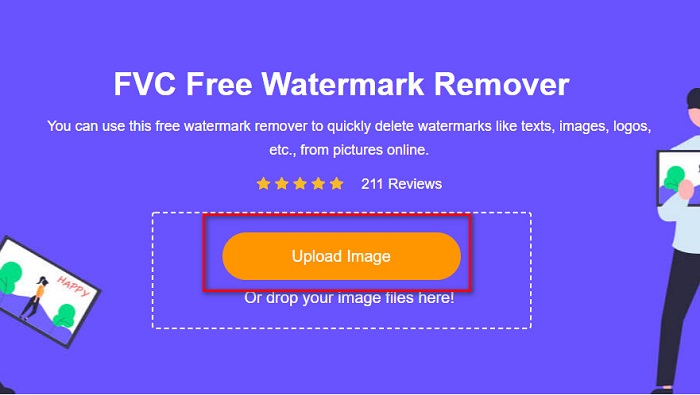
Vaihe 2. Napsauta sitten ohjelman pääkäyttöliittymässä Upload Image -painiketta ladataksesi Photobucket-kuvasi. Tietokoneesi kansiot avautuvat, valitse sieltä Photobucket-kuvasi ja napsauta Open.
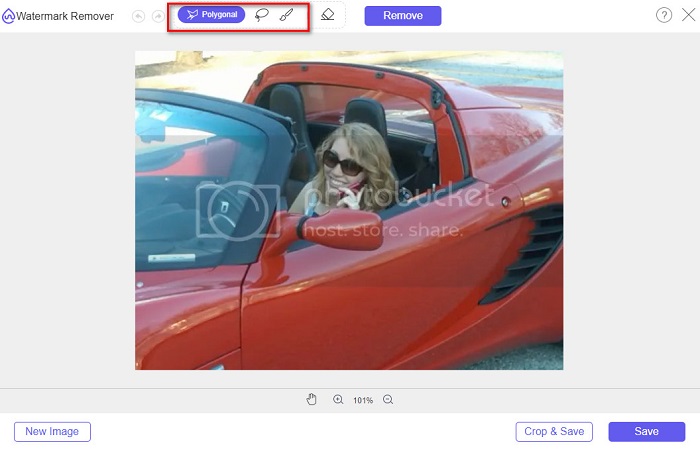
Vaihe 3. Valitse seuraavaksi yläreunan vaihtoehdoista poistotyökalu, jota haluat käyttää. Voit valita monikulmion, lasson tai siveltimen välillä.
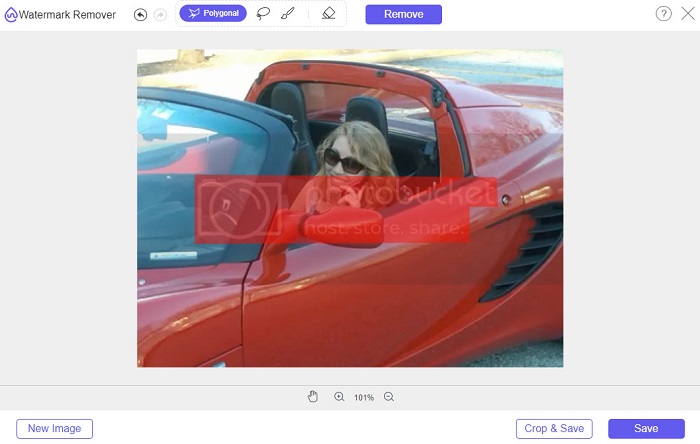
Vaihe 4. Käyttämällä polygonal-vaihtoehtoa piirrä alue, jonka haluat poistaa, ja napsauta sitten Remove.
Vaihe 5. Napsauta Save-painiketta; tiedostosi tallentuu sen jälkeen automaattisesti tietokoneellesi.

Helppoa eikö? Voit poistaa vesileiman Photobucket-valokuvastasi vain viidellä helpolla vaiheella.
Osa 2. Photobucket-vesileiman poistaminen Photoshopilla
Adobe Photoshop on työkalu, jota monet käyttävät kuvien muokkaamiseen. Voit käyttää Adobe Photoshopia myös vesileiman poistamiseen kuvastasi. Alla näet, miten poistat vesileiman Photobucket-kuvistasi Photoshopilla.
Plussat
- Siinä on monia muokkausominaisuuksia käytettäväksi.
- Se on suosituin kuvankäsittelysovellus.
- Muokkaa kuvaasi ja poista vesileimat ammattimaisesti.
Haittoja
- Se ei ole aloittelijaystävällinen.
Vaihe 1. Asenna Adobe Photoshop tietokoneellesi ja käynnistä sovellus. Avaa sitten kuva Photoshopissa.
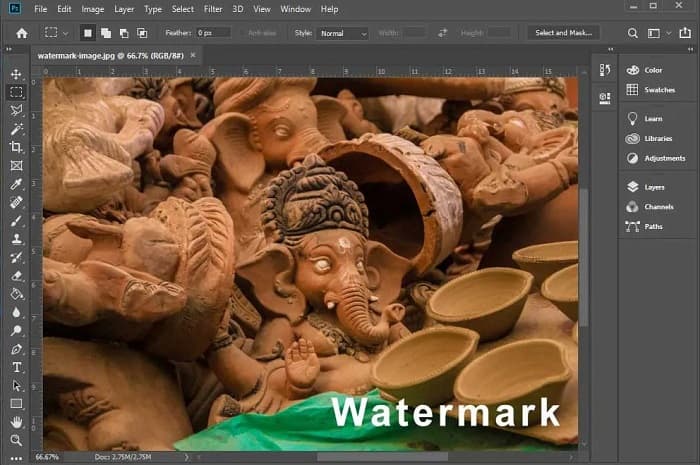
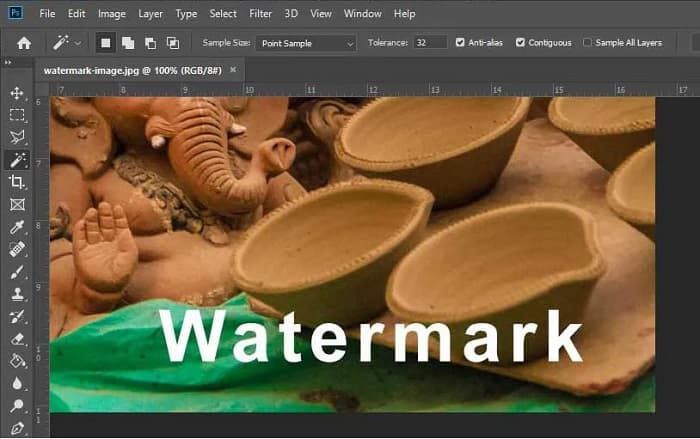
Vaihe 2. Napsauta sen jälkeen Magic Wand Tool (W) -työkalua, zoomaa vesileiman alueelle ja paina CTRL +. Valitse Magic Wand Tool -työkalulla vesileima, jonka haluat poistaa.
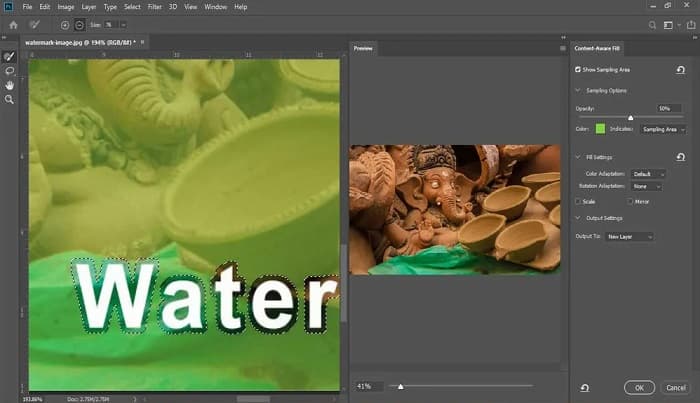
Vaihe 3. Lopuksi siirry Edit-valikkoon ja valitse Content-Aware Fill. Content-Aware Fill poistaa vesileiman automaattisesti.
Osa 3. Photobucket-vesileiman poistaminen PixlR:n avulla
Toinen Photobucket-vesileiman poistotyökalu, jota voit käyttää, on PixlR. PixlR on ilmainen verkkopohjainen kuvankäsittelyohjelma. Tämä verkkotyökalu ei ole tarkoitettu vain valokuvien muokkaamiseen, vaan sen avulla voit myös poistaa vesileimoja kuvistasi. Tämä vesileiman poistaja tukee monia kuvamuotoja, kuten PSD, PXD, JPEG, PNG, SVG jne. PixlR:n käyttöliittymä on yksinkertainen, joten vesileiman poistaminen onnistuu muutamalla klikkauksella. Lisäksi voit käyttää tätä sovellusta mobiililaitteilla.
Plussat
- Siinä on yksinkertainen käyttöliittymä.
- Sen avulla voit määrittää kuvan laadun ja koon.
- Voit käyttää sitä ilmaiseksi.
Haittoja
- Hidas toimintaprosessi saattaa joskus tapahtua.
Vaihe 1. Avaa PixlR-kuvankäsittelyohjelma. Ladataaksesi kuvasi napsauta Open Image -painiketta. Voit käyttää kuvan lataamiseen myös URL-osoitetta.
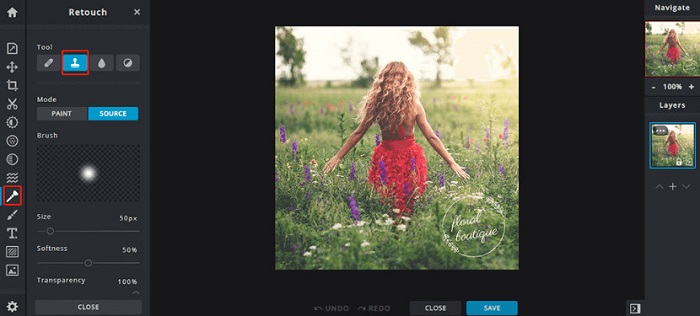
Vaihe 2. Napsauta Retouch > Clone Stamp. Napsauta sitten vesileimaa ja vedä hiirtä poistaaksesi vesileiman kuvastasi.
Vaihe 3. Lopuksi napsauta Save-painiketta tallentaaksesi kuvan laitteellesi. Tässä vaiheessa voit myös valita kuvan laadun ja koon.
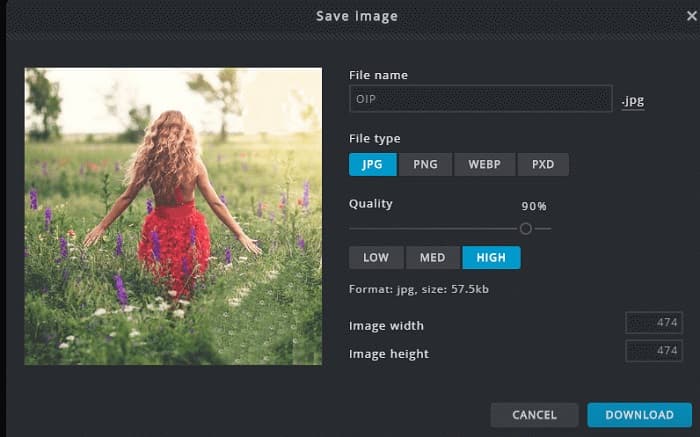
Osa 4. Toinen tapa poistaa Photobucket-vesileima verkossa.
Internetissä on enemmän online-vesileimanpoistoaineita. Kaikki online-vesileimanpoistoaineet eivät kuitenkaan ole turvallisia ja niillä on yksinkertainen käyttöliittymä. Siksi etsimme vaihtoehtoa Photobucket-vesileiman poistamiseksi.
Media.io
Media.io on helppokäyttöinen online-vesileimanpoistaja. Sen käyttöliittymä on yksinkertainen ja sitä on turvallista käyttää. Voit myös helposti poistaa videologoja, tekstejä ja leimoja. Lisäksi voit poistaa vesileimoja mistä tahansa kuvamuodosta, kuten PNG, JPEG, SVG jne. Vieläkin parempaa on, että tällä työkalulla voit poistaa vesileimoja myös videoista missä tahansa yleisessä muodossa.
Plussat
- Sen avulla voit poistaa vesileimat valokuvistasi ja videoistasi.
- Se on online-videoeditori.
- Se ei sisällä mainoksia.
Haittoja
- Se on riippuvainen internetistä.
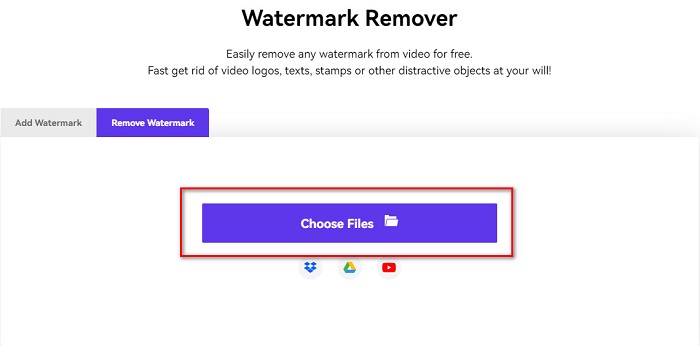
Vaihe 1. Hae selaimellasi Media.io watermark remover. Napsauta sitten ohjelman pääkäyttöliittymässä Choose Files -painiketta.
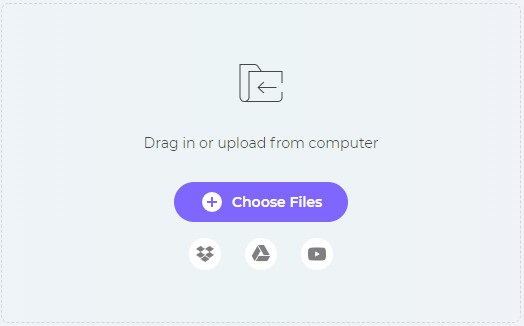
Vaihe 2. Vedä ja pudota sen jälkeen valokuvasi ohjelman käyttöliittymään ladataksesi Photobucket-kuvasi.
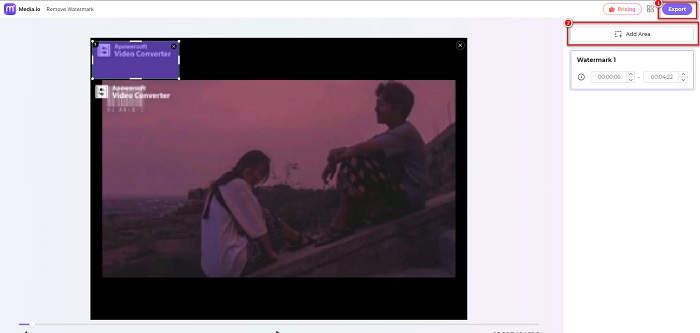
Vaihe 3. Lopuksi napsauta Add Area -vaihtoehtoa ja valitse vesileiman alue. Napsauta sitten Export-painiketta poistaaksesi vesileiman.
Liittyvät:
Lisää tausta valokuvaan iPhonella, Androidilla, tietokoneella ja verkossa
Muunna HEIC JPG-muotoon – 6 tehokasta offline- ja online-menetelmää
Osa 5. Usein kysytyt kysymykset Photobucket Watermark Removerista
Voinko poistaa vesileiman JPEG-kuvista?
Joo. Voit käyttää yllä mainittua vesileimanpoistoainetta poistaaksesi vesileimat JPG/JPEG-kuvistasi.
Voitko poistaa vesileimat videoista?
Onneksi kyllä. Voit poistaa vesileimat videostasi. Joidenkin työkalujen avulla voit poistaa vesileimoja mistä tahansa videomuodosta, kuten FVC Video Converter Ultimate.
Onko Androidille olemassa sovellusta vesileimojen poistamiseen?
PicLab on muokkaussovellus, joka voi poistaa kuvastasi vesileimat. Tämä sovellus on saatavilla Android- ja iOS-alustoilla.
Johtopäätös
Yllä luetellut Photobucket-vesileiman poistajat auttavat sinua helposti poistamaan vesileimat Photobucket-kuvistasi. Jos kuitenkin haluat mahdollisimman kätevän ja helpon tavan poistaa vesileimat valokuvistasi, käytä FVC Free Watermark Remover -työkalua.
-
 Kuinka muuntaa JPG HEIC:ksi Macissa ja Windowsissa
 Haluatko tietää kuinka muuntaa JPG HEIC:ksi? Tämä artikkeli antaa sinulle parhaat tavat muuntaa JPG HEIC-muotoon käyttämällä parhaita ja ilmaisia JPG-HEIC-muuntimia.
-
 CopyTrans HEIC -katsaus, ominaisuudet ja vaihtoehdot
 Jos haluat tietää, mitä CopyTrans HEIC voi tehdä, tarjoamme sinulle työkalun ominaisuuksia, etuja ja vaihtoehtoja.
-
 5 parasta PNG-HEIC-muuntajaa, joita et saa missata
 Jos haluat tietää eniten käytetyt PNG-HEIC-muuntimet, tarjoamme sinulle parhaat PNG-HEIC-muuntimet verkossa. Lue tämä artikkeli saadaksesi lisätietoja.
