


 Video Converter Ultimate
 Enregistreur d'écran
 Réparation vidéo
 Téléchargement sécurisé
Convertisseurs JPG de premier ordre hors ligne et en ligne parfaits pour tous les utilisateurs
Étant donné que le fichier image JPG/JPEG est aujourd’hui l’un des formats les plus populaires, on ne peut ignorer le fait que presque tous les utilisateurs y ont recours. En plus de cela, le format JPG est pris en charge par tous les navigateurs et tous les programmes, ce qui le rend plus pratique pour les photographes comme pour les éditeurs. Si vous recherchez un excellent convertisseur JPG pour transformer vos images, vous avez une bonne raison de lire cet article. Nous allons présenter divers convertisseurs JPG que vous pouvez utiliser en ligne et hors ligne. Vous découvrirez également toutes leurs capacités ainsi que leurs inconvénients. Pour en savoir plus sur ces convertisseurs, lisez immédiatement ce qui suit.

Partie 1. Convertisseurs JPG/JPEG exceptionnels
FVC Convertisseur d’Images Gratuit
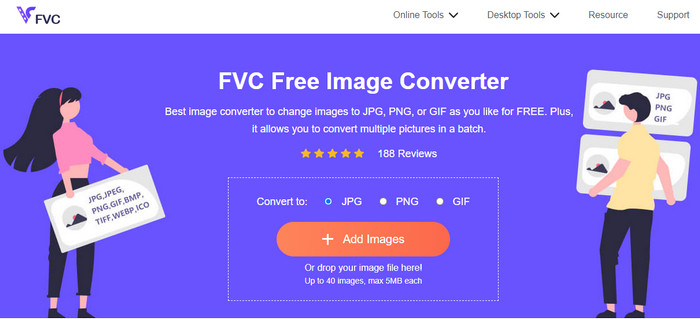
L’un des meilleurs convertisseurs d’images en ligne est FVC Free Image Converter. Ce convertisseur JPG en ligne vous permet d’enregistrer vos fichiers image au format JPG. De plus, l’un des avantages de cet outil est sa fonction de conversion par lot. Ce convertisseur d’images vous autorise à téléverser et convertir plusieurs fichiers image simultanément. Vous pouvez ajouter jusqu’à 40 images en une seule fois et les télécharger en un clic. En outre, l’outil propose un processus de conversion simple avec une interface intuitive. Les utilisateurs, y compris les débutants, peuvent s’en servir facilement et immédiatement grâce à sa procédure compréhensible. De plus, vous pouvez accéder à FVC Free Image Converter depuis tous les navigateurs web, comme Google, Edge, Mozilla, Safari, et bien d’autres. Par ailleurs, contrairement à d’autres convertisseurs en ligne, cet outil ne présente pas de publicités agaçantes sur votre écran. Vous ne serez donc pas dérangé pendant la conversion de vos images.
Avantages
- Convient aux utilisateurs avancés et non professionnels.
- Il offre une interface intuitive avec un processus de conversion simple.
- Accessible à tous les navigateurs.
- 100% gratuit.
- Aucune publicité ne s'affiche à l'écran.
- La fonction de conversion par lots est disponible.
Les inconvénients
- Une connexion Internet est fortement recommandée.
Media.io
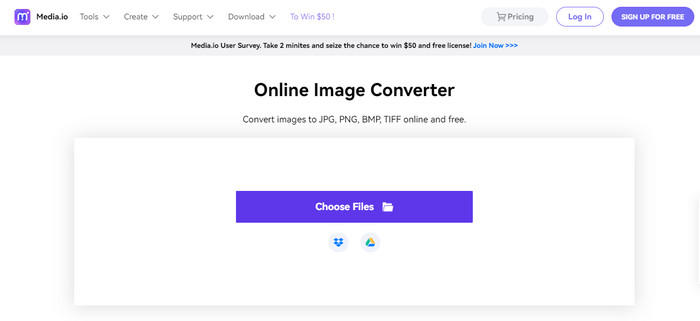
Un autre convertisseur JPG sur lequel vous pouvez compter pour transformer vos fichiers image est Media.io. Ce convertisseur en ligne propose un processus de conversion rapide, ce qui vous permet de convertir vos images en peu de temps. Vous pouvez également convertir vos fichiers en trois étapes simples. Il offre en plus une interface facile à comprendre, ce qui le rend parfait pour les débutants. Media.io est accessible depuis tous les navigateurs, ce qui est pratique pour tous les utilisateurs. En outre, vous pouvez effectuer des conversions par lot. Lors d’une conversion par lot, vous pouvez téléverser cinq fichiers image. En plus du JPG, Media.io prend en charge d’autres formats, notamment BMP, PNG, TIFF, TGA, et bien d’autres. Vous pouvez aussi importer des images depuis diverses plateformes comme un ordinateur, Google Drive, Dropbox ou via un lien. Cependant, avec la version gratuite, vous ne pouvez convertir que 10 images par jour. De plus, lors d’une conversion par lot, la limite est de cinq fichiers image. Donc, si vous souhaitez bénéficier de fonctionnalités plus avancées dans ce convertisseur d’images en ligne, vous devez passer à la version payante. Il y a également des publicités gênantes qui s’affichent à l’écran, ce qui peut déranger les utilisateurs.
Avantages
- Parfait pour les utilisateurs non professionnels.
- Disponible sur tous les navigateurs tels que Chrome, Edge, Firefox, etc.
- Il offre un processus de conversion par lots.
- Il prend en charge divers formats, tels que PNG, BMP, TIFF, TGA, etc.
Les inconvénients
- Des publicités ennuyeuses apparaissent toujours à l'écran.
- Le processus de conversion par lots est limité à cinq images.
- Il permet aux utilisateurs de convertir 10 images chaque jour.
- Il nécessite une connexion Internet pour faire fonctionner le convertisseur d'image.
Convertio
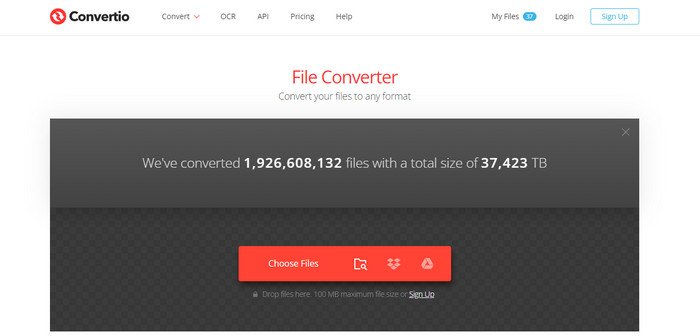
Si vous recherchez un créateur JPG pour convertir vos images en JPG, utilisez Convertio. Cet outil en ligne peut convertir facilement vos images au format JPG. Il offre également une procédure de conversion d’images très simple. De ce fait, on peut dire que Convertio convient aussi bien aux utilisateurs expérimentés qu’aux non-professionnels. De plus, une fonction de conversion par lot est disponible dans ce convertisseur en ligne, ce qui vous permet de convertir plusieurs fichiers en une seule fois. En outre, Convertio prend en charge plus de formats d’image que vous ne l’imaginez. Il est compatible avec PNG, GIF, BMP, SVG, ICO, TIFF, et bien d’autres. Toutefois, Convertio présente de nombreux inconvénients lorsque vous utilisez la version gratuite. Vous ne pouvez téléverser qu’un maximum de deux fichiers image lors d’une conversion par lot. La taille totale des fichiers téléversés est également limitée à 100 Mo. Enfin, vous devez disposer d’une connexion Internet pour utiliser l’outil et convertir des images. Pour profiter de fonctionnalités plus avancées, il est nécessaire de souscrire un abonnement.
Avantages
- Il offre un processus simple, ce qui le rend adapté aux débutants.
- L'outil est accessible à tous les navigateurs Web.
- Il prend en charge divers formats de fichiers image.
Les inconvénients
- Le nombre maximal d'images que vous pouvez télécharger pour le processus de conversion par lots est de deux.
- Une connexion Internet est suggérée lors de l'utilisation de l'outil.
- Achetez un plan d'abonnement pour profiter de fonctionnalités plus avancées.
Convertir gratuitement
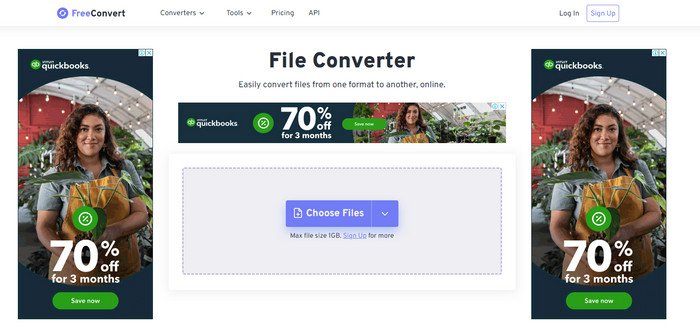
L’un des convertisseurs d’images fiables que vous pouvez utiliser est Free Convert. Il peut convertir facilement votre fichier image en JPG, sans difficulté. Free Convert offre aux utilisateurs une méthode de conversion d’images simple et sans tracas. De plus, ce convertisseur d’images propose des interfaces claires et faciles à lire. Vous pouvez également utiliser Free Convert sur diverses plateformes, notamment Firefox, Google, Edge, et d’autres. En outre, cet outil en ligne propose de nombreuses fonctionnalités supplémentaires. Outre la conversion d’images, vous pouvez aussi convertir des vidéos, de l’audio, des documents, des livres électroniques, et plus encore. Mais même s’il offre de nombreux services, vous pouvez toujours rencontrer certains inconvénients lors de son utilisation. Vous ne pouvez téléverser des images que jusqu’à une taille maximale de 1 Go. Des publicités agaçantes peuvent également apparaître à l’écran pendant le processus de conversion. Comme Free Convert est un outil en ligne, vous devez disposer d’une connexion Internet pour convertir vos fichiers. Si vous souhaitez téléverser davantage d’images sans vous soucier des limitations, il est nécessaire de souscrire un abonnement.
Avantages
- Il offre une mise en page facile à comprendre et parfaite pour tous les utilisateurs.
- Disponible sur tous les navigateurs.
- Il fournit plus de fonctionnalités en plus de convertir des images.
Les inconvénients
- Des publicités dérangeantes apparaissent à l'écran.
- Lors du téléchargement de fichiers, 1 Go est la taille de fichier maximale.
- Achetez un plan d'abonnement pour profiter de plus de fonctionnalités.
- Une connexion Internet est nécessaire.
Video Converter Ultimate
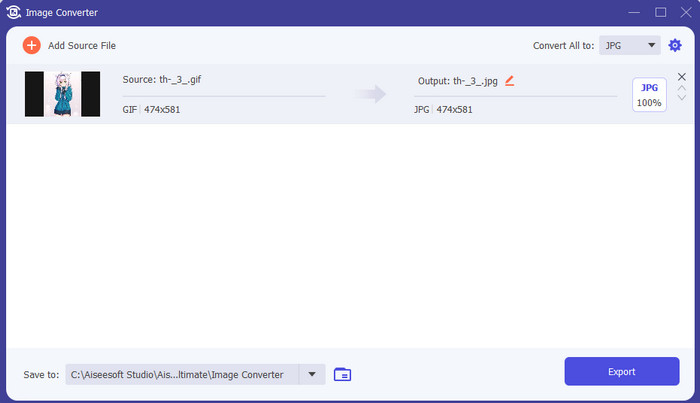
L’un des meilleurs convertisseurs d’images hors ligne est Video Converter Ultimate. Avec l’aide de ce convertisseur JPG gratuit, vous pouvez convertir de nombreux fichiers. Vous pouvez rapidement transformer un grand nombre de fichiers grâce à sa vitesse de conversion élevée. Il propose également une fonction de conversion par lot pour convertir simultanément plusieurs fichiers. Video Converter Ultimate prend en charge de nombreux formats d’image, comme PNG, BMP, WEBP et TIF. Ce convertisseur d’images hors ligne offre une interface conviviale et des procédures de conversion simples. Les utilisateurs de tous niveaux, en particulier les débutants, peuvent ainsi convertir leurs photos sans difficulté. De plus, ce convertisseur est disponible à la fois sur Mac et sur Windows. En outre, en plus de la conversion, Video Converter Ultimate propose d’autres fonctionnalités : vous pouvez éditer des vidéos, ajouter des filtres, convertir des vidéos, et bien plus encore.
Téléchargement gratuit pour Windows 7 ou version ultérieure Téléchargement sécurisé
Téléchargement gratuit pour macOS 10.7 ou version ultérieure - Téléchargement sécurisé
Avantages
- Il offre une interface simple, parfaite pour tous les utilisateurs.
- Téléchargement gratuit.
- Disponible sur Windows et Mac.
- Il a plus de fonctionnalités à offrir en plus de la conversion.
- Il offre une fonction de conversion par lots.
Les inconvénients
- Pour découvrir des fonctionnalités plus avancées, procurez-vous la version pro.
Peinture Microsoft
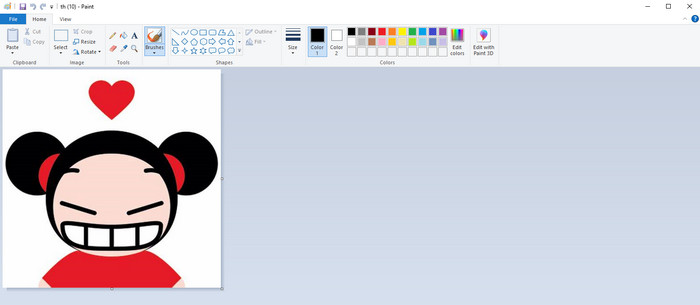
Après avoir découvert les convertisseurs JPG en ligne et les programmes hors ligne, passons à la méthode par défaut pour convertir des images en JPG, à savoir Microsoft Paint. Ce créateur de JPG préinstallé est également capable de convertir des images au format JPG. L’un des principaux avantages est que vous n’avez pas besoin d’installer de logiciel supplémentaire. Il vous suffit d’allumer votre ordinateur et de lancer le programme Paint. L’interface est également simple, ce qui est idéal pour les nouveaux utilisateurs. Cependant, Paint ne prend en charge qu’un nombre limité de formats d’images. De plus, l’outil ne propose pas de conversion par lot. Ainsi, lors de son utilisation, vous devez convertir vos fichiers image manuellement, un par un.
Avantages
- Il offre une interface facile à comprendre avec des méthodes simples.
- Convient aux débutants.
- Il ne nécessite pas de processus d'installation.
Les inconvénients
- Il ne prend en charge que des formats de sortie limités.
- Il n'accepte pas les gros fichiers.
- Le processus de conversion par lots n'est pas disponible.
Partie 2. FAQ sur le meilleur convertisseur JPG/JPEG
Quels sont les avantages des fichiers JPEG ?
Les formats de fichiers JPG peuvent offrir des images haute résolution. C'est la raison pour laquelle les photographes et les éditeurs utilisent des fichiers JPG. De plus, JPG est de plus petite taille. De cette façon, vous pouvez enregistrer plus d'images sans vous soucier du stockage de l'ordinateur.
Quand utiliser un JPEG ?
Le format de fichier JPEG est mieux utilisé pour les photos ou les images avec beaucoup de détails car il aide à couvrir tous les défauts liés à la compression. L'image JPEG n'apparaîtra pas belle si elle a beaucoup de bords ou de courbes.
Le JPEG est-il identique à une photo ?
Une photo est une image, mais un JPEG est un format de fichier image. Les JPEG sont un type de format de fichier d'image numérique, mais il en existe d'autres. JPEG, PNG, TIFF et d'autres types de fichiers peuvent tous être utilisés pour stocker des photos. Le type de fichier par défaut d'un appareil photo pour stocker une prise de vue est JPEG.
Conclusion
Après avoir présenté divers convertisseurs JPG, vous avez désormais une idée suffisante des outils que vous pouvez utiliser pour convertir vos fichiers image au format JPG. Certains exigent un abonnement, et d’autres ne disposent pas de fonction de conversion par lot. Si vous voulez un convertisseur d’images gratuit avec conversion par lot, utilisez FVC Free Image Converter.
-
 Comment convertir GIF en JPG sans perte de qualité
 Lisez et obtenez les méthodes les plus efficaces pour convertir professionnellement GIF en JPG. Vous apprendrez à convertir des fichiers image avec le guide des convertisseurs d'image parfaits
-
 4 approches fiables pour convertir facilement JFIF en JPG
 Ce guide vous dira tout sur la conversion de JFIF en JPG en ligne et hors ligne. Si vous souhaitez apprendre les méthodes les plus efficaces, lisez immédiatement cet article !
-
 Étapes incomparables pour convertir efficacement le format NEF au format JPG
 Étapes incomparables pour convertir efficacement le format NEF au format JPG
