


 Video Converter Ultimate
 Enregistreur d'écran
 Réparation vidéo
 Téléchargement sécurisé
Comment convertir BMP en PNG et JPG à l'aide de convertisseurs en ligne et hors ligne
Le format Bitmap ou BMP n’est pas optimal pour les images en couleur avec des fondus ou des dégradés. Vous ne verrez d’ailleurs plus beaucoup de photos dans ce format de nos jours. Techniquement, le BMP est un format dépassé, avec quasiment aucune compression. Par conséquent, si vous voulez ouvrir des images BMP sans limitation, vous devez les convertir en formats d’images courants. Il existe de nombreuses façons de convertir entre plusieurs formats d’images. Nous allons présenter dans cet article les méthodes les plus simples et les plus directes. Donc, si vous voulez savoir comment convertir un BMP en JPG ou PNG, lisez ce qui suit. Nous vous présenterons d’excellents convertisseurs d’images qui peuvent vous aider.

Partie 1. BMP vs JPG vs PNG
| Format de fichier | BMP | JPG | PNG |
| Extension de nom de fichier | .bmp | .jpg | .png |
| Développé par | Microsoft | Groupe mixte d'experts photographiques | Groupe de développement PNG |
| La description | UNE BMP file est l'abréviation de bitmap et se prononce bump. Microsoft a créé le format de fichier BMP pour son système d'exploitation Windows. Il s'agit de conserver la résolution des images numériques sur divers écrans et gadgets. Les photographies bidimensionnelles en couleur et en noir et blanc peuvent être stockées. Les fichiers BMP ne sont plus uniquement compatibles avec les appareils Windows des temps modernes. Ils sont désormais compatibles avec un grand nombre d'appareils Mac et Android. | Le JPG Le format de fichier image est le plus efficace pour la compression d'image. Les utilisateurs utilisent largement les fichiers JPG. Il est également appelé fichiers JPEG ou JPG. Le groupe conjoint d'experts est le nom complet de JPEG. De plus, la majorité des images bitmap ont l'extension de fichier .jpg. L'objectif principal est de réduire la taille des fichiers. JPG étant un format avec perte, une compression excessive a un impact sur la qualité des images. | Portable Network Graphics, un PNG extension pour la famille raster, qui effectue une compression sans perte. Il a été développé pour remplacer GIF, le Graphics Interchange Format, et n'est pas breveté. Ils peuvent être basés sur une palette, et généralement des images en niveaux de gris qui offrent de la transparence. PNG est une compression sans perte. Cela implique qu'il conserve l'information, les spécificités et la qualité. |
Partie 2. Méthodes en ligne pour convertir BMP en JPG/PNG
Convertir BMP en JPG/PNG en utilisant FVC Free Image Converter
Pour convertir gratuitement un BMP en JPG en ligne, vous pouvez utiliser le convertisseur d’images gratuit FVC. Cet outil en ligne propose la méthode la plus simple pour convertir un BMP en PNG ou en JPG. Grâce à son interface intuitive, les utilisateurs expérimentés comme les débutants peuvent l’utiliser. Vous pouvez convertir des images en seulement trois étapes. De plus, vous pouvez téléverser des images dans divers formats. Il prend en charge des formats d’entrée tels que PNG, JPG, BMP, GIF, TIFF, et bien d’autres. En outre, le convertisseur de fichiers image FVC prend en charge la conversion par lots. Il vous permet de convertir de nombreuses images en une seule fois. C’est bien plus efficace et pratique que d’autres convertisseurs d’images sur le marché. Il est pratique pour tous les utilisateurs, car vous pouvez convertir jusqu’à 40 fichiers image simultanément.
FVC Free Image Converter garantit une image de haute qualité. Après la conversion, l'image aura toujours la même apparence que l'original. De plus, vous ne verrez pas de publicités dérangeantes sur votre écran, même s'il s'agit d'un convertisseur d'images en ligne. De cette façon, vous pouvez vous concentrer davantage sur la conversion de vos images. Ce convertisseur est disponible dans presque tous les navigateurs. Il comprend Chrome, Safari, Edge, Firefox, etc. Vous pouvez suivre les étapes simples ci-dessous pour convertir BMP au format JPG et PNG.
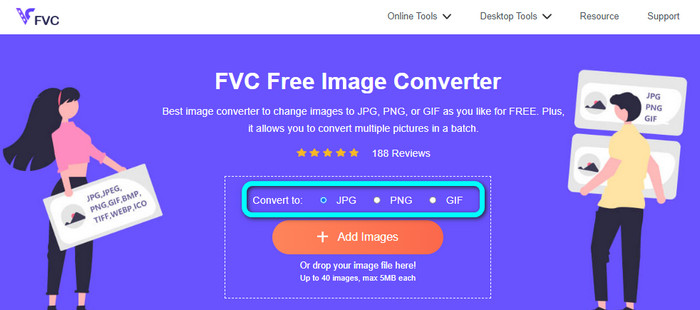
Étape 1 : Ouvrez votre navigateur et rendez-vous sur le site du convertisseur d’images gratuit FVC. Repérez l’option Convert to et choisissez le format souhaité. Vous pouvez cliquer sur JPG ou PNG.
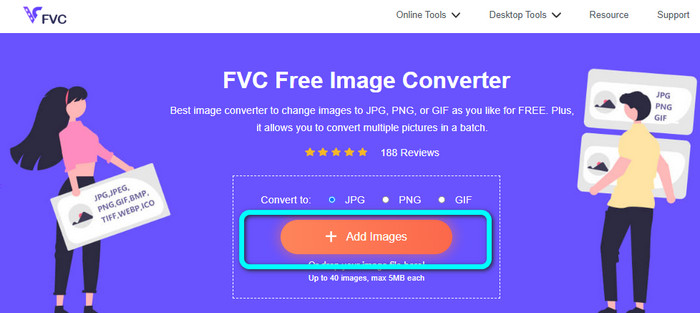
Étape 2 : Ajoutez l’image BMP en cliquant sur le bouton Add Images. Les fichiers de votre ordinateur s’affichent à l’écran. Choisissez le fichier image BMP que vous souhaitez convertir.
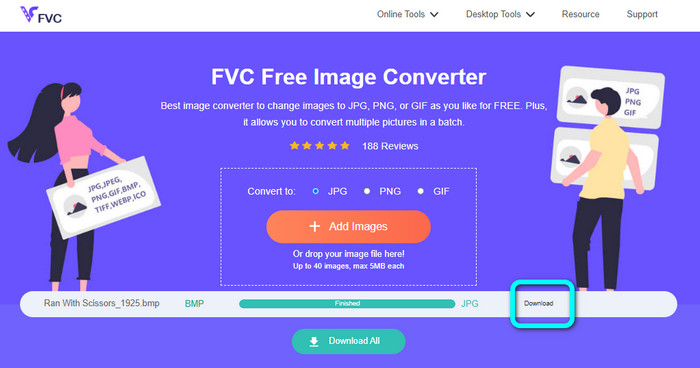
Étape 3 : Après le téléversement, la photo sera convertie automatiquement. Pour la dernière étape, cliquez sur le bouton Download afin d’enregistrer l’image sur votre ordinateur.
Convertir BMP en JPG/PNG avec Convertio
Convertio est un autre outil en ligne pour convertir un BMP en JPG ou en PNG. Il s’agit d’un convertisseur de fichiers qui permet de convertir de nombreux formats. Il prend notamment en charge BMP, JPG, PNG, GIF, SVG, et bien plus encore. Avec cet outil, il est facile de convertir de nombreuses images. Il propose également une fonction de conversion par lots. Ainsi, vous pouvez convertir des BMP en JPG par lots pour gagner davantage de temps. De plus, Convertio garantit la protection de votre vie privée. Après la conversion de vos images, il supprime automatiquement vos données au bout de 24 heures. Vous pouvez aussi accéder à ce convertisseur depuis différents navigateurs : Google, Mozilla, Edge, etc.
Cependant, Convertio a des inconvénients. Vous ne pouvez télécharger une image que jusqu'à 100 Mo. Si vous souhaitez télécharger une taille de fichier illimitée, achetez un plan d'abonnement. Vous avez également besoin d'une connexion Internet pour faire fonctionner ce convertisseur.
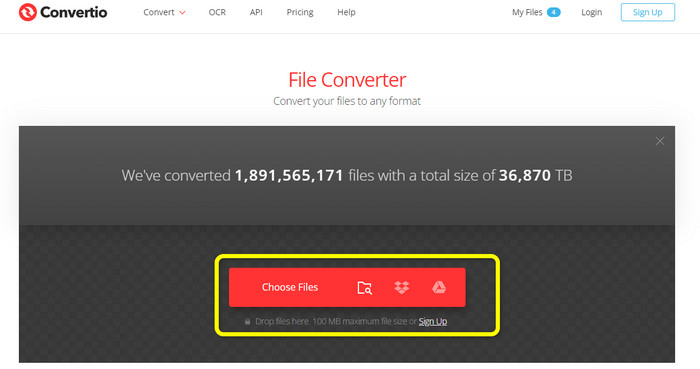
Étape 1 : Rendez-vous sur le site de Convertio. Cliquez sur le bouton Choose Files pour ajouter le fichier image BMP.
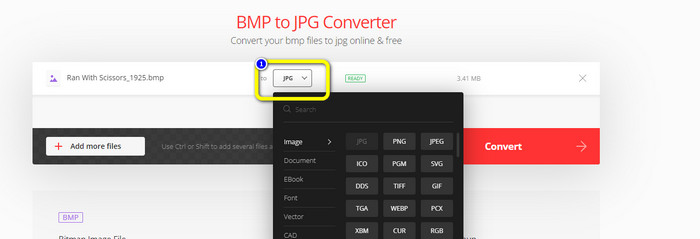
Étape 2 : Sélectionnez le format de fichier JPG ou PNG parmi les options de format. Si vous souhaitez ajouter d’autres images, cliquez sur le bouton Add more files.
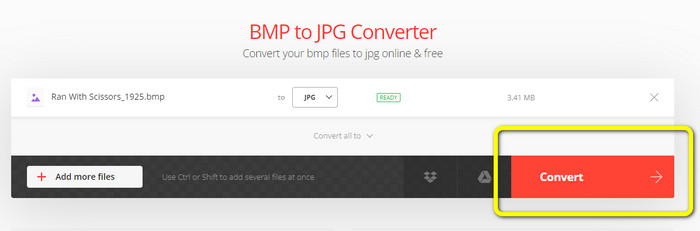
Étape 3 : Après avoir choisi le format de fichier souhaité, cliquez sur le bouton Convert. Patientez pendant le processus de conversion, puis téléchargez vos images sur votre ordinateur.
Partie 3. Méthodes hors ligne pour convertir BMP en JPG/PNG
Vous pouvez également utiliser Video Converter Ultimate pour convertir un BMP en JPG. Ce convertisseur hors ligne propose une méthode de conversion facile à comprendre. Il dispose aussi d’une interface intuitive, ce qui le rend adapté à tous les utilisateurs, en particulier aux débutants. Video Converter Ultimate propose une conversion par lots. Cela signifie que vous pouvez convertir plusieurs images simultanément. Il offre également une conversion rapide : grâce à cette fonctionnalité, vous pouvez convertir de nombreux fichiers instantanément. De plus, il prend en charge divers formats d’images, notamment JPG, BMP, PNG, GIF, TIFF, et bien d’autres. Outre la conversion, vous pouvez aussi modifier la qualité de votre photo dans les paramètres de sortie. De cette manière, vous adaptez la qualité de l’image à vos préférences. En outre, vous pouvez utiliser ce convertisseur téléchargeable aussi bien sur Mac que sur Windows. Suivez les instructions ci-dessous pour convertir votre fichier BMP en format JPG ou PNG.
Étape 1 : Téléchargez Video Converter Ultimate sur votre Mac ou votre PC Windows. Lancez le programme après l’installation. Nous mettons également le convertisseur à votre disposition via le bouton Download ci-dessous.
Téléchargement gratuit pour Windows 7 ou version ultérieure Téléchargement sécurisé
Téléchargement gratuit pour macOS 10.7 ou version ultérieure - Téléchargement sécurisé
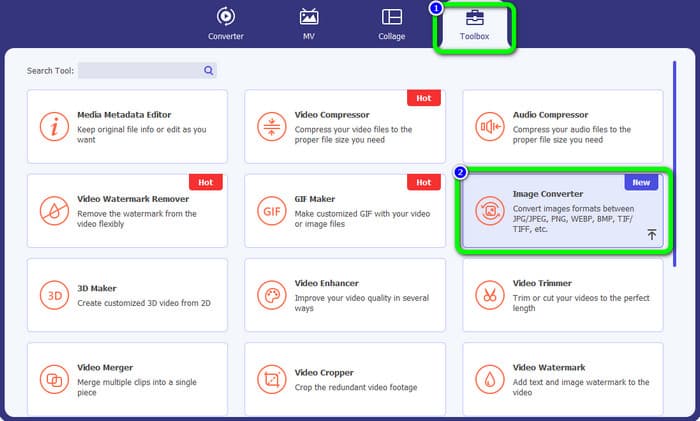
Étape 2 : Allez dans l’onglet Toolbox et sélectionnez l’outil Image Converter. Une nouvelle interface s’affichera.
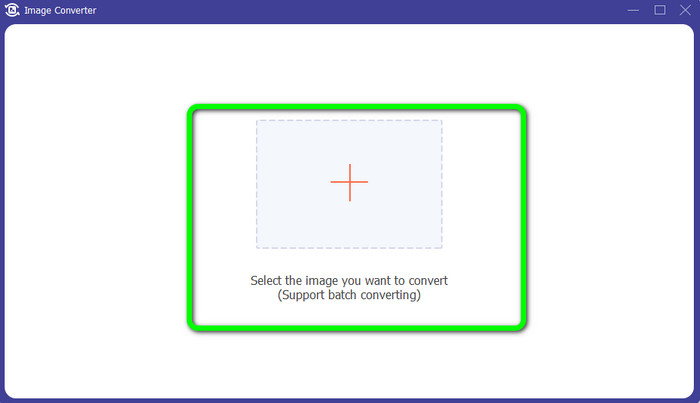
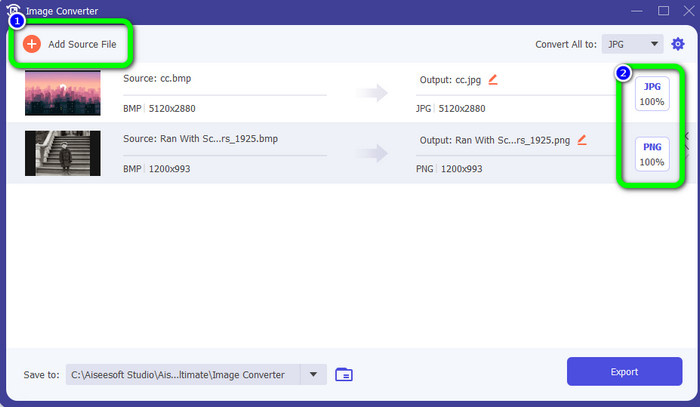
Étape 3 : Cliquez sur le symbole Plus. Choisissez ensuite, dans votre dossier, la photo BMP que vous voulez convertir.
Étape 4 : Cliquez sur le bouton Add Source File pour ajouter d’autres fichiers. Puis, accédez aux options de format pour sélectionner le format de sortie souhaité. Vous pouvez choisir les formats PNG et JPG.
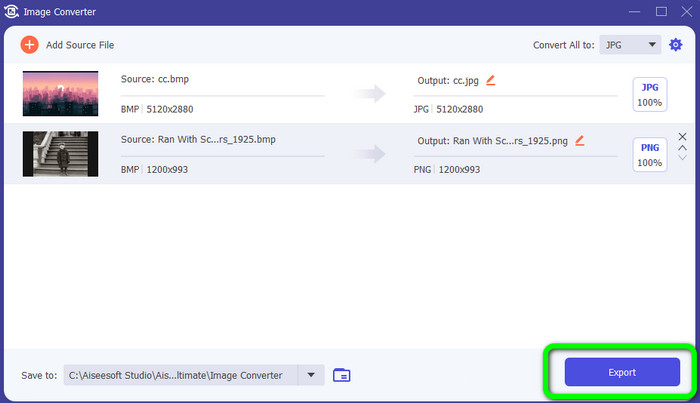
Étape 5 : Pour terminer, cliquez sur le bouton Export. Patientez le temps de la conversion, puis ouvrez vos images converties dans votre dossier.
Partie 4. FAQ sur la conversion de BMP en JPG/PNG
1. Comment convertir par lots BMP en PNG ?
Si vous voulez effectuer une conversion par lots, utilisez le convertisseur d’images gratuit FVC. Commencez par sélectionner le format PNG dans l’option Convert to. Ensuite, cliquez simplement sur le bouton Add Images. Vous pouvez ajouter plusieurs fichiers image : l’outil permet d’en téléverser jusqu’à 40 à la fois. Une fois le téléversement terminé, l’outil convertit automatiquement vos fichiers image. Pour finir, cliquez sur le bouton Download All afin de les enregistrer sur votre ordinateur.
2. Un fichier BMP peut-il être animé ?
Malheureusement non. L'animation n'est souvent pas compatible avec les fichiers BMP. Au lieu d'utiliser Flash, pensez à utiliser le format de fichier GIF. Il peut créer des animations courtes et simples qui peuvent être partagées et enregistrées.
3. Lequel est le plus grand, un fichier BMP ou un fichier JPEG ?
Un BMP sera plus gros avec des photos comparables. Mais un BMP ne peut atteindre que 4 Go en raison de restrictions de taille. La taille d'un JPEG est illimitée. Par exemple, certaines images satellites sont disponibles au format JPEG.
Conclusion
Comme un fichier BMP est de grande taille, il est nécessaire de le convertir vers d’autres formats comme JPG et PNG. Vous avez de la chance, car cet article a présenté d’excellentes méthodes pour convertir un BMP en formats JPG et PNG. Toutefois, si vous préférez une méthode simple et gratuite pour convertir des images, utilisez le convertisseur d’images gratuit FVC.
-
 Moyens complets de convertir JPG en PNG en ligne et hors ligne
 Vous recherchez des méthodes utiles pour convertir le format de fichier JPG en PNG ? Ce guide a la réponse dont vous avez besoin. Pour découvrir ces méthodes, lisez l'article
-
 Convertissez efficacement JPEG en JPG [Cinq méthodes répertoriées]
 Venez découvrir les tutoriels les plus simples sur la conversion du format de fichier image JPEG en JPG. Cliquez sur ce guide et commencez à apprendre vos méthodes préférées
-
 Top 5 des principaux tutoriels pour convertir rapidement PNG en JPG
 Si vous avez besoin de convertir votre fichier PNG au format JPG, vous pouvez apprendre les meilleures façons ici. Vous apprendrez également la différence entre les formats de fichier PNG et JPG
