


 Video Converter Ultimate
 Enregistreur d'écran
 Réparation vidéo
 Téléchargement sécurisé
Obtenez les procédures ultimes pour convertir NEF en JPG
Lorsque nous prenons des photos, nous voulons toujours conserver les moments mémorables de notre vie avec des images de la meilleure qualité possible. C’est pour cette raison que les gens achètent d’excellents appareils photo offrant de très bons résultats. Cependant, vous pouvez obtenir la meilleure qualité d’image en enregistrant la photo au format brut. Mais cela peut aussi poser de nombreux problèmes. NEF signifie Nikon Electronic Format. Nikon, l’un des fabricants d’appareils photo les plus populaires, utilise des formats d’images brutes. Il arrive que vous ne puissiez pas afficher ces fichiers sur un ordinateur. Ils nécessitent un programme professionnel, souvent coûteux et difficile à utiliser. Dans ce cas, la meilleure solution consiste à convertir les fichiers NEF en un format d’image universel, comme le JPG. La flexibilité de ce format vous permettra de visionner les photos sur presque n’importe quel appareil. Et, en même temps, il permet d’économiser de l’espace de stockage. Si vous souhaitez convertir vos fichiers en JPG, lisez ce guide et découvrez les meilleurs convertisseurs NEF en JPG que vous pouvez utiliser.

Partie 1. NEF contre JPG
| Format de fichier | NEF | JPG / JPEG |
| Extension de nom de fichier | .nef | .jpg / .jpeg |
| Nom et prénom | Format électronique Nikon | Groupe mixte d'experts photographiques |
| Développé par | Nikon | Groupe mixte d'experts photographiques |
| La description | Les fichiers Nikon Raw Image sont appelés NEF des dossiers. Comme les autres fichiers d'image RAW, les fichiers NEF enregistrent toutes les informations enregistrées par l'appareil photo avant le traitement. Il comprend des métadonnées telles que les modèles d'appareil photo et d'objectif. Les photos NEF offrent une qualité d'image incroyablement élevée. | Le Groupe mixte d'experts en photographie a créé le JPG format à la fin des années 1980. Il comprend également le stockage d'images sur des appareils photo numériques et d'autres outils de reproduction. La méthode de compression avec perte que les fichiers JPEG utilisent pour une couleur jusqu'à 24 bits et plus de stockage d'images. |
| Compression | Avec perte | Avec perte |
| Programmes associés / Navigateurs | Adobe Lightroom IrfanView Graphic Viewer Adobe Photoshop ViewNX 2 Pics.io | Visionneuse graphique IrfanView Programme de photos Peinture Adobe Photoshop Google Chrome Internet Explorer Microsoft Edge Mozilla Firefox |
Partie 2. Comment convertir NEF en JPG sur le Web
Comment convertir NEF en JPG sur Safeimageconverter
Utilisez Safeimageconverter pour convertir en ligne rapidement le format d’image JPF en NEF. Avec cet outil en ligne simple, vous pouvez facilement changer le format de fichier. Le convertisseur d’images est gratuit, en ligne et ne nécessite aucune installation, vous pouvez donc l’utiliser aussi souvent que vous le souhaitez sans dépenser d’argent. Il vous suffit de téléverser le fichier d’origine dans cet outil pour obtenir un fichier image transformé au format NEF. De plus, l’outil est très pratique et nous permet de gagner un temps précieux. Nous pouvons convertir rapidement et facilement du format JPG vers le format NEF. Vous pouvez convertir les fichiers directement dans le navigateur. Cependant, lors de la conversion des fichiers image, de nombreuses publicités gênantes apparaissent à l’écran. De plus, il arrive que l’outil en ligne affiche des erreurs après le processus de conversion. Une connexion Internet est également recommandée pour utiliser cet outil en ligne.
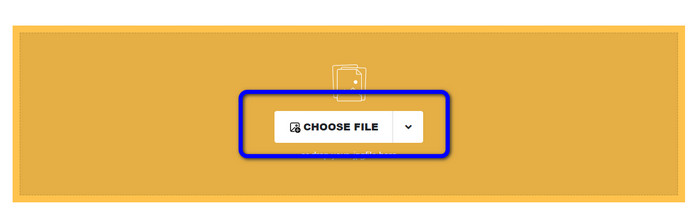
Étape 1. Accédez au site web de Safeimageconverter. Ensuite, cliquez sur le bouton Choose File pour téléverser le fichier NEF que vous souhaitez convertir.
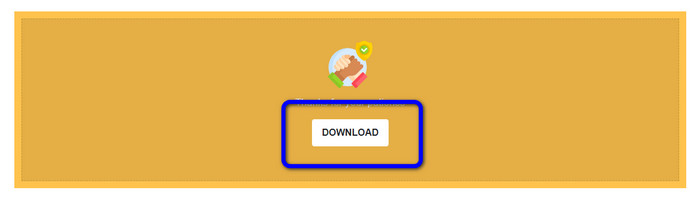
Étape 2. Après le téléversement, le convertisseur d’images convertira automatiquement le fichier image. Une fois la conversion terminée, cliquez sur le bouton Download. De cette manière, vous pouvez enregistrer l’image convertie sur votre ordinateur.
Partie 3. Méthode pratique pour convertir NEF en JPG sur Mac et Windows
Si vous préférez utiliser Windows ou Mac pour convertir un NEF en JPG, utilisez Photoshop. Adobe Photoshop n’est pas seulement performant pour l’édition d’images. Il est également fiable pour la conversion de divers fichiers, y compris les NEF. De plus, vous pouvez effectuer une conversion par lots de NEF en JPG dans Photoshop. Il offre aussi un processus de conversion rapide, ce qui le rend parfait pour tous les utilisateurs. En outre, ce programme hors ligne permet de conserver la qualité de vos images. Ainsi, après la conversion des fichiers, il garantit que la photo conserve une qualité satisfaisante. Cependant, Adobe Photoshop n’est pas totalement gratuit. Vous devez acheter un abonnement pour utiliser le programme. Il ne propose qu’une version d’essai gratuite de 7 jours. De plus, le processus d’installation est assez compliqué.
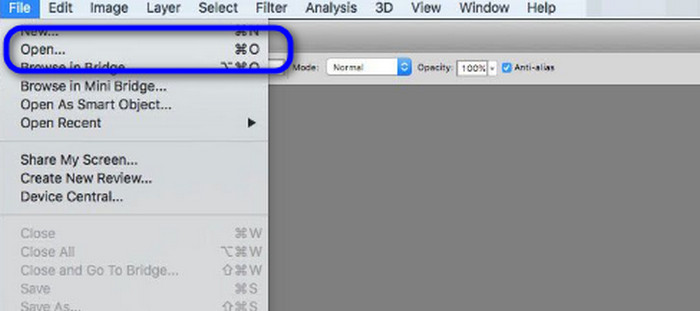
Étape 1. Téléchargez Adobe Photoshop sur votre ordinateur. Puis, après avoir installé le programme, lancez‑le pour afficher l’interface. Ensuite, allez dans le menu File et sélectionnez Open pour insérer le fichier image NEF.
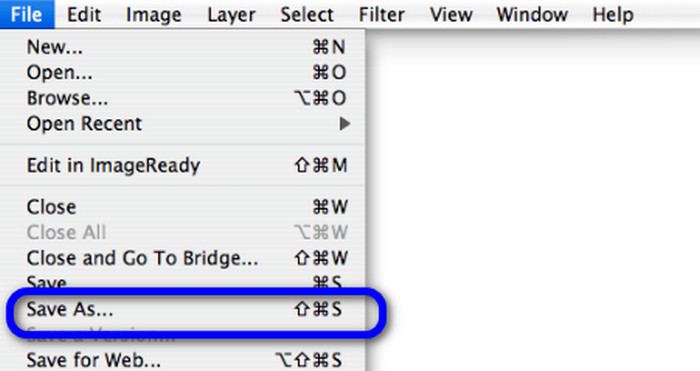
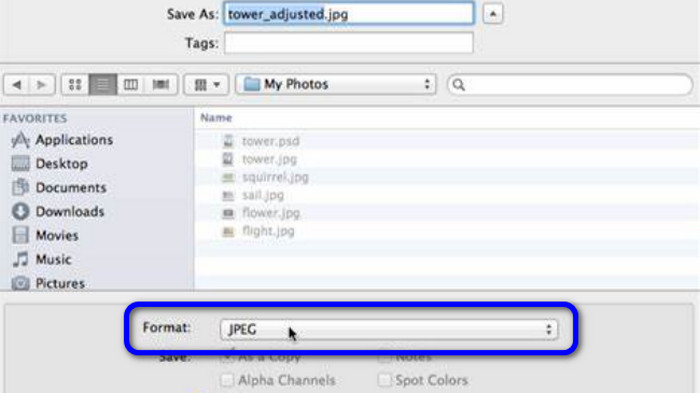
Étape 2. Après avoir inséré l’image NEF dans l’interface, retournez dans le menu File et sélectionnez l’option Save as.
Étape 3. Puis, sélectionnez JPG dans les options de format et cliquez sur Save.
Partie 4. Convertisseur d'image recommandé
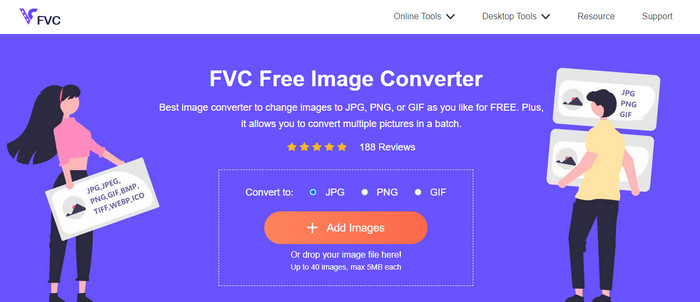
Dans cette partie, si vous recherchez un autre convertisseur d’images pour convertir d’autres formats d’images en ligne, l’utilisation de FVC Free Image Converter est la meilleure solution pour vous. Ce convertisseur d’images en ligne peut convertir facilement différents formats. FVC Free Image Converter prend en charge les formats JPG, PNG, GIF, BMP, TIFF et bien d’autres. De plus, vous pouvez accéder au convertisseur d’images depuis différents navigateurs, tels que Google, Explorer, Edge, Firefox, etc. En outre, vous pouvez terminer le processus de conversion en quelques secondes seulement, ce qui est pratique pour tous les utilisateurs. Vous pouvez également téléverser plusieurs images dans cet outil en ligne. Grâce à sa fonction de conversion par lots, vous pouvez téléverser jusqu’à 40 images simultanément. De plus, lors du téléchargement des images converties, vous pouvez les télécharger en un seul clic.
Partie 5. FAQ sur la conversion de NEF en JPG
1. Est-il possible de convertir JPG en NEF ?
Malheureusement, vous ne pouvez pas convertir un fichier JPG en NEF. En effet, le NEF est une photo réelle prise avec un appareil photo Nikon. Le format NEF est utilisé chaque fois qu'un photographe utilise un appareil photo Nikon et télécharge des fichiers numériques.
2. Comment ouvrir un fichier NEF ?
Vous pouvez facilement ouvrir le fichier NEF si vous avez le bon codec sur votre Windows. Cependant, si vous ne pouvez pas ouvrir le fichier NEF, vous avez besoin de l'aide de programmes téléchargeables. Vous pouvez utiliser Microsoft Camera Codec Pack, Adobe Photoshop, Irfan View, GIMP, etc.
3. Pourquoi devriez-vous convertir de NEF en JPG ?
Il est essentiel de convertir NEF en JPG car certains programmes et éditeurs d'images ne prennent pas en charge les fichiers NEF. De plus, NEF a une taille de fichier importante qui consomme trop de stockage sur l'appareil. Ainsi, le meilleur choix est de transformer le fichier NEF en JPG.
Conclusion
Les fichiers NEF peuvent vous offrir des images de haute qualité. Cependant, certains navigateurs et programmes ne prennent pas en charge ce format, ce qui est frustrant. Heureusement, cet article a proposé une excellente solution pour convertir les fichiers NEF en JPG. De plus, il vous a présenté un autre convertisseur d’images en ligne que vous pouvez utiliser pour convertir d’autres formats d’images : FVC Free Image Converter. Vous pouvez utiliser ce convertisseur en ligne pour convertir divers formats d’images.
-
 4 approches fiables pour convertir facilement JFIF en JPG
 Ce guide vous dira tout sur la conversion de JFIF en JPG en ligne et hors ligne. Si vous souhaitez apprendre les méthodes les plus efficaces, lisez immédiatement cet article !
-
 Comment convertir GIF en JPG sans perte de qualité
 Lisez et obtenez les méthodes les plus efficaces pour convertir professionnellement GIF en JPG. Vous apprendrez à convertir des fichiers image avec le guide des convertisseurs d'image parfaits
-
 Procédures faciles à suivre pour convertir des images en vecteur
 Voici quelques-unes des façons remarquables de vectoriser une image. De plus, vous obtiendrez suffisamment de connaissances sur le convertisseur d'image que vous pouvez utiliser.
