


 Video Converter Ultimate
 Enregistreur d'écran
 Réparation vidéo
 Téléchargement sécurisé
123rf Watermark Removers - Avis, avantages et inconvénients, et alternative
123RF est un site Web de licence libre de droits pour stocker des images, des séquences et de l'audio en ligne. Il propose de nombreuses photos libres de droits abordables, que de nombreuses personnes achètent. 123RF est une entreprise qui possède des milliers, voire des millions de photos téléchargeables.
123RF est une entreprise qui existe depuis plus de 15 ans. Elle propose également une application mobile disponible sur la plupart des smartphones connus. L’application mobile vous permet de rechercher dans la bibliothèque, de créer des lightboxes et d’utiliser certains outils technologiques avancés. 123RF propose de nombreuses images étonnantes et de haute qualité que vous pouvez télécharger. Cependant, lorsque vous téléchargez des photos 123RF, elles contiennent un filigrane agaçant. Donc, si vous voulez supprimer les filigranes 123RF de votre photo, lisez cet article. Vous connaîtrez le meilleur outil de suppression de filigrane 123RF à la fin de cet article.

Partie 1. Examens des éliminateurs de filigrane Ultimate 123rf
De nombreux outils de suppression de filigrane peuvent être téléchargés sur votre appareil ou utilisés en ligne. Mais tous ne sont pas faciles à utiliser et disposent de fonctionnalités d'édition étonnantes à utiliser. Donc, si vous voulez savoir quel est le meilleur dissolvant de filigrane à utiliser, lisez cette partie au sens large.
Filigrane Remover.io
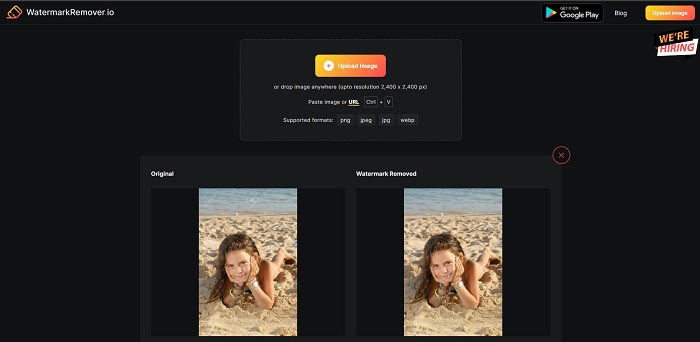
Watermark Remover.io est un outil en ligne de suppression de filigrane pour 123RF, très populaire sur Internet. Beaucoup de personnes utilisent ce suppresseur de filigrane car il est pratique à utiliser. De plus, il prend en charge les formats d’image les plus courants, dont PNG, JPEG, JPG, WEBP et d’autres. Il peut également gérer des images allant jusqu’à 2 400 x 2 400 px. En outre, vous n’avez pas à vous inquiéter pour la sécurité de vos données, car cet outil en ligne est totalement sûr à utiliser. Encore plus impressionnant, une fois que vous avez téléversé l’image 123RF souhaitée, il supprimera automatiquement tous les filigranes intégrés à votre photo.
Avantages
- Il a une interface utilisateur intuitive.
- C'est gratuit à utiliser.
- Il ne contient pas de publicités embêtantes.
- Interface de traitement rapide.
Les inconvénients
- Il dépend d'Internet.
Filigrane Remover.net
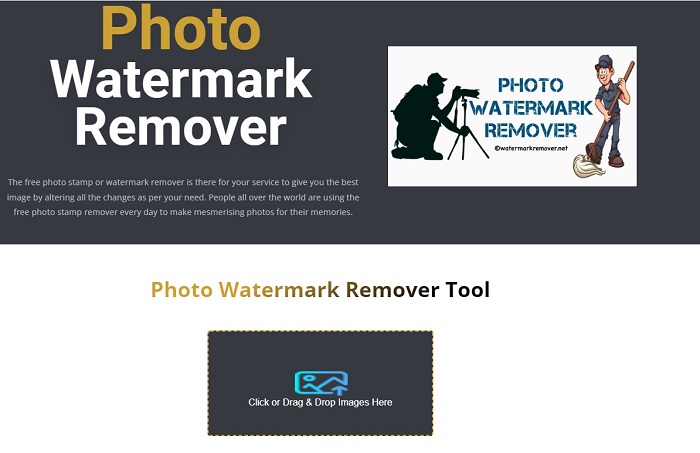
Watermark Remover.net est un autre outil de suppression de filigrane en ligne, accessible gratuitement. Il dispose d’une interface logicielle facile à utiliser, comme l’outil ci‑dessus, ce qui en fait un outil adapté aux débutants. C’est un outil efficace pour enlever les filigranes 123RF de vos images 123RF. De plus, il vous permet de supprimer tout type de filigrane (texte, logo et image) sur votre visuel. Encore plus remarquable, cet outil en ligne permet de supprimer les filigranes par lots sur vos images. En outre, il produit des images de haute qualité même après suppression du filigrane.
Avantages
- C'est un outil convivial.
- Il rétablit la photo du format d'origine.
- Accessible sur tous les navigateurs Web, tels que Google, Firefox et Safari.
Les inconvénients
- Il contient des publicités dérangeantes.
- Il a un processus de téléchargement lent.
Expert en filigrane Bitwar
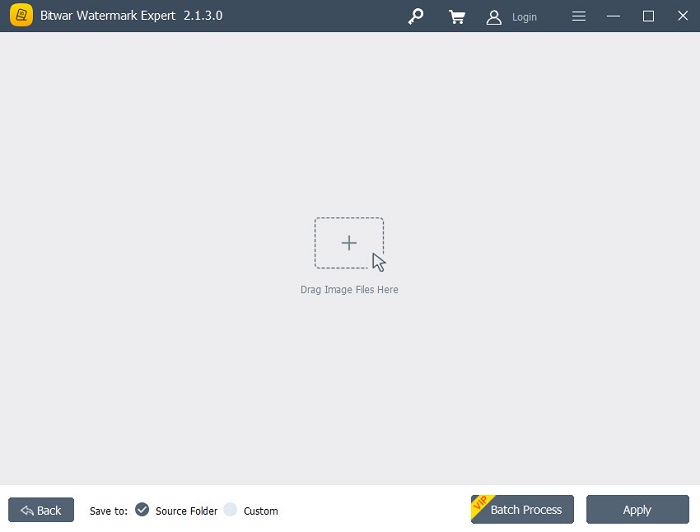
Bitwar Watermark Expert est un logiciel hors ligne de suppression de filigrane que beaucoup de personnes utilisent comme premier choix. Il ne se contente pas de supprimer les filigranes sur vos images. Vous pouvez aussi ajouter un filigrane, le supprimer et gérer les filigranes sur vos vidéos. De plus, vous ne trouverez aucune difficulté à télécharger cette application, car elle est gratuite et facile à installer. Par ailleurs, vous pouvez enlever tout objet indésirable sur vos images, comme les dates, les logos et les images. Elle dispose également d’une fonctionnalité remarquable qui permet de retoucher de vieilles photos pour supprimer les rayures et les défauts sur vos anciens clichés. Essayez donc ce superbe outil de suppression de filigrane si vous voulez obtenir des images 123RF sans filigrane.
Avantages
- Il a une interface utilisateur simple.
- Il offre un traitement par lots pour supprimer les filigranes.
- Il prend en charge les formats d'image et de vidéo les plus connus.
- C'est gratuit à télécharger.
Les inconvénients
- Il n'est disponible que sur Windows.
iMyFone Mark Go
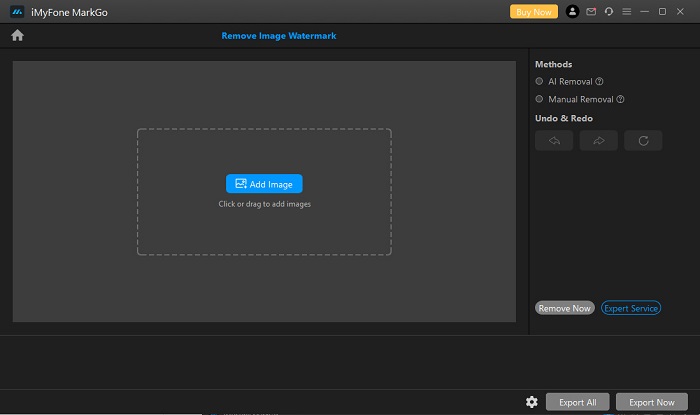
iMyFone Mark Go est une application téléchargeable qui peut supprimer le logo et le texte en filigrane sur votre image 123RF. Elle utilise un procédé de suppression par IA pour détecter les filigranes sur votre image et les retirer automatiquement. Elle propose également un mode de suppression manuelle qui vous permet d’éliminer n’importe quel filigrane sur votre image. En outre, elle offre de nombreuses fonctionnalités, telles que la suppression de l’arrière‑plan, la suppression des filigranes sur les vidéos et l’ajout de filigranes sur une vidéo ou une image. Vous pouvez aussi la télécharger sous Windows et Mac.
Avantages
- Il a une interface utilisateur propre et intuitive.
- Il peut détecter automatiquement un filigrane et les supprimer.
- Il a une fonction de traitement par lots.
- Il produit des sorties de haute qualité.
Les inconvénients
- Achetez l'application avant d'accéder à ses fonctionnalités.
Partie 2. Meilleur dissolvant de filigrane 123rf en ligne
L'utilisation d'un processus de suppression de l'IA laisse parfois une marque floue sur votre image, il est donc plus efficace de supprimer manuellement les filigranes sur votre image. Et supposons que vous n'êtes pas satisfait des fonctionnalités et des capacités des outils de suppression de filigrane ci-dessus. Dans ce cas, nous avons un autre outil que de nombreux professionnels utilisent pour supprimer tout type de filigrane. Lisez continuellement pour connaître cet outil ultime et comment vous pouvez avoir une image 123rf sans filigrane.
FVC Free Watermark Remover est un outil de suppression de filigrane en ligne très apprécié des personnes à la recherche d’un tel service. Cet outil en ligne peut facilement supprimer le filigrane 123RF sur votre image. Il est également très simple d’utilisation, ce qui en fait un outil convivial. De plus, il prend en charge la plupart des formats d’image standard, dont PNG, JPG, JPEG, BMP, WEBP et bien d’autres. Vous n’avez pas à vous soucier du format de sortie de votre image, car il enregistre votre visuel dans le même format. Et contrairement à d’autres outils de suppression de filigrane, cet outil vous permet de tracer, à la souris, un contour polygonal ou un lasso pour sélectionner la zone de filigrane sur votre image.
Avantages
- Il a une interface utilisateur simple.
- Il ne vous oblige pas à vous connecter.
- Il est sûr et gratuit à utiliser
- Il ne contient pas de publicités dérangeantes.
- Accessible sur tous les navigateurs Web, tels que Google, Mozilla Firefox et Safari.
Les inconvénients
- Il dépend d'Internet.
Comment supprimer le filigrane 123rf sur FVC Free Watermark Remover :
Étape 1. Dans le navigateur que vous utilisez, saisissez FVC Free Watermark Remover.
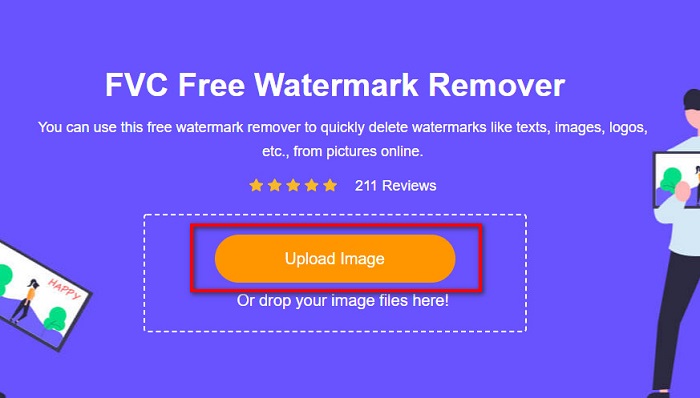
Étape 2. Cliquez sur le bouton Upload Image sur l’interface principale pour téléverser votre image 123RF.
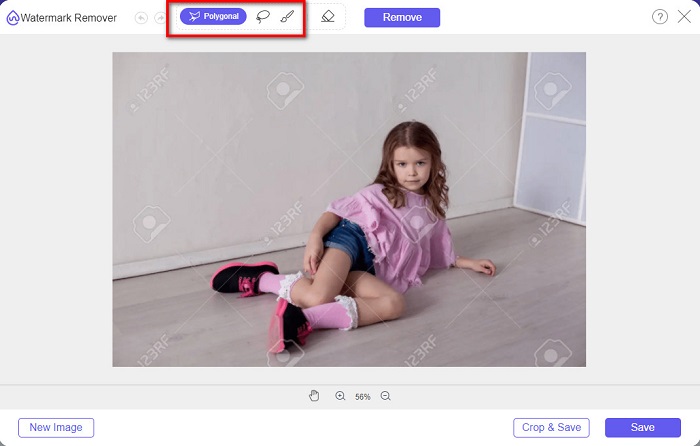
Étape 3. Puis sélectionnez l’outil de suppression que vous souhaitez utiliser pour enlever le filigrane. Vous pouvez choisir entre Polygonal, Lasso ou Brush.
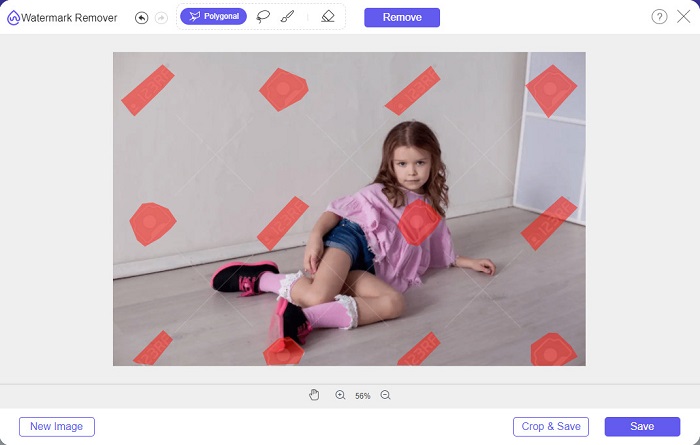
Étape 4. Tracez ensuite les filigranes sur votre image.
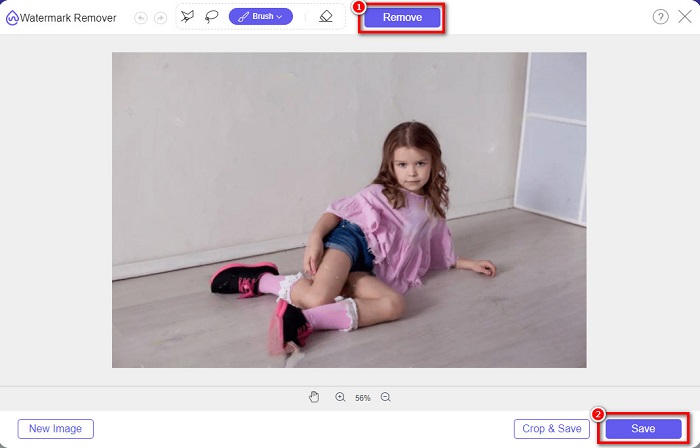
Étape 5. Enfin, cliquez sur le bouton Remove pour supprimer les filigranes sélectionnés sur votre image. Vous verrez que les filigranes ont été retirés, puis cliquez sur le bouton Save pour enregistrer votre image.
Relative à:
Remover de filigrane Photobucket remarquable en ligne et hors ligne
Qu’est-ce qu’un filigrane sur une vidéo et comment l’ajouter ou le supprimer
Partie 3. FAQ sur les effaceurs de filigrane 123rf
Pouvez-vous supprimer les filigranes sans les rendre flous ?
Oui. Vous pouvez utiliser FVC Free Watermark Remover pour supprimer n’importe quel filigrane sans laisser de traces floues sur votre image.
Pouvons-nous supprimer les filigranes des vidéos ?
Bien sûr. Il existe des tonnes d'applications logicielles que vous pouvez utiliser pour supprimer les filigranes (texte, logos et images) sur vos vidéos. Il existe une application populaire appelée FVC Video Converter Ultimate, qui vous permet de supprimer facilement les filigranes des vidéos.
Adobe Photoshop supprime-t-il les filigranes 123rf ?
Oui. Adobe Photoshop peut supprimer professionnellement tous les filigranes sur votre image ou vidéo.
Conclusion
Les outils de suppression de filigrane 123RF présentés ci‑dessus sont d’excellentes solutions pour enlever le filigrane 123RF sur votre image. Vous pouvez facilement supprimer ce filigrane, quel que soit l’outil que vous choisissez. Mais si vous voulez un convertisseur gratuit, facilement accessible, utilisez FVC Free Watermark Remover.
-
 Guide sur ce qu'est un filigrane sur une photo [Mise à jour 2022]
 Qu'est-ce qu'un filigrane sur une photo ? Doit-on en ajouter un ? Comment pouvons-nous l'enlever ? Toutes les choses dont vous aurez besoin sont ici, alors continuez à lire ce blog.
-
 Comment supprimer facilement le filigrane de Wondershare DVD Creator
 Cet article contient des informations sur la façon de supprimer le filigrane de Wondershare DVD Creator. Pour obtenir toutes les informations dont vous avez besoin, il est indispensable de lire ceci.
-
 Supprimer facilement le filigrane du PDF en quelques étapes simples
 Supprimez le filigrane du PDF en suivant ces étapes simples. Apprenez à supprimer facilement les filigranes de votre fichier PDF à l'aide de ces outils incroyables.
