


 Video Converter Ultimate
 Enregistreur d'écran
 Réparation vidéo
 Téléchargement sécurisé
Réducteurs de qualité d'image ultimes que vous devez avoir en 2022
Télécharger plusieurs images et partager ce qui nous arrive partout sur Internet est devenu facile grâce aux différents sites de réseaux sociaux auxquels nous pouvons accéder gratuitement. Malheureusement, les images deviennent de mauvaise qualité lorsque vous les publiez sur ces sites, surtout si la qualité d’origine est supérieure à la norme. Vous pensez peut‑être à mettre votre image en ligne, mais arrêtez‑vous d’abord ! Nous allons vous apprendre un secret qui permet au moins de réduire la compression appliquée à l’image : il suffit d’abaisser sa qualité. Cet article présente les meilleurs réducteurs de qualité d’image que vous pouvez utiliser pour résoudre ce problème. Lisez attentivement les informations suivantes afin de choisir l’outil qui vous convient.

Partie 1. Réducteurs de qualité d'image que vous devez connaître pour réduire facilement la qualité d'image [Review]
RéduireImages.com
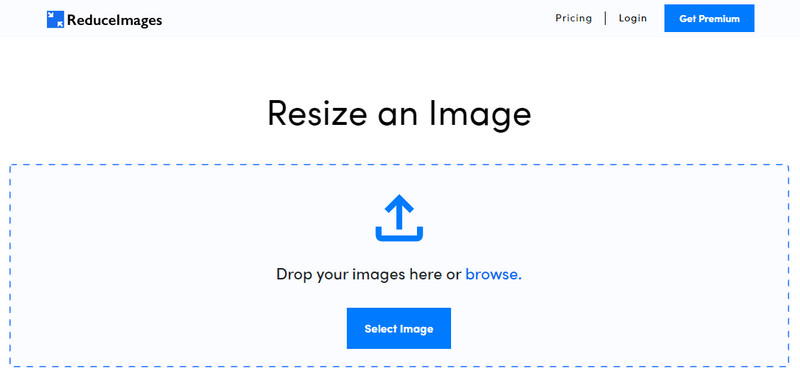
ReduceImages.com est une solution en ligne populaire que vous pouvez utiliser pour diminuer la qualité d’une image afin de la rendre conforme aux standards des sites web. Heureusement, c’est un outil en ligne, vous n’avez donc rien à télécharger : vous pouvez commencer à l’utiliser dans n’importe quel navigateur de votre appareil en recherchant simplement son nom. De plus, vous pouvez redimensionner les JPG, PNG et GIF que vous y téléversez. Même si vous pouvez utiliser cet outil en ligne gratuitement, certains inconvénients peuvent être frustrants, surtout si vous voulez travailler par lots ou si vous n’aimez pas les publicités. Si vous avez un peu de budget, vous pouvez souscrire une formule payante, avec un prix de départ de $ 3,99.
Avantages
- Utilisation gratuite et aucune installation nécessaire.
- Vous pouvez redimensionner l'image ici si vous le souhaitez.
- Changez l'arrière-plan d'une image transparente en noir et blanc.
- Tout le monde peut comprendre comment l'utiliser en un rien de temps.
Les inconvénients
- Il y a quelques publicités sur la version gratuite.
- Il ne peut pas effectuer de traitement par lots sur la version gratuite.
Lunapique
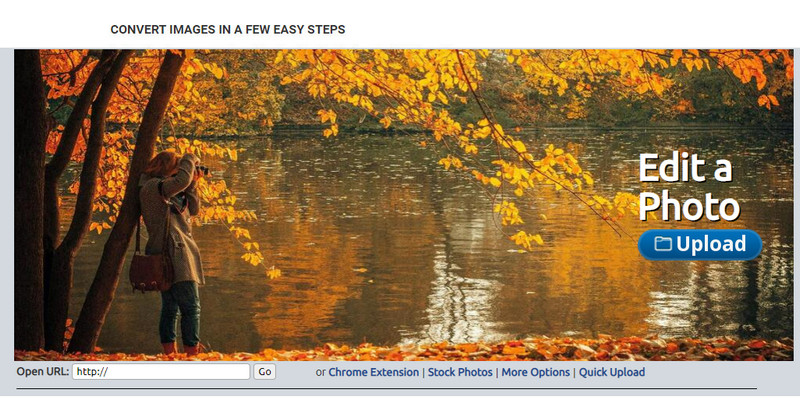
Lunapic est un outil extrêmement simple à utiliser pour réduire la qualité d’une image à la résolution souhaitée, avec une interface qui rappelle celle de Paint. Vous vous familiariserez rapidement avec cet outil en ligne en raison de sa ressemblance avec le célèbre Paint sur les appareils Windows. Même si vous pouvez compter sur cet outil pour optimiser la qualité de l’image, le seul format qu’il prend en charge est le JPEG, et rien d’autre. En copiant l’URL de l’image souhaitée, vous pouvez la téléverser ici pour l’ajuster, même si elle n’est pas encore téléchargée sur votre appareil. Comme le premier outil, vous n’avez pas besoin de l’installer pour l’utiliser, puisqu’il est accessible via le web.
Avantages
- Interface utilisateur intuitive qui vous permet de manipuler facilement la qualité.
- Le volet de prévisualisation est pris en charge pour afficher la qualité d'image ajustée.
- Vous pouvez copier et coller l'URL de l'image que vous souhaitez télécharger.
- Il est gratuit et ne prend pas en charge la version premium.
Les inconvénients
- Le format pris en charge est uniquement JPEG.
- L'interface graphique est obsolète et nécessite quelques ajustements.
EzGIF
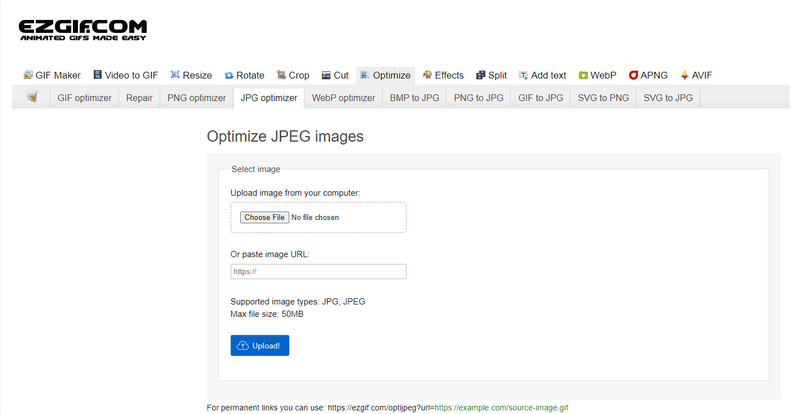
EzGIF peut être votre générateur d’images de basse qualité, ou, pour simplifier, un outil qui optimise la qualité des images que vous y importez. Connu à l’origine comme réparateur de GIF, il peut désormais aussi modifier la qualité des JPEG, WebP et PNG si nécessaire. Cet outil est plus populaire que les deux précédents que nous avons mentionnés en raison de son efficacité et de sa longévité en tant qu’outil web. Il offre une solution pratique mais efficace, que vous pourrez maîtriser facilement. Vous ne pouvez toutefois pas téléverser et traiter plusieurs fichiers à la fois, malgré ses nombreux atouts. De même, vous ne pouvez pas importer d’images autres que les JPEG ou JPG, PNG, WebP et GIF, statiques ou animés.
Avantages
- Il prend en charge de nombreuses fonctionnalités telles que le réglage de la qualité, l'amélioration, la conversion et bien d'autres.
- Vous pouvez librement y accéder et l'utiliser sur différents navigateurs Web.
- Optimisez votre image ici et voyez le résultat dans le volet de prévisualisation avant de l'exporter.
- Il n'ajoute pas de filigrane après avoir modifié la qualité de l'image.
Les inconvénients
- L'interface utilisateur graphique de celui-ci nécessite quelques ajustements.
- Il ne prend pas en charge d'autres formats d'image tels que BMP, SVG, HEIF et autres.
- Le téléchargement d'images par lot n'est pas pris en charge.
Adobe Photoshop
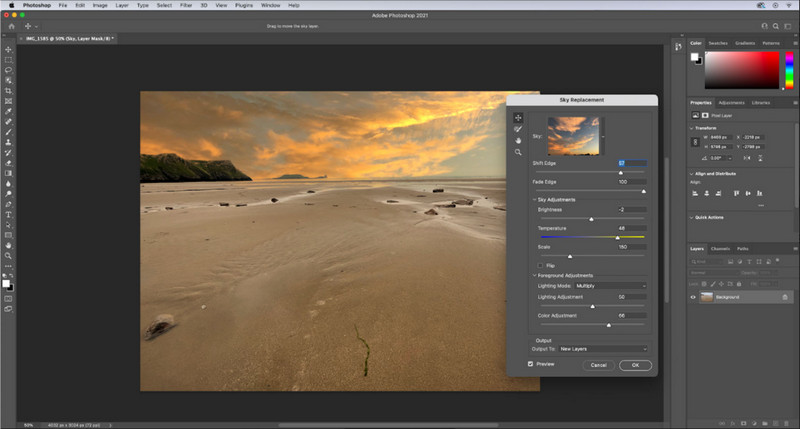
Adobe Photoshop est en quelque sorte un code de triche pour réduire la qualité d’une image, car c’est le meilleur outil pour transformer des visuels. Avec lui, vous pouvez importer n’importe quelle photo et ajuster l’algorithme de l’image. Tout le monde aime utiliser un outil professionnel, car il regorge de fonctions avancées que vous ne trouverez ni dans les éditeurs concurrents ni dans les outils en ligne. Il y a une différence entre un excellent outil et un outil simplement correct, et celui‑ci vous le prouvera. Cela dit, certains utilisateurs ont du mal à le maîtriser en raison de son interface puissante et lourde. Donc, si c’est votre première utilisation de ce logiciel, vous pourriez rencontrer quelques difficultés. Globalement, c’est l’éditeur d’images le plus professionnel que vous puissiez utiliser, bien au‑dessus des trois premiers outils que nous avons présentés.
Avantages
- Il fournit des fonctionnalités exclusives que l'autre éditeur d'images en ligne n'a pas.
- Il fournit des fonctionnalités exclusives que l'autre éditeur d'images en ligne n'a pas.
- C'est de loin le meilleur choix pour effectuer une retouche d'image professionnelle.
- Un outil compact et complet que vous pouvez télécharger sur différents appareils.
Les inconvénients
- Les utilisateurs débutants ont du mal à trouver comment l'utiliser.
- Vous devez acheter un plan pour continuer à l'utiliser après l'essai gratuit.
Partie 2. Bonus : comment améliorer l'image de faible qualité avec le Top Image Upsclaer sur le Web
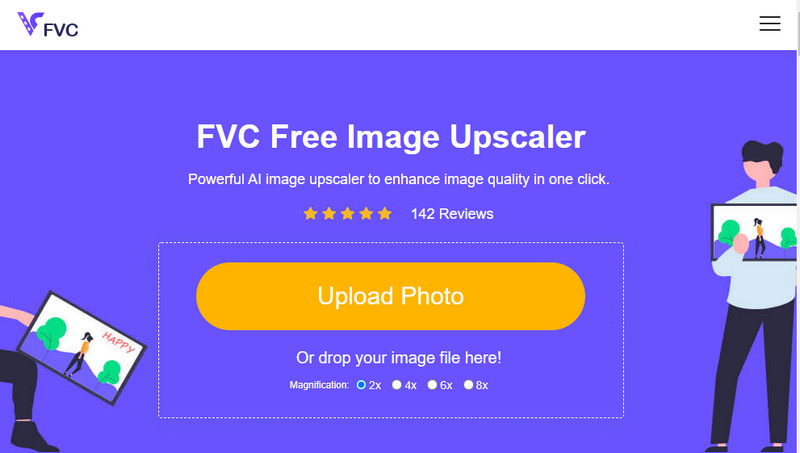
Avez‑vous déjà produit une image de mauvaise qualité, pixelisée ou floue, et souhaité revenir à la qualité d’origine ? Si oui, vous pouvez utiliser le FVC Free Image Upscaler. Cette solution en ligne peut faire le travail pour vous en retraçant l’algorithme de l’image, en ajustant la qualité et en l’agrandissant en fonction de ce que l’IA détecte. Vous bénéficierez de plusieurs avantages en utilisant cet outil : excellentes performances en agrandissement, aucune installation requise, sécurité, simplicité d’utilisation et un service client disponible 24 h/24 pour vous aider. Vous pouvez également téléverser des fichiers JPEG/JPG, PNG, BMP, SVG, et bien d’autres formats pour augmenter la résolution de l’image ici. De plus, vous pouvez tout à fait utiliser ce logiciel même si vous n’avez pas dégradé la qualité au préalable et que vous souhaitez simplement améliorer la qualité globale. Commencez à utiliser l’outil en cliquant sur son nom et en important immédiatement l’image que vous voulez agrandir !
Partie 3. FAQ sur la façon de rendre une image de qualité inférieure
La modification de la qualité réduit-elle la taille du fichier ?
Non, cela ne la réduira pas. Si vous avez diminué le nombre de pixels de l’image, son apparence sera affectée, mais pas la taille du fichier. Voici quelques‑uns des meilleurs améliorateurs de pixels que vous pouvez essayer.
Pourquoi le débit binaire de mon image a-t-il changé après avoir baissé la qualité ?
Après avoir changé la qualité de l'image, vous verrez un changement significatif sur le débit une fois que vous l'exportez, de manière significative lors de la modification de la résolution de l'image.
Pourquoi le GIF animé devient-il statique après avoir baissé la qualité ?
Le programme que vous utilisez pour réduire la qualité vous permet de télécharger le GIF animé mais ne peut pas exporter un GIF animé, donc le résultat se transformera en un GIF statique. L'extension d'image restera telle quelle, mais pas l'animation.
Conclusion
Vous pouvez choisir votre réducteur de qualité d'image avec les quatre logiciels que nous ajoutons que vous pouvez télécharger et accéder sur le Web. Si vous vous amusez à lire cet article, nous vous serions reconnaissants de noter ces cinq étoiles.
-
 Top 7 des meilleurs agrandisseurs de photos en ligne et hors ligne
 Vous voulez découvrir les agrandisseurs de photos les plus performants pour votre appareil Windows ou Mac ? Lisez cet article pour connaître les meilleurs agrandisseurs de photos qui valent la peine d'être essayés.
-
 Top 4 des agrandisseurs GIF hors ligne et en ligne à ne pas manquer
 Cet article est pour vous si vous recherchez les meilleurs agrandisseurs GIF. Nous avons répertorié les agrandisseurs GIF en ligne et hors ligne les plus performants pour votre ordinateur.
-
 Meilleures applications de redimensionnement de photos en ligne et hors ligne pour ordinateur
 Vous recherchez les meilleures applications de redimensionnement de photos pour votre bureau ? Nous avons répertorié les applications de redimensionnement de photos en ligne et hors ligne les plus performantes que vous devriez essayer.
