


 Video Converter Ultimate
 Enregistreur d'écran
 Réparation vidéo
 Téléchargement sécurisé
Meilleure application d'amélioration des couleurs photo que vous devez télécharger sur vos appareils mobiles [Gratuit]
Lors du traitement d’une image, la couleur est essentielle pour la rendre attrayante pour le public et les personnes qui regardent le sujet. Dans chaque pixel, il existe des données de couleur correspondantes. Quel que soit le niveau de qualité de la photo que vous avez prise, il y a des moments où vous devrez la retravailler pour offrir des visuels époustouflants au public. Heureusement, vous pouvez même effectuer ces ajustements sur Android et iOS, et cet article présente les meilleures applications disponibles sur les différents stores à télécharger. Pour obtenir des détails plus raffinés sur les images que vous avez prises, vous devrez lire ceci et télécharger dès maintenant une application d’amélioration des couleurs de photo !

Partie 1. Les 4 meilleurs rehausseurs de couleurs photo que vous pouvez télécharger sur Playstore et Appstore
EnhanceFox - Améliorateur de photos IA 12+
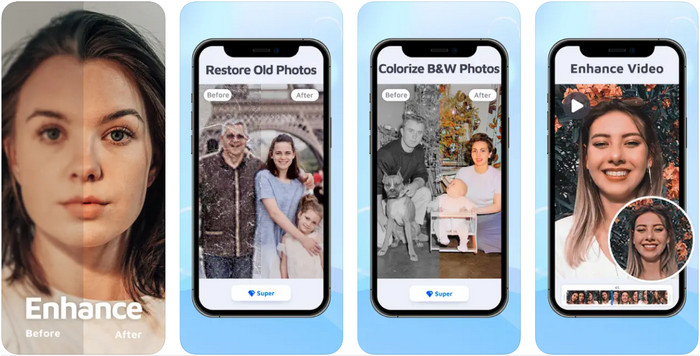
Vous pouvez télécharger cet amplificateur de couleur de photo sur votre iOS pour retoucher vos créations graphiques. EnhanceFox donne à ses utilisateurs la possibilité d’affiner les photos qu’ils ont prises par rapport au rendu d’origine. Même si vous débutez dans la retouche d’image, vous pourrez facilement apprendre à utiliser cette application pour rendre vos photos plus belles que jamais. De plus, elle peut transformer vos images floues en photos haute résolution grâce à l’IA intégrée. Bien que vous puissiez utiliser la version gratuite de l’application, vous devrez acheter la version pro pour accéder à toutes ses fonctionnalités.
Avantages
- Vous pouvez télécharger gratuitement l'application sur votre iOS.
- Il répare et transforme les images en une meilleure apparence.
- Cette application est prise en charge par l'IA.
Les inconvénients
- Certaines fonctionnalités ne sont pas disponibles sur la version gratuite de celui-ci.
- Vous aurez besoin d'une connexion Internet pour traiter votre image.
Remini - Améliorateur de photos IA 4+
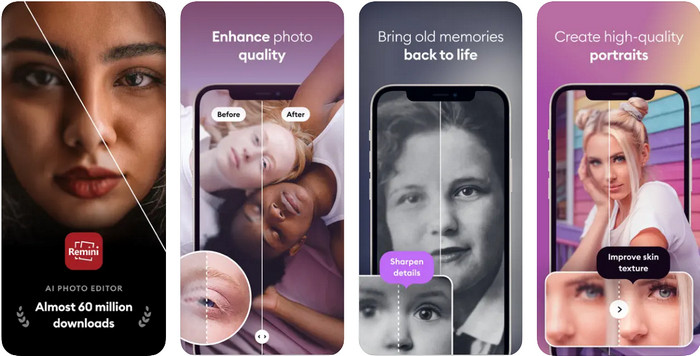
Remini est l’une des applications de retouche photo les plus populaires pour améliorer les couleurs, disponible sur iOS et Android. Sa puissance pour sublimer vos images a attiré de nombreux utilisateurs sur les deux plateformes. Grâce à son ensemble de fonctions d’édition, vous pouvez revitaliser des photos vintage en moins d’une seconde avec l’aide de la technologie IA. En plus de cela, vous pouvez aussi embellir vos selfies avant de les publier. Même si vous devez acheter l’application, vous pouvez choisir le type d’abonnement qui vous convient : hebdomadaire, mensuel ou annuel.
Avantages
- Transformez votre photo faciale en une image lisse et soyeuse.
- Réparez la couleur perdue sur les images que vous avez avec la technologie AI.
- Embellissez votre image en modifiant les paramètres de cette application.
Les inconvénients
- Le prix de chaque fonctionnalité de cette application comporte des paiements supplémentaires.
- Il renouvelle automatiquement les frais d'abonnement après la fin d'un abonnement.
Colorisé - Couleur aux vieilles photos
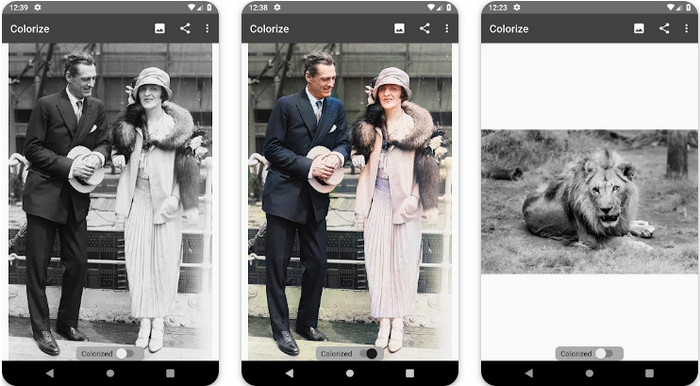
Colorize est une application de numérisation intelligente que vous pouvez télécharger sur les appareils Android pour restaurer les couleurs perdues de vos images et effectuer la restauration de vieilles photos. Vous pouvez apprendre à améliorer la couleur des yeux sur les photos grâce aux fonctions de retouche de cette application, que d’autres applis ne proposent pas. Cette application peut transformer vos photos en noir et blanc en versions colorisées grâce à la technologie Photomyne. Elle est bien conçue et incroyablement simple à utiliser, même si c’est la première fois que vous retouchez une image. Comme les autres applications que nous mentionnons, elle propose des achats intégrés avant de pouvoir utiliser toutes ses fonctionnalités.
Avantages
- Il ajoute automatiquement des couleurs aux images en noir et blanc avec la Photomyne.
- Les professionnels ou non peuvent facilement utiliser ce logiciel en raison de sa construction.
- Les paramètres de coloration de cette application sont de loin supérieurs aux autres applications de colorisation d'image.
Les inconvénients
- Il manque quelques points lorsque vous ajoutez de la couleur à l'image.
- Il recadre automatiquement l'image lors de son traitement.
- Vous devrez acheter l'application pour éviter les limitations.
Éditeur de photos Photoshop Express
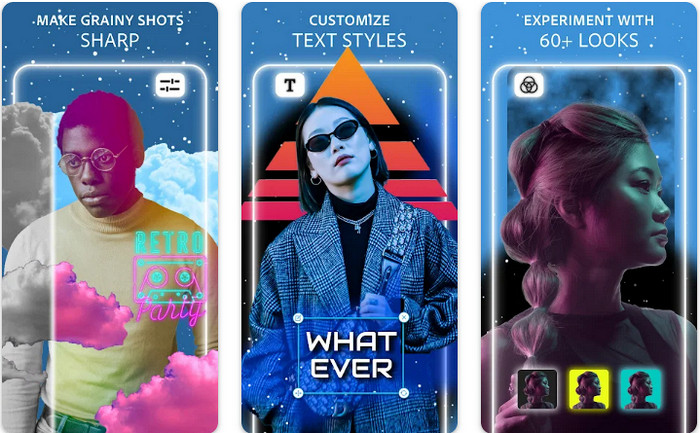
Photoshop Express Photo Editor est une version allégée du programme professionnel que des millions d’experts et de retoucheurs utilisent déjà pour rendre leurs images HD. Vous pouvez avoir ce Photoshop d’amélioration des couleurs sur Android et iOS. Est‑ce que cela résout le problème ? Oui, et très facilement. Comme nous l’avons indiqué plus haut, cette appli est similaire à Photoshop, non pas par son interface, mais par ses capacités de retouche. Elle fournit aux utilisateurs un rendu extrêmement détaillé en ajoutant ou en corrigeant le PPI de chaque image que vous avez capturée. Cependant, l’application est difficile à prendre en main, et vous devrez probablement consacrer du temps à lire comment l’utiliser. Néanmoins, c’est une solution logicielle complète dont vous aurez rarement besoin d’autre chose.
Avantages
- Vous pouvez télécharger le logiciel non seulement sur un ordinateur de bureau, mais également sur des appareils mobiles.
- Il prend en charge les fonctionnalités d'édition professionnelles que vous pouvez appliquer à vos photos.
- Il présente des similitudes avec Photoshop, car ils fournissent tous deux une sortie professionnelle.
- Vous pouvez effectuer ici de nombreux types d'édition que l'autre application ne peut pas vous offrir.
Les inconvénients
- L'application peut être coûteuse par rapport aux autres achats intégrés.
- Il doit améliorer d'autres problèmes mineurs.
Partie 2. Top des amplificateurs de qualité photo recommandés que vous n'auriez pas besoin de télécharger [Service Web]
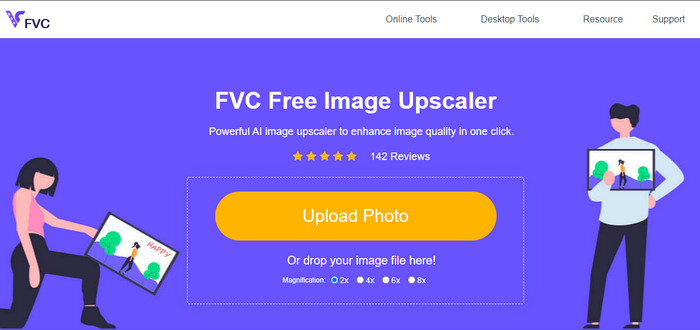
FVC Free Image Upscaler peut vous aider à résoudre le problème sans rien acheter. Cet optimiseur de qualité photo est disponible sur le Web, vous n’avez donc pas besoin de le télécharger pour pouvoir l’utiliser. En plus de cela, vous pouvez tirer parti de sa puissante fonction de retouche basée sur l’intelligence artificielle, qui analyse ce qui ne va pas sur votre image et le corrige immédiatement. Comparée aux autres applications que nous avons mentionnées, c’est de loin la solution d’amélioration en un clic dont vous avez besoin. Importez la photo, changez le facteur d’agrandissement, et vous obtiendrez la version améliorée de votre image. Si vous utilisez cet outil, aucun réglage fin ni ajustement particulier n’est nécessaire. Vous voulez l’essayer ? Cliquez sur le lien, qui vous mènera directement au site de l’outil d’upscaling.
Partie 3. FAQ sur Photo Color Enhancer
Dois-je devenir professionnel pour utiliser un rehausseur de couleur photo ?
Si vous utilisez un logiciel bien développé, vous aurez besoin d'avoir une idée, pas un professionnel, sur ses fonctionnalités et leur fonction à l'image. Cependant, il existe un logiciel simplifié, ce qui signifie que l'IA est prise en charge ; parfois, vous n'auriez pas besoin de faire les ajustements, ou parfois vous le feriez. Pour les débutants, vous devez utiliser un logiciel facile à utiliser avant de passer votre jeu à une amélioration professionnelle.
Qu'arrive-t-il à l'image dont j'améliore la couleur ?
Les images avec une couleur bien développée seront plus détaillées et nettes par rapport aux images qui prennent moins en charge la couleur. Leur pixel ne peut pas être vu par rapport aux photos prises en charge en basse qualité.
Quel format d'image prend en charge la meilleure combinaison de couleurs d'image ?
JPEG et PNG prennent en charge 16 millions de couleurs et sont l'un des meilleurs formats d'image que vous pouvez utiliser à différentes fins. Mais HEIC prend en charge les bits avancés par rapport aux deux formats d'image.
Conclusion
Quel rehausseur de couleur photo choisiriez-vous parmi l'application que nous examinons ? Eh bien, avec toutes les informations que nous ajoutons, vous pouvez rapidement déterminer quelle application vous devez télécharger sur votre appareil. Bien qu'ils aient des avantages et des inconvénients différents, ils peuvent toujours améliorer rapidement les couleurs de vos photos.
-
 Top 7 Pixels Enhancer pour tous les navigateurs Web que vous devez utiliser
 Si vous voulez connaître les meilleurs amplificateurs de pixels à utiliser, vous feriez mieux de consulter cet article. Cet article répertorie les sept meilleurs rehausseurs de pixels photo pour tous les navigateurs Web.
-
 Meilleure application Photo Resizer en ligne, hors ligne, Android et iPhone
 Quelles sont les meilleures applications de redimensionnement de photos ? Cliquez sur la page pour découvrir les cinq applications de redimensionnement de photos les plus puissantes que vous pouvez utiliser pour améliorer ou redimensionner votre fichier.
-
 Top 7 des meilleurs agrandisseurs de photos en ligne et hors ligne
 Vous voulez découvrir les agrandisseurs de photos les plus performants pour votre appareil Windows ou Mac ? Lisez cet article pour connaître les meilleurs agrandisseurs de photos qui valent la peine d'être essayés.
