


 Video Converter Ultimate
 Enregistreur d'écran
 Réparation vidéo
 Téléchargement sécurisé
Des moyens efficaces pour créer des photos HD en ligne et sur Android [Tutoriel complet]
Est-ce un miracle ? Est-ce magique ? Eh bien, ce n'est pas le cas, et vous pouvez créer des photos HD instantanément sans utiliser Adobe Photoshop ou tout autre logiciel professionnel sur votre appareil. Les informations contenues dans cet article pourraient transformer vos images en haute définition avec les meilleurs amplificateurs que nous avons trouvés sur le Web et vos appareils Android. Il pourrait être impossible de gérer cette tâche, en particulier pour ceux qui sont inexpérimentés dans cette situation. Pourtant, vous n'auriez pas à vous inquiéter si vous suiviez ce guide.

Partie 1. Comment faire une photo HD sans outil professionnel sur le Web gratuitement [Choix de l'éditeur]
1ère Voie. Comment faire une photo HD en agrandissant les images [Top Choice of the Editor]
FVC Free Image Upscaler est un puissant outil d’agrandissement d’images que vous pouvez utiliser pour augmenter les pixels d’une image et la transformer en HD. Cet agrandisseur en ligne intègre une IA capable de détecter les défauts de votre image et de l’améliorer instantanément sans que vous ayez à modifier de nombreux paramètres. De plus, vous pouvez agrandir l’image en 2x, 4x, 6x et 8x sans l’étirer ni la déformer. Vous voulez connaître le secret pour rendre une photo HD avec cet outil ? Suivez simplement les étapes indiquées ci‑dessous.
Étape 1. Ouvrez l’outil d’agrandissement d’images en ligne en cliquant sur ce lien. Vous serez redirigé vers le site officiel, et vous n’avez aucune raison de vous inquiéter : il est sûr sur n’importe quel navigateur que vous utilisez ou préférez.
Étape 2. Cliquez sur Upload Photo pour ajouter l’image de faible qualité que vous souhaitez transformer en HD. Vous pouvez aussi utiliser la fonction de glisser‑déposer pour ajouter l’image si vous voulez l’essayer.
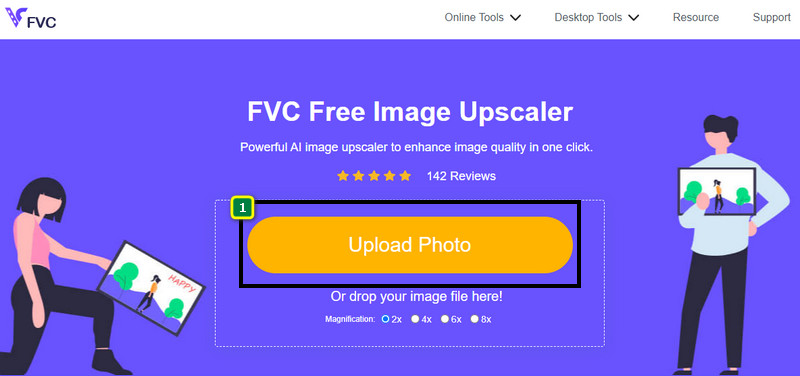
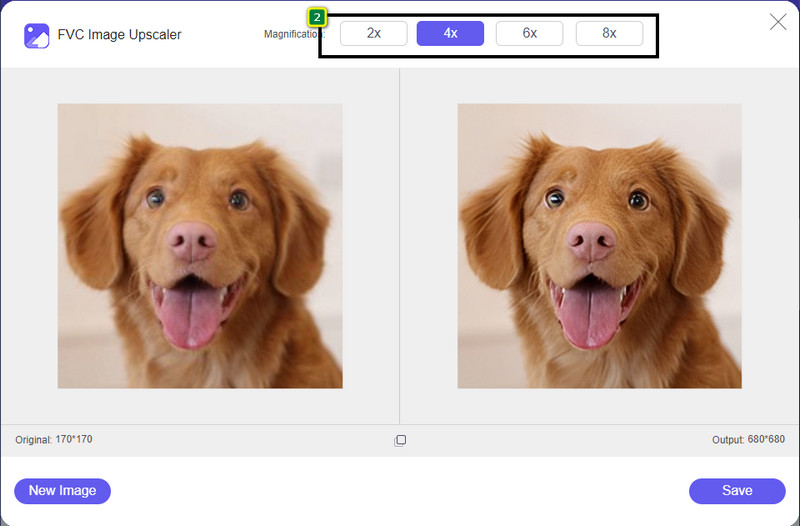
Étape 3. Attendez que l’outil traite l’image, puis choisissez le facteur de grossissement que vous souhaitez appliquer à votre image : elle sera alors convertie en HD.
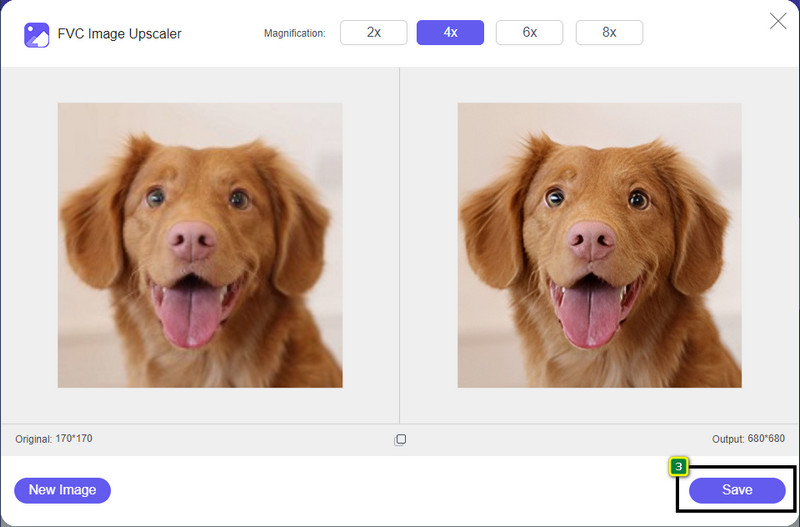
Étape 4. Vous pouvez maintenant enregistrer l’image agrandie en cliquant sur le bouton Save en bas de l’écran. L’image en haute définition sera enregistrée dans un dossier de votre disque ; vous pourrez l’ouvrir pour voir le résultat.
2ème Voie. Comment faire une image HD en convertissant les images
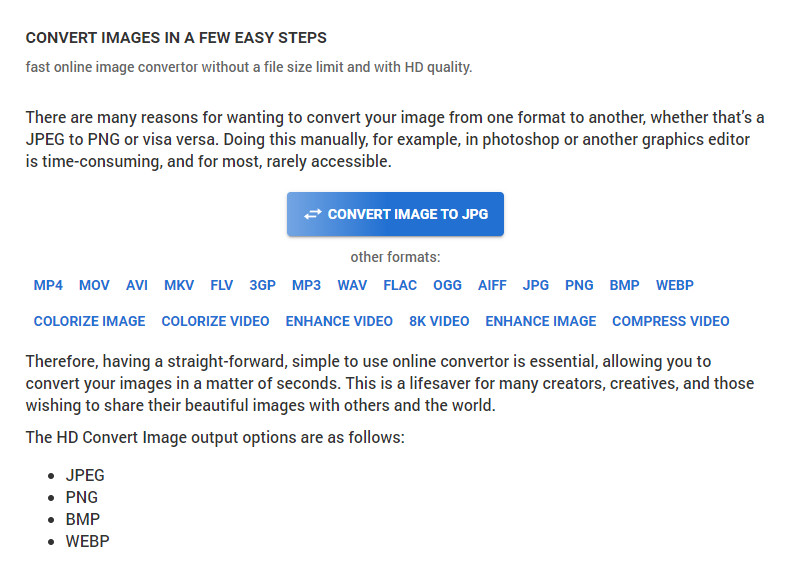
Même si HDconvert.com peut améliorer la qualité de votre image, le procédé est différent. Avec cet outil, vous pouvez convertir une image de mauvaise qualité en HD en la téléversant ici et en modifiant quelques options pour atteindre la résolution souhaitée. Il ne faut pas oublier qu’il peut convertir l’image que vous importez en JPG, PNG, BMP ou WebP tout en ajustant la qualité de votre image. En outre, vous pouvez régler certaines options avancées, comme le redimensionnement, ou les ignorer si vous ne souhaitez pas les appliquer. Toutefois, vous devrez acheter la version premium pour obtenir une qualité d’image élevée. Vous voulez savoir comment fonctionne cet outil ? Dans ce cas, continuez à lire pour découvrir comment rendre une photo encore plus HD.
Étape 1. Accédez au site officiel de ce convertisseur, cliquez sur Convert Image to JPG, then Select Files pour téléverser l’image que vous voulez convertir en HD.
Étape 2. Choisissez le format d’image que vous souhaitez appliquer à votre fichier, puis cliquez sur Next.
Étape 3. Modifiez la qualité de l’image en ajustant le slider au pourcentage que vous préférez, ou à 100%, puis appuyez sur Next.
Étape 4. Cliquez sur Convert File pour exporter l’image que vous avez convertie ici en HD.
3ème Voie. Comment faire une image HD en améliorant l'image
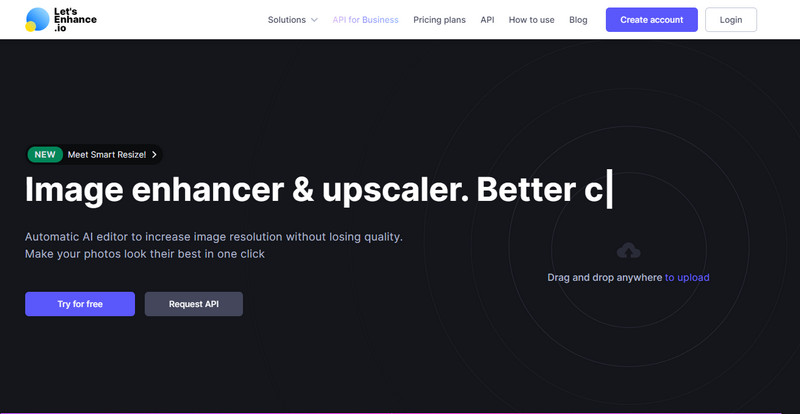
Let's Enhance.io peut vous aider à améliorer vos photos sur ordinateur pour leur donner une meilleure qualité, comme la HD. Vous n’aurez aucune difficulté à améliorer vos images en HD en utilisant cet outil. Contrairement au premier, vous devrez vous connecter avec un compte existant ou en créer un avant de pouvoir utiliser la version gratuite. Même si la connexion est obligatoire, soyez assuré que ses performances rivalisent avec les meilleurs programmes de bureau dédiés à l’amélioration d’images. Donc, si vous souhaitez utiliser cet outil d’amélioration HD des photos, suivez les étapes ci‑dessous, que nous avons testées pour vous montrer comment l’utiliser.
Étape 1. Ouvrez votre navigateur web, recherchez son nom, puis cliquez sur le lien qui apparaît dans les résultats.
Étape 2. Appuyez sur l’icône upload pour ajouter l’image que vous souhaitez améliorer en HD.
Étape 3. Dans la section opération, modifiez les paramètres que vous voulez pour transformer votre image en haute définition.
Étape 4. Une fois les réglages terminés, cliquez sur Start Processing pour traiter l’image de faible qualité en HD.
Étape 5. Appuyez sur l’icône download pour récupérer la photo que vous avez améliorée ici.
Partie 2. Comment faire une photo HD sur Android avec PicsArt
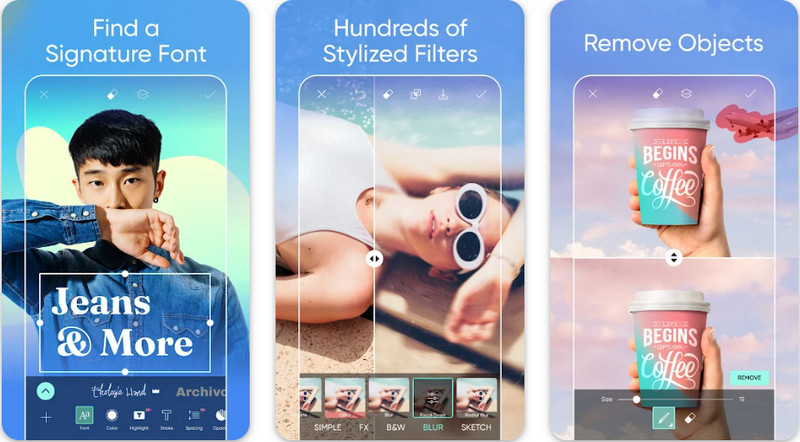
Pour les utilisateurs Android qui souhaitent rendre leurs images HD, vous pouvez essayer de télécharger PicsArt sur le Play Store. C’est une solution appréciée de nombreux utilisateurs en raison des différentes fonctions d’édition que vous pouvez appliquer à vos images pour les rendre plus belles que la version originale. Même si cette application peut faire beaucoup pour vous, la version gratuite ajoute un filigrane au résultat final. Si vous ne voulez pas de filigrane, vous devrez acheter la version premium. Dans l’ensemble, cette appli est notre choix pour rendre une image nette et en HD. Donc, si vous voulez obtenir une image de haute qualité sur votre appareil Android, vous ne vous tromperez pas en choisissant cette appli. Suivez le tutoriel ci‑dessous pour savoir comment rendre une photo HD dans PicsArt.
Étape 1. Téléchargez l’application sur le Play Store et lancez‑la.
Étape 2. Cliquez sur l’icône + pour choisir dans votre galerie l’image que vous voulez transformer en HD.
Étape 3. Touchez Effets, puis sélectionnez HDR ; ajustez les options pour rendre votre image HD, puis appuyez sur l’icône check.
Étape 4. En haut de l’écran de votre téléphone, cliquez sur l’icône download pour enregistrer l’image HD dans votre galerie. Pour changer la résolution d’une photo sur iPhone, cliquez ici pour en savoir plus.
Partie 3. FAQ sur la création d'images HD
Faire une image en HD augmente-t-il la taille du fichier ?
Absolument! La taille de l'image qui n'est pas HD et la HD ont des tailles de fichier différentes. HD a plus de données de pixels qui pourraient vous présenter une image détaillée, et sa taille est également plus lourde que l'image qui n'est pas HD.
Transformer une image 4k en HD est-il un mauvais choix ?
Cela peut sembler être le cas, mais si vous souhaitez économiser de l'espace de stockage, vous pouvez transformer les images 4k en HD, et leurs différences de qualité visuelle ne sont pas importantes. Vous pouvez profiter de votre image 4k même si elle est devenue HD.
Pourquoi dois-je rendre l'image HD ?
Transformer votre image en HD pourrait rendre votre image plus détaillée en apparence et attrayante par rapport à celles qui ne le sont pas. Ainsi, si vous souhaitez améliorer l'image en HD, vous aurez besoin d'un outil pour mettre à l'échelle les pixels de l'image afin de donner vie à la HD.
Conclusion
Incroyable non ? Vous pouvez créer des photos HD avec les différentes façons que nous ajoutons ici sans l'aide d'un logiciel professionnel comme Adobe Photoshop. Copiez les étapes dans l'outil de votre choix et améliorez votre image de faible qualité en une meilleure comme la HD.
-
 Améliorez la résolution des photos de l'iPhone avec les meilleurs amplificateurs
 Voulez-vous améliorer la résolution des photos de l'iPhone ? Eh bien, dans cet article, nous couvrons les meilleurs outils que vous pouvez utiliser et d'autres astuces que vous devez connaître !
-
 Restauration d'anciennes photos en ligne et hors ligne [Étapes faciles]
 Vous voulez restaurer une vieille photo ? Avec ces outils, vous connaîtrez l'ancien processus de restauration de photos. Lisez cet article pour apprendre les méthodes les plus simples.
-
 Top 7 Pixels Enhancer pour tous les navigateurs Web que vous devez utiliser
 Si vous voulez connaître les meilleurs amplificateurs de pixels à utiliser, vous feriez mieux de consulter cet article. Cet article répertorie les sept meilleurs rehausseurs de pixels photo pour tous les navigateurs Web.
