


 Video Converter Ultimate
 Enregistreur d'écran
 Réparation vidéo
 Téléchargement sécurisé
Quels sont les meilleurs remplacements QuickTime disponibles dans tous les logiciels (gratuits et payants)
QuickTime Player est le lecteur multimédia natif du système Mac. C’est assurément le meilleur lecteur multimédia gratuit d’Apple, mais il n’est pas accessible sur les autres systèmes d’exploitation, comme Windows, etc. Ainsi, les utilisateurs de Mac ont du mal à choisir quel est le meilleur remplaçant de QuickTime Player à utiliser. Sans plus attendre, cet article va vous fournir des éléments suffisants sur ces outils eux‑mêmes, ainsi que sur les autres alternatives que vous pouvez employer pour regarder vos contenus avec une efficacité comparable à celle de QuickTime. Poursuivez la lecture de cet article pour en savoir plus sur ces lecteurs multimédias.

Partie 1. Le meilleur remplacement de QuickTime en ligne
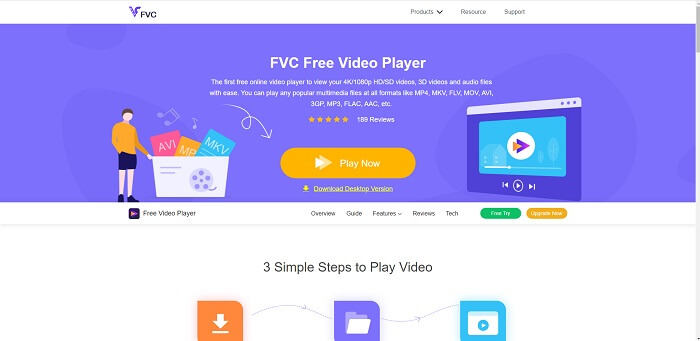
Si vous cherchez la meilleure alternative à QuickTime Player en ligne, alors ceci est pour vous. Aucun besoin de s’inscrire, de se connecter ou de payer. De plus, l’une de ses fonctionnalités les plus appréciables est que vous pouvez y accéder à tout moment et où que vous soyez, avec simplement une connexion Internet, sans qu’on vous demande de prouver que vous n’êtes pas un robot ni de cliquer sur des bouches d’incendie, des voitures, des bus, des passages piétons, etc. FVC Free Video Player est là pour révolutionner votre manière de regarder vos vidéos et d’écouter vos fichiers audio en ligne. C’est comme un QuickTime Player, mais en ligne. Aucun téléchargement nécessaire et, surtout, aucun risque de malware.
Avantages
- Un outil de remplacement de QuickTime en ligne auquel vous pouvez accéder sur le Web.
- Meilleur enregistreur de choix sur le Web. De plus, vous n'avez pas besoin de télécharger l'outil. Il suffit de le lancer, de le placer et de le regarder.
- Malware safe, pas de publicité sur le web et pendant la lecture.
Les inconvénients
- Dépendant d'Internet.
- Si Internet est instable, vous ne pouvez pas regarder le fichier.
Partie 2. L'alternative Prime Elite QuickTime Player pour Mac et Windows 10
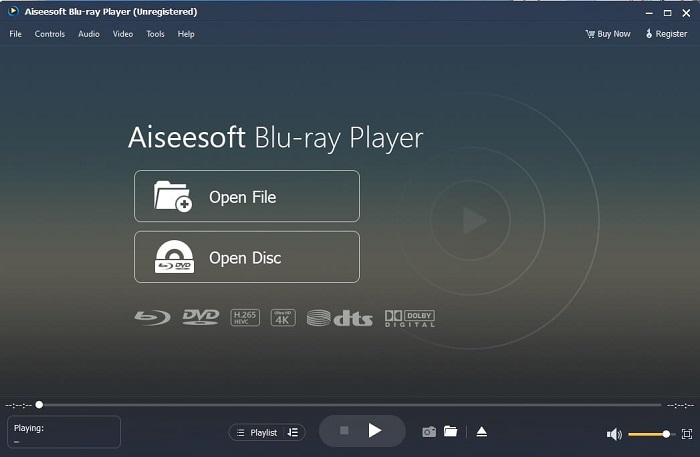
Si l’outil en ligne gratuit vous offre déjà une bonne qualité pour regarder et écouter vos vidéos et fichiers audio préférés, celui‑ci va encore changer la donne. Si vous êtes en quête d’un trésor caché depuis longtemps, le moment est venu de vous annoncer que vos recherches sont terminées : à partir d’aujourd’hui, vous l’avez trouvé. Cet outil est la meilleure alternative à QuickTime Player pour Windows 10 et Mac, car il offre de meilleures performances et prend en charge davantage de formats de fichiers. Blu-ray Player est ce trésor perdu. Si vous recherchez un lecteur multimédia qui vous offre d’excellentes performances pour écouter et regarder vos vidéos ou chansons préférées, c’est celui‑ci qu’il vous faut. On dit souvent que chaque trésor a un prix. L’idée la plus courante est donc de penser que cet outil vous coûtera cher, puisqu’il est présenté comme meilleur que QuickTime lui‑même. Mais en réalité, ce n’est pas le cas. Pour être honnête, cet outil est largement supérieur à tous les autres lecteurs multimédias que vous trouverez dans cet article ou sur le web. C’est un lecteur multimédia à essayer absolument si vous recherchez le meilleur, avec une qualité digne d’une salle de cinéma.
Téléchargement gratuitPour Windows 7 ou version ultérieureTéléchargement sécurisé
Téléchargement gratuitPour macOS 10.7 ou version ultérieureTéléchargement sécurisé
Avantages
- Lecteur multimédia de classe S.
- Cela fonctionne bien sans connexion internet.
- Il prend en charge toutes les plates-formes que vous connaissez et ne connaissez pas. Avec plus de qualité en vidéo et audio.
Les inconvénients
- Il nécessite d'être téléchargé sur votre PC ou Mac.
- Cela vous coûtera $36.00.
Partie 3. 4 autres alternatives utiles à QuickTime Player
La liste ci-dessous répertorie les exemples que vous aimerez peut-être utiliser ou rencontrer sur le Web si vous recherchez un remplaçant pour QuickTime. Parce qu'il a déjà été dit que QuickTime est le lecteur multimédia par défaut pour Mac OS. Lisez les autres alternatives au lecteur QuickTime pour Mac et Windows que vous pouvez probablement utiliser pour regarder des vidéos si QuickTime n'est pas pris en charge sur votre plate-forme.
1. Lecteur multimédia VLC
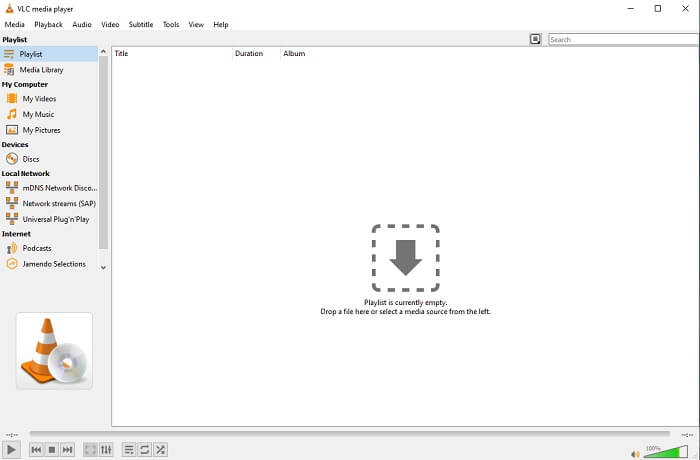
Cet outil construit son nom comme le meilleur lecteur multimédia de tout le Web. En raison de son accessibilité, la plupart des utilisateurs l'utilisent comme premier choix. En outre, il peut lire des DVD, des VCD, des CD et plus encore sans ajouter de codecs. Pour faire simple, c'est un joueur rapide et de classe A.
Avantages
- L'un des meilleurs lecteurs multimédias.
- Interface simple.
- Les outils hors ligne doivent être téléchargés.
Les inconvénients
- Certains formats ne sont pas lisibles.
- Vous rencontrerez des bugs qui ne sont pas encore corrigés.
2. Lecteur KM

Un remplaçant de QuickTime pour Windows et Mac qui vous permet de lire différents formats de fichiers avec une très haute qualité. Contrairement à VLC Media Player, la lecture des fichiers WMV se fait très facilement avec KM Player. Il permet également la lecture de vidéos en 3D et offre certaines fonctions de montage.
Avantages
- Lecteur multimédia le plus couramment utilisé.
- Connu pour son accélération matérielle.
- Lecture vidéo 3D.
Les inconvénients
- C'est un spyware/adware.
- Cela peut ralentir votre système en raison de l'installation inévitable qu'il effectuera. soyez donc prudent si vous souhaitez télécharger ce logiciel.
3. Lecteur MP
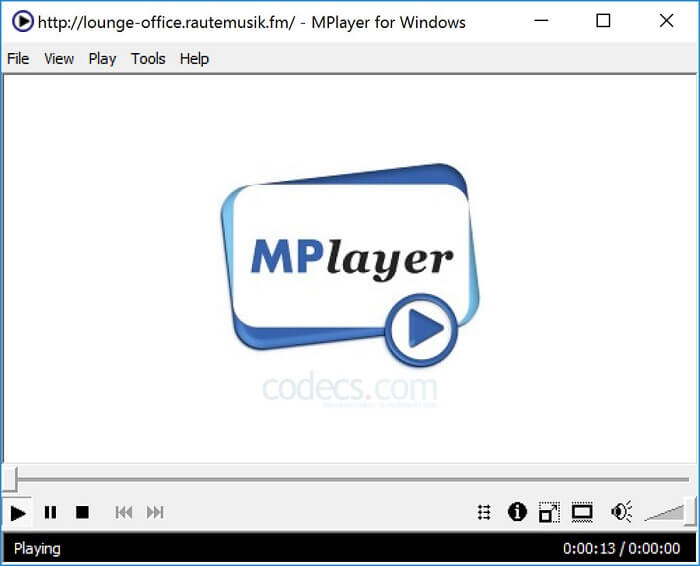
Cet outil permet à l’utilisateur de travailler avec deux fenêtres distinctes. Par exemple, la fenêtre vidéo est séparée de l’interface principale. MPlayer peut lire différents formats. Il prend également en charge, en particulier, les fichiers enregistrés via Ffmpeg.
Avantages
- Outil ponctuel.
- aucun codec supplémentaire n'est nécessaire.
- Raccourcis claviers.
Les inconvénients
- Dans certains cas, les fichiers que vous lisez sur l'autre lecteur multimédia sont lisibles, mais si vous l'utilisez, il est possible qu'il ne soit pas lu. C'est encore pour des raisons inconnues.
- Absence de lecture du répertoire.
4. Périan
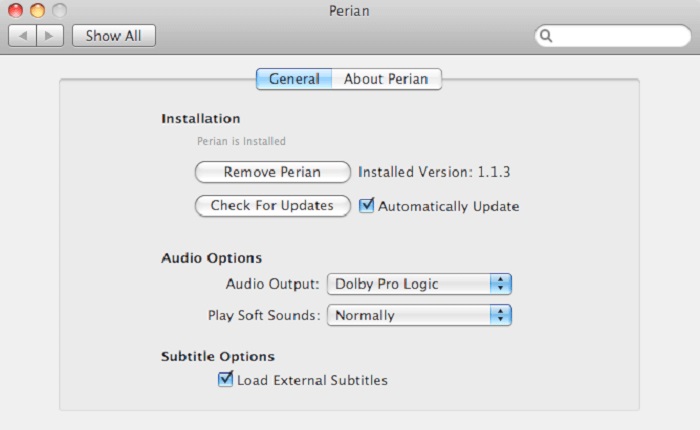
Si vous disposez d’une version obsolète de QuickTime et que vous souhaitez connaître les autres options possibles, ceci est pour vous. Perian est connu comme le « couteau suisse » que vous pouvez utiliser sur votre système d’exploitation Mac. Si l’ancienne version de QuickTime ne peut pas lire le format que vous souhaitez, vous pouvez alors utiliser Perian, car il vous permet de lire davantage de formats de fichiers dans QuickTime Player.
Avantages
- Fonctionne toujours même sur QuickTime obsolète.
- Prend en charge plus de lecture pour les anciennes versions de QuickTime.
- Les formats de sous-titres SSA et SRT de QuickTime sont toujours pris en charge.
Les inconvénients
- Cela ne fonctionnera pas sur la version moderne de QuickTime 10.
- Si vous utilisez une version de QuickTime à partir de 2012, il n'est pas nécessaire de l'utiliser. Parce que QuickTime peut fournir ce que cet outil peut fournir encore plus.
Partie 4. FAQ sur QuickTime Player
Que puis-je faire d'autre que lire une vidéo sur QuickTime ?
QuickTime propose également d’autres fonctions comme l'enregistrement, le montage et le découpage, la réorganisation, la rotation, ainsi que le partage de vidéos et d’images.
QuickTime en a-t-il une version pro ?
Oui, il en a aussi une version pro. Comme d'habitude, la version pro offre plus de fonctionnalités que la version gratuite.
Existe-t-il un format de fichier illisible si vous utilisez QuickTime ?
Dans certains cas, les fichiers MOV et MP4 sont illisibles, car ils utilisent des codecs complexes. Ce problème survient le plus souvent lorsque votre QuickTime est une ancienne version. La meilleure solution consiste donc à convertir les fichiers MOV en MP4.
Conclusion
À présent, vous connaissez les outils qui peuvent être utilisés si vous souhaitez un lecteur multimédia similaire à QuickTime. Comme mentionné précédemment, ces différents outils ont chacun leur spécialité, leurs points communs et ce qui les distingue des autres lecteurs multimédias. Mais il apparaît clairement que le meilleur remplaçant de QuickTime Player, ou plus précisément l’outil capable de surpasser QuickTime, est le Blu-ray Player. Il dépasse QuickTime Player à tous les niveaux, en particulier en ce qui concerne sa disponibilité, et bien plus encore. Vous vous demandez peut‑être encore pourquoi vous devriez acheter cet outil. La seule raison est qu’il est largement supérieur aux autres outils que vous pourriez trouver sur le web ou dans d’autres articles. Alors, qu’attendez‑vous ? Regardez vos vidéos comme un véritable patron en faisant de ce lecteur votre choix personnel.
-
 Meilleur lecteur vidéo HD 1080p pour Windows/Mac/iOS/Android en 2025. Commentaires
 Si vous recherchez un lecteur vidéo pour regarder des vidéos haute définition 1080p sur votre ordinateur, consultez notre sélection des meilleurs lecteurs vidéo HD 1080p pour Mac, PC Windows, iOS et Android.
-
 5 méthodes pratiques pour réparer QuickTime ne peut pas ouvrir les fichiers MOV
 Le format MOV est principalement créé pour la lecture dans QuickTime Player. Cependant, vous pouvez parfois constater qu'ils ne jouent pas dedans. Découvrez comment réparer QuickTime ne lira pas les fichiers MOV à partir de cet article.
-
 Comment convertir des fichiers MKV pour les lire sur PS3 en douceur
 Vous voulez lire des vidéos MKV sur votre PS3 ? Cependant, la PS3 ne peut pas lire directement les fichiers MKV. Cet article vous montrera comment convertir des vidéos MKV en formats vidéo pris en charge par PS3 pour les lire sur PS3 sans aucun problème.
