


 Video Converter Ultimate
 Enregistreur d'écran
 Réparation vidéo
Découvrez quels sont les 2 meilleurs convertisseurs pour convertir RMVB en AVI gratuitement
Si vous recherchez une compression plus efficace, utilisez le format RMVB, car ce format emploie des débits binaires variables pour l’encodage du son et de la vidéo. C’est le meilleur conteneur pour stocker des médias en streaming encodés avec un débit binaire constant. Bien que ce format soit le meilleur choix pour la diffusion en ligne, vous devrez tout de même utiliser un lecteur multimédia ou un codec adapté pour lire la vidéo avec l’extension de fichier .rmvb. Si c’est votre cas, simplifions‑vous la vie en découvrant quel convertisseur de fichiers RMVB en AVI vous pouvez utiliser pour convertir vos fichiers RMVB.
Partie 1. Meilleur convertisseur RMVB en AVI hors ligne pour Windows et Mac [Méthode la plus rapide et la plus efficace]
En tête de liste, voici le convertisseur exceptionnel que vous allez apprécier : FVC Video Converter Ultimate offre la façon la plus rapide et la plus sûre de convertir gratuitement RMVB en AVI. Toutes les fonctionnalités proposées par cet outil sont indispensables pour celles et ceux qui convertissent souvent des formats. De plus, si vous voulez monter votre vidéo, augmenter le volume de votre audio, créer un GIF original et bien plus encore, cet outil est une excellente option pour tout le monde. Même si vous pouvez y convertir vos fichiers gratuitement, l’outil lui‑même n’est pas gratuit. Cependant, vous n’aurez pas à dépenser des centaines de dollars pour le télécharger, y accéder et profiter pleinement des capacités de ce convertisseur. Si vous achetez et téléchargez cet outil, c’est précisément le bon moment pour faire appel à votre imagination et obtenir le meilleur résultat possible grâce à lui. Ci‑dessous, vous trouverez maintenant les étapes à suivre pour convertir vos fichiers RMVB vers un nouveau format.
Étapes pour convertir RMVB en AVI avec FVC Video Converter Ultimate :
Étape 1. Téléchargez ce convertisseur RMVB en AVI sur votre PC ou Mac, installez‑le, effectuez le paramétrage, puis cliquez sur Start Now.
Téléchargement gratuit pour Windows 7 ou version ultérieure Téléchargement sécurisé
Téléchargement gratuit pour macOS 10.7 ou version ultérieure - Téléchargement sécurisé
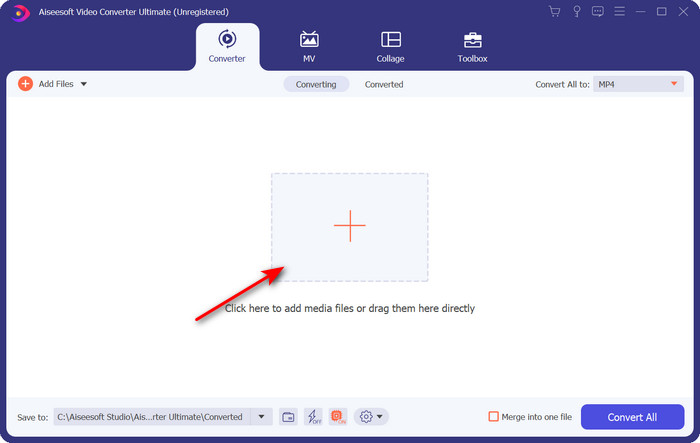
Étape 2. Lancez le programme et importez le fichier .rmvb dans l’interface en cliquant sur le bouton + au centre. Repérez le fichier dans le dossier, puis cliquez sur Open.
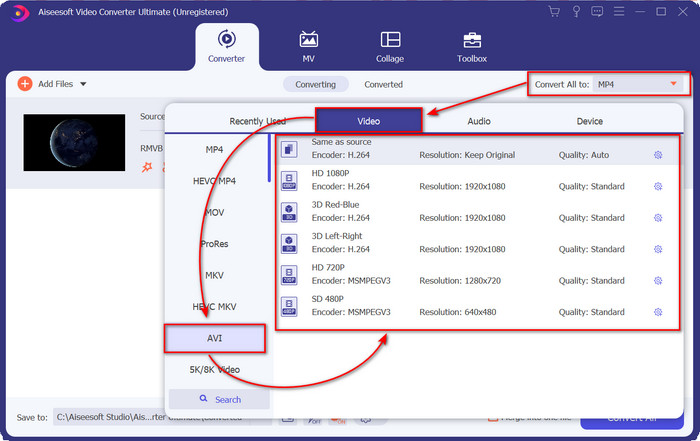
Étape 3. Allez dans Convert All to:, recherchez le format AVI, puis cliquez dessus.
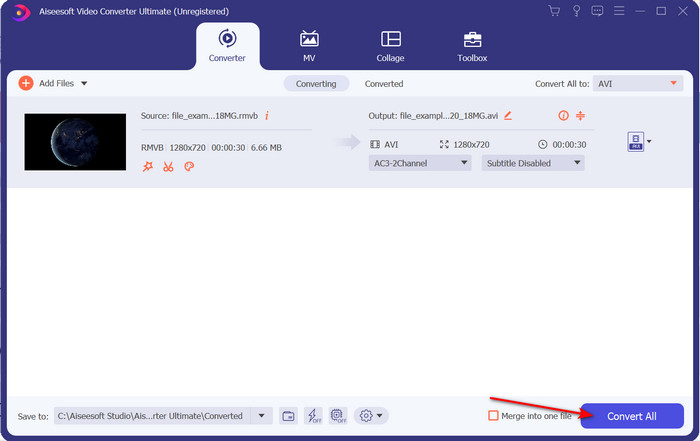
Étape 4. Une fois le format choisi, commencez la conversion du fichier en cliquant sur Convert All.
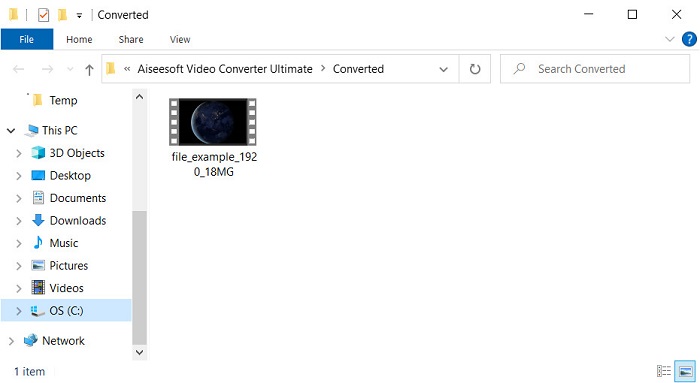
Étape 5. Un dossier contenant le nouveau fichier .rmvb apparaîtra sur votre écran ; cliquez sur le fichier pour regarder la vidéo et profiter du résultat.
Avantages
- La boîte à outils propose plusieurs utilitaires populaires qui vous aideront à résoudre les différents problèmes que vous pourriez rencontrer.
- Il permet de convertir le fichier 30 fois plus rapidement que les autres convertisseurs en ligne et hors ligne.
- Il est infaillible que toute personne avec ou sans expérience dans la conversion puisse se convertir facilement.
- La conversion par lots se fait rapidement avec différents formats.
Les inconvénients
- Pour accéder à l'outil, vous devrez le payer, mais ce n'est pas plus de cent dollars.
- Le téléchargement est nécessaire sur votre PC ou Mac.
Partie 2. Meilleur convertisseur RMVB en AVI en ligne pour navigateur Web [Gratuit]
Vous cherchez un convertisseur RMVB en AVI en ligne ? Dans ce cas, FVC Free Video Converter Online est l’une des options possibles. Cet outil en ligne vous permet de convertir sans télécharger de logiciel. Il est accessible à toute personne disposant d’une connexion Internet. En outre, il est gratuit, sûr et sans publicité sur le site pendant la conversion. Autre avantage : vous pouvez y convertir des fichiers sans aucune limite. Vous pouvez choisir parmi plusieurs formats disponibles. Cependant, cet outil en ligne ne dispose pas des mêmes fonctions avancées que FVC Video Converter Ultimate. De plus, comme pour les autres outils en ligne, vous ne pouvez pas y accéder sans connexion Internet. Donc, si vous voulez essayer et convertir sans dépenser d’argent, suivez les étapes indiquées ci‑dessous.
Étapes pour convertir RMVB en AVI en ligne avec FVC Free Video Converter Online :
Étape 1. Pour accéder à ce convertisseur RMVB en AVI en ligne, cliquez sur ce lien.
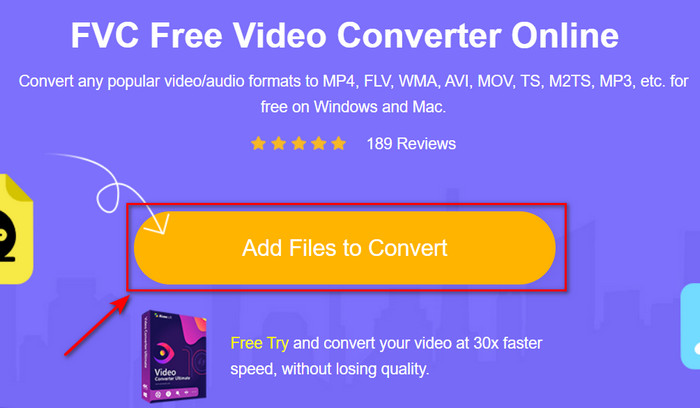
Étape 2. Appuyez sur Add Files to Convert ; si c’est la première fois que vous utilisez cet outil, un lanceur sera téléchargé automatiquement, cliquez de nouveau sur Add Files to Convert et un dossier apparaîtra. Recherchez le fichier .rmvb dans le dossier, puis cliquez sur Open.
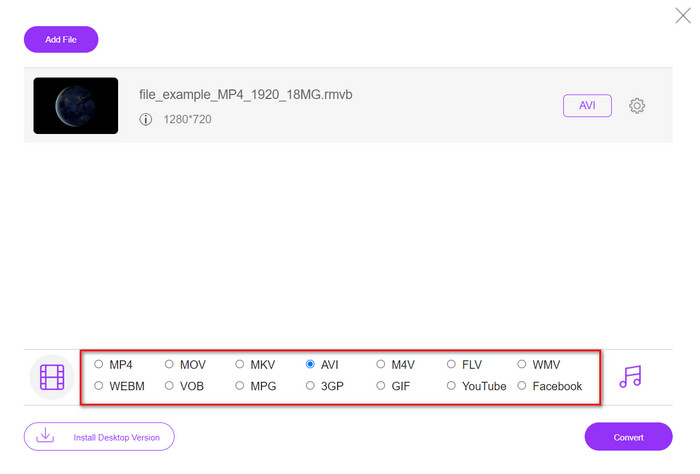
Étape 3. Une fois le fichier présent sur l’interface web, cliquez sur AVI parmi les choix disponibles en bas.
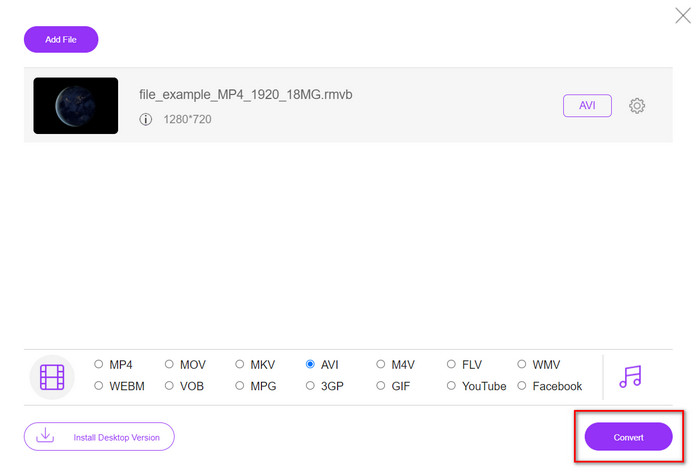
Étape 4. Après avoir sélectionné AVI, lancez la conversion en appuyant sur Convert.
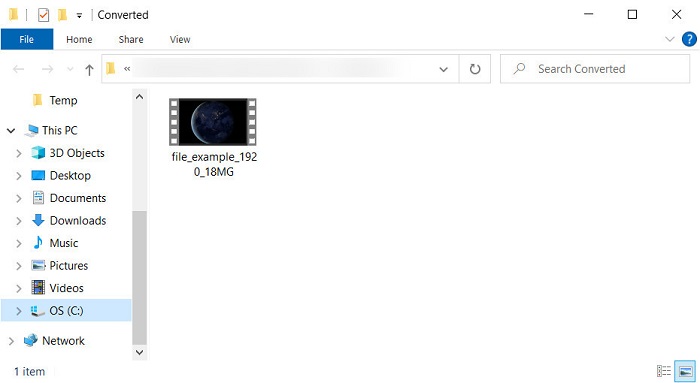
Étape 5. Une fois la conversion terminée, un dossier contenant le fichier apparaîtra sur votre écran ; si vous voulez regarder la vidéo, cliquez dessus.
Avantages
- Aucun téléchargement n'est nécessaire pour y accéder autre que l'installateur.
- Gratuit et sans publicité sur l'interface Web.
- Ouvrez l'outil Web dans un autre navigateur car il est disponible dans tous.
Les inconvénients
- Dépendant d'Internet, ce qui signifie que si vous n'avez pas Internet, vous ne pouvez pas l'utiliser.
- Il n'a pas de fonctionnalités d'édition comme FVC Video Converter Ultimate.
Partie 3. FAQ sur RMVB et AVI
Puis-je lire le fichier RMVB sur Quicktime ?
QuickTime peut lire différents formats et ce lecteur multimédia prend en charge divers codecs encodés dans votre piste vidéo ou audio. Cependant, le .rmvb ne fait pas partie des formats pris en charge ; pour lire un fichier .rmvb avec QuickTime, vous devez donc le convertir dans un format compatible comme MOV, MPEG‑4, AVI ou un autre format pris en charge. Vous pouvez toutefois vous tourner vers des lecteurs RMVB pour profiter de vos vidéos RMVB en toute fluidité.
Pourquoi ne puis-je pas ouvrir les fichiers .rmvb sur Windows Media Player ?
Étant donné que le codec de vos fichiers .rmvb n'est pas pris en charge dans ce lecteur multimédia, supposons que vous souhaitiez regarder une vidéo sous l'extension de fichier .rmvb. Dans ce cas, il est indispensable d'installer un codec vidéo sur votre ordinateur avant de le lire. Mais pour éviter ce problème, essayez de convertir le format en un format plausible pris en charge par ce lecteur multimédia.
Puis-je enregistrer une vidéo au format RMVB sur mon téléphone ?
Oui, vous pouvez l'enregistrer, mais vous ne pouvez pas le lire sur votre lecteur vidéo par défaut, et pour lire le fichier, vous devez télécharger un lecteur vidéo tiers prenant en charge ce format.
Conclusion
Pour résumer, nous comprenons désormais ce qu’est le format RMVB et quel type d’encodage il prend en charge. Bien que ce format soit excellent pour la transmission de fichiers en ligne, certains lecteurs multimédias ne le prennent toujours pas en charge en raison de la complexité de sa structure. Nous avons donc présenté deux solutions parmi lesquelles vous pouvez choisir pour apprendre à convertir des fichiers RMVB en AVI : l’un des outils est accessible en ligne gratuitement, et l’autre est un convertisseur remarquable qui réalise toutes les tâches en un clin d’œil. Si vous optez pour FVC Free Video Converter Online, attendez‑vous à une conversion en ligne de grande qualité. En revanche, si vous décidez de télécharger une version bien plus complète, attendez‑vous à des performances ultimes.
-
 Guide sur la conversion de RMVB en MP4 sous Windows / Mac (3 méthodes gratuites)
 Vous voulez convertir RMVB en MP4 pour une lecture facile sur votre ordinateur ou votre téléphone portable ? Vous trouverez des moyens simples de convertir vos fichiers RMVB en MP4 dans ce guide.
-
 Top 4 des applications de conversion RMVB vers FLV gratuites sur le bureau ou en ligne
 Cet article vous indiquera le meilleur logiciel de conversion RMVB en FLV et les applications Web capables de convertir des fichiers RMVB (RealMedia Variable Bitrate) en vidéo FLV.
-
 Meilleure méthode à utiliser pour convertir AMV en AVI [Approuvé]
 Avez-vous du mal à convertir votre fichier vidéo au format AMV en AVI ? Voici quelques conseils fournis que vous ne pouvez trouver que dans cet article.
