


 Video Converter Ultimate
 Enregistreur d'écran
 Réparation vidéo
Examen complet sur la façon de convertir un fichier SWF en AVI avec les 5 convertisseurs
Un format créé par l’alliance de ShockWave Flash et d’Adobe est le SWF. Ce format est conçu pour contenir et lire des animations vidéo sur Flash Player ou sur le web avec les plug-ins Flash. Cependant, il est très difficile de regarder des vidéos animées au format SWF, car aucun lecteur multimédia ne prend en charge ce format, à part Flash Player. Dans ce cas, vous devrez trouver un convertisseur pour pouvoir visionner le fichier .swf sur votre ordinateur. Ci‑dessous, nous vous présentons donc les convertisseurs que vous pouvez utiliser pour convertir un SWF en AVI en ligne ou hors ligne.

Partie 1. SWF vs AVI : Lequel est le meilleur ?
Plus tôt, nous avons expliqué certaines des données que nous avons recueillies au cours de nos recherches sur les fichiers SWF. Mais saviez-vous que ce fichier utilise un vecteur plutôt qu'un pixel ? Pour mieux le comprendre, approfondissons-le. Les pixels sont de minuscules cases qui s'affichent sur votre écran. Fondamentalement, tout ce petit carré a des couleurs différentes et tous sont réunis pour créer un visuel. Cependant, les vecteurs utilisent des équations mathématiques pour calculer la forme que va prendre la partie sur l'affichage de votre écran. Donc, si nous essayons de regarder des vidéos SWF, attendez-vous à une bien meilleure qualité visuelle que n'importe quel format.
AVI est l'un des formats de fichiers renommés qui a une taille de fichier énorme par rapport aux autres formats. Et la principale raison pour laquelle la taille du fichier AVI est grande est uniquement parce qu'il n'est pas compressé. Et parce qu'il n'est pas compressé, attendez-vous à ce que le fichier conserve la qualité mais dans une taille beaucoup plus grande.
La seule raison pour laquelle vous devrez apprendre à convertir un fichier SWF en AVI est de regarder la vidéo qui porte toujours l'extension de fichier .swf. De plus, nous rendons déjà votre recherche beaucoup plus facile que jamais en compilant différents outils que vous pouvez choisir. En outre, tous les outils mentionnés ci-dessous fournissent une excellente conversion qui vous aidera littéralement à résoudre ce problème.
Partie 2. 5 des meilleurs convertisseurs SWF en AVI disponibles sur ordinateur et sur le Web
1. FVC Video Converter Ultimate
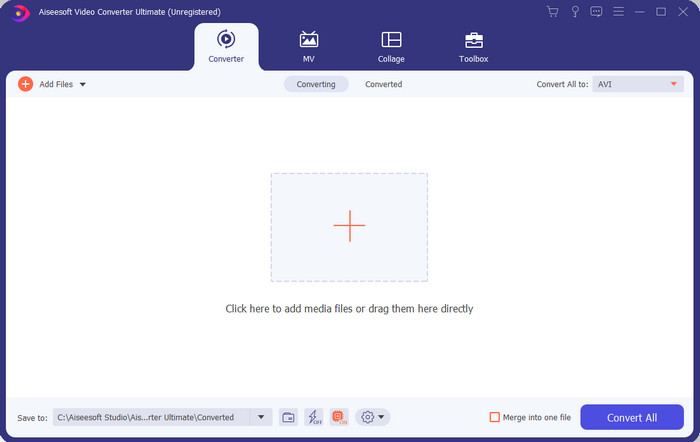
Si vous cherchez le logiciel vraiment exceptionnel à utiliser pour convertir un fichier .swf, alors FVC Video Converter Ultimate est celui qu’il vous faut. Il ne serait pas placé en premier si ce logiciel n’offrait pas une qualité de conversion remarquable. De plus, il prend en charge plus de 200 formats, qu’ils vous soient familiers ou non. Contrairement aux convertisseurs listés ci‑dessous, il se distingue nettement par son interface, ses fonctionnalités, ses options avancées, son accessibilité, etc. Si vous recherchez un convertisseur remarquable, dites‑vous que votre quête est terminée, car vous en avez trouvé un. En outre, si vous n’êtes pas encore convaincu par cet outil, testez‑le par vous‑même en téléchargeant d’abord ce meilleur convertisseur SWF vers AVI gratuit.
Avantages
- Il prend en charge l'accélération matérielle et la conversion rapide pour convertir en un clin d'œil.
- Large gamme de formats de fichiers multimédia pris en charge.
- Les fonctions d'édition sont disponibles après le règlement du paiement.
- La conversion par lots peut être effectuée facilement.
Les inconvénients
- Il faut d'abord payer avant de pouvoir l'utiliser mais c'est très bon marché.
- Doit d'abord être téléchargé sur votre disque.
2. Lecteur multimédia VLC
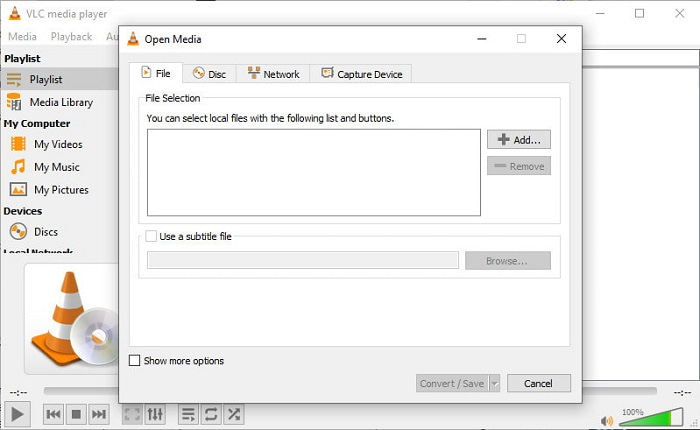
Ce lecteur multimédia possède une fonctionnalité cachée que vous allez adorer. VLC Media Player ne sert pas uniquement de lecteur multimédia, il propose également une fonction de conversion. Cependant, le nombre de formats pris en charge par ce convertisseur intégré est très limité et vous ne pouvez pas régler la résolution. De plus, le processus de conversion de format ici risque de vous compliquer la tâche par rapport aux autres convertisseurs. Mais si vous voulez essayer et utiliser ce convertisseur SWF vers AVI gratuit, téléchargez le lecteur multimédia.
Avantages
- Il dispose d'un convertisseur intégré à côté du lecteur multimédia.
- Téléchargement gratuit sur n'importe quelle plate-forme.
- Le téléchargement est sécurisé et le processus de conversion est également protégé.
Les inconvénients
- Format inférieur pris en charge par rapport aux autres convertisseurs disponibles dans cette liste.
- Le processus de conversion est beaucoup à faire avant de pouvoir faire la conversion.
3. Convertio
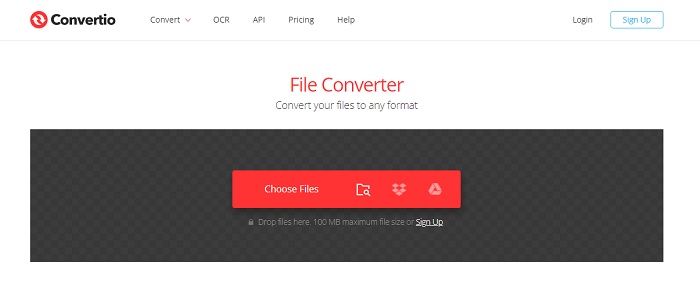
Si vous voulez convertir un SWF en AVI en ligne, essayez Convertio, car il offre une conversion simple et efficace. Cet outil en ligne est également sûr à utiliser, et tous les fichiers qui ont été convertis avec cet outil sont supprimés du site. Une autre fonctionnalité intéressante est que vous pouvez effectuer des conversions par lot en créant un compte. Toutefois, le temps de téléversement et de téléchargement sera forcément assez long, ce qui est un peu gênant pour les utilisateurs. Si vous ne voulez pas dépenser d’argent pour vos conversions, essayez cet outil.
Avantages
- Pas besoin de télécharger le logiciel sur votre disque avant de pouvoir l'utiliser.
- Il prend en charge un niveau moyen de formats parmi lesquels vous pouvez choisir.
- 2 formats de fichiers à la fois peuvent être convertis en même temps.
Les inconvénients
- Le téléchargement et le téléchargement du fichier après la conversion prendraient beaucoup de temps.
- Dépendant d'Internet, ce qui signifie que si votre Internet est lent, attendez-vous à beaucoup de temps.
4. OnlineConvertFree.com
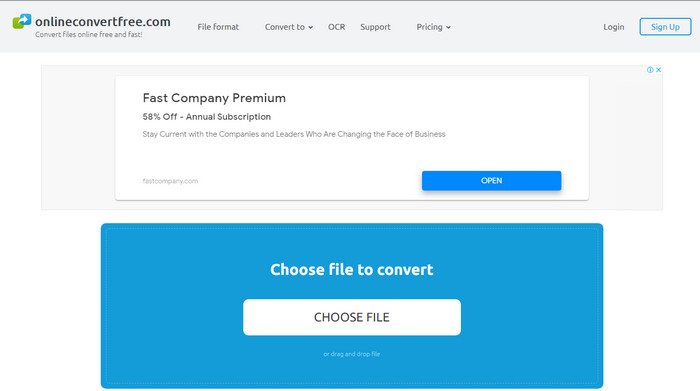
Un autre convertisseur vidéo SWF vers AVI en ligne que vous pouvez utiliser est OnlineConvertFree.com. Si la simplicité est un gage de qualité pour vous, alors ce service devrait être votre choix pour la conversion. Contrairement au premier outil en ligne mentionné, celui‑ci est beaucoup plus simple, mais il prend en charge moins de formats. De plus, la taille des fichiers est limitée dans ce logiciel en ligne. Ainsi, si vous avez un fichier de plus de 20 Mo, attendez‑vous à ne pas pouvoir l’utiliser avec cet outil. Cependant, si vous souhaitez l’utiliser pour convertir des fichiers sans trop dépenser, choisissez‑le.
Avantages
- Il est libre d'accès.
- Ce convertisseur peut être utilisé si vous avez une connexion Internet.
- L'interface globale semble soignée.
Les inconvénients
- Impossible d'accéder si Internet n'est pas disponible.
- Les publicités tuent le site Web.
Partie 3. 5 étapes pour convertir SWF en AVI sur FVC Video Converter Ultimate
Voici les étapes détaillées sur la façon d'utiliser le FVC Video Converter Ultimate. Toutes les étapes fournies ici vous garantiront une expérience facile et pourtant phénoménale.
Étape 1. Tout d’abord, il est indispensable de télécharger l’outil sur le disque de votre ordinateur, en choisissant la version PC ou Mac. Ensuite, installez le logiciel sur votre disque, effectuez la configuration facilement, puis cliquez sur Commencer maintenant.
Téléchargement gratuit pour Windows 7 ou version ultérieure Téléchargement sécurisé
Téléchargement gratuit pour macOS 10.7 ou version ultérieure - Téléchargement sécurisé
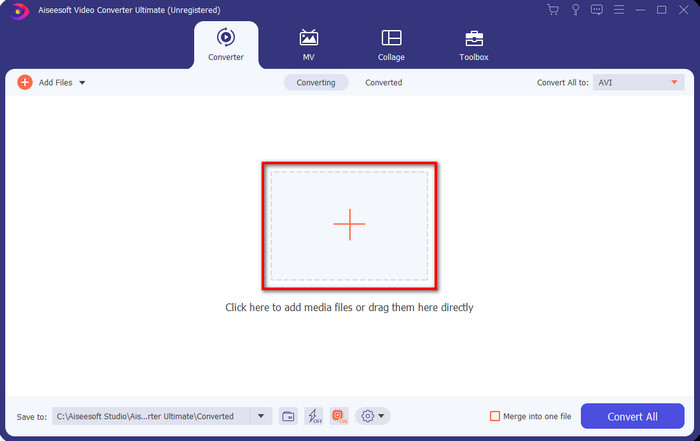
Étape 2. Ouvrez le logiciel que vous avez installé sur votre disque, puis cliquez sur le bouton + et localisez le fichier dans le dossier qui va s’afficher. Appuyez sur Ouvrir pour continuer.
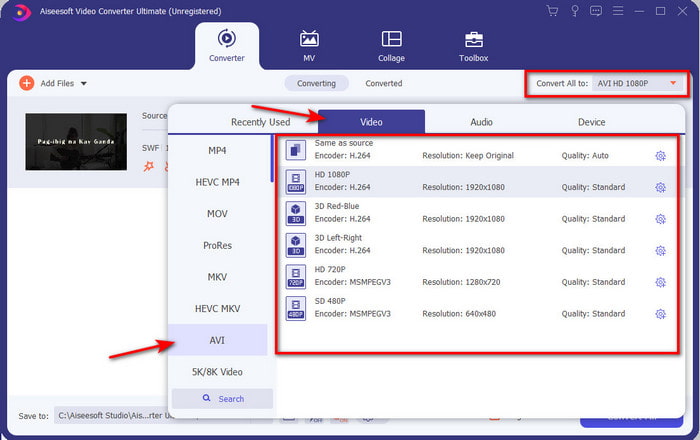
Étape 3. Pour transformer le fichier SWF en format AVI, cliquez sur le bouton déroulant, sélectionnez le format AVI, puis choisissez la résolution.
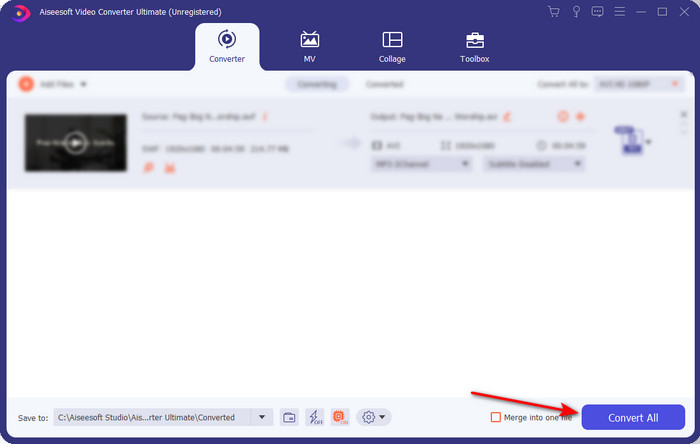
Étape 4. Une fois le format sélectionné, cliquez sur Tout convertir pour lancer le processus de conversion.
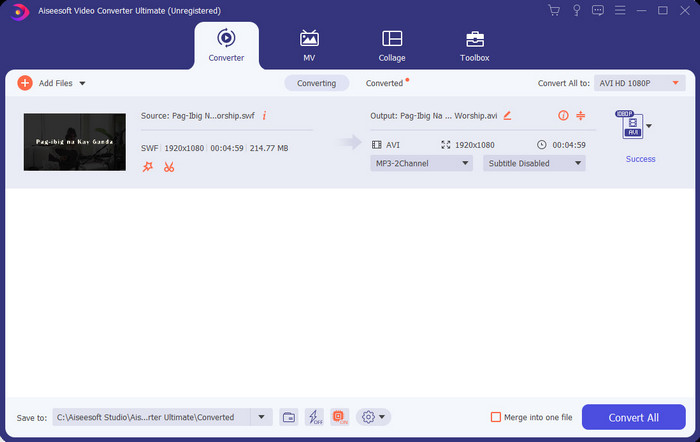
Étape 5. Une fois la conversion terminée, un dossier contenant le fichier converti s’ouvrira. Cliquez sur le nouveau fichier AVI pour le visionner et transférez‑le ensuite si vous le souhaitez.
Partie 4. FAQ sur SWF et AVI
Puis-je lire SWF sur les autres lecteurs multimédias ?
Absolument pas, car le .swf n’est pas pris en charge par votre lecteur multimédia, même si vous utilisez une application tierce. La meilleure solution pour lire un fichier .swf est donc de le convertir dans un nouveau format afin de pouvoir le lire. Mais si vous ne voulez pas le convertir, vous devez utiliser Flash Player pour simplement lire le fichier SWF.
Le .swf est-il plus petit ?
Absolument oui, en plus d’être de petite taille, il se charge également beaucoup plus rapidement que les autres formats, ainsi que du fait de la structure même du format. Vous pouvez essayer de compresser les fichiers SWF avec un compresseur vidéo s’ils sont trop volumineux.
Mon fichier SWF peut-il ajuster la transparence ?
Eh bien, vous pouvez le rendre transparent si vous le souhaitez ou non si vous ne le souhaitez pas. De plus, vous pouvez ajouter un canal alpha avec la couleur sur votre écran ou en niveaux de gris pour le définir comme transparent.
Conclusion
À la fin de cet article, nous avons déjà découvert ce qu'est le SWF et son autre objectif. De plus, nous avons appris que vous ne pouvez pas utiliser le fichier .swf si vous n'utilisez pas Flash Player et à part cela, vous ne pouvez pas le lire. Alors maintenant, la meilleure solution pour lire le fichier SWF est de le convertir dans un nouveau format comme l'AVI. De plus, tous les outils mentionnés ci-dessus remplissent leur rôle de convertisseur. Mais aucun outil ne fournit une solution beaucoup plus rapide et plus simple que FVC Video Converter Ultimate.
-
 SWF en MP4: Conversion gratuite de SWF en MP4 en ligne et PC
 Comment ouvrir le fichier SWF sans Adobe Flash Player? Prenez le convertisseur gratuit des 3 meilleurs SWF en MP4 pour changer gratuitement SWF en MP4 en ligne et sur PC / Mac en 3 étapes.
-
 [2 Solutions] Comment convertir facilement et gratuitement des fichiers SWF en GIF
 Lorsque vous ne parvenez pas à exporter le format GIF via le logiciel Flash, vous pouvez d'abord essayer d'enregistrer les fichiers au format SWF. Ensuite, vous pouvez apprendre 2 façons simples de convertir des fichiers SWF en GIF à partir de cet article.
-
 Excellent choix pour convertir MKV en format AVI
 Apprenez à convertir des vidéos MKV avec des étapes simples fournies exclusivement pour vous. Voulez-vous savoir comment? Cliquez ensuite sur ce lien pour en savoir plus.
