


 Video Converter Ultimate
 Enregistreur d'écran
 Réparation vidéo
Dans des critiques détaillées sur les 3 convertisseurs Web et de bureau utilisés pour convertir des fichiers WMV en AVI
Il arrivera un moment où vous voudrez convertir votre fichier dans un nouveau format parce qu’il n’est plus lisible. Un excellent exemple dans ce cas est le format WMV. Si vous êtes un utilisateur de Windows, vous avez déjà entendu parler de ce format. Il permet de stocker différents fichiers vidéo et audio dans un seul conteneur. Cependant, ce format n’est pas pris en charge par la plupart des lecteurs multimédias. Ainsi, la meilleure façon de regarder une vidéo dont l’extension de fichier est .wmv est de la convertir. Si vous vous posez la même question que beaucoup d’autres, pouvez-vous convertir un WMV en AVI ? Continuez alors ci‑dessous, car nous avons rassemblé différents outils en ligne que vous pouvez utiliser, accompagnés des étapes à suivre.

Partie 1. Top 3 des convertisseurs pour convertir gratuitement WMV en AVI en ligne
Top 1. Convertisseur vidéo gratuit FVC en ligne
La conversion peut être réalisée très rapidement si vous avez accès à Internet en utilisant ce FVC Free Video Converter Online. Ce logiciel offre une conversion bien plus rapide et plus performante que d’autres outils en ligne. De plus, vous n’aurez pas à attendre le téléversement complet du fichier, car cet outil est conçu pour éviter les attentes trop longues. Autre avantage de ce service en ligne : la bibliothèque intégrée des vidéos converties qu’il met à votre disposition. Vous pouvez ainsi accéder facilement et efficacement aux vidéos ou fichiers audio que vous convertissez. En revanche, si vous n’avez pas accès à Internet, vous ne pourrez pas l’utiliser, comme les autres outils en ligne présentés ci‑dessous. Par ailleurs, si vous souhaitez essayer cet outil, voici quelques étapes que vous pouvez suivre pour convertir gratuitement un WMV en AVI en ligne.
Étape 1. Commencez par vous rendre sur le site principal de FVC en cliquant sur ce lien.
Étape 2. Cliquez ensuite sur Add Files to Convert afin d’installer le lanceur de l’outil en ligne. Pas d’inquiétude : il ne pèse que quelques kilo‑octets et il est sûr. Une fois l’installateur enregistré sur votre disque, recliquez sur Add Files to Convert, choisissez le fichier au format .wmv dans le dossier, puis cliquez sur Open.
Téléchargez la version de bureau pour convertir des fichiers par lots.
Étape 3. Une fois le fichier WMV affiché dans l’interface, vous devez maintenant choisir le format AVI parmi les options disponibles en bas.
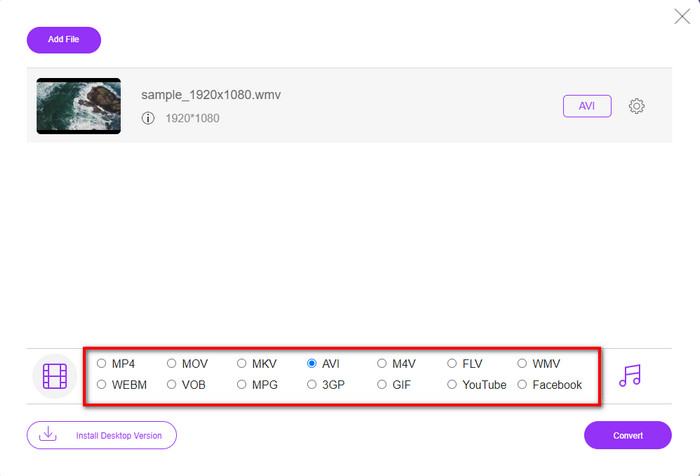
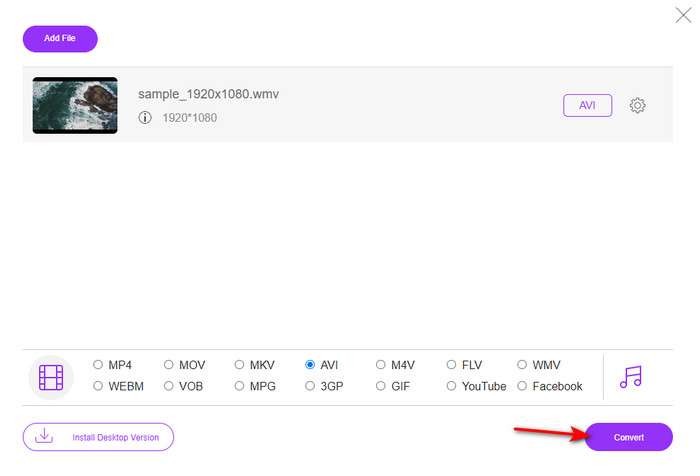
Étape 4. Après avoir sélectionné le format, il est temps de lancer la conversion en cliquant sur Convert.
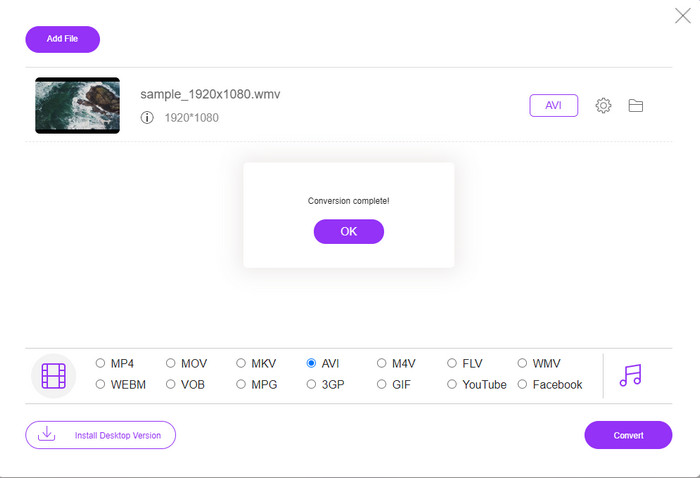
Étape 5. Patientez quelques minutes le temps que le processus se termine ; un dossier contenant votre fichier converti s’affichera alors à l’écran. Cliquez dessus pour regarder la nouvelle version de votre fichier WMV créée avec cet outil.
Top 2. Convertio
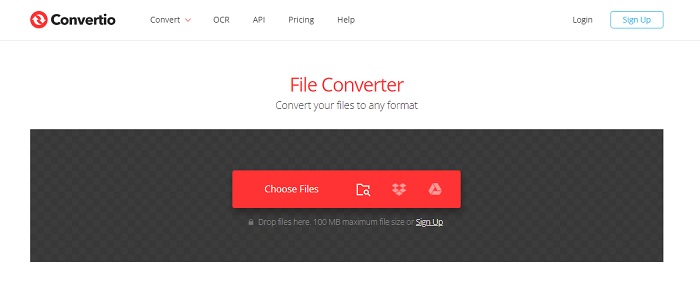
Un autre convertisseur en ligne que vous pouvez utiliser gratuitement pour convertir des fichiers WMV en AVI est Convertio. Contrairement au premier outil présenté, vous n’avez pas besoin de lanceur pour l’utiliser. Vous pouvez également y convertir des PDF, des images, de l’audio, et bien plus encore. Cependant, son principal inconvénient est que l’envoi et le téléchargement des fichiers peuvent prendre beaucoup de temps. De plus, il ne dispose pas d’une bibliothèque intégrée recensant tous les fichiers que vous avez convertis. Si vous souhaitez utiliser cet outil comme convertisseur, suivez les étapes ci‑dessous.
Étape 1. Ouvrez votre navigateur préféré et recherchez Convertio.io.
Étape 2. Cliquez sur Choose File et repérez dans votre dossier le fichier WMV que vous voulez convertir. Cliquez ensuite sur le bouton drop-down et choisissez AVI.
Étape 3. Le téléversement du fichier vous prendra un certain temps ; cliquez ensuite sur Download pour enregistrer le fichier converti.
Haut 3. CloudConvert
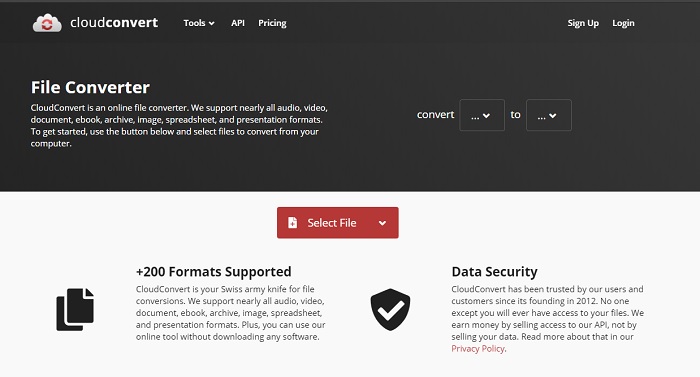
CloudConvert prend en charge de nombreux formats que vous pouvez choisir pour la conversion. En outre, le processus de conversion est sécurisé et ne conserve aucune trace de vos opérations. Tout comme Convertio, cet outil ne propose pas non plus de bibliothèque intégrée. Et la conversion y est nettement plus lente, car il ne prend pas en charge l’accélération matérielle pour augmenter la vitesse. Si vous voulez malgré tout essayer de convertir gratuitement un WMV en AVI en ligne, suivez les étapes ci‑dessous.
Étape 1. Ouvrez votre navigateur Web et recherchez CloudConvert.
Étape 2. Appuyez sur Select File, puis recherchez dans le dossier qui s’affiche à l’écran le fichier .wmv.
Étape 3. Cliquez sur Convert to, choisissez le format AVI, cliquez sur le bouton Convert, puis sur Download une fois la conversion terminée.
Partie 2. Comment changer WMV en AVI sur Mac et PC avec le Lightning Speed Converter
Les logiciels en ligne mentionnés ci‑dessus ne peuvent pas rivaliser avec ce que FVC Video Converter Ultimate offre à ses utilisateurs. Si vous cherchez un outil polyvalent, c’est sans doute le meilleur choix. Vous pouvez l’utiliser comme convertisseur, éditeur, créateur de GIF, et plus encore. De plus, ce logiciel dépasse les attentes, tant par ses fonctionnalités que par sa rapidité d’exécution. Les performances globales de cet outil nous ont impressionnés ; si vous voulez être surpris à votre tour, téléchargez ce convertisseur exceptionnel sur votre ordinateur. Passons maintenant à la conversion d’un WMV en AVI sur Mac et PC en suivant la procédure détaillée ci‑dessous.
Étape 1. Avant de pouvoir utiliser l’outil, vous devez d’abord le télécharger, puis choisir la plateforme que vous utilisez actuellement. Installez ensuite le logiciel sur votre ordinateur ; la configuration rapide prend moins d’une minute.
Téléchargement gratuit pour Windows 7 ou version ultérieure Téléchargement sécurisé
Téléchargement gratuit pour macOS 10.7 ou version ultérieure - Téléchargement sécurisé
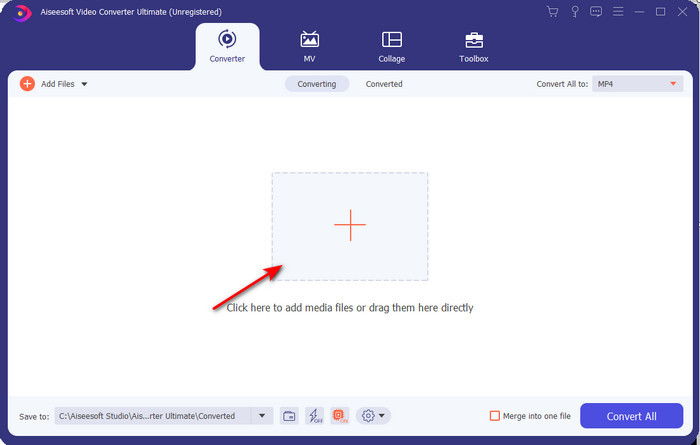
Étape 2. Ouvrez le logiciel pour passer à l’étape suivante ; après son lancement, vous verrez un signe +. Cliquez dessus pour ajouter les fichiers, puis sélectionnez Open.
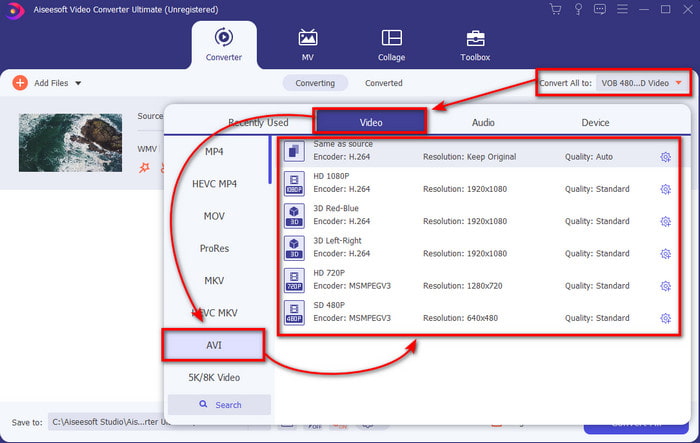
Étape 3. Pour changer de format, cliquez sur le menu déroulant de Convert All to et choisissez AVI dans le sous‑menu.
Étape 4. Pour convertir correctement le fichier WMV en AVI, cliquez maintenant sur Convert All et attendez quelques secondes que le processus se termine.
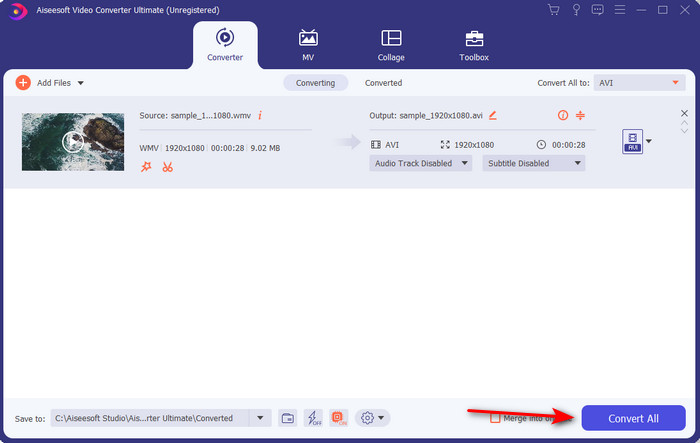
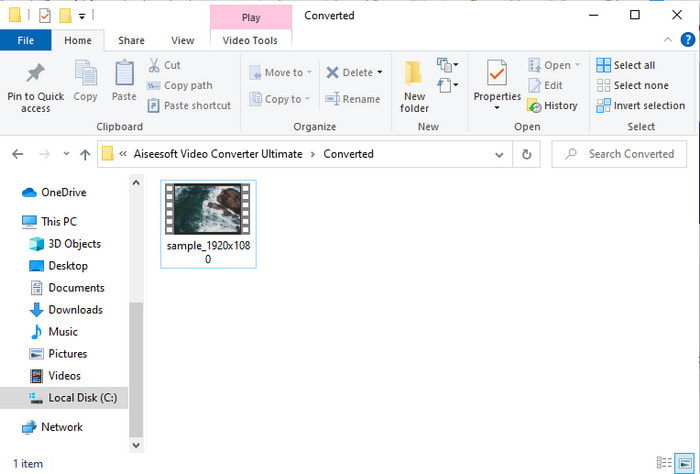
Étape 5. Une fois la conversion effectuée, un dossier s’affichera à l’écran avec le fichier converti que vous venez de créer. Pour le visionner, cliquez sur le fichier vidéo et profitez de votre fichier WMV converti sans perte de qualité.
Partie 3. WMV VS AVI ; Quel format fonctionne le mieux
WMV et AVI font partie des meilleurs conteneurs de fichiers vidéo que vous aimeriez utiliser. Les deux formats mentionnés peuvent contenir de la vidéo et de l'audio de haute qualité, mais déterminons maintenant leurs différences en lisant ce tableau de comparaison.
| WMV | AVI | |
| Aussi connu sous le nom | Vidéo Windows Media | Interférence audio-vidéo |
| Meilleure utilisation pour | Auparavant, il transformait un gros fichier en un plus petit pour une diffusion vidéo en ligne bien structurée. | Utilisé pour stocker la vidéo et l'audio séparément et les lire simultanément sans aucun délai. |
| Développé par | Microsoft | Microsoft |
| Inconvénients du format | Il gagne moins d'attention et de soutien de la part des lecteurs multimédias. | Il a besoin d'un codec pour compresser ce gros fichier dans un fichier beaucoup plus petit mais dans une limite. |
WMV contre AVI
Produit par Microsoft, WMV était l'un des formats vidéo les plus courants dans les années 2000. Il peut être vu sur le Web et lu par divers lecteurs multimédias sous Windows. Et c'est aussi le format de fichier vidéo par défaut de Windows Media Player. Mais il a été repris par d'autres formats récemment.
Basé sur le format RIFF (Resource Interchange File Format), le format AVI a été introduit par Microsoft en 1992. Il peut enregistrer de la vidéo/audio de haute qualité car il utilise moins de compression. Mais cela entraîne également la taille importante d'un fichier AVI, ce qui peut poser problème lorsque l'espace est limité.
Partie 4. FAQ sur les formats WMV et AVI
La conversion de WMV en AVI affecte-t-elle la qualité ?
La qualité du fichier WMV lorsque vous le transformez en AVI ne doit pas changer. Cependant, supposons que votre WMV change et que la qualité baisse. Dans ce cas, le convertisseur que vous utilisez ne prend pas en charge un pixel de haute qualité de votre vidéo.
La taille de mon WMV change-t-elle après la conversion ?
La taille du fichier WMV peut être légèrement différente de la taille du fichier d'origine. Il y a une raison pour laquelle cela change. L'une des raisons est que le fichier compressé devient décompressé, donc la taille du fichier change. Mais les modifications doivent être proches de la taille du fichier d'origine et ne doivent pas être aussi importantes ou importantes.
Puis-je utiliser WMV pour joindre une vidéo à un e-mail ?
Oui, il est idéal d'utiliser le format WMV et de joindre la vidéo à un e-mail car il prend en charge une compression meilleure et plus rapide que le MPEG-4, selon Microsoft. En outre, il est connu sous le nom de format miniature en raison de la petite taille du fichier. Cependant, la qualité de la vidéo reste.
Conclusion
À la fin, il nous est plus facile de comprendre que toutes les plates-formes et tous les logiciels ne prennent pas en charge WMV. De plus, l'outil Web fonctionne bien, mais il existe un outil qui peut convertir les fichiers batch beaucoup plus rapidement et plus facilement : FVC Video Converter Ultimate. Supposons que vous vouliez faire l'expérience de la conversion phénoménale fournie par ce logiciel. Dans ce cas, vous devez le télécharger maintenant sur votre bureau et l'utiliser.
-
 Comment convertir WMV en MP4 gratuitement et en ligne [Résolu]
 Comment convertir des fichiers WMV en MP4? Voici les 4 moyens simples de convertir WMV en MP4 sur Mac et Windows en quelques étapes simples.
-
 WMV en MP3 - Comment convertir une vidéo en audio gratuitement [Bureau/en ligne]
 En regardant une vidéo WMV, vous trouvez la partie audio fascinante. Ainsi, vous souhaitez le lire sur votre lecteur MP3. Mais il est clair que votre lecteur ne prend pas en charge le format WMV. Cela vous fait vous demander s'il existe un moyen de convertir WMV en MP3.
-
 2 façons les plus simples de convertir des fichiers WMV en FLV sur PC/Mac
 Comment convertir WMV en FLV ? Tout d'abord, vous devez lire nos recommandations et trouver votre méthode préférée, puis suivre notre guide pour faire le travail rapidement.

