


 Video Converter Ultimate
 Enregistreur d'écran
 Réparation vidéo
Quelle est la meilleure alternative à iMovie pour Windows que vous puissiez trouver sur le Web
iMovie est un célèbre logiciel de montage vidéo gratuit sur Mac, car il s’agit de l’éditeur par défaut du système, et même si vous êtes entre débutant et utilisateur avancé, vous pouvez facilement apprendre à l’utiliser. Bien que cet outil soit excellent pour le montage, il n’est pas encore disponible sur Windows. Ci‑dessous, vous trouverez donc la liste des meilleurs éditeurs vidéo comme iMovie pour Windows, ainsi que leur description. Cela vous aidera à décider plus facilement quel outil offre les meilleures fonctions de montage et la meilleure qualité de sortie.

Partie 1. Meilleures alternatives iMovie pour PC avec tableau de comparaison
| Fonctionnalité(s) de l'éditeur | Video Converter Ultimate | Éditeur vidéo gratuit VSDC | Davinci Résoudre | Film à succès Express | Windows Movie Maker |
| Fonctionnalité(s) d'édition |  | | | | |
| Convivial | |  | | | |
| Expérience globale | Il offre une avance totale et une sortie professionnelle tout en étant facile à utiliser. | Meilleur outil à utiliser dans le montage pour une vidéo plus détaillée avec une expérience professionnelle. | L'outil est conçu pour être utilisé sur de gros montages | Fournit de nombreuses fonctionnalités d'édition par rapport à VSDC Free Video Editor. | Il propose une édition de base et rien de plus. |
| Taille du fichier | 2,4 Mo | 99,2 Mo | 1,5 Go | 1,2 Go ou plus | 15,1 Mo |
| Échelle des prix | Pour 1 mois : $25.00 Pour un an : $31.20 Pour la licence à vie : $55.20 | $19.99 pour l'édition Pro | $357.01 par fonctionnalités | $299 (sans frais d'abonnement) | Téléchargement gratuit |
| Configuration système requise : plates-formes, processeurs et RAM pris en charge | Systèmes d'exploitation pris en charge: Windows 10, Windows 8, Windows 7, Windows Vista, Windows XP (SP2 ou version ultérieure) macOS 10.7 ou supérieur Processeur: CPU Intel / AMD 1 GHz ou supérieur RAM: 1 Go de RAM ou plus | Microsoft Windows 2000/XP/2003/Vista/Win7/Win8 Processeur : Intel ou AMD ou processeurs compatibles à 800 MHz minimum Affichage graphique résolution minimum de 800x600x16 bits couleur RAM : 128 mégaoctets (Mo) Microsoft DirectX 8.1b | Windows 10 Creators Update ou Blackmagic Design Desktop Video 10.4.1 ou version ultérieure Processeur : version du pilote GPU NVIDIA/AMD/Intel RAM : au moins 2 Go de VRAM | Windows : Microsoft Windows 10 (64 bits) Processeur : Processeurs Intel® Core™ de 4e génération ou équivalent AMD. RAM : 4 Go (8 Go recommandés) | Microsoft Windows XP (SP2 ou version ultérieure), Windows Vista, Windows 7, Windows 8, Windows 8.1, Windows 10 Processeur : processeur Intel/AMD 1 GHz ou supérieur RAM : 256 Mo de RAM (512 Mo ou plus recommandés) |
1. Convertisseur vidéo ultime
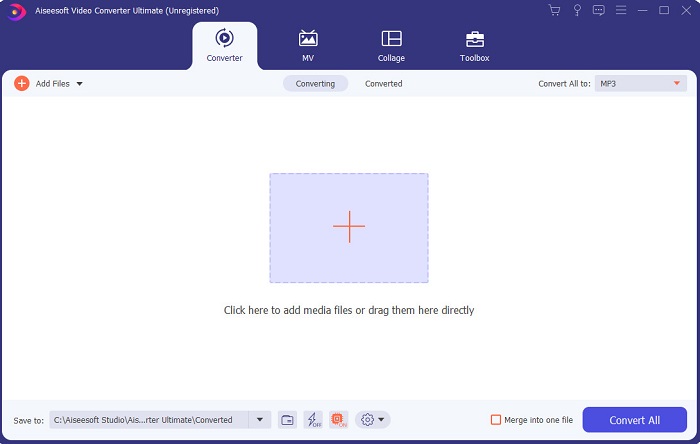
Si le montage est votre problème, alors Video Converter Ultimate vient le compenser. Il propose en effet bien plus de fonctionnalités qu’iMovie en matière de montage, ainsi que plus que les autres outils de cette liste. C’est aussi le meilleur équivalent d’iMovie pour Windows et pour Mac. Il permet à ses utilisateurs de profiter d’une expérience de montage de haute qualité avec très peu d’apprentissage. Ce qui signifie que même si vous êtes débutant ou totalement novice en montage vidéo, vous pouvez quand même réaliser d’excellents montages avec ce logiciel, qui offre des méthodes simples avec une touche de niveau professionnel. De plus, il ne présente que des instructions faciles à comprendre pour aider l’utilisateur à effectuer le montage souhaité. Même si l’interface de l’outil est déjà bonne, elle mérite encore d’être améliorée. Comme on dit, il y a toujours une marge de progression.
Téléchargement gratuit pour Windows 7 ou version ultérieure Téléchargement sécurisé
Téléchargement gratuit pour macOS 10.7 ou version ultérieure - Téléchargement sécurisé
2. Éditeur vidéo gratuit VSDC
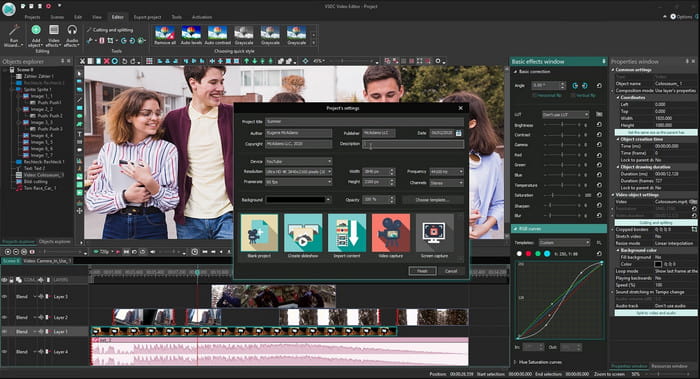
VSDC Free Video Editor est l’un des éditeurs remarquables que vous pouvez utiliser gratuitement sur Windows. L’interface utilisateur du logiciel s’est améliorée à chaque mise à jour des développeurs. Mais elle doit encore être optimisée pour devenir meilleure que jamais. En outre, certaines fonctions de montage de cet iMovie pour Windows 10 sont cachées dans les sous‑menus de l’outil. À cause de cela, vous aurez parfois du mal à trouver la fonction de montage que vous recherchez. En revanche, le prix de la version Pro est très bas par rapport aux autres outils présentés. Toutefois, les fonctions de montage semblent cohérentes avec ce prix. Nous avons aussi rencontré quelques bugs et plantages lors de nos tests de cet outil.
3. Davinci Résoudre
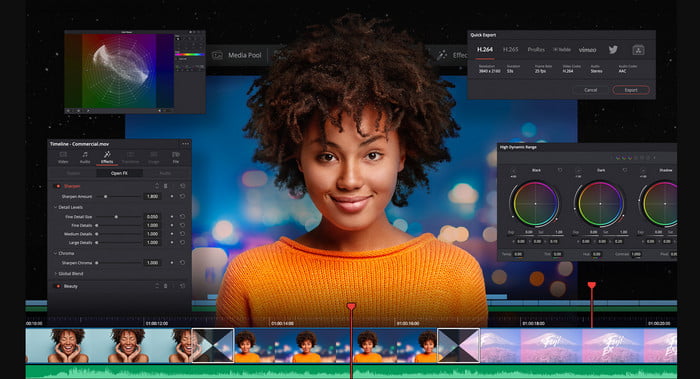
Davinci Resolve propose de nombreuses fonctions de montage dont vous aurez besoin pour améliorer vos vidéos. On dit qu’il réunit les fonctionnalités de montage d’Adobe Premiere et d’Apple Final Cut dans un même outil. Grâce à cette combinaison, attendez‑vous à une multitude de fonctions avancées que vous pourrez utiliser pour rendre vos vidéos meilleures que jamais. Cependant, apprendre à utiliser cet outil est une tâche ardue pour les débutants et même pour certains utilisateurs avancés sans expérience en montage. De plus, cet iMovie pour PC est la meilleure alternative riche en fonctions avancées, mais il n’est pas économique. Il vous en coûtera en effet plus de 300 $, ce qui en fait l’éditeur le plus cher de cette liste.
4. HitFilm Express
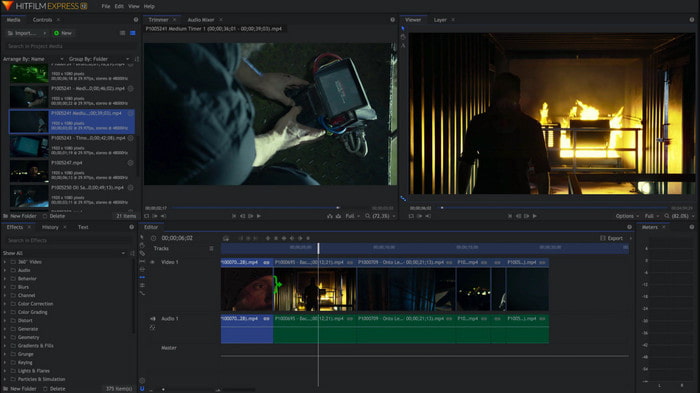
HitFilm Express est largement apprécié par de nombreux utilisateurs pour ses performances. Bien que quelques didacticiels soient proposés, ils ne suffisent pas à expliquer clairement comment utiliser l’éditeur. Il manque également certains effets de transition animés qui vous seraient utiles pour rendre vos vidéos vraiment exceptionnelles. Cependant, si vous souhaitez seulement effectuer un montage simple, vous pouvez l’essayer, car il ressemble à iMovie disponible sur PC. Attendez‑vous toutefois à rencontrer des bugs mineurs et majeurs pendant l’utilisation, et méfiez‑vous des plantages inattendus.
5. Créateur de films Windows
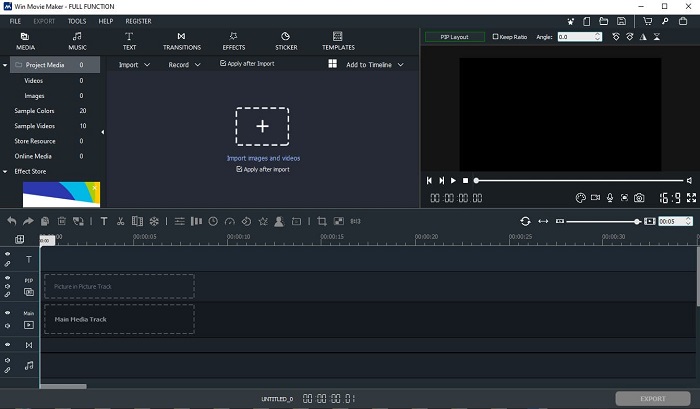
Windows Movie Maker est devenu très populaire vers la fin de 2016, car il offrait quelques fonctions avancées intéressantes. Bien qu’il ait désormais été retiré comme lecteur/montage natif de Windows, il reste l’une des alternatives à iMovie à télécharger pour PC. De plus, faites attention à l’endroit où vous téléchargez cet outil, car de nombreux utilisateurs ont essayé de le récupérer sur le Web et ont attrapé des virus à partir de sources inconnues. Il propose également les fonctions de montage de base dont vous pouvez avoir besoin. Donc, si vous cherchez un résultat vraiment spectaculaire, ce n’est pas la peine de télécharger cet outil. En revanche, si vous voulez simplement réaliser un montage simple, vous pouvez le télécharger et l’utiliser.
Partie 2. FAQ sur iMovie pour Windows
Quel est le meilleur outil pour éditer des GIF ?
Comme les GIF sont devenus une vraie tendance aujourd’hui, beaucoup d’utilisateurs aiment créer leurs propres GIF. De plus, les GIF sont beaucoup plus légers que les autres formats vidéo. Donc, si vous cliquez maintenant sur ce lien, un nouveau site s’ouvrira pour vous présenter quel est le meilleur éditeur de GIF pour PC, Mac, iOS et Android.
Comment ajouter une musique de fond à une vidéo ?
Le montage vidéo, c’est très bien, mais saviez‑vous qu’ajouter une musique de fond fait aussi partie de l’étape de montage ? Pour en savoir plus sur la manière d’ajouter de la musique à une vidéo, cliquez sur ce lien pour continuer.
Pourquoi éditons-nous les vidéos ?
Parce que cela fait partie de la post-production, cela va peaufiner votre vidéo en fusionnant, en coupant les vidéos inutiles, en ajoutant de la musique de fond, etc. Grâce à ce logiciel de montage, nous sommes capables de nous exprimer tellement simplement en faisant le montage.
Conclusion
En conclusion, le montage vidéo est une étape très importante que nous devons prendre au sérieux. Même si vous ne disposez pas d’une panoplie complète d’outils de montage, vous pouvez tout de même réussir votre travail de montage. Grâce aux 5 outils listés ici, qui partagent presque les mêmes concepts et fonctionnalités qu’iMovie. En outre, Video Converter Ultimate est l’éditeur remarquable dont vous aurez besoin pour créer une vidéo impressionnante que personne ne s’attendra à voir de votre part. Alors, qu’attendez‑vous ? Si vous voulez profiter de fonctions de montage avancées complètes, à un prix très abordable et faciles à utiliser, téléchargez dès maintenant l’Ultimate Converter sur votre PC.
-
 Comment compresser des fichiers MPEG-4 en ligne - pas de téléchargement, pas de filigrane
 Vous n'avez pas assez de stockage de fichiers pour conserver tous vos fichiers MPEG-4 ? Voici quelques solutions qui pourraient vous aider à réduire la taille de vos fichiers vidéo.
-
 Comment compresser des fichiers VOB en ligne et gratuitement [Pas de téléchargement]
 Recherchez-vous des méthodes pour compresser les fichiers VOB? Découvrez la meilleure façon de réduire la taille des fichiers VOB dans cet article.
-
 Comment compresser un fichier OGV sans perte de qualité
 Vous ne pouvez pas envoyer de gros fichiers OGV à d'autres ? Eh bien, cet article vous présentera 2 manières simples de vous aider à compresser facilement les fichiers OGV.
