


 Video Converter Ultimate
 Enregistreur d'écran
 Réparation vidéo
Éditeur de balises M4V sur Mac et Windows pour modifier les métadonnées M4V [sans problème]
Les fichiers M4V sont protégés par le DRM Apple FairPlay afin d’éviter que les utilisateurs ne distribuent illégalement le fichier sur le Web. Donc, si votre fichier .m4v est sécurisé, que devez‑vous faire ? Pouvez‑vous encore modifier les tags d’un M4V protégé ? Heureusement, oui. Vous voulez savoir quels outils utiliser ? Dans cet article, vous allez découvrir différents éditeurs de tags M4V sur Mac ou Windows que vous pouvez utiliser pour modifier sans effort les métadonnées de vos fichiers M4V.

Partie 1. Top 2 des éditeurs de balises M4V pour Mac OS
En naviguant sur le Web, nous avons vu les outils possibles que vous pouvez utiliser pour modifier les balises de votre M4V disponibles sur votre système Mac. Si vous souhaitez connaître les deux meilleurs outils que vous pouvez utiliser, lisez les détails suivants ci-dessous si vous êtes un utilisateur Mac.
iFlicks
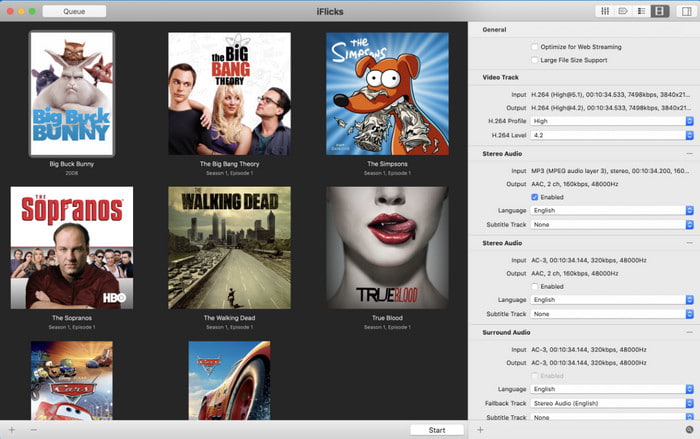
Système d’exploitation disponible : macOS 10.13.2 ou version ultérieure
Prix : $9,49–$18,49 par an
iFlicks est un convertisseur complet et un éditeur de tags M4V sur Mac. Cet outil permet aux utilisateurs d’iTunes d’obtenir une médiathèque plus soignée en classant les séries TV et les films selon vos métadonnées. Il peut également récupérer automatiquement les tags de vos fichiers M4V disponibles sur iTunes, ce qui vous évite de les ajouter manuellement, mais vous pouvez aussi remplacer les données vous‑même. Même si l’outil est pratique, il peut parfois être difficile à prendre en main. Corriger ou trouver les tags appropriés peut s’avérer compliqué à cause de la petite fenêtre de recherche qu’il affiche. De plus, vous devrez vous abonner au logiciel une fois la période d’essai terminée.
Subler
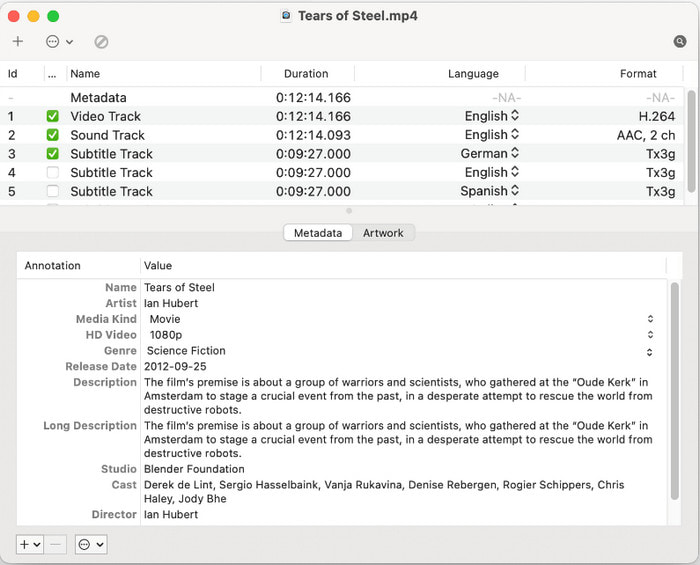
Système d’exploitation disponible : macOS 10.11 ou version ultérieure
Prix : Gratuit
Subler est un autre éditeur de tags M4V sur Mac utilisé pour supprimer ou modifier les métadonnées de vos fichiers M4V, puis les enregistrer à nouveau. Cet outil est un démultiplexeur et un transcodeur ; il peut vous aider rapidement sur tout format lié à l’écosystème Apple, selon la façon dont vous l’utilisez. Auparavant, cet outil servait à ajouter des sous‑titres, mais le développeur a décidé d’y intégrer de nouvelles fonctionnalités en raison de la forte demande pour résoudre ce problème courant. Même si les développeurs ont ajouté de nouvelles fonctions, ils n’ont pas amélioré l’interface graphique du logiciel. Elle reste telle quelle : une interface non personnalisable, mais très simple.
Partie 2. Les 3 meilleurs choix de l'éditeur de balises M4V pour le système d'exploitation Windows
Si vous êtes un utilisateur Windows, cette tâche est toujours réalisable pour certains éditeurs de métadonnées sous Windows. Mais quels sont les outils qui supportent le format M4V ? Continuez à lire la liste ci-dessous pour saisir tous les détails que nous accumulons au fur et à mesure de nos recherches, choisissez-les avec soin et passez en revue chacun d'eux.
Convertisseur vidéo FVC Ultimate
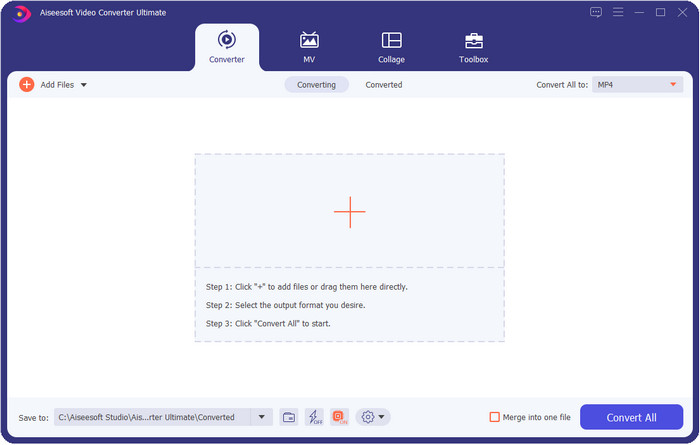
Système d’exploitation disponible : Windows Vista/7/8/8.5/10/11 et versions ultérieures ; macOS 10.7 jusqu’à la version la plus récente
Prix : $ 25,00 par an ; $ 55,00 à vie
FVC Video Converter Ultimate est un éditeur de métadonnées M4V primé pour Windows et Mac qui vous permet de gérer les métadonnées sans effort. Même si l’outil est un peu plus onéreux que les autres logiciels, il reste l’outil puissant dont vous aurez besoin, avec une boîte à outils complète et polyvalente, facile à utiliser. En outre, il prend en charge une très large gamme de formats, vous n’avez donc pas à vous inquiéter : votre format est pris en charge ici, qu’il s’agisse de vidéo ou d’audio. Il n’est pas nécessaire de télécharger différents outils pour modifier les métadonnées, convertir le fichier et effectuer d’autres modifications, car tous les problèmes liés à la vidéo ont une seule solution : cet outil ultime.

Caractéristiques ultimes du convertisseur vidéo FVC :
Plus de 5 689 200 téléchargements- Remplissez ou supprimez rapidement les balises sur vos formats M4V, MOV, MKV, AVI, MP4 et 1000+.
- Il prend en charge une boîte à outils fiable pour vous aider à découper, couper, améliorer, créer des GIF, etc.
- Il possède l'interface graphique la meilleure et la plus personnalisable pour faciliter l'expérience de l'utilisateur.
- Il prend en charge tous les systèmes d'exploitation tels que Windows et Mac.
Téléchargement gratuit pour Windows 7 ou version ultérieure Téléchargement sécurisé
Téléchargement gratuit pour macOS 10.7 ou version ultérieure - Téléchargement sécurisé
Scanner de balises
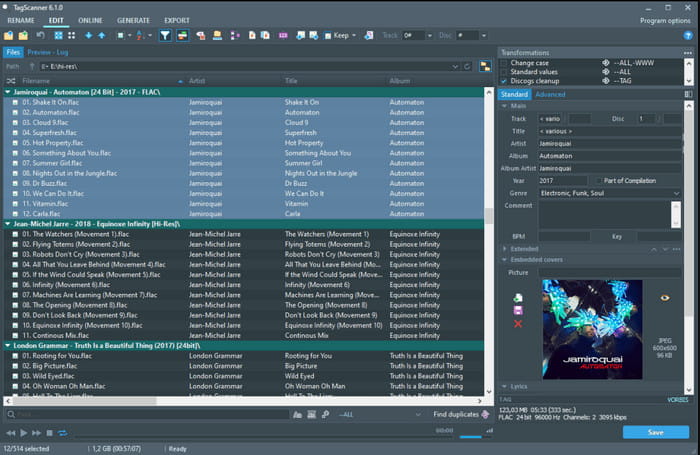
Système d’exploitation disponible : Windows Vista et versions ultérieures
Prix : Gratuit
Tag Scanner est un autre éditeur de métadonnées M4V populaire sur Windows que vous pouvez télécharger et utiliser gratuitement. Cet outil vous permet de modifier facilement les tags de vos fichiers, individuellement ou par lots. C’est une application idéale pour prendre le contrôle des métadonnées telles que le nom, l’album, le genre, la durée, la date et d’autres informations des fichiers multimédias pris en charge. Cependant, avant de bien maîtriser les fonctions de l’outil ou de savoir comment l’utiliser, vous devrez y consacrer pas mal de temps, car il propose des fonctionnalités assez avancées.
Avidemux
Système d’exploitation disponible : Windows XP/7/8/8.5/10, macOS, Linux
Prix : Gratuit
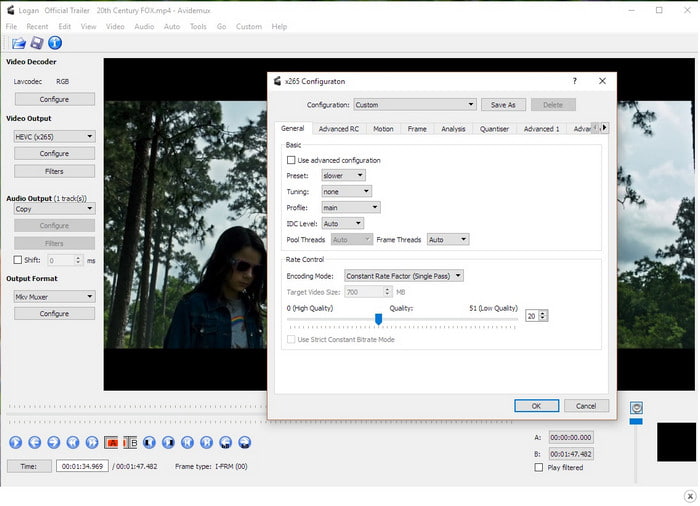
Avidemux est l’un des éditeurs de tags M4V connus pour modifier les métadonnées M4V, disponible sur différentes plateformes. Il s’agit d’un logiciel open source développé par SourceForge pour aider ses utilisateurs réguliers dans leurs tâches quotidiennes d’édition, comme les métadonnées. Bien qu’il dispose de nombreuses fonctions et fonctionnalités, il prend tout de même en charge les modifications de base dont vous aurez besoin sur votre fichier multimédia. En revanche, les formats pris en charge sont limités, et certains formats récents ne sont pas encore gérés. Néanmoins, il est encore en phase d’amélioration, ce qui signifie que l’outil continuera de devenir de plus en plus performant à long terme.
Une fois que vous avez accédé à l'outil sur le site principal, gardez à l'esprit que votre connexion n'est pas sécurisée, afin que votre personne puisse accéder aux informations personnelles que vous avez insérées sur le site.
Partie 3. FAQ sur l'éditeur de balises M4V
Quelles sont les informations que je peux voir sur les métadonnées ?
Les métadonnées sont les informations que vous pouvez trouver sur les données, comme le nom de l’auteur, le titre, l’emplacement, l’heure, la date, le genre, les chapitres, et bien plus encore. Si vous voulez en savoir plus sur les métadonnées, vous pouvez cliquer ici et découvrir ce que sont les métadonnées.
Puis-je afficher les métadonnées ?
Oui, vous le pouvez, que vous souhaitiez utiliser l’afficheur de métadonnées intégré à votre Windows ou Mac, ou plutôt recourir à un outil spécifique. Si vous ne savez pas quoi utiliser pour afficher les métadonnées de votre fichier multimédia, lisez ces 4 meilleurs afficheurs de métadonnées disponibles en ligne et hors ligne.
Les métadonnées peuvent-elles m'aider à organiser les fichiers ?
Oui, vous pouvez organiser les fichiers multimédias en fonction des métadonnées. Donc, si vous voulez des fichiers plus organisés dans votre bibliothèque ou votre dossier, nous vous recommandons de modifier ou d'ajouter des métadonnées pour éviter les fichiers en désordre dans votre dossier ou votre bibliothèque et la confusion.
Conclusion
N’est‑ce pas incroyable qu’il existe différents éditeurs de métadonnées M4V sur le marché ? Vous pouvez télécharger tous ces outils si vous le souhaitez et ajuster les métadonnées de vos fichiers M4V. Mais lequel est le meilleur ? Sans l’ombre d’un doute, le FVC Video Converter Ultimate est le meilleur et le plus puissant éditeur dont vous aurez besoin pour cette tâche. Vous n’êtes toujours pas convaincu par les informations que nous avons fournies dans cet article ? Dans ce cas, vous devez télécharger l’outil et l’essayer par vous‑même.
-
 6 filtres Snapchat animés Snapchat préférés sur Snapchat
 Vous voulez connaître les meilleures façons d'ajouter des filtres sur les vidéos Snapchat ? Eh bien, vous pouvez cliquer dessus et découvrir les différents filtres que vous pouvez utiliser pour appliquer sur les vidéos Snapchat.
-
 4 principaux convertisseurs de résolution vidéo pour réduire la résolution vidéo
 Comment baisser la résolution vidéo ? Tous les convertisseurs de résolution vidéo ne sont pas les meilleurs dans leur tâche. Alors aujourd'hui, nous sélectionnons les 4 meilleurs convertisseurs de résolution que vous pouvez utiliser.
-
 Qu'est-ce que la résolution vidéo : aperçu approfondi de la résolution et plus encore
 Quelle est la résolution vidéo ? Est-ce important dans chaque vidéo ? Eh bien, c'est important. Si vous voulez avoir plus d'idées sur la résolution vidéo, cliquez dessus tout de suite.
