


 Video Converter Ultimate
 Enregistreur d'écran
 Réparation vidéo
6 meilleurs inverseurs vidéo sur Mac/Windows/Android/iPhone/en ligne
Mettre une vidéo à l’envers est devenu l’un des effets visuels les plus impressionnants que de nombreux monteurs utilisent aujourd’hui. Rien qu’en inversant une vidéo, vous pouvez ajouter un effet “waouh” à vos vidéos déjà prêtes et les rendre plus accrocheuses. Dans cet article, nous allons donc explorer quels sont les meilleurs programmes de retournement de vidéo que vous pouvez utiliser gratuitement ou en version payante. Et maintenant, si vous êtes prêt à commencer le voyage, attachez votre ceinture et laissez l’exploration commencer.

Partie 1. 2 du meilleur logiciel d'inverseur vidéo pour PC et Mac
1. Convertisseur vidéo ultime
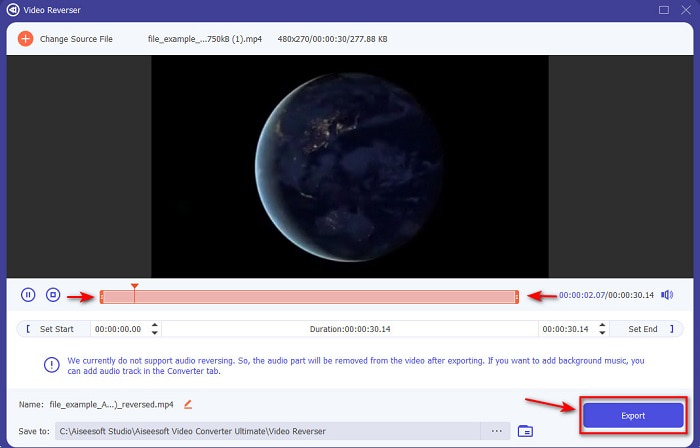
Le premier de cette liste est le convertisseur phénoménal que vous pouvez utiliser pour créer une vidéo impressionnante sans même avoir besoin d’un tutoriel. Grâce à ses instructions claires, cet outil est idéal aussi bien pour les débutants que pour les professionnels qui souhaitent obtenir une vidéo percutante. Video Converter Ultimate est l’éditeur de vidéo inversée de tout premier plan et le plus recommandé dans cette sélection. Cet outil aide ses utilisateurs à atteindre leur plein potentiel en matière de montage, mais sans difficulté. Comme indiqué précédemment, les indications et informations précises fournies par cet outil aident déjà de nombreux utilisateurs qui n’ont aucune expérience en montage. Et même si vous êtes un pro, vous pouvez toujours utiliser cet outil pour créer une vidéo encore plus impressionnante que ce que votre éditeur actuel permet.
Téléchargement gratuit pour Windows 7 ou version ultérieure Téléchargement sécurisé
Téléchargement gratuit pour macOS 10.7 ou version ultérieure - Téléchargement sécurisé
Avantages
- Le meilleur pour rendre votre vidéo phénoménale par rapport à l'autre éditeur.
- Il est convivial, apprendre à utiliser cet outil ne prendra pas plus de 15 minutes voire moins.
- Si vous recherchez un outil complet, ce doit être votre premier choix.
Les inconvénients
- Le logiciel est payant mais le Movavi est bien plus cher si on s'apprêtait à comparer.
- Il est nécessaire de télécharger d'abord l'outil avant même de pouvoir l'utiliser.
2. Suite vidéo Movavi
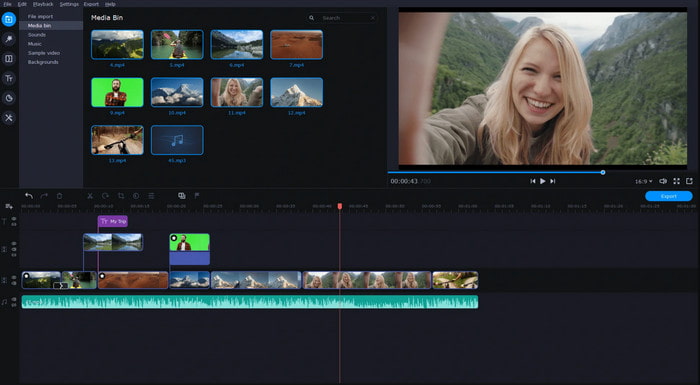
Un autre outil de cette liste est le Movavi Video Suite. Ce Movavi video editor reverse est déjà bien connu et utilisé par des millions d’utilisateurs, notamment grâce à ses fonctionnalités de montage avancées, comme celles de Video Converter Ultimate. De plus, cet outil a beaucoup à offrir à ses clients. Cependant, son inconvénient est que le rendu prend beaucoup de temps et a tendance à être lent. Autre limite : l’outil ne prend en charge qu’un nombre restreint de formats ; en pratique, vous ne pouvez donc pas vraiment choisir le format souhaité en raison de ce champ d’action limité.
Avantages
- Facile à utiliser en tant qu'éditeur semi-pro.
- L'interface est très soignée et intuitive à regarder.
- Disponible sous Mac et Windows.
Les inconvénients
- L'outil est très cher par rapport à l'outil de cette liste.
- La plupart des fonctionnalités que vous pouvez utiliser sur Windows ne sont pas disponibles sur Mac.
- Il a moins de modèles parmi lesquels choisir.
En rapport:
Partie 2. 2 du meilleur inverseur vidéo en ligne
1. Kapwing
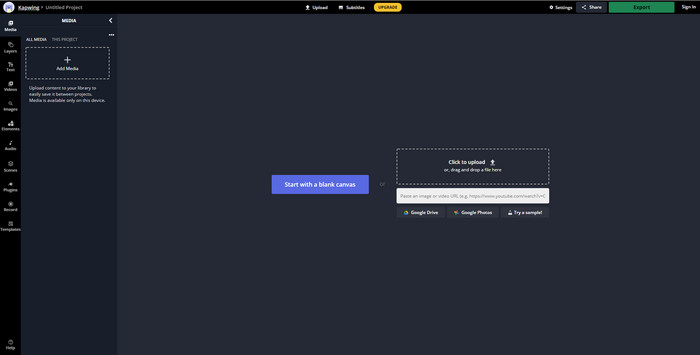
Vous ne voulez pas payer ? Essayez alors d’utiliser Kapwing Reverse, qui peut être utilisé gratuitement très facilement. Kapwing est l’un des outils en ligne les plus simples à prendre en main. Il offre également quelques fonctions de montage gratuites, mais vous aurez besoin d’une connexion Internet. L’interface de l’outil est agréable, car elle rappelle celle d’Adobe Photoshop, mais en ligne. En revanche, l’envoi et l’exportation des fichiers sont un peu fastidieux car tout dépend de votre connexion. Donc, si votre connexion Internet est instable, attendez‑vous à un processus lent. Et lorsque vous exportez les fichiers ici, un filigrane apparaît en bas à droite de la vidéo inversée.
Avantages
- Outil Web gratuit.
- Convivial.
- Processus d'inversion facile que vous devrez suivre.
Les inconvénients
- Dépendant d'Internet, ce qui signifie que si vous n'avez pas de connexion Internet, vous ne pouvez pas utiliser cet outil.
- Le processus d'édition est rapide, mais le téléchargement et le téléchargement de fichiers prendront un certain temps.
- La sortie finale a un filigrane en bas à droite de la vidéo.
2. VideoReverser.com
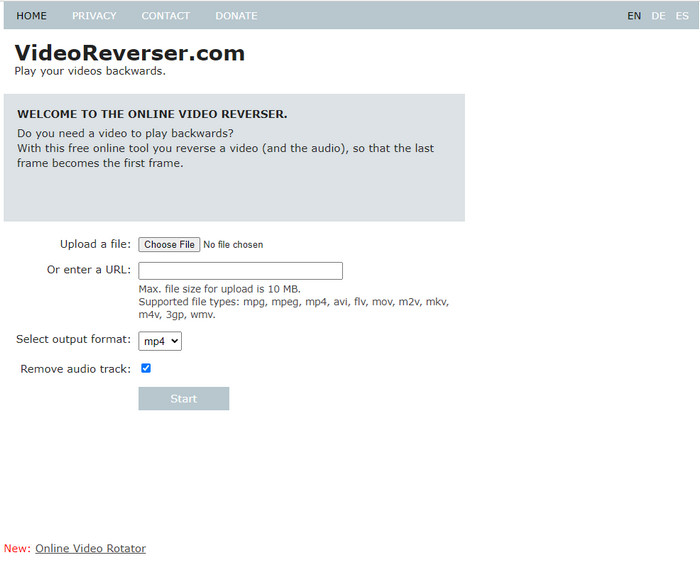
VideoReverser.com est l’un des meilleurs inverseurs de vidéo en ligne que vous pouvez trouver et utiliser sur le web. Cet outil en ligne est idéal pour ceux qui souhaitent simplement inverser une courte vidéo de manière basique. Comme indiqué, vous ne pouvez importer qu’un fichier vidéo de moins de 10 Mo. Cette limite de taille est assez faible si on la compare à celle des autres outils présentés dans cet article. Cependant, si vous avez une courte vidéo à inverser, essayez cet outil.
Avantages
- Pas de frais cachés si vous accédez à l'outil.
- Interface de l'outil facile à comprendre.
- L'outil se concentre sur l'inversion de votre vidéo.
Les inconvénients
- Il prend en charge moins de formats et la plupart du temps, lorsque vous essayez d'inverser une vidéo ici, cela échoue.
- Seulement 10 Mo de taille de fichier max que vous pouvez télécharger.
- Inaccessible si Internet n'est pas disponible.
Partie 3. 2 de la meilleure application Video Reverser sur Android et iOS
1. inverser la vidéo à l'envers (Android)
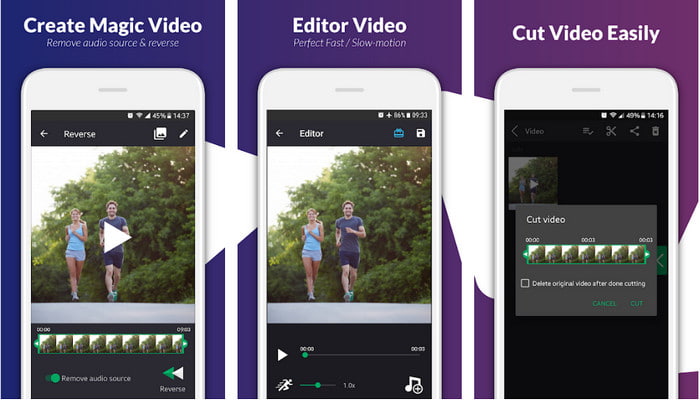
L’application reverse video backward n’est disponible que sur le Play Store, gratuitement. Ce logiciel de vidéo inversée est très performant pour retourner les vidéos et peut être facilement utilisé par toute personne disposant d’un téléphone Android. Cependant, de nombreux utilisateurs se plaignent de plantages, de fenêtres publicitaires surgissantes même après la fermeture de l’application, et du fait que vous pouvez aussi y monter la vidéo. La note globale de l’outil est très basse si on la compare à d’autres applications ayant la même fonction sur le Play Store.
Avantages
- Avant de télécharger l'outil, il vous donnera quelques idées pour faire un effet inverse magique.
- Il prend en charge 50 langues différentes parmi lesquelles vous pouvez choisir.
Les inconvénients
- Il y a des cas où l'outil se bloque pour des raisons inconnues.
- Les publicités embêtantes sont partout, même lorsque vous fermez l'outil, les publicités s'afficheront sur votre écran.
- L'outil est glitch lorsque nous l'essayons.
2. Reverse Video Editor (iOS)
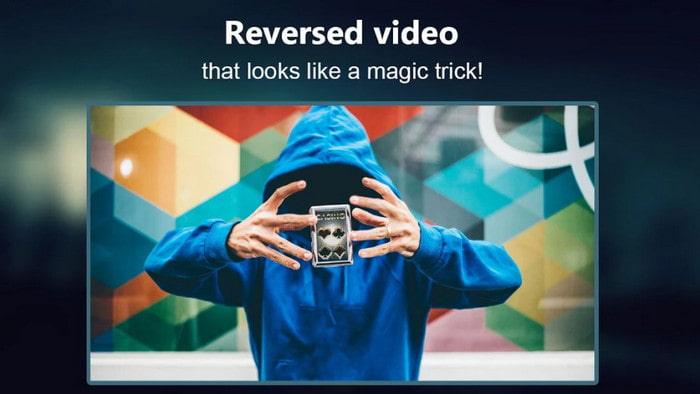
Cette application de vidéo inversée peut être téléchargée gratuitement sur iOS. Reverse Video Editor reçoit d’excellentes évaluations de la part de nombreux utilisateurs. Afficher une note de 4,5 étoiles dans l’app peut toutefois être trompeur à bien des égards, car vous pourriez penser que l’outil est excellent sur tous les plans. Mais ce que l’on sait moins, c’est que le développeur de l’application pousse son audience à lui attribuer 5 étoiles avant de pouvoir accéder aux fonctionnalités. La plupart des commentaires n’ont d’ailleurs guère de sens et semblent avoir été rédigés par des bots pour gonfler artificiellement la popularité de l’application.
Avantages
- L'outil a une excellente note fournie par les 67.4k utilisateurs.
- Son interface est assez bonne par rapport aux autres inverseurs iOS.
Les inconvénients
- Les utilisateurs sont obligés de noter l'application 5 étoiles pour débloquer des fonctionnalités spéciales sur l'application.
- Les critiques de l'application ci-dessous sont absurdes. Fondamentalement, si vous voulez découvrir ce qu'est l'application, ne regardez pas les critiques.
- Les bugs sont toujours dans cette application et la plupart du temps, la vidéo que vous insérez sur l'application se bloque.
Partie 4. Tableau de comparaison
| Caractéristiques | Convertisseur vidéo UltiR | Movavi | Kapwing | VideoReverser.com | Inverser la vidéo en arrière | Éditeur vidéo inversé |
| Fonctions d'inversion |  | | | | | |
| Annonces embêtantes sur l'interface |  | | | | | |
| Filigrane après exportation | | | | | | |
| Autres fonctionnalités d'édition telles que la coupe, le recadrage, etc. | | | | | Il est disponible mais les critiques disent qu'il ne fonctionne pas. | Il est disponible mais les critiques disent qu'il ne fonctionne pas. |
| Disponibilité du programme | Outil basé sur le bureau | Outil basé sur le bureau | Outil Web | Outil Web | Outil basé sur Android téléchargeable | Basé sur iOS téléchargeable aussi |
| Échelle des prix | 1 mois : $25.00 Licence à vie:$55.20 Licence multi-utilisateurs à vie/5 PC : $119.00 | Éditeur vidéo Movavi $39.95 Éditeur vidéo Movavi Plus $59.95 | Outil en ligne gratuit | Outil en ligne gratuit | Non dans l'achat d'applications | Achat in-app 3 à 50 Gamme $ |
Partie 5. FAQ sur Video Reverser
Pourquoi mes vidéos inversées perdent-elles leur qualité ?
La plupart des outils réduisent la qualité de la vidéo inversée car ils ne prennent pas en charge le format de qualité vidéo supérieure ou peut-être que vous définissez les paramètres sur faible au lieu de élevé. Aucun des deux problèmes ne peut être résolu en modifiant le logiciel ou en ajustant les paramètres.
Puis-je utiliser la vidéo inversée comme transition ?
Absolument oui. Au lieu d'utiliser l'ancienne version de transition animée, vous pouvez inverser votre vidéo pour la rendre plus attrayante visuellement. Même si vous n'utilisez pas d'outil de montage professionnel ou d'expérience en montage, vous pouvez toujours réaliser une excellente transition avec la vidéo inversée.
Si j'inverse ma vidéo, est-ce qu'elle s'inverse ?
En fait non, car l'inversion et l'inversion ne sont pas similaires. Bien qu'ils changent tous les deux l'apparence originale de la vidéo, ils ne sont pas similaires. Par exemple, si vous inversez une vidéo, elle sera lue de la fin au début tandis que si vous l'inversez, la vidéo se retournera et sera toujours lue du début à la fin.
Conclusion
En conclusion, les outils que nous avons passés en revue dans cet article sont tous excellents, selon la plateforme que vous utilisez. Ils conviennent à toute personne disposant d’un ordinateur, d’une connexion Internet ou d’un téléphone mobile. De plus, si vous avez du mal à vous décider, nous avons une recommandation pour vous. Video Converter Ultimate dépasse les limites d’un simple convertisseur et éditeur. Cet outil a déjà aidé des millions d’utilisateurs et il est maintenant prêt à vous aider, vous aussi. Téléchargez‑le dès maintenant, puis profitez‑en pour explorer toute la richesse de ses fonctionnalités.
-
 Comment convertir des fichiers MKV pour jouer sur PS3 en douceur [Résolu]
 Vous voulez lire des vidéos MKV sur votre PS3 ? Cependant, la PS3 ne peut pas lire directement les fichiers MKV. Cet article vous montrera comment convertir des vidéos MKV en formats vidéo pris en charge par PS3 pour les lire sur PS3 sans aucun problème.
-
 Lecteur DVD Android - Comment lire des vidéos DVD sur des mobiles Android
 Comment lire des fichiers DVD sur les mobiles Android ? Existe-t-il des lecteurs DVD Android ? Dans cet article, vous découvrirez 3 façons de lire des vidéos DVD sur des mobiles Android avec ou sans pilote externe.
-
 Les 10 meilleurs lecteurs MP4 Android gratuits pour lire des vidéos HD/4K
 Bien que les mobiles Android disposent des lecteurs par défaut pour lire les vidéos MP4, ils ne prennent pas en charge le réglage des paramètres de lecture et d'autres fonctions. Ainsi, vous pouvez découvrir les 10 meilleurs lecteurs MP4 Android à partir de cet article.
