


 Video Converter Ultimate
 Snimač zaslona
 Video popravak
Izrazite svoje emocije bolje uz Top 8 GIF Maker Online na PC-u i Macu
Prva stvar koja nam padne na pamet kada govorimo o GIF-ovima je komedija. Ove jednostavne video slike mogu našu običnu staru tekstualnu poruku pretvoriti u življu melodiju. Stoga su GIF-ovi danas postali popularni jer pokazuju neke od pretjeranih emocija koje želimo da svijet vidi. Ali doista je lakše dodati GIF-ove svojoj poruci kako biste bolje izrazili svoje emocije. Ali ne pružaju svi GIF-ovi na internetu specifične emocije koje želite isporučiti. Dakle, obmanjujući GIF-ovi mogu dati vašoj poruci pogrešnu namjeru. Ali umjesto pretraživanja na internetu ili ovisno o vašim aplikacijama za razmjenu poruka, zašto ne napravite svoj GIF?

Zapravo, vrlo je lako napraviti ga. Ako tražite najbolji GIF maker online, onda ste na pravom mjestu. Stoga morate obratiti pozornost na popise u nastavku i saznati koji alat stvara najbolji GIF koji možete koristiti za izražavanje svojih emocija ili pak pomoći drugim korisnicima koji imaju poteškoća s pronalaskom najboljeg GIF‑a za izražavanje osjećaja. Naučiti kako izraditi vlastite GIF‑ove i usput pomoći drugima je kao pogoditi dvije muhe jednim udarcem. Dakle, bez daljnjeg objašnjavanja, istražimo koji su to najbolji alati i kako ih pravilno koristiti za stvaranje iznimnog GIF‑a. Donji popis prikazuje 8 najboljih GIF makera na koje možete besplatno naići na internetu.
Vrh 1. Besplatni online video pretvarač
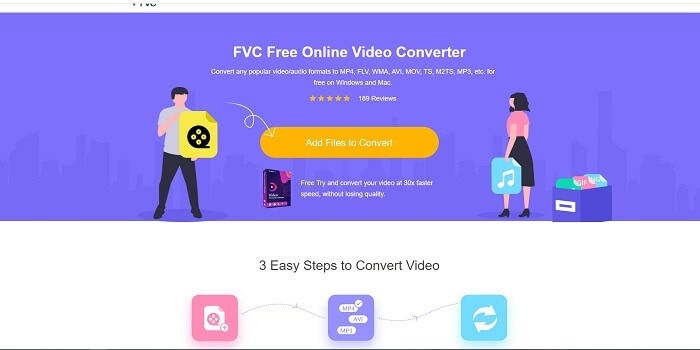
Ako tražite izniman GIF maker online, onda je ovo za vas – pažljivo pročitajte kako biste saznali više. FVC besplatni online video pretvarač Ovaj alat je web‑alat na koji vjerojatno možete naići na internetu. Najbolji način za stvaranje GIF‑ova iz videa jest pretvoriti ih u GIF format. Možda mislite: je li uopće moguće stvarati GIF‑ove pomoću pretvarača umjesto makera? Odgovor je da. Ovo je jednostavniji način za izradu GIF‑a. No ovaj alat nije kao bilo koji drugi pretvarač ili maker s popisa u nastavku. Za razliku od drugih alata na internetu, ovaj pruža najbrži i gotovo nepogrešiv pretvarač koji biste mogli poželjeti koristiti. Nema ograničenja u pretvaranju, što znači da možete pretvoriti sav video ili audio koji želite, sve dok imate internetsku vezu. Veličina datoteke također nije ograničena na određeni broj MB, a kvaliteta izlaza koju ovaj alat pruža je izvrsna.
Ali jeste li znali da ovaj alat nudi i nenadmašnu premium verziju? Poznat je i kao otac svih pretvarača. Zove se Video Converter Ultimate. Ovaj alat korisniku pruža daleko bolje iskustvo pretvaranja zahvaljujući brzoj konverziji i vrhunskim prestižnim značajkama, kao i mogućnosti pretvaranja u sve različite formate koje poznajete. Za razliku od drugih alata na ovom popisu i na internetu, Ultimate Converter je najbolji GIF maker alat za pretvaranje bilo koje video datoteke u GIF. Također možete dodati osobni pečat GIF‑u kako bi bio izražajniji. Brzina pretvaranja formata u GIF je 30x brža od online alata i 100x brža od pretvarača ili GIF makera u nastavku. Možete ga koristiti tako da ga instalirate na svoj disk. Iako je alat koji se plaća, neće vas skupo stajati. I doista je višenamjenski pretvarač, osobito za GIF. Dakle, nema potrebe sniziti očekivanja jer je ovaj alat mnogo više od običnog pretvarača.
Besplatno preuzimanjeZa Windows 7 ili novijiSigurno preuzimanje
Besplatno preuzimanjeZa MacOS 10.7 ili novijiSigurno preuzimanje
Ali za sada se usredotočimo na besplatni online alat ovog softvera. Dakle, kako bismo vam pružili dokaz da je ovaj online alat vrlo učinkovit u pretvorbi, morate slijediti ove jednostavne korake u nastavku. Ako sumnjate u to. Ali da vam kažem, nisu sve značajke u Converter Ultimateu ovdje u online alatu, ali stvaraju doista iznenađujući format.
Korak 1. Da biste pokrenuli alat, morate kliknuti na poveznicu kako biste prešli na glavnu web‑stranicu FVC‑a.
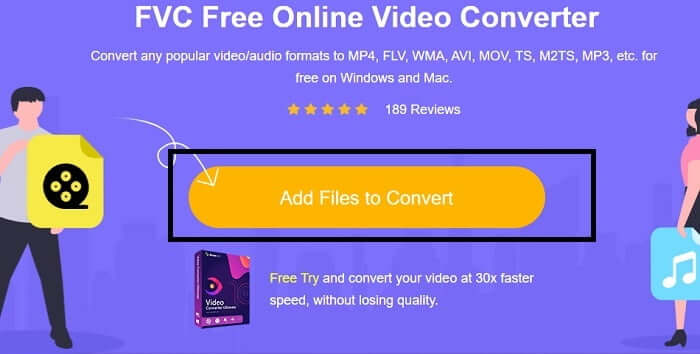
Korak 2. Kliknite Add Files to Convert i zatim Allow kako biste pokrenuli pretvarač.
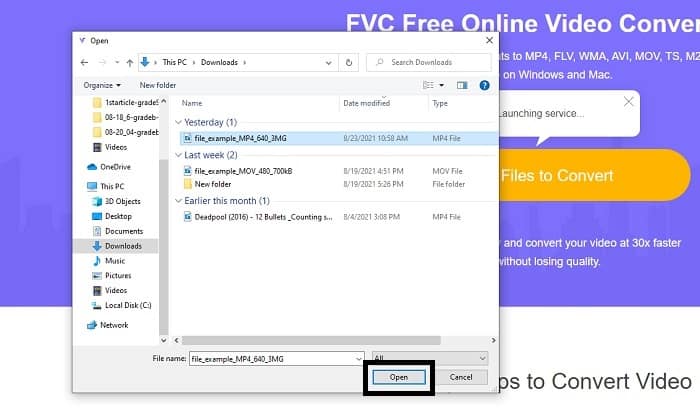
Korak 3. Ako vam se na zaslonu pojavi ovakav prozor istraživača datoteka, sve radite kako treba. Pronađite i kliknite video datoteku koju želite pretvoriti te pritisnite Open.
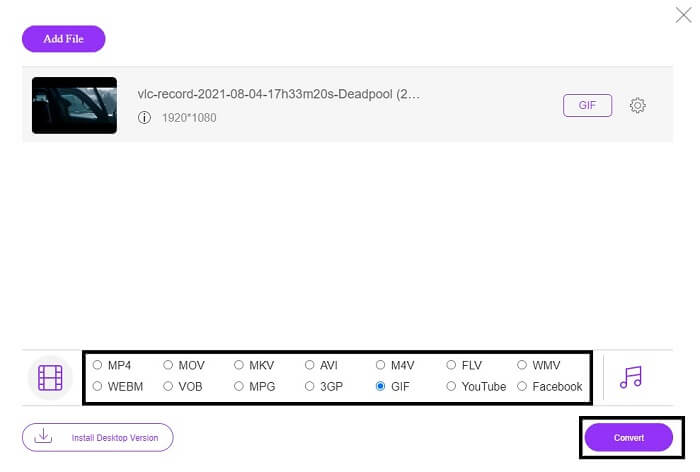
Korak 4. Promijenite format datoteke u GIF. Dodatno, možete pretvoriti svoj video ili audio i u neki drugi format koji vam više odgovara. Ako je sve spremno, kliknite Convert da biste pokrenuli konverziju. Zatim odaberite gdje želite spremiti konačnu datoteku.
Korak 5. Kada je konverzija završena, na zaslonu će se pojaviti vaš istraživač datoteka; pronađite konačnu datoteku i uživajte u njoj.
Vrh 2. Ezgif
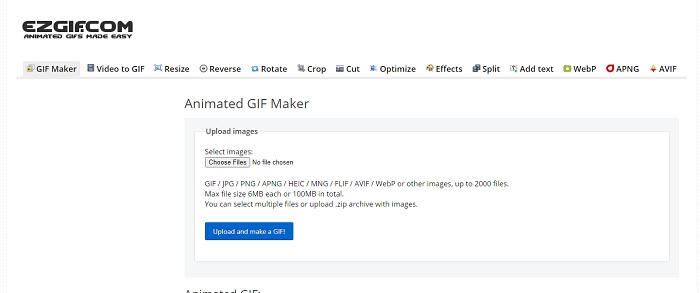
Jedan od najboljih online GIF makera je Ezgif. S ovim alatom u osnovi možete napraviti GIF te ga dodatno poboljšati, promijeniti veličinu, izrezati, optimizirati, dodati tekst i još mnogo toga. Također pretvara video isključivo u GIF format. Iako ovaj alat ima mnogo funkcija, sve su značajke odvojene jedna od druge. Umjesto da sve radite u jednom sučelju, morate skakati s jedne funkcije na drugu tijekom izrade i uređivanja. Nezgodno je koristiti ovaj alat, osobito zato što ne podržava drag‑and‑drop za lakše učitavanje. No unatoč svemu tome, i dalje je jedan od korisnih online makera.
Vrh 3. Imgflip
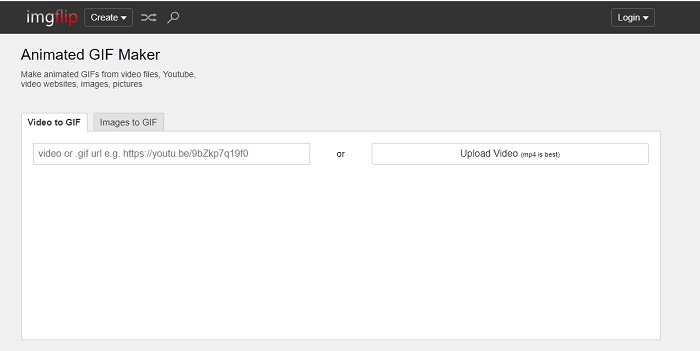
Online GIF maker iz videa i poveznice koji pruža odličnu mogućnost izrade GIF‑a – tada je ovo alat za vas. Imgflip vam može pomoći da napravite meme, GIF ili grafikon i u tome jako dobro služi svrsi. Omogućuje i jednostavno uređivanje vašeg GIF‑a. No najveća rezolucija koju u besplatnoj verziji može pružiti je 360 piksela, a u premium verziji 480. To znači da, ako je vaš video 1080 ili 4K, kvaliteta konačnog GIF‑a bit će znatno lošija nego što očekujete.
Vrh 4. Visme
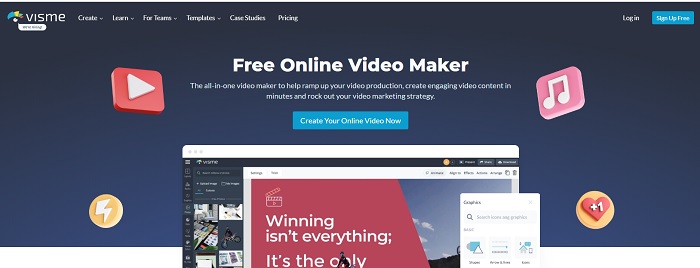
Ovaj alat vam omogućuje da postanete detaljniji u svom GIF-u. Visme je poznat po tome što pruža detaljniji video maker. Također, ovaj alat mora biti prijavljen na vaš račun prije nego što vam bude dopušteno da ga koristite. Možete koristiti Facebook, Gmail ili se prijaviti na njihovu web stranicu. Dakle, ako ste ljubitelj privatnosti podataka onda ovaj alat nije izvrstan izbor. Iako prijava na ovaj alat neće procuriti informacije o vama, neki od nas ne žele dati važne informacije o nama jer želimo da naši podaci budu privatniji i radi naše sigurnosti. Ali nema potrebe za brigom jer nema slučaja da ovaj alat propušta vašu privatnost.
Top 5. FreeGIFMaker.me
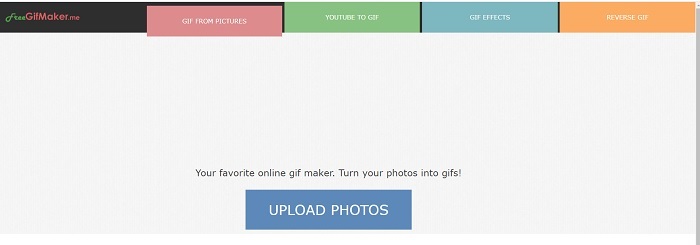
Ako tražite video vezu na GIF konverter onda je ovo za vas. Posebno podržava samo video veze na YouTube platformi. FreeGIFMaker. može napraviti jednostavnu pretvorbu videa u GIF. Ali također pruža slike za gif, uređivanje vašeg gifa i obrnuto. Iako ovaj alat pruža najčešću značajku koju bi GIF maker trebao pružiti, još uvijek nije jedan od najboljih, ali se može staviti na popis 30 najboljih proizvođača gifova. Navedene značajke nalaze se u različitim dijelovima, tako da umjesto izrade konačnog GIF-a s uređivanjem, morat ćete ići od jedne do druge kako biste samo izvršili uređivanje koje želite.
Vrh 6. Napravite Gif
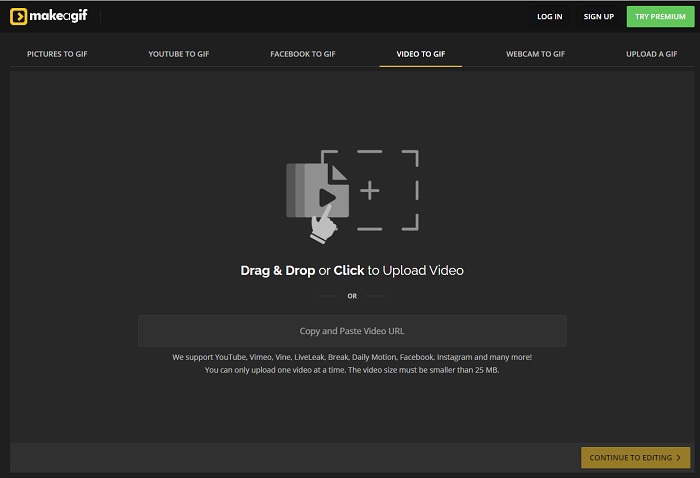
Još jedan online GIF maker na koji ste vjerojatno već naišli na internetu. Make A Gif korisniku nudi mirnije sučelje; ako volite tamniji ugođaj, ovaj je alat jedan od takvih. Alat je zaista fleksibilan jer je usmjeren na izradu GIF‑ova, bilo od slika, Facebook videa, YouTube videa, vašeg vlastitog videa ili snimke web‑kamerom. No video koji umetnete uvijek mora biti manji od 25 MB, pa ako želite dugačak GIF, ovo nije najbolji izbor; ali ako želite kratak, primjerice od 10 sekundi, onda je ovaj alat za vas.
Top 7. Online Image Editor
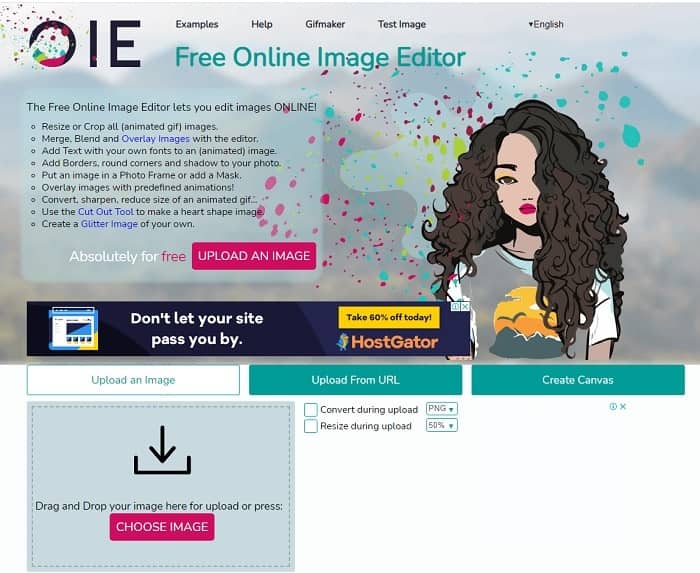
Ovaj alat vam omogućuje da uredite svoju sliku i pretvorite je u GIF format. Online Image Editor omogućuje vam stvaranje GIF-a korištenjem vaših slika. Također, nudi animacije i jednostavne značajke alata za uređivanje. Ali teže je stvoriti GIF s ovim alatom jer morate odvojiti vrijeme za stvaranje jednog. Dakle, ako ste novi u stvaranju GIF-a onda bi ovaj alat mogao biti dobar, ali ne i najbolji za vas. To je kao da pravite GIF na Photoshopu, ali mnogo gore zbog samog alata. Iako je glavna web stranica izvanredna, sučelje alata je toliko jednostavno da iz vremena na vrijeme postaje sve dosadnije. Čini se da nitko još uvijek ne ažurira sučelje. No, unatoč tome, odličan je izbor ako želite stvoriti GIF sa slikama.
Vrh 8. Kapwing
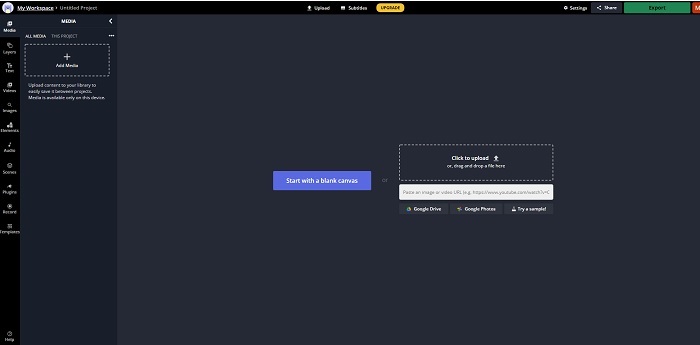
Ovaj alat je još jedan besplatni online GIF maker. Pruža vam dojam Photoshopa, ali online. Kapwing vam pomaže izraditi vlastiti GIF od videa ili slika koje priložite. Iako mu ime ne zvuči posebno privlačno ili uvjerljivo, odličan je izbor za online izradu animiranih GIF‑ova. Ovaj alat nije pretvarač, već GIF maker. Konačni rezultat možete podijeliti na glavnim aplikacijama kao što su FB, Twitter i Instagram. Iako je izrada GIF‑a jednostavna, izvoz videa je mnogo sporiji nego kod ostalih alata s popisa. Dakle, ako imate sporu internetsku vezu, i dalje ga možete koristiti, ali računajte na duže čekanje konačnog rezultata. Najveće trajanje videa koje biste trebali učitati je manje od 60 sekundi kako biste zadržali dobru kvalitetu. Ako nemate iskustva s Photoshopom, ovaj alat vam možda neće biti lak za korištenje.
Česta pitanja o Online GIF Makeru
Zašto se GIF-ovi razvijaju?
Krajem 1987., američki informatičar Steve Wilhite koji je radio za CompuServe imao je problem jer su htjeli prikazati pokretnu sliku uz uštedu prostora pa su razvili GIF. Također na temelju njegove izjave da se izgovara kao JIF, a ne kao GIF, već se piše GIF s mekim G izgovorom. Iako su oboje ispravno napisani.
Mogu li koristiti Photoshop za pretvaranje datoteke u GIF?
Da, možete pretvoriti MPG u GIF pomoću Photoshopa ili bilo kojeg poznatog formata u GIF.
Je li moguće pretvoriti MP4 u GIF?
Da, možete pretvoriti MP4 u GIF ili također pretvoriti bilo koji video format u GIF.
Zaključak
Nakon cijele rasprave, sada je jasnije da svi alati mogu napraviti GIF format. Iako imaju različite sposobnosti kako funkcioniraju, poput pretvaranja u GIF, izrade GIF-a, povezivanja na GIF ili slika u GIF. Ali svi alati imaju svoje jedinstvene kvalitete, ali jedna od njih - FVC Video Converter Ultimate je najbolji izbor. Ovo nije samo najbolje u izradi GIF-ova, već vam daje priliku za pretvaranje, spajanje, izradu kolaža, MV-a i još mnogo toga. Iako ne možete pristupiti značajkama na premium verziji na mreži, uvijek možete testirati, isprobati ili izvršiti pretvorbu na mreži s besplatnom verzijom. Video Converter Ultimate je najbolji od svih ne samo u pretvaranju kako se kaže. Svoju magiju također možete koristiti za stvaranje prekrasnog rezultata bez ograničenja. Stoga nikada ne postavljajte ograničenja na svoju vještinu jer je ovaj alat lak, jednostavan, ali stvara veličanstven rezultat.
-
 (Vodič) Kako pretvoriti M4V videozapise u animirane GIF-ove na Windows/Mac
 Ako želite napraviti animirane GIF datoteke od svojih omiljenih M4V videozapisa, možete naučiti o 2 jednostavna i učinkovita načina za pretvaranje M4V videozapisa u GIF -ove s prilagođenim postavkama.
-
 WebM u GIF - 3 besplatna pretvarača WebM u GIF za stvaranje vlastitih GIF -ova
 Je li WebM GIF? Kako video pretvoriti u GIF? Postoji li neki besplatni WebM u GIF pretvarač? Ovaj post dijeli 3 besplatna načina za pretvaranje WebM -a u GIF.
-
 Kako pretvoriti MKV videozapise u animirane GIF -ove bez Photoshopa/FFmpega
 Nakon preuzimanja i gledanja MKV filmova na računalu, možda ćete htjeti podijeliti neke prekrasne trenutke s prijateljima ili na Internetu kao GIF -ove. U ovom članku možete saznati o 2 najjednostavnija načina pretvaranja MKV -a u GIF.
