


 Video Converter Ultimate
 Snimač zaslona
 Video popravak
Top 5 GIF playera za računala, Android i iPhone
Animirani GIF-ovi mogu prenijeti više informacija nego statične slike. Tražite li dobar GIF player za pregledavanje svih vrsta GIF datoteka na svom iPhoneu, iPadu, Android telefonu ili računalu?
Na društvenim aplikacijama lako možete primati i slati razne smiješne GIF-ove. Međutim, nakon spremanja GIF-ova na svoj uređaj, neke od njih ne možete izravno otvoriti zadanim medijskim reproduktorom koji koristite. Zato se možda pitate trebate li nabaviti GIF player za reprodukciju GIF-ova.

GIF datoteke možete izravno pregledavati u društvenoj aplikaciji. No u nekim slučajevima ne možete ih ponovno otvoriti pomoću playera na računalu ili prijenosnom Android/iOS uređaju. Uzimajući u obzir vaše potrebe, sastavili smo popis od 5 animiranih GIF playera među kojima možete birati. Bilo da tražite GIF player za Android, iPhone ili računalo, možete pronaći odgovarajući reproduktor.
Dio 1. Najbolji GIF Player za Mac i Windows - FVC Free Video Player
FVC Free Video Player popularan je besplatan alat za reprodukciju medijskih datoteka koji vam može pomoći da reproducirate bilo koje GIF datoteke na Windows 10/8/7/XP računalima i Macu. Ovaj besplatni GIF player jedna je vrsta online softvera za reprodukciju koji vam pomaže otvoriti sve vrste video i audio datoteka. Za reprodukciju GIF-ova prvi put trebate instalirati malu pokretačku datoteku. Kompatibilan je s mnogim često korištenim preglednicima, uključujući Chrome, Safari, IE, Firefox i druge.
Besplatno preuzimanjeZa Windows 7 ili novijiSigurno preuzimanje
Besplatno preuzimanjeZa MacOS 10.7 ili novijiSigurno preuzimanje
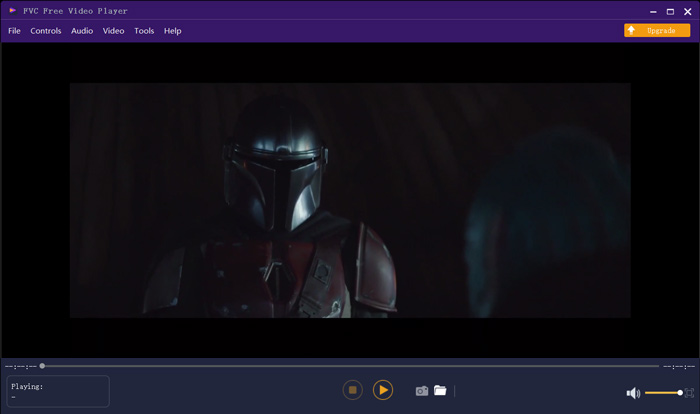
Više od besplatnog GIF playera, on itekako podržava sve popularne video i audio formate poput MP4, MOV, FLV, AVI, WMV, VOB, MP3, AAC, ALAC, M4A, WAV, FLAC i još mnogo toga. Ne postoji ograničenje veličine datoteke za reprodukciju GIF-a. Može vam pružiti izvrsno vizualno iskustvo. Štoviše, podržava naprednu tehnologiju kodiranja zvuka DTS-HD i Dolby TrueHD koja može ponuditi izvrstan zvučni efekt.
Dio 2. Aplikacija GIF Player za Android - OmniGIF
OmniGIF je alat za reprodukciju GIF-ova koji je prvenstveno namijenjen korisnicima Androida. Ako želite otvoriti GIF-ove na Android telefonu, možete se na njega osloniti. Osim što je GIF player, OmniGIF služi i kao GIF maker i GIF editor. Omogućuje vam jednostavno upravljanje GIF datotekama, videoisječcima i fotografijama. Za reprodukciju GIF-ova na Android uređaju možete ubrzavati i usporavati reprodukciju, puštati naprijed i nazad, reproducirati kadar po kadar i obavljati još mnogo radnji prema svojim potrebama.
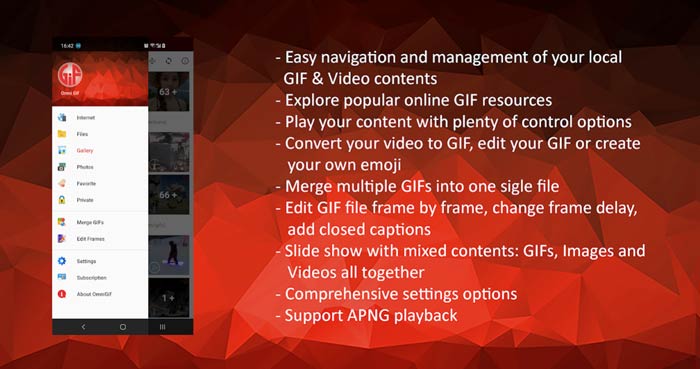
Ova aplikacija za Android GIF uređaj omogućuje skriveno skrivanje nekih privatnih datoteka. Također vam pruža moćne funkcije za uređivanje i stvaranje GIF-ova. Uz to, OmniGIF pruža izvrsnu značajku dijeljenja za brzo dijeljenje GIF datoteka, video isječaka ili fotografija na Facebooku, Instagramu, Twitteru, Messengeru, Lineu, WhatsAppu, Gmailu i mnogim drugim.
Dio 3. GIF Player App za iPhone i iPad - GIF Viewer
GIF Viewer je aplikacija za reprodukciju GIF-ova za korisnike iOS-a. Ovu GIF player aplikaciju možete besplatno instalirati iz App Storea na svoj iPhone ili iPad. Može jednostavno reproducirati, organizirati i dijeliti GIF datoteke pohranjene u aplikaciji Photos. Ova iOS GIF player aplikacija također vam omogućuje dodavanje i pregled GIF animacija iz drugih izvora.
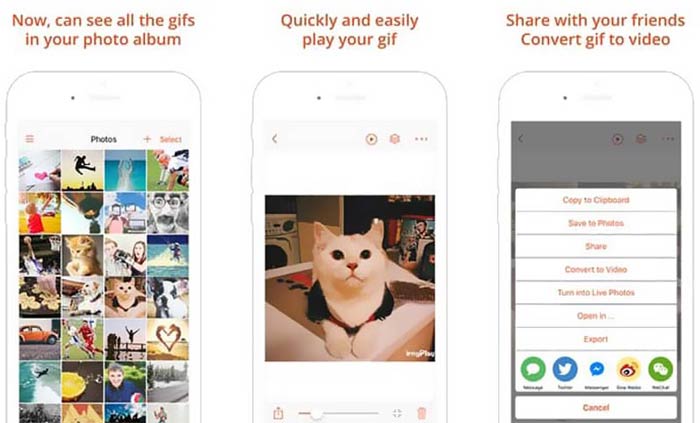
GIF Viewer može reproducirati sve vrste GIF datoteka iz lokalne pohrane, međuspremnika, iCloud Drivea, Dropboxa i kopirane Twitter poveznice. Štoviše, ovaj GIF player može vam pomoći pretvoriti GIF u video za bolju reprodukciju na vašim uređajima.
Dio 4. GIF Player za Mac i Windows PC - QuickTime Player
QuickTime Player zadani je medijski reproduktor za Mac. Može poslužiti kao GIF player za otvaranje i pregled GIF datoteka na Macu. Ako koristite Mac, GIF datoteku možete izravno otvoriti ovim unaprijed instaliranim medijskim playerom. Također ima i Windows verziju za reprodukciju GIF-ova na Windows računalu.
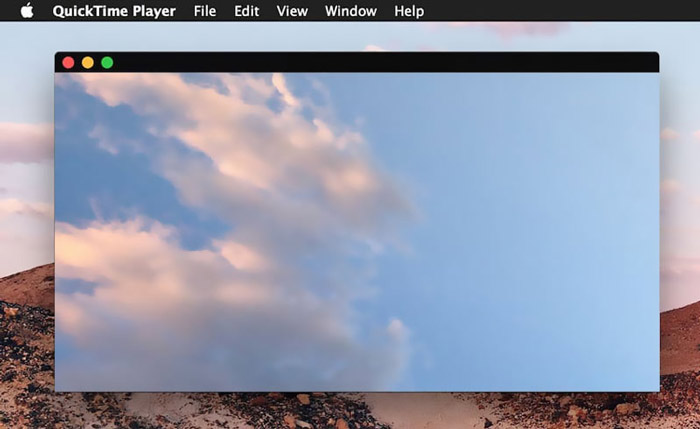
Kao uređaj za reprodukciju QuickTime može podržavati samo neke često korištene video i audio formate, poput MP4, MOV, M4V, AAC, M4A, MP3 i još mnogo toga. Dizajniran je s nekim osnovnim značajkama uređivanja i snimanja. Možete se osloniti na ovaj GIF uređaj za snimanje zaslona i uređivanje datoteke.
Dio 5. Besplatni mrežni GIF player - OnlineImageTools
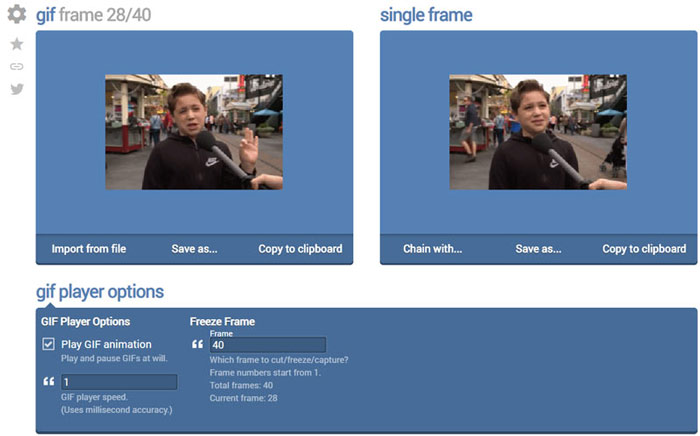
OnlineImageTools je online alat za reprodukciju GIF datoteka koji vam omogućuje pregled GIF-ova i na Macu i na Windows računalu. Ne trebate instalirati dodatne plug-inove ili druge datoteke za reprodukciju GIF-ova. Ovaj besplatni preglednički GIF player za animacije omogućuje vam izravno online otvaranje GIF datoteke. Za reprodukciju GIF-ova omogućuje vam da reproducirate GIF datoteku kadar po kadar.
Dio 6. Česta pitanja o GIF Playeru
Pitanje 1. Kako spremiti GIF-ove na iPhone?
Kada želite spremiti GIF datoteku na svoj iPhone, možete pritisnuti i držati GIF dok se ne pojavi upit. Tada možete odabrati opciju Spremi sliku da biste je spremili u aplikaciju Fotografije.
Pitanje 2. Kako besplatno pretvoriti video u GIF?
Za izradu GIF datoteke iz videa možete se osloniti na popularni Free Online Video Converter. Omogućuje vam jednostavnu pretvorbu bilo kojeg videoisječka u GIF.
Pitanje 3. Može li VLC reproducirati GIF?
Ne. VLC media player može otvoriti GIF datoteku samo kao statičnu sliku.
Zaključak
Bez obzira tražite li GIF player za računalo ili mobitel, odgovarajući možete pronaći među 5 gore preporučenih alata za reprodukciju GIF-ova. Ostavite nam poruku ako i dalje imate bilo kakvih pitanja o GIF playeru ili reprodukciji GIF-ova.
-
 Vodič za komprimiranje GIF-a i smanjivanje veličine datoteke uz visoku kvalitetu
 Evo dva jednostavna načina za sažimanje GIF-a na računalo ili mobitel. Možete koristiti FVC Free Online Video Compressor i Photoshop smanjiti veličinu GIF datoteke u različitim aspektima.
-
 10 najboljih FLV playera za Windows, Mac, iOS i Android 2021. godine
 FLV player pomaže vam da lako pristupite svojim FLV datotekama na Windows, Mac, Android, iOS uređajima. Pogledajte najbolje uređaje za reprodukciju datoteka FLV koje trenutno možete preuzeti.
-
 8 najboljih SWF datoteka za reprodukciju Flash video datoteka na Windowsima i Mac računalima
 Kada želite uživati u SWF filmovima i igrama na računalu i Macu, iz članka možete saznati više o izvrsnim značajkama 8 najboljih SWF datoteka za reprodukciju datoteka.
